


The best streaming services aren't a one-size-fits-all anymore. With hundreds of niche services covering everything from arthouse films and documentaries to horror and sports, and more, along with the best free streaming services, there’s a lot to choose from.
Instead of naming a single best service, this guide focuses on the biggest streamers by global subscriptions – including Apple TV, Disney+, and Hulu, which we're recommending as a bundled subscription, HBO Max, Netflix, Paramount+, and Prime Video – to help you decide which to sign up for in July. Why this month? Because each service’s library changes every 30 days or so as new content is added and removed.
We evaluate each service monthly to help you decide whether to keep or switch, and have also included a shortlist of alternative streaming services for added variety outside the major players.
The best streaming service for quality content

Reasons to join this month
✅ Your favorite movie is one made by A24: The indie powerhouse has a multi-year deal with HBO Max to stream its new movies exclusively, which means you'll be able to watch The Smashing Machine and If I Had Legs I'd Kick You.
✅ You're a fan of HBO Originals: HBO Max is the streaming home for everything HBO, including its fantastic back catalog of award-winning series like The Wire, Sopranos, Sex and the City and more. In January, highlights include The Pitt season 2, Industry season 4, and A Knight of the Seven Kingdoms.
✅ You love Hollywood classics: Thanks to a licensing deal with the Criterion Collection, there's a huge range of classic movies being added to HBO Max from the early days of Hollywood in January, such as The Narrow Margin (1952), The Last Time I Saw Paris (1954), and The Desert Song (1953).
Reasons to switch this month
❌ You share your account: HBO Max has already started enforcing its new account sharing restrictions, making it a blow for subscribers that share their logins. Try Apple TV or Paramount+ to avoid the HBO Max password sharing crackdown instead.
❌ You like browsing new content: HBO Max's monthly new content schedules are notably a bit smaller than the likes of Prime Video, Netflix or Hulu. If you want a more fresh library, then we'd suggest looking to rivals.
❌ You value high-quality streams: If you have a high-tech entertainment setup, then you're going to want to pay for HBO Max's most expensive tier to unlock 4K as it only streams in 1080p otherwise. For a more affordable high resolution, look to Apple TV or Prime Video.

HBO Max is the streaming service to sign up for this July 2026. Big Bang Theory spinoff Stuart Fails to Save the Universe has finally arrived, while Rick and Morty season 9 is now available to stream in its entirety. Not sure whether HBO Max is delivering to your tastes? You'll be able to tell the service if you're really loving that show or movie, thanks to a new feedback system it's rolling out.
Is Max worth subscribing to?
As the home to HBO Originals, HBO Max is the best streaming service to catch award-winning shows such as modern hits Game of Thrones, Succession, The White Lotus, The Last of Us, and now iconic series' The Sopranos, The Wire, and Sex and the City. There are always new monthly additions to HBO Max, which means there are hundreds of hours worth of content to stream on the app. Indeed, the service has made a name for itself for offering quality originals.
Show expert analysis ▼
Unfortunately the HBO Max free trial had ended, but you can still save money by staying up to date with the HBO Max price.
This quality, value for money approach it takes with content extends to its movie catalog too, which admittedly doesn't have as many original productions but it does include classic and modern Hollywood films.
While it has less movies than TV shows (based on Reelgood data), that list is expanding thanks to new partnerships. HBO Max made a multi-year deal with A24 to get the exclusive streaming rights for its theatrical releases for a limited time as well as over 100 of its movies added to its platform, making it a haven for indie film lovers,.
HBO Max is one of the youngest streaming services around, having launched in May 2023 after Warner Bros Discovery (WBD) merged HBO Max (its original streaming service launched in 2020) with Discovery. But that hasn't stopped it rolling out two price rises in the space of a year – the first time it raised prices for its ad-free service was in early 2023 followed by another shock subscription increase in June 2024 and another in October 2025. There are other options to sign up to the service though, with it joining Disney+ and Hulu in a bundle. HBO Max is also slowly expanding outside of the US and is now available in Australia, but those in the UK will have to wait until 2026.
The best streaming service for TV shows

Reasons to join this month
✅ You want more bang for your buck: Want your hard-earned cash to stretch further? Signing up for one of the Disney+ and Hulu bundles is the way to go as it offers more value than signing up for both separately.
✅ You like adult and kid-friendly content: Disney+ is packed with family-friendly entertainment but, if you also enjoy content tailored for mature audiences, subscribing to Hulu alongside Disney’s primary streamer will allow you to get the best of both worlds.
✅ You enjoy watching new movies regularly: Disney+’s new movie offerings can be slim pickings on occasion. However, Hulu’s movie library is forever being updated with new films to enjoy, so movie buffs will always have something new to watch.
Reasons to switch this month
❌ You want lots of original content: As good as Disney+ and Hulu are, the number of movie and TV Originals that debut on both platforms isn’t as high as their streaming rivals. If it’s original content you’re after, then, Netflix, Prime Video or HBO Max should be your go-to's.
❌ You like binge watching shows: Unlike Netflix, new episodes of Disney+ and Hulu shows are usually released on a weekly basis. So, if you’re the type of person who likes to watch an entire series in a single sitting, neither of these services is the one for you. Again, Netflix is your friend on this front.
❌ You’re looking for new kid-friendly content: The House of Mouse has built a reputation on delivering family-friendly content worldwide. But if you need an alternative, then Apple TV is slowly building out its kid-specific line-up of films and TV Originals.
Between Disney+ and Hulu, there's a lot of fresh content to stream in July. First and foremost, new episodes of X-Men '97 are dominating both streamers, with new National Geographic documentary Pompeii: Out of Time with Tom Hiddleston bringing history to life in an entirely new way. If that wasn't enough, Descendants: Wicked Wonderland is the fifth installment to the musical movie franchise.
Is Disney+ and Hulu worth subscribing to?
Together, Disney+ and Hulu are a great way for customers to watch every Disney live-action movie remake alongside other modern and old classics as well as every Pixar movie ranked best to worst. It's the streaming service duo that lets you watch the Star Wars movies in order and every Marvel Phase 4 movie and show. On top of all this, there's hit Hulu Originals like The Handmaid’s Tale and Only Murders in the Building, making the service's combined offering one of the most varied around.
Show expert analysis ▼
Read our guides to the price of Hulu and Disney+ price, and check our Disney+ free trial or Hulu free trial pages to see if you can try out the services.
Highlights in the Disney+ catalog include hits like Elemental, Moana 2 , The Little Mermaid, and Taylor Swift The Eras Tour (Taylor's Version), alongside TV shows like The Mandalorian, WandaVision, Daredevil: Born Again, and Loki.
Meanwhile, Hulu Originals span across several Disney-owned studios, including Disney Television Studios, 20th Century Studios, FX, ABC Signature and Searchlight Pictures. In fact, Reelgood data shows that Hulu has been known to have had the second-biggest library of TV shows out of all the major streaming services. Combined with Disney+, the bundle offers subscribers a lot of choice.
For sports lovers, there’s also the choice of a bundle that has an optional third add-on for ESPN where you can watch live games, highlights, and documentaries, making it a well-rounded package. This also extends to Hulu + Live TV, which offers various sports channels.
Like its rivals, there are always changes occurring at the House of the Mouse's streaming services. From back-to-back price hikes (there was a major cost increase in 2025) to its password sharing crackdown, it's mirroring a lot of Netflix's tactics – there are even rumors it could soon make big Netflix-style changes to keep you glued to its shows.
The best streaming service for most people
Reasons to join this month
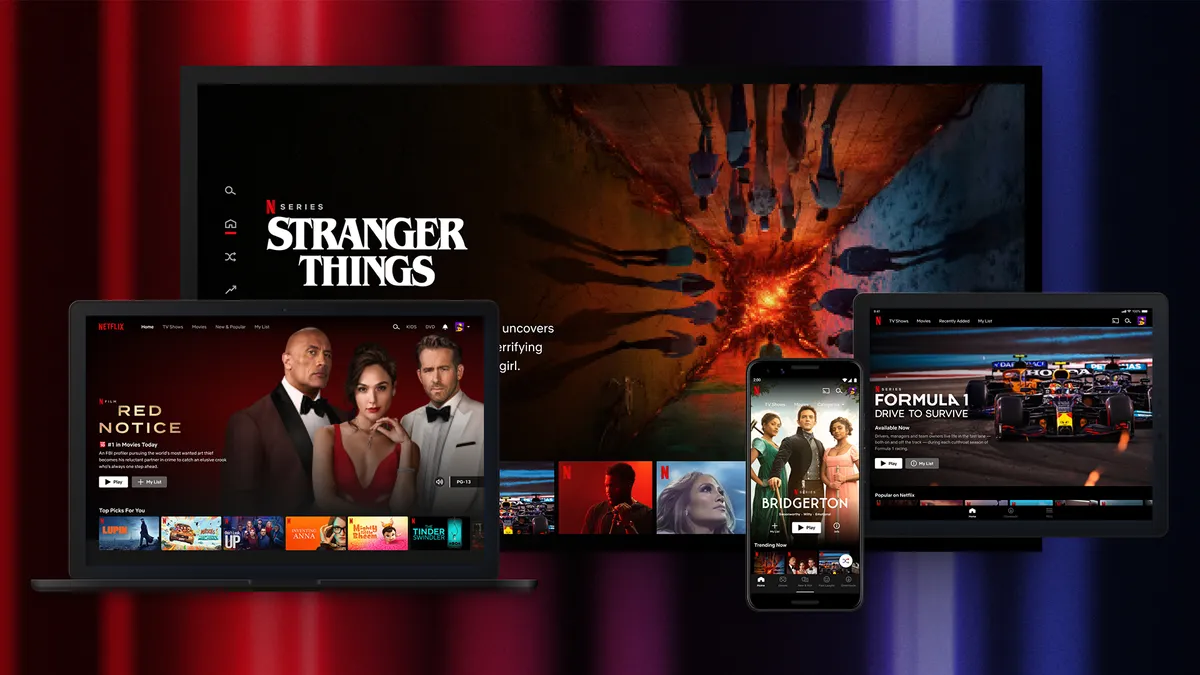
✅ You can't miss a new Netflix Original: Without a doubt, there's always a new Netflix show or movie being released on a weekly basis. In January, highlights include Harlan Coben's Run Away, Agatha Christie's Seven Dials, and People We Meet on Vacation.
✅ You're a genre hopper: As one of the biggest streaming services around, Netflix has one of the most mixed catalogs available to browse, offering a lot of choice to those that have versatile content palates.
✅ You want the latest features: Netflix is ahead of the curve when it comes to improving the tech on its platform. From a major new homepage update to these five great new features, there's always something new to look out for.
Reasons to switch this month
❌ You prefer to bundle your subscriptions: Netflix doesn't do bundles, so if you're after a good deal that lets you combine multiple subscriptions in one neat payment then we suggest looking to Disney+, Hulu, HBO Max and Prime Video.
❌ You want a steady catalog to browse: Every month, Netflix is either canceling or removing a new batch of content. In January, subscribers will lose Agatha Christie's Crooked House, Baby Driver, Coach Carter, Kung Fu Panda, Lost, Star Trek, Prison Break and more.
❌ You’re looking for a cheaper alternative: If you’re wanting to save some money this month, then there are plenty of best streaming deals to take advantage of – just don't expect to find a saving for Netflix though as it doesn't tend to offer discounts.
Soem big hitting TV shows and movies are arriving on Netflix this month, with the likes of Ransom Canyon season 2, Little House on the Prairie and Heartstopper Forever making up just some of the choices you've got to stream this month.
Is Netflix worth subscribing to?
If you’re looking to catch hit Netflix Originals, like Bridgerton, Cobra Kai, Emily in Paris and The Umbrella Academy, then there's only one service where you'll find these titles. As arguably the most well-know streaming service with one of the biggest content libraries around, Netflix is often a staple in many households. But it can draw the ire of subscribers with its account changes and surprise price hikes – it raised prices again at the start of 2025. Not to mention its habit of canceling shows at the drop of a hat.
Show expert analysis ▼
Save money with the best streaming deals and TV subscription coupons.
Despite raising subscription prices several times over the past decade, introducing more ads by removing its Basic tier and clamping down on password-sharing, Netflix remains the most popular streaming service in the world. Its biggest draw? The shed tons of movies and shows at it has in its catalog, which also happens to be second largest compared to rivals. Although Netflix’s movie library isn’t as big as Prime Video. It’s the same story with TV shows after it started to scale back investments in production, with its list beaten (only just) by Hulu.
But it’s not only about quantity, as it has quality Netflix Originals like Wednesday, Stranger Things, Dahmer: Monster: The Jeffrey Dahmer Show and The Queen’s Gambit – all of which make up the five most-watched shows on the service. Granted, its studios don’t have a seamless track record, with some seeing terrible reviews from critics, but many of its titles have been surefire hits, winning countless awards for shows like House of Cards and Orange is the New Black and movies like Roma and The Power of the Dog.
The service itself is also seamless. After all, the familiar ‘tudum’ greeting and interface we’ve all come to recognize set the standard for streaming homescreens we know today, and has been copied by many of its rivals. That hasn’t stopped Netflix from continuing to experiment, with plans to test major changes that’ll make finding new movies and shows so much easier. On top of this, you can access high-quality streams in HD, 4K Ultra HD and HDR, which was updated to be Dynamically Optimized to improve brightness and color. Sure, it’s not the cheapest streaming service, but in terms of its value proposition, Netflix is the most well-rounded offering.
The best streaming service for originals

Reasons to join this month
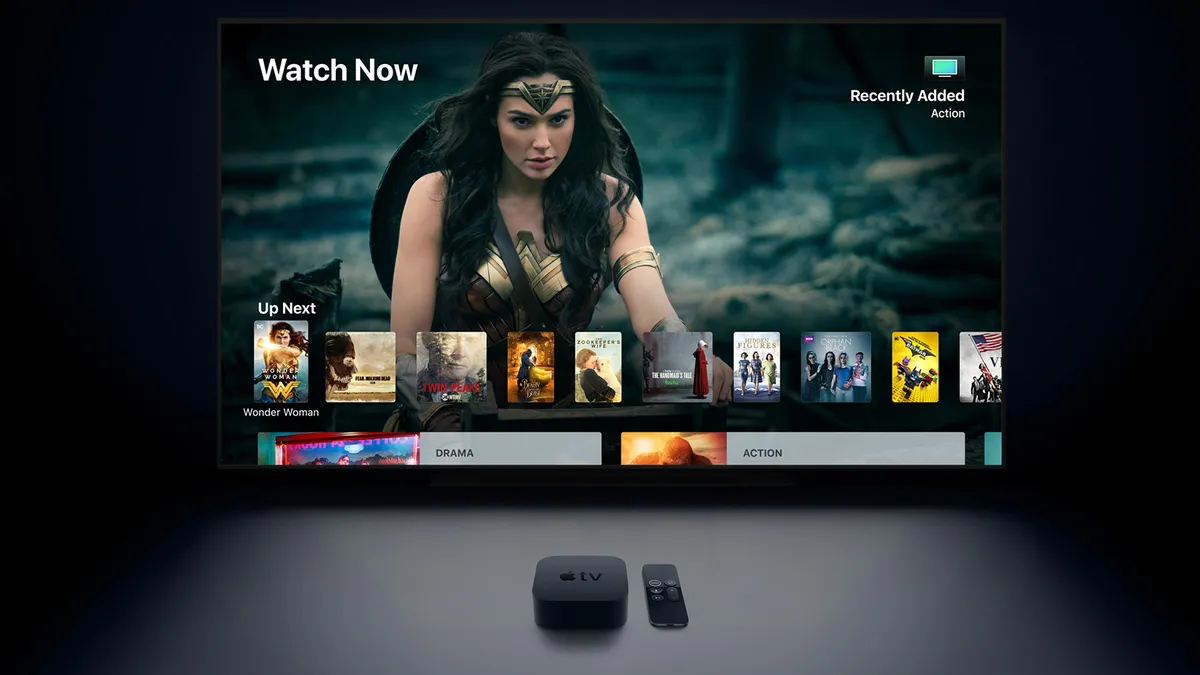
✅ You love sci-fi: Apple TV has become a sci-fi utopia, boasting an epic lineup of critically acclaimed shows. These include titles such as Silo, Murderbot, and For All Mankind, alongside Vince Gilligan's Pluribus.
✅ You want new releases: It's a quiet month for Apple TV Originals, with only new episodes of the glitzy comedy-drama Palm Royale season 2 releasing alongside the debut of Tehran season 3, Hijack season 2, Drops of God season 2 and Shrinking season 3.
✅ You love book adaptations: Apple TV is home to many highly-rated book-to-screen adaptations that have been well received by critics, including Drops of God, Pachinko, Lessons in Chemistry and more.
Reasons to switch this month
❌ You can't afford to be subscribed to every service: Unlike other steamers such as Disney+, Paramount+ or Hulu, Apple TV isn't known to offer many deals, so if you missed out on one of its rare offers, then you might want to look elsewhere for a deal.
❌ You don't have a big household: Apple TV is one of the few streaming services that doesn't restrict account sharing still, making it a great option for anyone with larger families and friendship groups.
❌ You prefer more variety: Apple TV has one of the smallest libraries compared to the biggest paid-for streaming services. We'd suggest looking at Prime Video or Hulu if you're after more content like the best anime or best horror movies to browse.
Headlining Apple TV's July arrivals include Silo Season 3, Trying Season 5, and the new limited series Lucky. On top of this, we're gearing up for Ted Lasso season 4... and what could be more exciting than that?
Is Apple TV+ worth subscribing to?
While its library may not be as big rivals, there are plenty of new Apple TV Originals that get added to the platform every single month. From the Brad Pitt movie F1 to the hit comedy series Ted Lasso, there's a real mix of content that you won't find on any other streaming service. Highlights include shows like Severance, The Studio and Slow Horses alongside Apple TV’s most-watched drama Presumed Innocent, which is getting a second season. Still not sure what the fuss is all about? Read our Severance season 2 review to get an idea of the level of quality television you're missing out on.
Show expert analysis ▼
Find out all the latest on the price of Apple TV or sign up for an Apple TV free trial to try out the service.
Apple TV remains one of the best streaming services due to its original and high-quality content. The streamer has produced some of TV’s biggest shows and while it might not have a huge content library like Prime Video does, it prioritizes outstanding original material, with the likes of Ted Lasso and Slow Horses becoming huge successes for the platform.
The streamer has also become a go-to destination for sci-fi TV shows with series like Dark Matter, Foundation, and Severance, and has also made a name for itself with its top-tier comedy content like Shrinking and, of course, Ted Lasso. Apple TV continues to expand its comedy library with the buddy cop movie Wolfs and murder-mystery comedy Bad Monkey from Ted Lasso co-creator Bill Lawrence.
Although Apple hasn't steered clear of hiking up prices over the years, it is one of the only major services to not have an ad tier. While Apple has recruited a number of ad execs and been rumored to be testing a new AI-powered tool for optimizing App Store ads, no commercials have yet to be introduced.
Apple TV is also one of the only services that still allows you to share a single subscription with up to five people, allowing your friends and family to enjoy watching in 4K HDR video with immersive Spatial Audio for a proper cinematic experience. While Apple TV might not be a replacement for other streaming services when it comes to quantity, in terms of quality they hit them out of the park.
The best streaming service for classics
Reasons to join this month
✅ You're a Trekkie: Paramount+ is home to all the major Star Trek movies and TV shows, including Star Trek: Section 31 and the brand new drama Star Trek: Starfleet Academy that debuts on January 15.
✅ You love westerns: As the home of Taylor Sheridan's universe of western dramas (except forYellowstone, which is on Peacock), Paramount+ has all the prequels, sequels and spin-offs from the filmmaker, including 1923 season 2, which tells Yellowstone's chilling origin story.
✅ You're a movie buff: Some of the most critically-acclaimed films are being added to Paramount+'s library in January, among the 59 new additions, highlights include Forrest Gump, Love Actually, The Breakfast Club, The Big Lebowski and Waterworld.
Reasons to switch this month
❌ You prefer a larger content library: Out of all the biggest paid-for streaming services, Paramount+ is among the smallest because of its slimmer catalog of movies and shows. For more choice, try Prime Video or Netflix.
❌ You don't like reality TV: Paramount+ is packed with reality series like Bar Rescue, Survivor, RuPaul's Drag Race and Big Brother. But if reality TV isn't your thing, we suggest looking at Prime Video or Netflix for more variety.
❌ You're not excited for Paramount Pictures movies: All new movies from the studio stream exclusively on the service after their theatrical run, so if you're not keen on the next Mission Impossible movie, Naked Gun remake or Roofman, then you might be better off looking to Prime Video.
With Dutton Ranch now done and dusted, attention is turning to The Crow Girl season 2 and the fourth season of Star Trek: Strange New Worlds. Don't forget new movie Avatar Aang: The Last Airbender either, which brings the animated IP back to its original form for the first time in almost two decades.
Is Paramount+ worth subscribing to?
Paramount+ has a growing list of new movies and shows that it's adding each month. But because there's been so much change at the company level with Paramount agreeing to merge with long-time partner Skydance, there are a lot of changes coming in 2026 – and it's not all good news for subscribers, with talk of a price hike in January 2026 as well as plans to end its free trial offer and offer less deals.
Show expert analysis ▼
Save money with these Paramount+ Coupon Codes or sign up for a Paramount+ free trial to try out the service. Learn more about the Paramount+ price with our guide.
Paramount+ has been a streaming service in flux. With the exception of Netflix, it is one of the oldest streamers around, having launched back in 2014 as CBS All Access (it was later rebranded to Paramount+ in 2021), and has scaled its offering quickly, attracting more than 60 million subscribers, largely thanks to the success of Star Trek and Yellowstone.
Its Original content includes titles like Top Gun: Maverick, Star Trek Into Darkness, Tulsa King, Star Trek: Strange New Worlds, The Castaways, Special Ops: Lioness, Lawmen: Bass Reeves and Mayors of Kingstown, which can all be streamed in 4K and Dolby Atmos with its premium plan.
However, in the years since it has taken a cost-cutting approach, which has seen it raise subscription prices two years in a row since 2022 with plans for another in 2026, combine its Showtime platform with Paramount+ to condense spending (Showtime stopped streaming in 2024), and wind back deals.
The best streaming service for movies
Reasons to join this month
✅ You want a big movie library: Prime Video's movie library is unmatched by rivals. It is known to consistently add over 50 new Prime Video movies every month, making it a great choice for those that love watching a film.
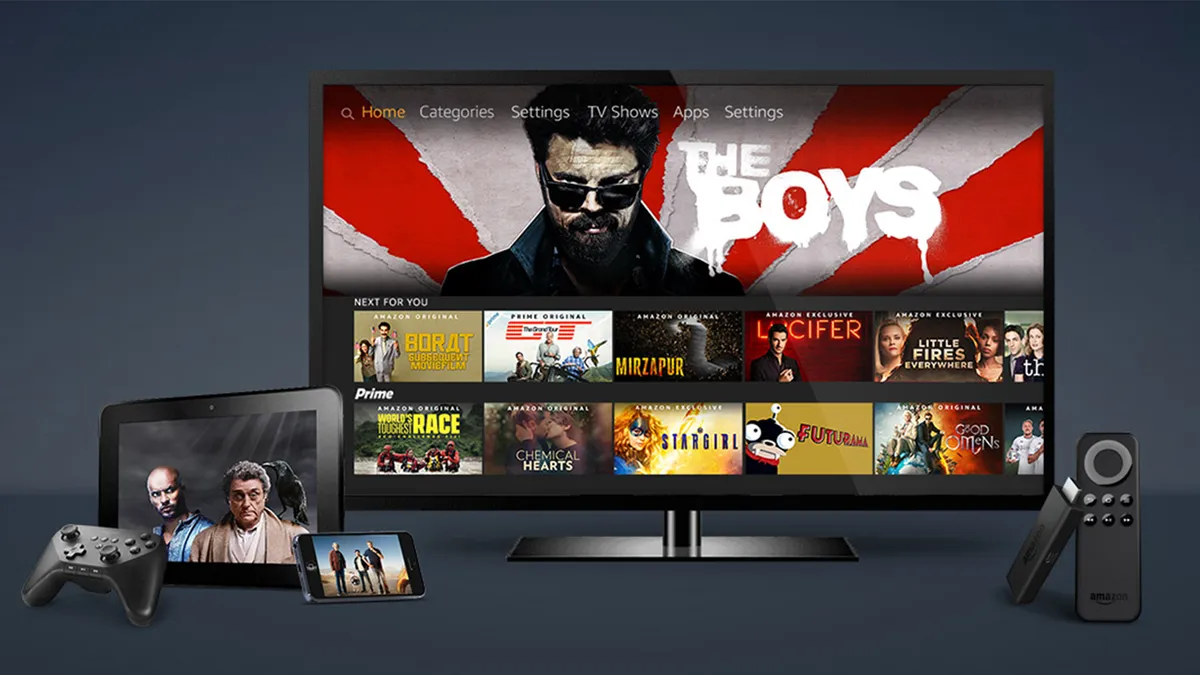
✅ You love Prime Video Originals: From Reacher to Rings of Power, Amazon has a growing slate of tentpole shows. In January, new additions include The Night Manager season 2, Beast Games season 2 and Judy Justice season 4.
✅ You want the best quality streams for less: Prime Video's 4K ad-free plan is considerably cheaper than the equivalent tier at Netflix or Disney+, making it great value to access higher resolutions.
Reasons to switch this month
❌ You don't like ads: Prime Video has been ramping up the number of ads subscribers see ever since it introduced a more expensive tier. With the service reportedly doubling ad times, we'd suggest looking at Apple TV instead.
❌ You don't have more than one subscription: Prime Video has a growing number of subscription add-ons you can choose from, making it a great hub for those signed up to several services. If that's not important to you, try Netflix or Paramount+.
❌ You don't have Amazon Prime: If you're not a regular Amazon customer then it doesn't make sense to be a Prime member, even if you do get free access to one of the best streaming services. We'd suggest signing up to Walmart+ instead as you can choose from a free Paramount+ or Peacock subscription.
You can't look past Legally Blonde prequel Elle this month on Prime Video, which has gone down a treat with the TechRadar team. Ride or Die and Batman: Caped Crusader season 2 follow up on the TV front, while 2026 movie giant Project Hail Mary is this month's biggest film offering.
Is Prime Video worth subscribing to?
Despite Prime Video introducing ads unless you pay an extra $2.99 a month to get rid of them, it still remains as one of the most popular streaming services due to its sheer range of content. While the skippable ads may be off-putting, it still offers a lot of value, especially considering its free with an Amazon Prime membership. Its not just quantity over quality either, as Amazon Studios and Amazon MGM Studios produce a lot of great content.
Show expert analysis ▼
Save money with the best streaming deals and TV subscription coupons or sign up for a Prime Video free trial to try out the service.
It's no surprise, then, that Prime Video usually prioritizes its movie selection over its TV shows, but Amazon Studios has paid a lot of attention to producing original content in recent years and it’s certainly paid off, with Reacher, The Boys, The Marvelous Mrs Maisel, The Tomorrow War, The Rings of Power, Fallout and The Summer I Turned Pretty all becoming hit shows.
According to JustWatch, Prime Video has one of the biggest libraries compared to rival streamers. The sheer size of its catalog doesn’t outweigh quality though, as its originals have won 75 awards and been nominated a staggering 246 times. It’s well known that Amazon tends to focus a lot of their attention on movies and their colossal film library is largely thanks to them buying MGM Studios in 2022. But it also tends to prioritize licensing a lot of films from other studios, which plays a big role in keeping its library fresh every month.
Prime Video also gives you the ability to buy and rent content, which has both positives and negatives. Although this allows users to have more choice, the paid content is mixed with free content, which can be frustrating when you search for something to watch, only to find you have to pay for it. This can be changed when you switch to the ‘Free to me’ section, but you can’t make this a default view, so it would be easy to forget to select this option every time you scroll through the content mines. Despite its flaws, there’s something for everyone on Prime Video, so there’s a lot of value for your money.
Alternative streaming services to consider
Why you can trust TechRadar We spend hours testing every product or service we review, so you can be sure you're buying the best. Find out more about how we test.
Outside of the biggest paid-for streaming services listed above – Paramount+, Prime Video, Disney+, Hulu, Max, Apple TV+ and Netflix – there are still plenty of other video on-demand platforms still to consider from.
While we haven't listed every single one of these here, below you'll find three other services to consider outside of the incumbents. Some of these streamers are owned by TV networks like NBC Universal's Peacock and Dish Network's Sling TV, while others are independent film distributors like Mubi.
The best streaming service for cinephiles
Reasons to join this month
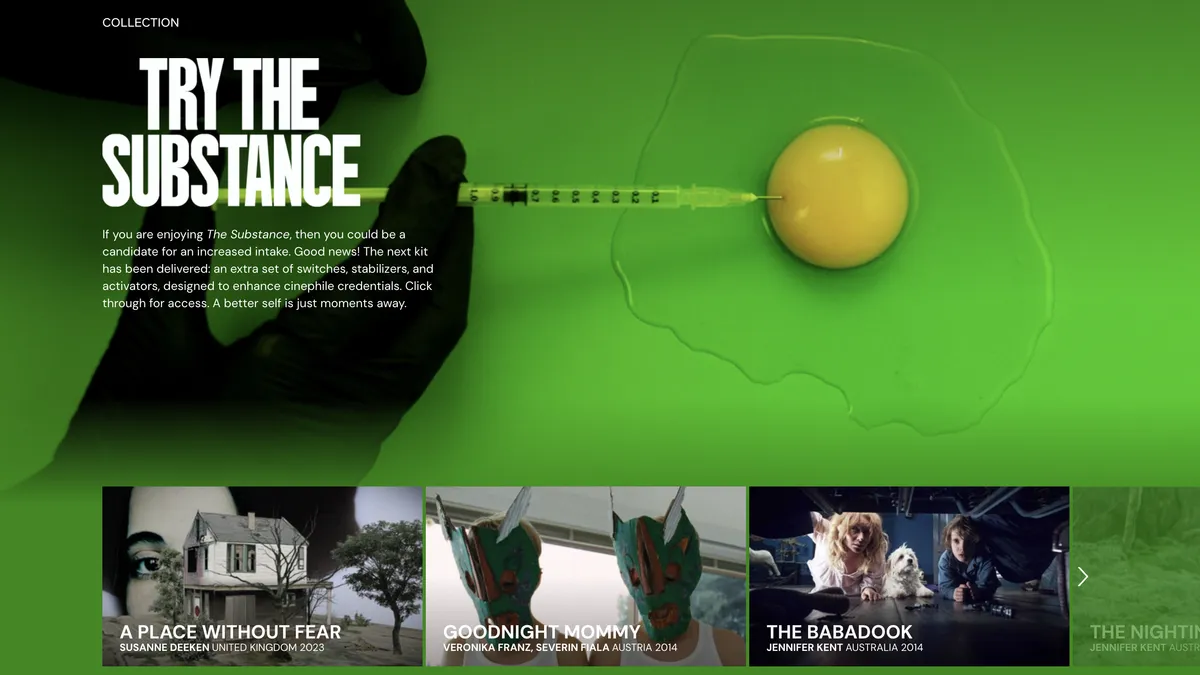
✅ You like unusual and exclusive film releases: Mubi will often add exclusive releases and critically acclaimed films you can’t find on other platforms, like critically-acclaimed masterpiece The Substance.
✅ You want new picks every time you log on: A new film is added daily, which means the movie library is constantly refreshed along an expert take about why you should watch it.
✅ You like perks: Subscribers to the highest tier, Mubi Go, receive a weekly ticket to watch a curated film at the movie theater for no additional cost – only in certain regions.
Reasons to switch this month
❌ You prefer mainstream content: If your preference leans towards blockbuster movies and TV shows, Mubi's library won't cater to your tastes. Some new releases are here, but not the mainstream kind. Head over to Netflix, Hulu or Max instead.
❌ You like a choice of movies and TV: There are some documentaries and shorter films available here, but Mubi mostly focuses on films. You'll never find a popular boxset added to Mubi like you would on Prime Video.
❌ You want loads and loads of choice: Compared to larger streaming services, Mubi's library is more limited. That's sort of the whole point, focusing on quality over quantity, but that won't appeal to everyone. For a more varied mix, try Prime Video or Netflix.
Is Mubi worth subscribing to?
Mubi is a streaming service created with cinephiles in mind, offering a curated collection of international and independent films that are often hard to find anywhere else. It also streams some exclusives, like The Substance, Bird, Cow and Grand Theft Hamlet.
Show expert analysis ▼
Mubi’s commitment to quality over quantity shines through its handpicked daily additions, which mean the library is continually refreshed with top-tier titles. For fans of thoughtful storytelling, arthouse films, and world cinema, Mubi offers a unique viewing experience that stands out in a crowded streaming landscape.
While Mubi does offer a seven-day free trial, it lacks a free version. Subscribers can choose between the standard plan or Mubi Go, which is more expensive and includes weekly movie theater tickets to select films, bridging the gap between streaming and theatrical viewing. All content on the platform is ad-free. Adding to its curated charm, each movie comes with an insightful "Our Take" section, offering thoughtful commentary – a refreshing upgrade from a small synopsis, which most rivals give you.
That said, Mubi's niche focus and limited library may not appeal to those looking for mainstream blockbusters or a huge amount of choice. What’s more, the higher cost of Mubi Go might deter budget-conscious viewers. However, if you love arthouse and independent cinema, Mubi provides unparalleled access to festival favorites, cult classics, and works by emerging directors. If you value quality, unique content, and thoughtful curation, Mubi is a great choice.
The best streaming service for live sports
Reasons to join this month
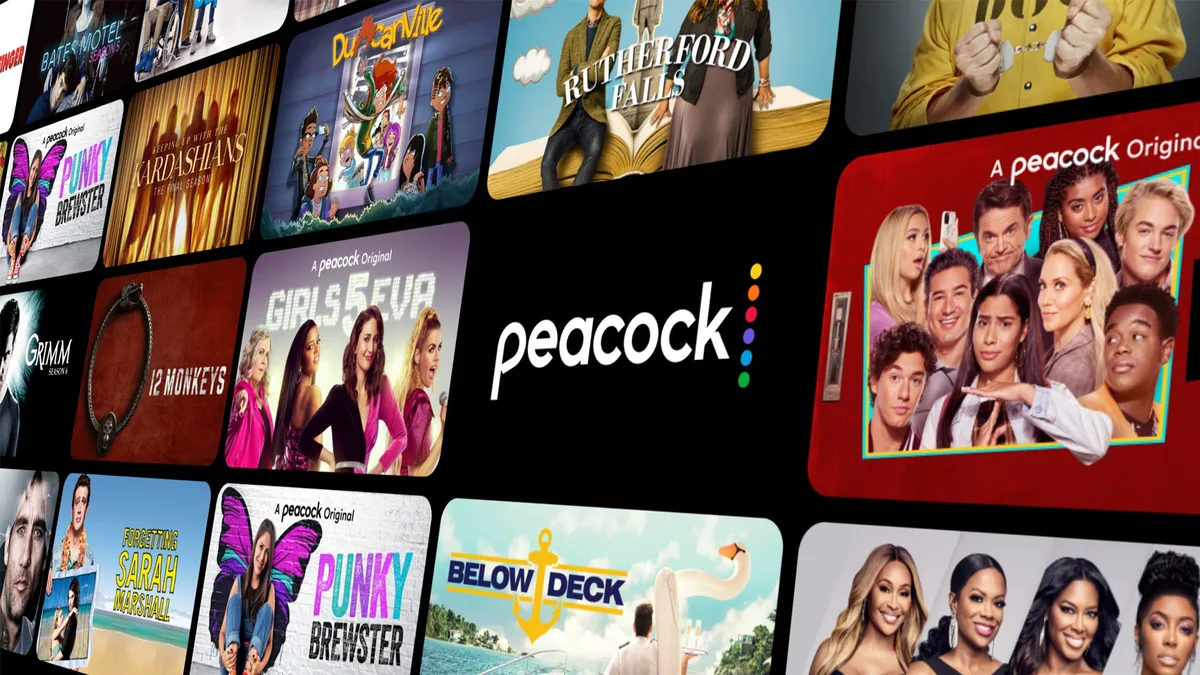
✅ You want loads of choice: There’s so much content on Peacock, including TV shows, movies, live channels, love sports and more. With programming from the likes of NBC and Bravo. Right now you can watch top TV shows like The Office, Yellowstone and Brooklyn Nine-Nine.
✅ Live sports are a priority for you: One of the top options for sports, on Peacock TV you can watch events like the WWE, Olympics and some Premier League soccer games live. You can also access analysis and replays too.
✅ You want exclusives and specials: Stephanie Hsu’s new comedy Laid will land exclusively on Peacock. It also gets access to other big hit shows too, like Eddie Redmayne’s The Day of The Jackal – just renewed for a second season.
Reasons to switch this month
❌ You don’t like NBC Universal movies and shows: As the company's streaming service, Peacock is the exclusive home to NBC Originals, NBC and Bravo hits as well as much much more.
❌ You want more variety: Peacock has one of the smaller content libraries out of all the big streaming services, making its offering a lot more limited. For a more varied mix of shows and movies, look at Netflix, Prime Video and Hulu.
❌ Limited originals: Look, there’s a really great choice here, especially at the time of writing. But while Peacock’s original series and exclusives are great, they’re not going to compete with the likes of Netflix.
Is Peacock worth subscribing to?
Peacock TV is NBCUniversal's streaming service. It offers a wide range of content, making it a good alternative to cable and live TV. Subscribers gain access to popular TV shows, movies, live sports, and a handful of exclusive originals.
Show expert analysis ▼
The service operates on a tiered subscription model, offering two main plans, Premium and Premium+. Although the lower cost Premium tier undercuts many rivals, it comes with limitations, like ads, no offline downloads, and restricted access to some channels. We think it makes sense for most people to get Premium+, which eliminates ads (with a few exceptions for live broadcasts), adds downloads for offline viewing, but does cost extra.
When it comes to TV shows, Peacock TV currently has many great hit NBC series and boxset favorites, like The Office, Yellowstone and Brooklyn Nine-Nine. Movies are varied, with some older classics and a couple of releases from the past year. Sports fans will love what’s on offer here, including live coverage of WWE, Olympics and Premier League soccer games, all live alongside some analysis and replays, too.
Peacock TV doesn’t have as many exclusives as the likes of Netflix or Disney+, but you will also find some movies and TV shows that are only on Peacock, especially around seasonal periods. It’s worth mentioning there are regional restrictions on some content, this is the case with all streaming services, but be sure to check what’s available where you live before signing up.
Peacock stands out as a versatile streaming service option. Although there are some great new movies and exclusives on the platform at the time of writing, we think it makes the most sense for fans of live sports, NBC series and older boxsets. If access to a wide range of programming is important to you and you don’t mind either coping with the limitations of Premium or paying extra for Premium+, it’s a very solid choice and could definitely make sense for some people over more popular platforms, like Netflix and Disney+.
The best streaming service for a cable TV replacement

Reasons to join this month
✅ You want to customize your streaming experience: Sling TV is a bit different to rivals. You can pick which plan you want and then select add-ons to customize the experience to you, adding additional features (like DVR) or channels, like more entertainment or more sports.
✅ You want to replace cable TV: Some of the rivals in this list are better when it comes to exclusives or the best movies. But if you want an all-in-one choice that best replicates cable TV, Sling TV is one of the best picks.
✅ You want DVR capabilities: One of the few services that let’s you record live TV and pause it. Although you will have to buy an add-on to unlock this feature.
Reasons to switch this month
❌ You want a simple experience: We said the fact you can customize Sling TV will be a pro for some people. For others who just want a good choice of TV shows and movies, it’ll be too confusing and a simple and solid option like Netflix will be better suited to you.
❌ You don’t want to pay extra for add-ons: Some people will like the fact they’re only paying for what they’re watching. But if you want to watch a wide range of content and value movies just as much as sports, prices can quickly rack up. You might also find these add-ons included in other packages for less.
❌ You don’t want prices to increase: To be clear, this happens across every streaming service, it’s not just Sling TV. But at the time of writing, Sling TV had introduced a pretty hefty price increase that still makes it good value in some respects, but it’s not as easy to recommend to everyone.
Is Sling TV worth subscribing to?
Sling TV is a streaming service that we think most feels like traditional cable than any other option in this guide. Interestingly, it also offers a customizable and flexible way to watch live TV. Sling TV introduced a recent price hike, but plans still start at a fairly affordable price – especially if you’re comparing them to cable packages. For this reason, it’s a good choice for budget-conscious viewers looking to cut the cord without sacrificing access to popular live channels or sports.
Show expert analysis ▼
One of Sling TV’s standout features is the fact you can customize your channel line-up and even some features. Subscribers can tailor their plans to begin with, choosing from Sling Orange (best for sports and family content), Sling Blue (best for TV and documentaries), or a combination of both. From there, you can buy add-ons for specific genres, like more sports or entertainment. Or specific channels, like Starz or Paramount+ with Showtime. You can also add a DVR feature, which allows you to record and watch back later. This customizable approach means you only pay for what you’re going to watch.
Sling TV’s breadth of content is great, but there are some limitations. Local channels, including ABC, NBC, and Fox, are only available in some regions, which could be a drawback for viewers who rely on them for news and sports. Also, while Sling TV starts out at a competitive price, the customizable approach can quickly rack up big costs. For some people, paying for only what you want to watch will work out cheaper than rivals. If you plan to get all sorts of add-ons, it might end up being more expensive. We recommend doing the sums before you commit.
For those prioritizing affordability and flexibility, Sling TV is a solid option, especially if you prefer the idea of a personalized viewing experience. However, the price increase, limited local channel availability, and potential add-on costs make it a service we’d recommend, but only if you’ve considered rivals and worked out the costs of the add-ons you’ll need first.
How we choose the best streaming services
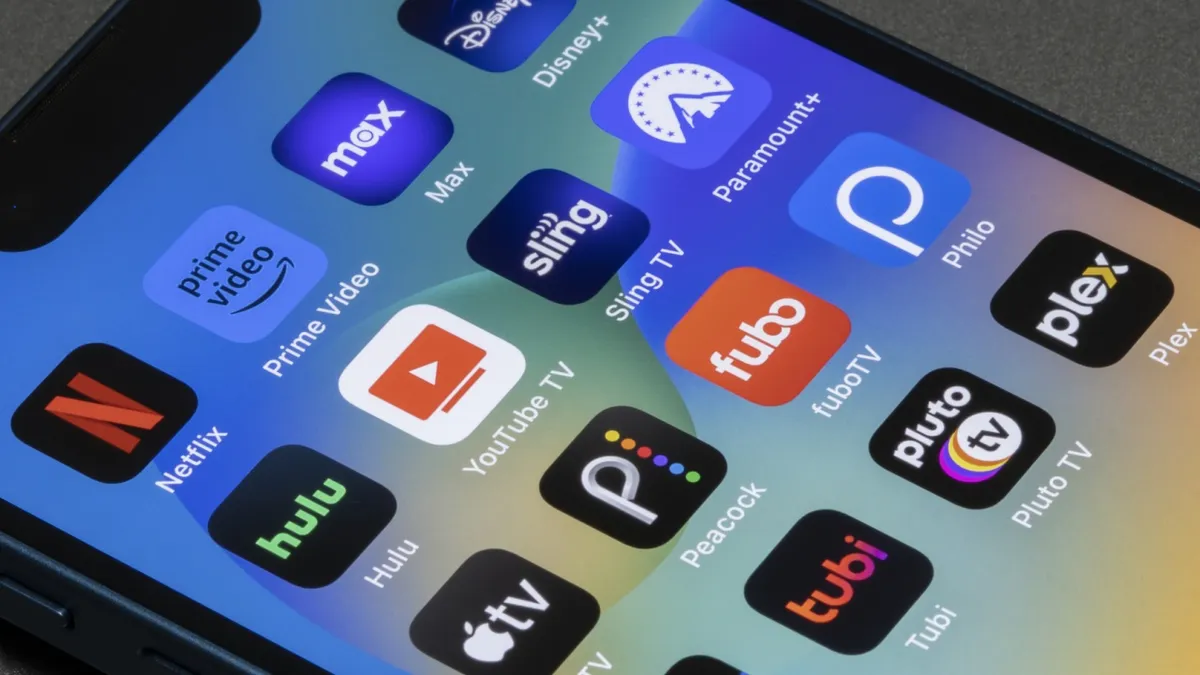
This guide is not a definitive ranking of the best streaming services. That's because we don't believe that there's one single best platform to be signed up to anymore.
Instead, to cater to the growing trend of savvy budgeters that pause and cancel their subscriptions depending on what they want to watch, we've updated the order of this list to reflect which services are offering the most value during this month.
Looking at the content schedules of the biggest streaming services for January 2026, we've ordered this list to best reflect those that are adding the biggest new movies and shows, while also factoring in recent account updates like price hikes that impact subscribers.
Using these metrics as a methodology, we've reordered the best streaming services in this guide so you can see which is the highlight of the month, allowing subscription hoppers to save up to 56% on their streaming bills in 2026 by canceling any unnecessary subscriptions.
Make sure to also check for any of the best streaming deals to see if you can get a discounted subscription or if you have to tighten the purse strings completely this month, then why not see what's on the best free streaming services instead.
Follow TechRadar on Google News and add us as a preferred source to get our expert news, reviews, and opinion in your feeds. Make sure to click the Follow button!
And of course, you can also follow TechRadar on YouTube and TikTok for news, reviews, unboxings in video form, and get regular updates from us on WhatsApp too.
