


Want your TV setup to look a little more like a cinema and a little less like a big black rectangle on the wall? The best Ambilight alternatives use smart lighting to throw colour onto the wall behind your TV, syncing with what’s happening on screen to make films, shows and games feel that bit more immersive.
Philips’ Ambilight TVs have made this effect particularly appealing. Lights built into the back of the TV cast dynamic colours onto the wall behind it, changing with the action on screen. It’s a simple idea, but one that can make everything from a moody film to a big gaming session feel more atmospheric.
The catch? You need an Ambilight TV to get the full Philips experience. And if your perfectly good TV is still going strong, buying a new one just for some colourful lights behind it is a fairly expensive way to upgrade your movie nights.
That’s where the best Ambilight alternatives come in. You can add reactive lighting to your existing TV without replacing the screen, with options ranging from premium setups to more affordable solutions from the likes of Govee. We’ve picked out four of our favorites that are available right now, including options for different budgets and setups. They’re also among the best smart lights you can buy.
And if you’re imagining your living room being permanently bathed in neon rainbow light, don’t worry. All of these systems let you adjust the brightness and effect, so you can go big for an action-packed game or spooky film, then dial things right back when you just want to watch The Great British Bake Off without feeling like you’re in a nightclub. They can also add a nice bit of atmosphere to your living space when the TV is off.
Read on as we break down the best Ambilight alternatives currently available and which one could work best for your setup.
The best Ambilight alternatives
Why you can trust TechRadar We spend hours testing every product or service we review, so you can be sure you're buying the best. Find out more about how we test.
The best Ambilight alternative overall


The Philips Hue HDMI Light Bar (best used as a set of two or three) is a bright, bold, and flexible way to recreate the Ambilight experience with your existing TV.
Philips Hue is the biggest name in smart lighting for good reason, and its Play system is the best Ambilight alternative you can buy to upgrade your home cinema. Rather than using a camera to detect shifting colors on the screen, it uses a device called the Philips Hue Play HDMI Sync Box, which sits between your TV and media source and interprets the data being sent between the two. The result is accurate color reproduction and no issues caused by reflections of ambient lighting in your living room.
The system is often used with the Philips Hue Play Gradient Light Strips, which can be fitted in a rectangle around the back of your TV to emulate the effect of Ambilight. It works very well, but for us the best option is the Play Light Bar - a rectangular lamp that can be used horizontally or vertically, and shines a wash of colored light over your wall to make movies, TV shows, and games feel more immersive.
It's entirely up to you how you position the lights (they can be mounted on the back of your TV, attached to stands, mounted on the wall, or just laid on a shelf), giving you a lot more options than light strips, and during our tests we found their color reproduction excellent, really adding to the ambiance of the room.
The only drawback is the price. The lights themselves aren't too pricey, but to synchronize the colors with your TV you'll need the costly Play HDMI Sync Box, as well as a Philips Hue Bridge. It's a smart choice if you're already invested in the Hue ecosystem, but if not, check out the other options below before splurging.
Read our full Philips Hue Play Light Bar review
The best Ambilight alternative for smart TV apps


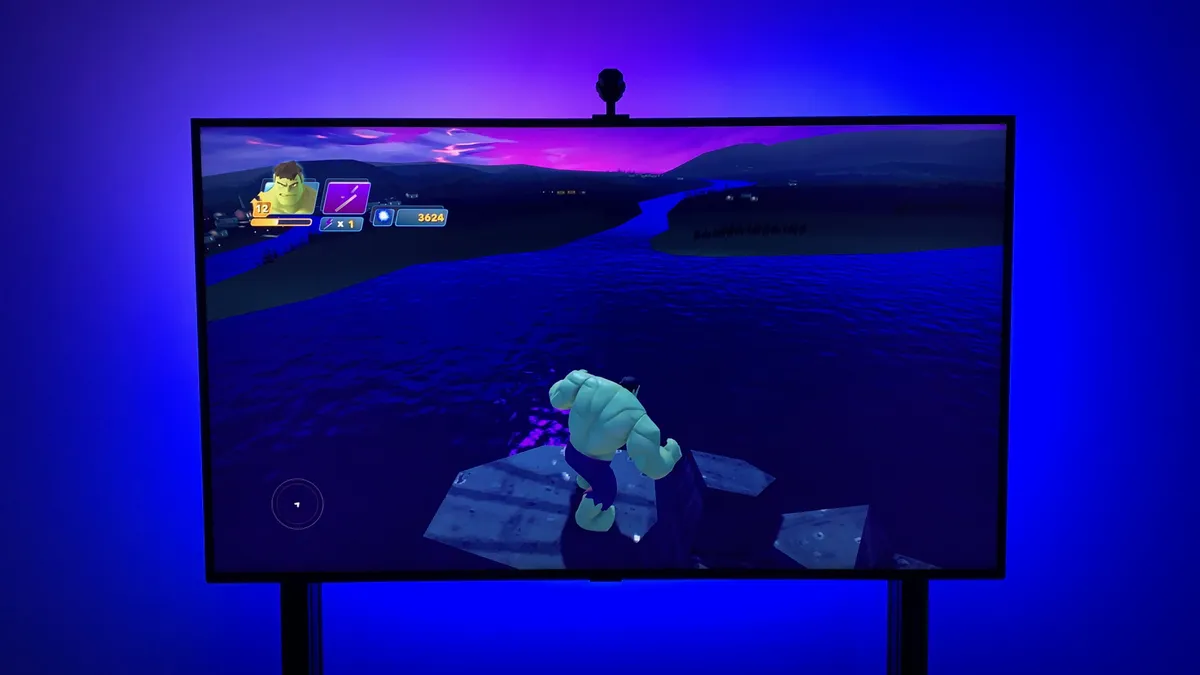


The Philips Hue Play system is great if you're using an HDMI source for your TV (such as a games console, Blu-Ray player, or set-top box), but unless you own a TV that's compatible with Philips Hue Sync TV (such as those from Samsung and LG), you won't be able to use it with your smart TV's native apps. That's where Nanoleaf 4K comes in; it uses a camera to pick up colors from your screen, which means the data source doesn't matter.
Nanoleaf’s first bias smart lights specifically designed for TVs make an excellent addition to your home entertainment system, especially if you’re already using Nanoleaf kit. The setup and installation are a little fiddly, and the lights don’t quite capture every color on-screen, but as an easier and cheaper alternative to the likes of Philips Hue, they’re a win. Thanks to Nanoleaf's software, all its panels can mirror the colors on your TV screen, too.
There are four levels of customizability - which are the four dimensions referred to by the product name - which include plain white lighting, block color representing the most prominent color on screen, splashes of color to reflect screen action and then lastly, true color extension for full immersion. Unlike pricier and more high-tech Philips Hue alternatives, which don’t rely on cameras, the Nanoleaf 4D light response can be impacted by light interference; however, on test our reviewer was impressed by how quickly the light strip responded to colors on their display.
It's worth noting that the slightly tricky setup may soon be a thing of the past. At CES 2025, Nanoleaf announced a new version of Nanoleaf 4D that doesn't require corner brackets on the back of your TV. We hope to test the new system and bring you a full review very soon.
Read our full Nanoleaf 4D review
The best budget Ambilight alternative


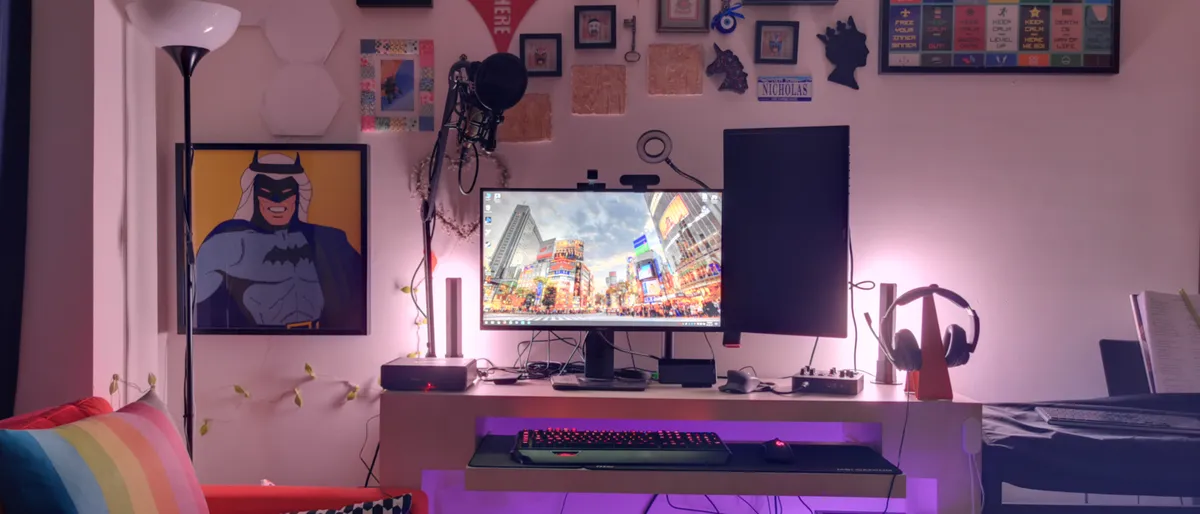


The Govee Flow Pro Wi-Fi TV Light Bars work very much like the Philips Hue Play Light Bar, painting the space behind your TV with a wash of color that shifts with the image on your TV. The difference is that, rather than using the HDMI signal being sent to your TV, Govee's system employ a camera fitted at the top of the screen that monitors the colors being produced, and mirrors them onto your wall.
It's an affordable system (the standard set includes two bars rather than one like the Philips Hue alternative) and there's no need to buy an additional hub device. During testing, our reviewer reported that the system certainly added some "oomph" to their home cinema system. Each bar can display multiple colors at once, so the effect can be quite striking.
However, the Govee system's colors don't reflect those on screen as accurately as the Philips Hue Play setup, so although you'll get attractive lighting, it won't necessarily be faithful to the images on-screen. We found they didn't shift colors very smoothly either
They're fun though, and the fact that these are bar lights means they're flexible, and you can mount them anywhere you like, or use them on the stands supplied in the box.
Read our full Govee Flow Pro Wi-Fi TV Light Bars review
How to choose an Ambilight alternative
If you already have any smart lights in your home - whether they're from Philips Hue, Govee, Nanoleaf or another brand - it makes sense to check out what Ambilight alternatives are available from the same brand. We're starting to see more and more smart lights that support the Matter standard, which makes it easier to use them as part of a mix-and-match smart home system, but you'll always get the best experience if you use the lights' native app, and sticking to a single ecosystem means you and sync your Ambilight alternative with the other light fixtures in your home cinema, and use it as regular lighting when you're not gaming or watching TV.
When choosing an Ambilight alternative, also consider the source of the signal for your TV. If you'll mostly be using a games console, set-top box, or Blu-ray player then you can use a Philips Hue Play HDMI Sync Box together with a Hue Play Gradient Light Strip or Play Light Bars. You can also sync the content of your screen with Philips Hue Play lights if you have a modern Samsung or LG TV that supports the Philips Hue TV app.
However, if your smart TV is from another brand and you watch shows and movies using its native apps, you'll need to look for an Ambilight alternative that uses a camera attached to the top of the screen instead of an HDMI signal. There are some excellent systems around, such as Nanoleaf 4D, but they can be susceptible to interference from reflections and changing lighting conditions in the room.
Price is another important consideration. The Philips Hue Play system is quite expensive, particularly if you don't already have any Hue hardware. To synchronize the lights with your TV, you'll need a Philips Hue Bridge hub, plus either a Hue Play HDMI Sync Box, or a subscription to the Philips Hue TV app.
Camera-based systems like those from Nanoleaf and Govee, however, come with everything you need in one package, so there are no additional costs to worry about.
FAQ
Which Ambilight alternative is best for built-in smart TV apps?
If you mainly watch Netflix, Disney+, Prime Video or other streaming services through your TV's built-in apps, look for a system that can capture what's happening on the screen without needing an HDMI connection. Nanoleaf 4D and Govee Flow Pro can do this using their cameras, so you don't need to route your streaming through a separate box or console just to get reactive lighting.
This can also be useful if you regularly switch between different sources, as the lighting isn't tied to a particular HDMI input. The trade-off is that camera-based systems need a clear view of the screen, so reflections, bright daylight or objects in front of the TV can affect how accurately the lights match what's playing.
Is an HDMI sync box better than a camera-based TV backlight?
Neither is automatically better. The choice largely comes down to whether you want the most precise screen matching or the fewest restrictions on what you can watch.
An HDMI-based system is worth considering if your TV is mainly a gateway to other devices, such as a games console, streaming box or Blu-ray player. Because it takes its information directly from the video signal, it can produce very precise lighting without having to worry about reflections or the room's lighting.
A camera-based system is the more convenient option if your viewing habits are less predictable. If you jump between Netflix on your TV, live broadcasts, a console and the occasional streaming stick, it can respond to whatever happens to be on screen without you having to think about which device is connected to which input.
So, rather than asking which technology is better, think about what you actually watch and how your TV is set up. If most of your content comes through external HDMI devices, direct signal syncing has clear advantages. If you use your TV's own apps or a mixture of sources, a camera-based system gives you fewer compatibility headaches.
Do Ambilight alternatives work with any TV?
Most Ambilight alternatives work with a wide range of TVs, but compatibility depends as much on how you watch as on the TV itself. Camera-based kits can react to content from almost any source displayed on the screen, including built-in streaming apps and broadcast TV, provided the kit is suitable for your TV's size and the camera can be positioned correctly.
HDMI-based systems are more dependent on the source. They need a compatible external device, such as a games console, Blu-ray player or set-top box, and won't normally sync with apps running directly on the TV. One exception is a supported TV-specific option such as the Hue Sync TV app on compatible Samsung or LG models.
Before buying, check the product's supported screen sizes, connection requirements and whether you have enough space to position the camera or lights correctly behind your TV.
