


Picking the best Windows laptop for you in 2026 has never been more important, with support for Windows 10 officially ending in October last year. Anyone still running older versions of Windows won't get new features and security updates to protect their device from cyberattacks, so upgrading to Windows 11 is crucial right now.
Since many older computers don't support Windows 11 due to specific hardware requirements, the easiest and best way to upgrade is simply to get a new laptop - and I've carefully curated the list below to bring you only the finest, future-proof options.
Of course, not everyone loves Windows, so if you're sitting on an older laptop and wondering if it might be time to try something new, you might want to check out the alternatives, such as the best MacBooks or best Chromebooks. It may even be worth investigating whether you can install Linux on your aging laptop, or turn it into a Chromebook, which could potentially extend its life without any cost attached at all.
If you do want to stick with Windows - and as a lifelong user, I can't blame you - then this is the page for you. I've meticulously selected my top picks of the best Windows laptops to suit every use, style, and budget, to ensure that you can find the perfect model for your needs.
This buying guide was last reviewed in June 2026. We've added three new laptops that have been reviewed by the TechRadar team, and we will continue to monitor new releases to ensure that any worthy challengers are included.

Anyone who knows me well will attest that I'm a Windows boy through and through - sure, I like the new Mac mini, but Windows has always been my OS of choice and I've spent many, many hours testing and reviewing Windows laptops and desktops from every manufacturer under the sun. That's how I know what to look out for when buying a new laptop - knowledge I've put to use here to help bring you a curated list of the very best Windows laptops.
The best Windows laptops in 2026
Why you can trust TechRadar We spend hours testing every product or service we review, so you can be sure you're buying the best. Find out more about how we test.
Below you'll find full write-ups for each of the best Windows laptop in our list. We've tested each one extensively, so you can be sure that our recommendations can be trusted.
The best Windows laptop overall

✅ You want a laptop with a great display: The 3K OLED panel on the Zenbook S 16 is a genuine stunner even among premium laptops.
✅ You want a durable but stylish laptop: With a unique 'ceraluminum' chassis material, this laptop is sturdy but also lightweight - and it looks fantastic.
❌ You need something compact: With its 16-inch display, this laptop might be a bit too large for some users despite its ultra-thin chassis.
❌ You're on a tight budget: The Zenbook S 16 is undeniably a premium device, and that's reflected by the price tag.
Asus literally invented a whole new material for this laptop: 'ceraluminum', which electrochemically bonds aluminum alloy with a top-secret ceramic component to produce a finish with the best of both worlds: a strong, scratch- and fingerprint-resistant casing with the lightness of aluminum and the matte feel of ceramic.
Even setting aside Asus's fancy chemistry lessons, this is fundamentally just a damn good laptop. The AMD Ryzen processor performs great in multitasking and productivity workloads, even able to handle some light gaming. The keyboard is large and very comfortable to use, and there's a great selection of ports for such a thin laptop.
And the display - oh, the display! This 3K OLED screen is easily among the best laptop displays I've ever seen in almost a decade of testing and reviewing computer hardware. It's bright and responsive, with fantastic color reproduction and contrast - great for digital creatives, or just watching your favorite shows.
Read the full Asus Zenbook S 16 review
The best budget Windows laptop

✅ You’re on a budget: The Aspire Go 15 has several different affordable configurations, and can regularly be found for less than its retail price too.
✅ You want lots of ports: Considering this is a budget laptop, it has an excellent selection of physical ports that beats many pricier competitors.
❌ You’re a gamer: You can get some very casual gaming done on this laptop, but it really doesn't have the processing oomph for running the latest games.
❌ You want something durable: It doesn't exactly feel cheap, but the budget nature of the Aspire Go 15 means that it's less sturdy than the other laptops in this list.
No budget Windows laptop right now beats the Acer Aspire Go 15. With fast performance in everyday workloads, a good-quality keyboard, and all-day battery life, this laptop punches far above its weight, considering the price tag - and it's routinely on sale for less than the retail price, too!
With up to an Intel Core 7 processor, it's not well-suited for demanding tasks like video editing and gaming, but it can blast through conventional productivity workloads and delivers a very respectable battery life of nearly 12 hours, enough to see you through a full workday and then some. It also has a great range of ports with more variety than a lot of more expensive Windows laptops, including HDMI, Ethernet, USB-A, and USB-C.
Granted, the Aspire Go 15 looks and feels a bit cheaper than the other laptops on this list, and has a decidedly less impressive display, but it's also the most affordable device listed here by some margin. If you want a stellar budget laptop with Windows 11, this is the one to pick.
Read our full Acer Aspire Go 15 review
The best 2-in-1 Windows laptop

✅ You want all-day battery life: The battery life on this 2-in-1 is around 11 hours, which beats out many 2-in-1 laptops and tablets like the 11-inch iPad Pro.
✅ You want to use the laptop like a tablet: Flipping the Pavilion x360 14 into tablet mode is a breeze, and the touchscreen is highly responsive.
❌ Money is tight: While this 2-in-1 is pretty good value for money, it's certainly not in the budget laptop space.
❌ You want serious performance: Mileage may vary based on the configuration you choose, but this isn't really a powerhouse laptop - it's better for office or school work.
As someone who is still using a now-6-year-old HP Spectre x360 as my daily driver, I can attest to the quality of HP's 2-in-1 laptops. The latest Pavilion x360 14 doesn't buck the trend, delivering competent performance both as a compact laptop and a large tablet.
It's a premium-feeling device with a mid-range price tag, with a sturdy construction and 360-degree hinge, along with a bright and responsive 14-inch FHD touch display. General performance is good, making it well-suited for schoolwork or everyday office tasks, though its compact nature means it doesn't quite have the processing power for more demanding workloads like video editing or 3D modelling.
The keyboard is satisfying to type on for extended periods, which is a frequent pain point for laptops sized 14 inches or smaller. It is a little heavier than you might expect from a 14-inch 2-in-1 laptop, but not massively so; just don't expect it to be as lightweight as an actual tablet.
Read the full HP Pavilion x360 14 review
The best thin and light Windows laptop

✅ You want a powerful but portable device: Despite being compact and pretty lightweight, the Dell 14 Premium offers some of the best performance of any Ultrabook.
✅ You want a sleek and practical design: It's lightweight and thin with a lovely, well-built chassis, a great screen, and a high-quality keyboard and touchpad.
❌ You want great value for money: As the name implies, this is a premium device, and it comes with a premium price tag - though it's still cheaper than a MacBook Pro.
❌ You want a long-lasting battery: 8+ hours is still enough to get you through the workday, but there are plenty of laptops that will go further on a single charge.
Yes, I know this isn't actually the lightest laptop on this list, but it is one of the thinnest, and it's also just a fundamentally fantastic super-portable ultrabook. Dell's rebranded XPS flagship laptop is now the Dell 14 Premium (though it looks like XPS will be making a welcome return in 2026), but it's just as strong a rival to Apple's MacBook as ever.
Performance here is stellar, with an optional Nvidia RTX 4050 GPU available for anyone who wants a bit more power under the hood for gaming or creative workloads. In fact, there's a range of configurations, meaning you can find the perfect balance of performance and pricing for your needs and budget.
Really, the only downside here is that it's fairly expensive (and the design could use a bit of a refresh, in my opinion). You can get it for less than Apple's latest MacBook Pro, which is its prime competitor, but it's certainly not cheap - and I wouldn't really recommend the RTX 4050 version if you're specifically looking for a gaming laptop. This is a device for professionals.
Read our full Dell 14 Premium (2025) review
The best gaming laptop
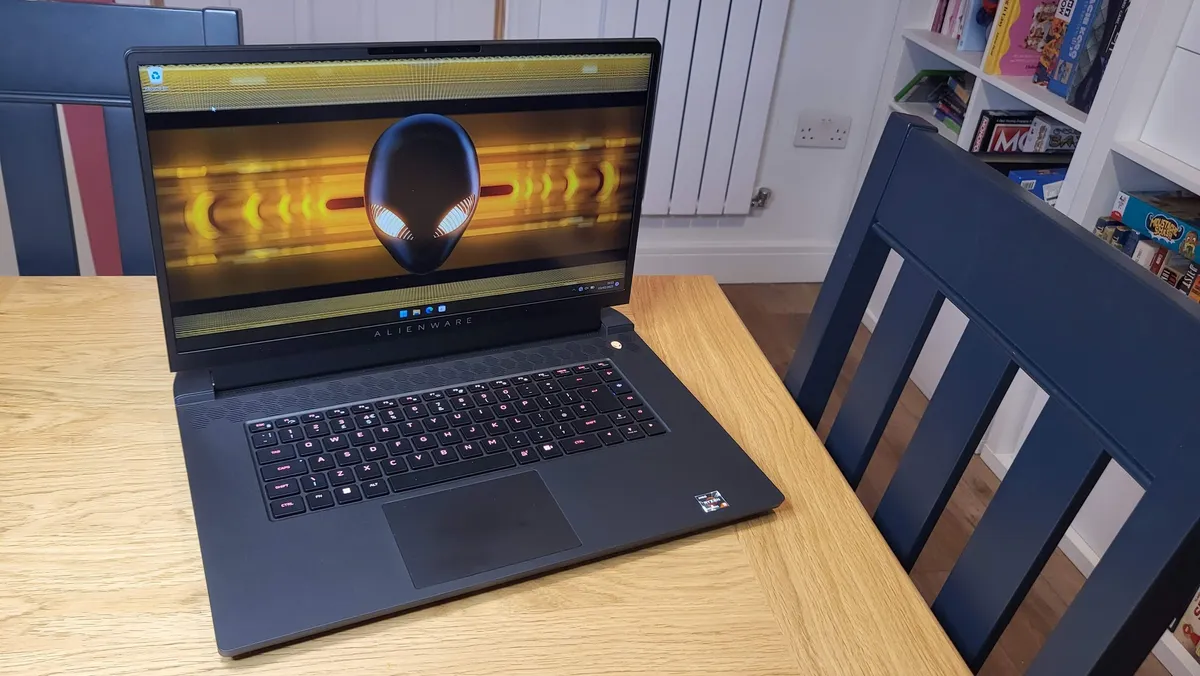
✅ You’re a hardcore gamer: This has both the looks and the performance to suit those who need the full experience on the move.
✅ You appreciate a good display: The OLED screen on this Razer Blade is truly stunning, with colors that pop and deep, dark contrast.
❌ You want all-day battery life: Though it does offer superior battery life to most gaming laptops, you'll want to keep the charger handy.
❌ You’re concerned about your budget: This is no-compromises gaming, with a price tag to match - Razer's Blade series is not for the faint of heart.
Razer's Blade laptops are frequently an easy recommendation, delivering top-notch gaming performance in a sleek, stylish shell. The latest Blade 14 is among the best the brand has produced; not only is it a gaming powerhouse, but it's also startlingly portable for such a powerful device.
Most gaming laptops are 'desktop replacement' systems that aren't really all that practical to take with you on the go. But the Blade 14? Don't even worry about it. This thing is ultra-portable, but doesn't cut corners to achieve that - the 14-inch QHD+ OLED display is nothing short of beautiful, and with up to an Nvidia RTX 5070 GPU and next-gen AMD Ryzen processor, its gaming performance is
The big downside here is, as I've often said about Razer hardware, the price. Yes, the Blade 14 is expensive even for a high-end gaming laptop, and you can find similarly-specced systems for a lower price if you're trying not to stretch your budget too much. Much like with Apple devices, you're paying for the premium design here.
Read our full Razer Blade 14 (2025) review
The best budget gaming laptop

✅ You want a very affordable gaming laptop: At a starting price of $600 and one that won’t exceed $1,200 with all the upgraded specs, you’ll be hard-pressed to find a cheaper gaming laptop around.
✅ You want a well-rounded laptop: Not only can this laptop run most games pretty well, it has features and ports that make it well-suited for other tasks.
❌ You want a long-lasting battery: If you need a battery that can hold its own off the charging cord, this is not the one for you.
❌ You’re looking for a stylish laptop: While the design is simple and sustainable, it is rather boring
The HP Victus 15 is proof that you don’t need to splurge on an expensive Windows laptop for gaming to enjoy great performance. Much like with many budget offerings, there are a few concessions here. The laptop, while sturdy, is a bit chunky, which means it isn’t the most travel-friendly gaming machine. Its design is also basic, but the fact that it’s partially made of post-consumer recycled and ocean-bound plastic makes up for it, especially if you’re big on sustainability and having a lower carbon footprint.
In terms of performance, we found the battery life disappointing as well, as it gave us a little over four hours during our battery tests. The good news is that this is made for the desk, rather than for travel anyway so you can keep it plugged.
Even better news, its performance and heat management are hard to beat. At lower settings, you should be able to enjoy the most demanding games without frustration. It’s also a monster at multitasking, which makes it ideal for work, school, and entertainment.
Read our full HP Victus 15 review
How to choose the best Windows laptop for you
- Carefully consider your needs and budget
- 8GB of RAM should be considered the minimum
- More demanding workloads may require more RAM and an Nvidia RTX GPU
- Be sure to research physical ports (like USB-C) if you want to connect devices
When it comes to choosing the right Windows laptop, you have to take into account what you want out of it. Maybe you’re looking for a powerhouse for gaming or other intensive tasks like video editing. Or, maybe you prefer something that’s portable and ideal for checking emails and basic productivity work.
If performance is a priority, you’ll want something that comes with higher-end components such as a fast processor, a decent amount of RAM – 16 GB is a good target to shoot for – and discrete graphics such as one of Nvidia’s 5000 series GPUs. If you just need to do basic day-to-day computing, you won’t need anything that robust. You still will want internals that can keep up in a few years' time, however, so make sure to get a portable with a current-generation processor, and at least 8 GB of RAM. And, while storage space can be expanded through any of the best portable SSDs, you should make sure that whatever you choose has enough for your needs.
When it comes to portability, take into account not only the size and weight of the notebook you’re considering but also its battery life. After all, it needs to have enough juice to last a workday without needing a charge. Keep in mind that more powerful laptops with discrete graphics, ones meant for gaming in particular, tend to come with shorter battery lives.
And, of course, make sure you’re getting the proper size for your needs. Laptops typically come in 13, 15, and 17-inch models (though recently we've been seeing lots of 14, 16 and 18-inch laptops as well). If portability is your top priority, a smaller 13-inch or 14-inch model is probably going to be your best bet. However, if you need to balance portability with performance, 15-inch and 16-inch models tend to hit that sweet spot. While 17-inch/18-inch models are ideal for someone who wants a portable with a lot of power and a lot of screen space for easier multitasking (or when playing games).
Beyond that, you should consider the kinds of ports and features you need out of your portable. Some come with just a few USB-C ports while others include SD card readers and HDMI ports for easy use with external monitors. And, some come with security features that you won’t find with every portable, such as a fingerprint reader, webcam cover, or Kensington lock.
If you can narrow down what kind of performance, portability, battery life, size, and features you expect out of that next Windows laptop, you’ll be able to find the right one in no time.
Today's Best Windows Laptop Deals
