


The best 65-inch TVs combine big, bright displays with fantastic value for money – it's no surprise that they're so popular. 65-inch TVs suit most living room setups and are available at a variety of price points. That doesn't mean you need to spend a fortune, however. Some of the best OLED TVs on the market, in the 65-inch range, are surprisingly budget-friendly.
With so many 65-inch models on the market, finding the right fit for your living room can be tricky. That's why the TechRadar team has vetted each of the TVs listed below – so you can rest assured that our recommendations are based on real-world, hands-on testing, and not just marketing specs.
We think that the LG C6 is the best 65-inch TV today. It delivers a bright, punchy picture as well as a smooth performance for gamers. If you're working with a budget, the TCL QM7K and TCL C7K are the best budget options for the US and UK, respectively.

I'm TechRadar's TV Hardware Staff Writer, and I've reviewed everything from budget TVs to cutting-edge OLED tech, and the most common size I test is 65 inches. Before joining TechRadar, I worked for several years at one of the UK's leading AV retailers, on everything up to custom home theater installations.
October 5, 2026
Revamped article intro, FAQs, and 'How to choose' advice.
The best 65-inch TVs you can buy
Why you can trust TechRadar We spend hours testing every product or service we review, so you can be sure you're buying the best. Find out more about how we test.
The best 65-inch TV overall


✅ You're looking for the best image quality: The C6 is a great pick for movies and sports, thanks to strong contrast and vibrant colors.
✅ You want an OLED for gaming: With four HDMI 2.1 ports and a full roster of features, the C6 is an outstanding gaming TV.
❌ You watch in a bright room: We noticed mirror-like reflections during our testing, especially in bright rooms.
❌You're looking for perfect built-in sound: While the C6's built-in sound is decent, adding a soundbar adds depth and immersion to the soundscape.
The LG C6 is a major leap forward for the C-series, building on the strengths of its predecessor, the LG C5, with a dazzlingly bright display and plenty of gamer-focused features. All in all, the C6 is our #1 pick for a 65-inch TV that'll go in a mixed-use living room.
The C6 boasts a new, faster processor (the same one you'll find in the LG G6), and this results in a notable brightness boost compared to the C5. The picture quality is simply outstanding – and the level of brightness ensures that your movies and shows remain vivid no matter when you're tuning in. Contrast benefits, too, and we saw excellent differentiation between dark and light tones. Color accuracy is just as impressive. We tuned in to animated movies, like Elemental, and were pleased to see natural, vibrant colors throughout.
Gamers will find a lot to like about the C6. It supports 4K at 165Hz with full VRR (including FreeSync and G-Sync), plus an input lag of just 9.2 ms at 4K 60Hz in Boost mode. Dolby Vision Gaming is also supported across all four HDMI 2.1 ports. In the real world, when we booted up Battlefield V, we had a silky smooth experience – no judder or tearing interrupted our session, and colors and textures felt accurate and sharp.
No TV is without trade-offs, however, and we noticed that the C6's screen can reflect light in very bright rooms. The built-in audio, while decent, lags behind the best-in-class. We'd recommend adding one of today's best soundbars to give Dolby Atmos effects a much-needed boost.
Read our full LG C6 TV review
Find the best deals on LG products with our LG coupon codes.
The best budget 65-inch TV in the US


✅ You want a picture with great contrast: The QM7K's Halo Control tech for its mini-LED backlight limits blooming effects from light-to-dark areas and, combined with high brightness, delivers great contrast.
✅ You're a gamer: The QM7K supports 4K at 144Hz, AMD FreeSync Premium Pro, and has a respectable 1.31ms input lag time – great stats for a TV at this price.
❌ You'll be watching in a bright room: Although the QM7K delivers high brightness, we still experienced screen reflections in bright rooms and during the day.
❌You want the perfect picture: We're impressed with the picture quality overall, though the vignetting in the corners (albeit mild) means it's not a perfect package.
The TCL QM7K ticks all the right boxes, delivering great picture quality and a stacked set of features for an affordable price. That's already impressive for a TV of this size – and prices regularly drop below $1,000.
During our testing, the QM7K served up a fantastic cinematic experience, especially given its price. The brightness on offer is stunning, and we measured 2,350 nits of peak HDR brightness and 640 nits of full-screen brightness (in Standard Mode) – right up there with best-in-class TVs.
Its Halo Control tech limits backlight blooming despite that brightness, which is something that's often an issue on mini-LED TVs at this level. Black tones are deep, colors are vibrant, and its local dimming is precise. The only downside to note is that there's some brightness drop-off at the corners, which creates a 'vignette' effect in some bright scenes.
The QM7K joins the legion of mini-LED TVs at this price range that come packed with the latest gaming features. It supports 4K at 144Hz, FreeSync Premium Pro, and has a 13.1ms input lag time. This translates to extra smooth gameplay, as we discovered when running from zombies in Dead Island 2 during our testing. It also supports an impressive 288Hz at 1080p for PC gamers, too
Elsewhere, the QM7K delivers solid sound quality and uses Google TV as its smart TV platform, but where it really shines is its value. For all this at under $1,000, the QM7K 65-inch is a steal, delivering serious bang for your buck.
Read our full TCL QM7K review
The best budget 65-inch TV in the UK


✅ You want bang for your buck: The C7K delivers a punchy picture and great gaming performance for an affordable price.
✅ You want a bright, rich picture: High brightness, dynamic colors, and solid contrast – all at a budget-friendly cost.
❌ You need the best built-in sound: The C7K's sound is fine, but is lacking bass, and its soundstage feels narrow.
❌You watch a lot of black-and-white movies: One common thing we found during testing was that the C7K's screen uniformity wasn't perfect, with brown tones creeping in on black-and-white movies.
The TCL C7K is the mid-range model in TCL's 2025 mini-LED TV range in the UK, but it comes at an affordable price. It has numerous features for gaming and delivers very good picture quality for the money.
The C7K's picture demonstrates vibrant colors, aided by its high brightness, which we measured at 2,784 nits of peak brightness in HDR Standard Mode. It still hit 1,790 nits of HDR peak brightness in the more natural Filmmaker Mode, which is really impressive, and gives movies irresistible vibrancy.
During testing, we were impressed by how rich the C7K's contrast was, with accurate local dimming making dark scenes from challenging movies such as The Batman look accurate, a movie we've often found to be a struggle for cheaper mini-LED TVs. Its one setback is its screen uniformity, as it struggles to accurately display the correct tones evenly in black-and-white movies. Other than this, its picture is hard to fault.
Once again, the C7K delivers a stacked suite of features for gaming. It supports 4K at 144Hz, FreeSync Premium Pro, and has a 13.5ms input lag time. Its performance is snappy and smooth, and for the money, meaning fast-paced games such as Battlefield V, which we played during testing, were well handled. Gamers won't be disappointed by the C7K.
While its sound quality may not be top-notch, some will find it more than adequate. But its value is where the C7K is at its strongest, offering everything discussed above for under £1,000. If you want an affordable mini-LED TV with more premium performance than its price suggests, the C7K is a superb option.
Read our full TCL C7K review
The best mid-range 65-inch TV


✅ You want a TV for a bright room: The U8QG is more than equipped to handle bright rooms, thanks to its high peak brightness and anti-reflection screen.
✅ You want a well-featured gaming TV: With 4K 144Hz, VRR, ALLM, Dolby Vision gaming, and a 9.9ms input lag time, the U8QG is a superb TV for gaming.
❌ You don't want to use a soundbar: The U8QG's sound is good overall, but its built-in subwoofer rattles during intense movies, which can be distracting.
❌You need to view from multiple angles: The U8QG's picture quality suffers when viewed off-axis, which can be an issue for larger group viewing.
The Hisense U8QG is a mid-range mini-LED TV that delivers fantastic picture quality, a comprehensive list of gaming features with performance to match, and a competitive price tag.
Colors on the U8QG are bold, bright, and have a "serious eye-candy quality," as we said in our review. Its local dimming is also impressive, resulting in rich contrast with deep black levels. The U8QG also has settings such as Dark Detail and Dynamic Tone Mapping, which prove to be effective in giving the U8QG a picture performance boost.
Gaming has always been a strong suit of the Hisense U8 series, and the U8QG is no different. 4K 165Hz, VRR (FreeSync Premium Pro), ALLM, Dolby Vision, and HDR10+ gaming are all supported, plus it boasts an ultra-low 9.9ms input lag time.
The U8QG isn't perfect, because its built-in sound is hampered by a rattling subwoofer, and off-axis viewing results in reduced picture quality, but it's strong on value. For what it delivers, the U8QG is a very well-priced TV that other mid-range sets will struggle to beat.
Read our full Hisense U8QG review
The best 65-inch premium OLED TV


✅ You want superb built-in sound: The Z95B delivers powerful, immersive built-in sound that creates an engaging experience at home.
✅ You want authentic picture quality: The Z95B's picture delivers strong contrast and refined textures and details that feel accurate with any pictures.
❌ You're on a tight budget: The Z95B's premium performance comes with a price tag to match. If you want a cheaper OLED, check out the LG C5.
❌ You need a bright picture: The Z95B doesn't match the brightness levels of the rival LG G5 and Samsung S95F, meaning it can be more difficult to watch in brighter rooms.
It may not be the brightest or most feature-packed premium OLED on the market, but for our money, the Panasonic Z95B delivers where it really counts with staggering picture quality and engaging built-in sound.
Where the Z95B really crushes the competition is its built-in sound quality. It houses a 5.1.2-channel, 160W Dolby Atmos speaker system that is punchy, immersive, and detailed. Scenes from action movies such as The Batman and Top Gun: Maverick are powerful, whereas scenes from musicals like Wicked are clear and well-balanced, and best of all, you don't need a soundbar: something that's a real rarity with TVs these days.
When we put the Z95B side by side with its closest rivals, the LG G5, Samsung S95F, and Sony Bravia 8 II, we found our eyes drawn to the Z95B over the other flagship OLEDs. Its colors were natural and vibrant, its textures realistic, and its contrast powerful, with rich, deep blacks. Whatever movie we displayed, the Z95B's picture looked the most accurate and was the TV we found the most engaging.
The Z95B has one quirk where its brightness in Filmmaker and Movie has been capped to 1,000 nits (intentionally) when watching footage mastered at that level. This means the Z95B in its default settings doesn't have the same vividness as its rivals, but even so, we still found we preferred the Z95B's picture – it's been capped at this level to maintain accuracy, and we love the results.
The Z95B is also a good-looking TV and has a good stock of gaming features, including 4K 144Hz, VRR, Dolby Vision gaming, and a 12.7ms input lag time, and in an exciting move, it's priced much closer to its rivals (in the UK, it's cheaper!). Meaning it becomes an even easier recommendation. Those looking for a best-in-class 65-inch OLED, look no further.
Read our Panasonic Z95B review
The best 65-inch TV for bright rooms


✅ You want to watch in a bright room: The combination of the QN90F’s bright picture and matte Glare Free screen means no distracting mirrored screen reflections when viewing in bright rooms.
✅ You're a gamer: The QN90F has four HDMI ports with 4K 165 Hz and FreeSync Premium Pro support, and its ultra-low 9.5ms input lag means fast and responsive gaming.
❌ You’re on a tight budget: Other mini-LED TV makers like Hisense and TCL offer equally bright models at a much lower cost, though they lack the QN90F’s Glare Free screen.
❌ You want Dolby Vision HDR: Like all Samsung TVs, the QN90D doesn't support Dolby Vision HDR.
The Samsung QN90F is a great TV for gaming and sports, but where it succeeds most is in bright rooms, thanks to its high brightness and its anti-reflection screen.
While the QN90F doesn't deliver the brightness of some cheaper mini-LED TVs, hitting 2,086 nits peak HDR brightness to the TCL QM8K's 2,268 nits, the TCL C8K's 3,050 nits and the Hisense U8QG's 3,337 nits, the QN90F utilizes a Glare Free anti-reflection screen, which even diffused light from a lamp directly in front of the screen during our testing, to become truly brilliant for bright room viewing.
It wasn't just brightness in the QN90F's picture that impressed us during our testing. It delivered rich colors, stunning shadow detail, and excellent highlights, which worked great in snowy scenes from movies such as Mountainhead. And the QN90F showed almost no backlight blooming, often a common occurrence in mini-LED TVs.
The QN90F is also a fantastic TV for gaming. It carries the full suite of features we look for, including 4K 165Hz, FreeSync Premium Pro, and an ultra-low 9.5ms input lag time.
It may be one of the pricier mini-LED TVs on the market, much more so than rival TCL and Hisense sets, but the QN90F delivers a premium mini-LED experience, and if you want a TV for a bright room, this is it.
Read our full Samsung QN90F TV review
The best 65-inch TV: Comparison charts
Below is a summary of the scores for the areas we assess TV in, with each entry in the list featured. You can re-arrange the order by clicking the column headers.
We also measure TVs using objective measurements as part of our TV testing process. These measurements are taken using professional equipment and software. You shouldn't buy a TV solely based on its test results, but they can be a useful, quick comparison between different models. The first results below are for brightness, measured in both SDR and HDR, in both small and full-screen areas of the screen.
Next up are our results for how much of the P3 color space each TV covers, with a maximum of 100%. The BT.2020 color space results are also included, but this is more widely used in professional video.
Input lag is the timing difference between when an image enters a TV's HDMI port and when it's displayed on screen. This is especially important for gaming, as the lower the delay between pressing a button and the action happening, the smoother and more responsive the performance. This test is recorded using a piece of equipment that displays a blinking image and then records the input time when held to the screen.
Also consider
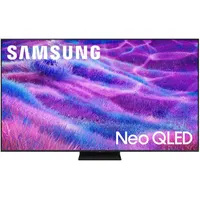
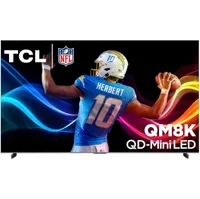
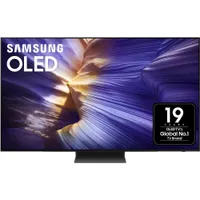
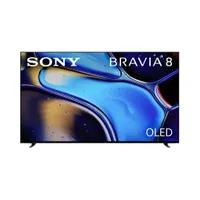
How to choose the best 65-inch TV
We've rounded up our favorite 65-inch TVs in this guide, but if you want to do your own research, keep these key criteria in mind.
- Brand. Big names like LG, Sony, and Samsung regularly feature in our rankings, but they're often joined by models from less pricey brands. Think Hisense and Panasonic. Which brand you choose depends on personal preference, how far your budget stretches, and the features you need, as the availability of these extras can vary by brand.
- Panel type. The TVs we've highlighted feature different display technologies and panel types – and they're all slightly different.
- OLED uses self-emitting pixels, allowing for greater contrast control (because each pixel can be turned off individually) and rich black tones. OLEDs are also noted for their broad viewing angles, which come in handy for large families or live sports viewing parties.
- Mini-LED backlights use tiny LEDs for precise light control and dimming, and they're often brighter than other TVs. This means more vivid images and colors. Mini-LED black levels aren't as rich as OLEDs, however.
- QLED combines mini-LED backlighting with ultra-vibrant Quantum Dots to create a bright and punchy picture. They're brighter than OLEDs, but their color accuracy and vividness make them better options for bright rooms.
- Audio. Modern TVs with built-in speakers often deliver a subpar audio experience. You can solve this problem with a soundbar, though it's an added expense on top of an already potentially pricey purchase. If you'd prefer to keep things simple, opt for a TV that delivers clear dialogue and clear differentiation between overlapping sound effects. Compatibility with Dolby Atmos is a massive plus, too, if you're after truly spatial soundscapes.
- Gaming. Gamers will want a 4K 120Hz higher refresh rate, as it's what's supported on current-gen consoles and PC. You'll also want Variable Refresh Rate (VRR), which allows the display to adjust its frame rate according to the source for smoother gaming, and Auto Low Latency Mode (ALLM), which optimizes display settings to reduce input lag. The final cherry on top is HDMI 2.1 ports. Four ports are ideal, especially if you have multiple consoles, but TVs often come with two.
How we tested the best 65-inch TVs

When we test the best 65-inch TVs, we structure our tests around the same criteria found throughout our reviews, such as picture quality, gaming performance, and value for money. The TVs are tested using both objective measurements and subjective impressions.
Starting with picture quality, we’ll cycle through the TV’s preset picture modes, such as Standard and Movie, to see which is most accurate. We’ll then play a variety of sources, including 4K Blu-ray and streaming, HD Blu-ray and streaming, and lower-resolution sources to test upscaling, which is important on a larger screen size such as a 65-inch TV.
When testing picture quality on 65-inch TVs, we look at how well the panel, particularly on LCD models, handles black uniformity (the ability to evenly display dark tones across the screen) as larger LCD screens tend to struggle with this. We also evaluate how well a 65-inch screen maintains contrast and color accuracy from off-center seats, which is another variable with LCD-based TVs.
For our objective tests, we use specialized equipment, including a colorimeter to measure the patterns displayed by a test pattern generator and record the results with Portrait Displays’ Calman calibration software.

The first area we test is brightness using different-sized white windows, such as 10% (for HDR highlights) and full-screen brightness. A 10% window will indicate what peak brightness to expect and also demonstrate a TV's effectiveness in reproducing highlights from HDR sources.
The 100% window will demonstrate how a TV can maintain brightness levels across the entire screen, important for content like sports, and also tell us how it will handle reflections. We also use these brightness tests to compare a set’s measured brightness to the brightness claims made by manufacturers. When we test brightness, the measurements are made in a light-controlled room to prevent other light sources from skewing the results.


Another area we test is color reproduction with both HDR and SDR sources, looking at color accuracy and maximum color gamut coverage. We also test grayscale accuracy to see how effectively a TV reproduces grayscale steps in the full contrast range from black to white.

For gaming, we use a Leo Bodnar 4K HDMI Input Lag Tester to test how much latency is added by each TV, comparing results in Standard and Game Mode, which typically shows the lowest amount. We’ll also look at each TV’s gaming performance and features such as VRR, ALLM, and 4K 120Hz refresh rate.
We always aim to keep tests and conditions as consistent as possible, but it’s worth noting that some of our reviewers have different setups, though our writers will have similar testing equipment to achieve the same level of accuracy.
FAQs
Which 65-inch TV is the best?
The LG C6 is the best 65-inch TV for most people, combining excellent OLED picture quality with a long list of gaming features. In our testing, it delivered strong contrast, vivid but natural colours and a useful brightness improvement over its predecessor, making it a strong all-round choice for films, sport and everyday viewing.
There are a few trade-offs to keep in mind. The screen is reflective in bright rooms, and the built-in audio is merely decent, so you'll want to add a soundbar to really elevate the experience.
Is OLED or mini-LED better for a 65-inch TV?
OLED is usually better for deep blacks, precise contrast and wide viewing angles, while mini-LED is often the stronger choice for very bright rooms and lower budgets.
OLED pixels can switch off individually, which helps dark film scenes look more convincing and keeps picture quality more consistent for people seated off-centre. On the other hand, Mini-LED TVs use a backlight, but can deliver much higher brightness for daylight viewing and HDR highlights.
We recommend choosing a panel type that suits your room and viewing habits – as well as your budget.
What is the best 65-inch TV for a bright room?
We think that the Samsung QN90F is the best option for bright rooms. It's thanks to the mini-LED panel paired with a matte Glare Free screen, which reduces distracting mirror-like reflections that can spoil the viewing experience in sunshiny rooms.
What gaming features should I look for in a 65-inch TV?
Gamers should check out models with 4K at 120Hz or higher, HDMI 2.1, variable refresh rate (VRR), Auto Low Latency Mode (ALLM), and low input lag. This blend of features allows compatible consoles and PCs to deliver smoother motion and more responsive gameplay.
It's also well worth checking how many HDMI ports a TV has – especially if you regularly use more than one console and don't want to constantly switch them out.
What's the best viewing distance for a 65-inch TV?
The best viewing distance is about 2 metres (6.5ft), though the exact measurements will vary depending on your room's layout and your individual preference. Sitting closer can make films and games feel more cinematic, while moving back can be more comfortable for casual viewing.
Place the screen where it fills a satisfying portion of your field of view without forcing you to move your head to follow the action. Viewing angle matters too: OLED TVs generally retain contrast and colour better from side seats, while some LCD and mini-LED models look their best when viewed more directly from the front.
The latest updates to this best 65-inch TVs guide
October 5, 2026
Revamped article intro, FAQs, and 'How to choose' advice.
August 13, 2026
Revamped article intro, replaced LG C5 with the LG C6 as the best 65-inch TV overall, replaced the Samsung S95F with the LG G6 in the 'Also consider' section.
11 June, 2026
Added a new 'How to choose' section with updated buying advice, and refreshed FAQs.
15 May, 2026
Updated the guide to reflect the current TV market, including adding LG C6 to the 'Also consider' section.
5 November, 2025
Updated this guide heavily to reflect the current TV market. Made the LG C5 the 'best overall' as the LG C4's stock is now thin. Replaced the LG G5 with the Panasonic Z95B as best premium OLED. Removed the 'best for sound' category. Renamed the Samsung QN90F as 'best for bright rooms'. Updated comparison charts with more recent competitors.
26 August, 2025
Replaced the Panasonic Z95A with the newer Panasonic Z95B as our 'Best for sound' choice, based on recent testing.
6 August 2025
Added in comparison charts showing score comparisons of each TV on key review areas and test results comparisons for brightness, HDR gamut and input lag. Updated our list of other TVs to consider, and TVs coming soon.