


Your social media profiles are a goldmine for scammers looking to harvest personal information for phishing, social engineering, or identity theft. Between birthday posts and family photos, you’re essentially building a detailed dossier that cybercriminals can weaponize against you.
Here’s the good news: with just a few adjustments, you can dramatically reduce your attack surface without losing the convenience and fun of socializing online.
This article is the fourth in a series of content relating to Cybersecurity Awareness Month 2026, which runs throughout October. The previous articles have covered VPN dark web alerts and free alternatives, VPN protection when using AI, and the benefits of dedicated antivirus over packaged solutions.
Less is more
The UK’s National Cyber Security Centre (NCSC) emphasizes that privacy settings exist for a reason: they keep your personal information “inaccessible to anyone but you.” Their guidance focuses on using each platform’s settings to control who can see your posts, contact you, or find your profile.
Scammers can piece together seemingly harmless details to craft highly convincing, targeted phishing attacks. Even a pet name or tagged location – innocent on their own – can become ammunition for someone trying to impersonate you or guess your security questions.
Platform-by-platform quick hits
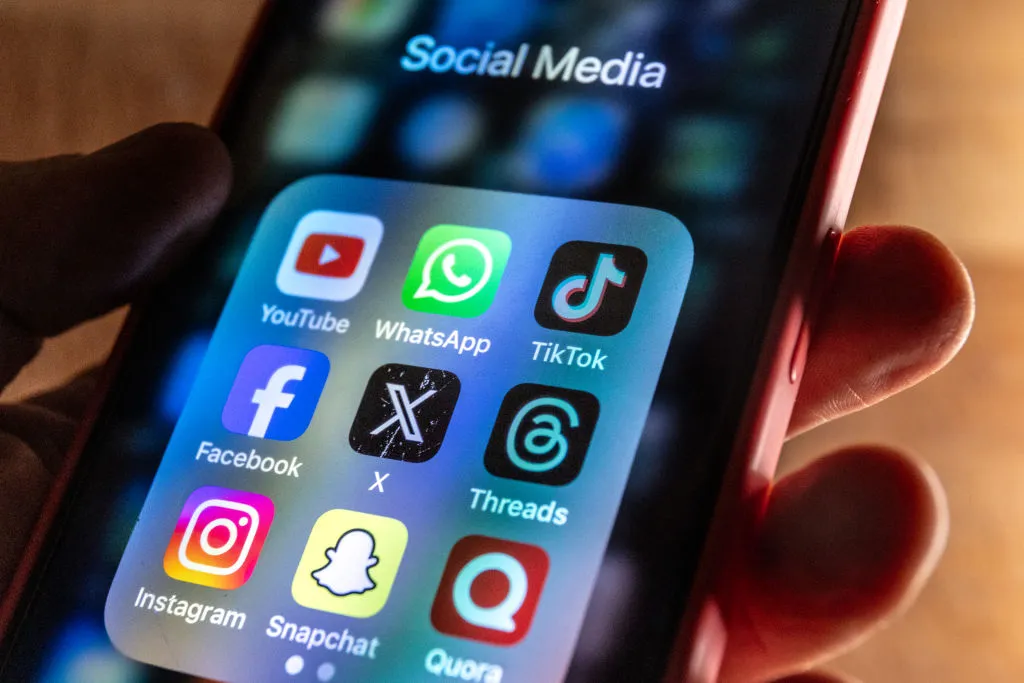
Here are the most impactful privacy switches to flip on each major platform:
- Facebook: Set your profile to “Friends only” for posts, limit past posts visibility, disable search engine indexing, and restrict who can look you up using your email address or phone number.
- Instagram: Switch to a private account in Settings > Privacy. This prevents strangers from seeing your posts or stories. Disable activity status, restrict tag approvals, and turn off location sharing on posts.
- Snapchat: Enable “Ghost Mode” in Snap Map settings to hide your location. In Privacy Control, set who can contact you and view your story to “Friends Only.” Review your “Find Friends” settings regularly to control whether your account is suggested to other users.
- TikTok: Go to Privacy settings and toggle “Private Account.” Disable “Suggest your account to others,” restrict direct messages, and set duet/stitch permissions to “Friends” or “Off”.
- YouTube: In Settings > Privacy, mark your channel and subscriptions as private. You can also disable video recommendations showing your watch history and turn off location data on uploaded videos.
Universal security settings
Regardless of which platforms you use, two actions should be at the top of your list:
First, enable Two-Factor Authentication (2FA) everywhere. Even if someone guesses or steals your password, they can’t get in without the second factor – ideally an authentication app.
Second, audit your connected apps. There may be games, quizzes, and other services logged in that you haven’t touched in years. Head to each platform’s third-party app settings and revoke access for anything unused or unfamiliar.
In summary
Spending just five minutes adjusting these settings across your apps reduces your visibility to bad actors and can help keep your data out of the hands of cybercriminals. You don’t need to delete your accounts or leave social media behind – just be intentional about what you share and who can see it.
