


Apple EOFY sales 2026 are technically over but many great deals are still live. June saw excellent discounts across iPhone, MacBook, iPad, AirPods, Apple Watch and Apple accessories. EOFY officially ran from June 1 to June 30, but there's still time to grab a few bargains even now the financial year has ended.
Apple’s own discounts are usually limited, which means the best Apple EOFY deals tend to come from retailers like Amazon AU, JB Hi-Fi and The Good Guys, plus telco offers from Optus and Vodafone. We’ll keep checking prices for the next few days and highlighting the deals that still look genuinely worthwhile.
For extra savings, you can also take a look at our Apple coupons page.
Where to shop the best Apple EOFY sales in Australia
Before you dig into individual deals, these are the major Australian retailers and telcos most likely to have Apple after EOFY discounts on iPhone, MacBook, iPad, AirPods, Apple Watch and accessories.
- Amazon AU: discounts on iPhones, Apple Watches, AirPods and more
- JB Hi-Fi: everything from iPhones and MacBooks to third-party accessories
- The Good Guys: savings on iMacs, AirPods, iPads and more
- Apple: official prices, accessories, trade-in and direct-from-Apple perks
- Vodafone: save on the iPhone
- Optus: deals on the iPhone Air and more
- Kogan: shop remaining EOFY deals
Best Apple after EOFY deals 2026
The below deals were last checked on July 3 2026. For more discounts, check out our dedicated Apple Amazon Prime Day deals page.
Best AirPods EOFY deals
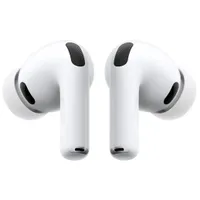
AirPods are some of the most popular Apple deals, and there are options from cheaper open-fit earbuds, to noise-cancelling AirPods Pro or the premium over-ear AirPods Max.

Best MacBook EOFY deals
MacBook EOFY deals are worth watching if you need a new laptop for work, study or travel. The MacBook Air is the better fit for most everyday users, while the MacBook Pro makes more sense if you need extra performance for creative workloads.
While we loved the new MacBook Neo in our review, sadly all the old pre price rise deals from the likes of Amazon and JB Hi-Fi have dried up.
So for now MacBook deals are very limited, but we'll add more as soon as we can find them.
Best iPad EOFY deals
iPad sales can be a good chance to save on a tablet for streaming, study or work. The standard iPad is the best fit for casual use, the iPad Air offers a great balance of power and price, and the iPad Pro is the one to consider if you want a true laptop replacement.
Best Apple Watch EOFY deals
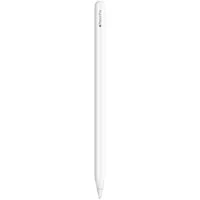
Apple Watch deals are a great option for iPhone users who want better fitness tracking, notifications and health features without paying full price for the latest models.

Best Apple accessories EOFY deals
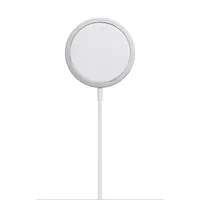
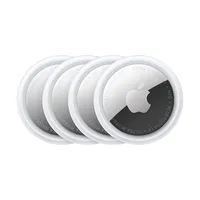
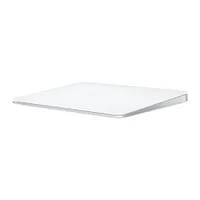
Apple accessories are not always the most exciting discounts, but chargers, AirTags, cables and Mac desk upgrades are always worth considering when on sale.
Best iPhone EOFY deals
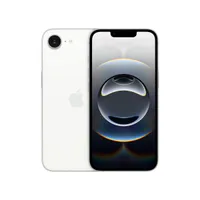
iPhone deals can be harder to judge than other Apple discounts because the best savings are often tied to telco plans rather than outright prices. If you want to buy outright, compare the discounted price against Apple’s official pricing; if you are looking at a plan, check the total cost over the full contract before signing up.
If you don't see any iPhone deals below, check back soon, as they change day to day.
Apple EOFY sales 2026: key dates and buying advice
When will Apple EOFY sales start in 2026?
The Australian financial year ends on June 30, so EOFY sales technically begin on June 1. However, some retailers often start discounting from mid May, and the strongest offers can appear at different points throughout June.
Because EOFY sales are often used to clear stock before the new financial year, there is no guarantee that the best Apple deals will last until June 30. That makes it worth checking prices regularly and jumping on any deal that is genuinely strong.
The upside is that EOFY runs for longer than events like Click Frenzy or Afterpay Day, so you usually have more time to compare offers.
What are EOFY sales?
EOFY sales help retailers clear inventory before the new financial year begins, which can make June a good time to find discounts on work-related and personal-use items. For Apple shoppers, that usually means looking for savings on MacBook, iPad, AirPods, Apple Watch, iPhone plans and accessories, rather than expecting Apple itself to slash prices across the board.
Does Apple have its own EOFY sale?
Apple itself usually doesn’t run a broad EOFY sale in Australia, so the best discounts typically come from retailers like Amazon, The Good Guys and JB Hi-Fi, or from telcos discounting iPhones on plans. Apple direct is still useful for checking official prices, trade-in options and accessories.
You can also check our Apple discount codes to see if there are any extra savings available.
Are EOFY sales worth it?
Definitely. EOFY is one of the biggest sales events in Australia – right behind Black Friday and Boxing Day. It can be a particularly good time to refresh your work setup, especially if you are buying a MacBook, iPad, monitor, mouse, standing desk or office chair for eligible work use.
Just remember to keep your receipts and check the tax rules that apply to your situation before assuming a purchase is deductible.
Does Apple have any annual sales?
Apple rarely officially takes part in big shopping events, and even when it does, retailers like Amazon, JB Hi-Fi and The Good Guys will often have more compelling prices. The one Apple-run period worth watching is back-to-school, when education discounts can be paired with bonus offers for eligible students and teachers.
What time of year are Apple deals the best?
There is no single time when Apple products are always cheapest. EOFY, Black Friday and Boxing Day can all be strong for Apple deals, especially on older models or accessories. Newer Apple products usually do not get huge discounts, so another good time to save is when a replacement model launches and retailers begin discounting the previous generation.
What month is cheapest to buy an iPhone?
Black Friday and EOFY sales can both be good times to buy an iPhone, especially if you can claim an eligible work-related purchase before the new financial year. The other key period is usually around September, when Apple typically launches new iPhones and older models can drop in price.
EOFY sales 2026: shopping tips
There's always a lot to shop for during Australia's EOFY sales, which can make it hard to tell whether something is a genuine bargain or just wearing a big red discount sticker. These tips can help you check whether an Apple EOFY deal is actually worth buying.
1. Keep an eye on price history
It's easy to get pulled in by a big percentage discount, but it’s worth doing a quick price check before you buy. That is one of the main things we do at TechRadar when deciding whether a deal is worth recommending.
Start by checking the product’s official price on the Apple website, so you can see whether the retailer’s claimed RRP lines up. For Amazon deals, camelcamelcamel.com can show the product’s price history and whether today’s discount is actually unusual.
It is also worth searching OzBargain to see whether the same product has been cheaper before and how other shoppers rated past discounts. If the deal still looks good after those checks, it is much safer to buy.
2. Figure out what features you actually need
A big saving on an iPad Pro or MacBook Pro can look tempting, but the best EOFY deal is not always the product with the largest discount. If you mainly want a tablet for streaming, browsing, note-taking and video calls, a standard iPad or iPad Air may be a better-value buy than an iPad Pro.
The same logic applies across Apple’s range. If you're buying a laptop, think about whether you really need the power of a MacBook Pro or whether a lighter MacBook Air is the smarter everyday choice. If you're buying a phone, decide whether camera quality, storage, battery life or price matters most before jumping on the biggest headline saving.

3. Consider a different brand
Apple makes excellent phones, tablets, laptops and accessories, but they can be expensive and the discounts are not always huge. If you're after a MacBook Pro, for example, a discounted Windows laptop may offer better specs for less money. If you only need a simple smartphone for everyday tasks, an Android phone from Google, Samsung or Motorola might be better value than an iPhone.
Being flexible can save you money during EOFY. You can also check our full suite of coupons to see whether another brand has a better offer.
4. Do your research
Expensive tech is worth researching before you buy. Reading reviews and buying guides on TechRadar or similar trusted publications can help you quickly work out which products are worth your money and which compromises matter.
5. Don't get upsold on extended warranties
Some retailers will offer extended warranties at checkout, but they are not always necessary. Read the fine print carefully and think about whether the extra cover is worth the cost.
AppleCare+ and AppleCare+ with theft and loss can provide useful protection, but they are expensive, so make sure you know exactly what you are paying for. You are also protected under Australian Consumer Law, which means you may already have rights if something goes seriously wrong with the product.
