


Finding the best SSD for your laptop or desktop PC in 2026 has become a challenging proposition. This is largely thanks to the spiking price of PC components, particularly SSDs and RAM, caused by the ongoing RAM crisis spurred by demand for hardware to power AI data centers.
In other words, SSDs are a lot more expensive than they were just a few short years ago, meaning they're no longer the cost-effective easy upgrade to your system that we used to recommend.
That being said, upgrading your system storage with a new SSD remains one of the most straightforward and impactful upgrades you can make, whether it's to speed up load times in games or just expand the amount of available storage for your files. With some careful shopping around, you should be able to find an SSD that meets your requirements and makes a big difference to your PC even with the current increased prices – and that's where this guide comes in.
Our team of computing experts has been busy testing many of the best SSDs on the market, and this guide has been built from the ground up based on our thorough tests and reviews. That means only the best-performing SSDs have been included on this page, and to make things even easier, we've sorted the SSDs by use case and budget to make it easier to find the SSD you want, as well as possible alternatives that might make more sense for you.
So whether you’re looking to expand the storage on one of the best laptops in 2026 that could use a bit more room for your files, or you want to pick up the best gaming SSD to make your gaming PC even faster, you’ll find what you’re looking for right here, backed up by extensive data to show you exactly what each drive has to offer.

I've been building PCs for over a decade and writing about them for nearly as long, beginning my tenure as a tech journalist at Maximum PC magazine before making the leap to digital media and joining TechRadar in 2020. I've assembled and tutorialized dozens of systems, from powerhouse PCs to compact living-room machines, and one thing all those builds had in common was a good SSD: so you can trust that I'm putting years of knowledge and experience behind my recommendations.
The best SSD of 2026
Why you can trust TechRadar We spend hours testing every product or service we review, so you can be sure you're buying the best. Find out more about how we test.
Below, you'll find in-depth write-ups for all the best SSD picks I've pulled together across several categories, based on use case and price, backed up by our extensive testing data.
The best SSD overall

The WD_Black SN8100 is the fastest SSD we've ever tested.In benchmarks it hits as high as 14,931MB/s in sequential write performance, and a staggering 14,092MB/s in sequential writes, all while delivering strong random I/O performance in the millions of IOPS.
What really sets it apart is how it sustains that kind of performance without excessive power draw. It uses the Silicon Motion SM2508 controller and Kioxia 218-layer TLC flash, combining speed with smart engineering.
On the downside, pricing is premium, and the value per gigabyte lags behind more modest drives for everyday tasks. But if you’re chasing peak performance and don’t mind stretching your budget, the SN8100 is the SSD I’d reach for when nothing but the fastest will do.
The best budget SSD


When we first tested the Orico O7000, it immediately stood out as a rare sweet spot between performance and affordability, which means it's my top pick for the best budget SSD.
In benchmarks, it consistently pushes close to 7,000 MB/s read and 6,500 MB/s write speeds. While some flagship drives edge out slightly higher numbers, the O7000 comes remarkably close, at a fraction of the cost.
What I appreciate most is its efficiency: with low power consumption and cooler thermal behavior, it works beautifully in compact builds or laptops where heat management matters. While it can slow down on sustained large-file writes, dropping into the 150 MB/s range under extreme loads, that rarely impacts the average user.
For gaming, general performance, and even lighter creative workloads, it delivers exactly what you need without compromise.
In the end, if you want maximum value from your SSD, the Orico O7000 earns its title as the best budget SSD on the market.
Read the full Orico O7000 review
The best SSD for laptops


For laptops, power efficiency for is essential, which makes the 990 Evo Plus an especially useful upgrade.
In our testing, it consistently hits or slightly exceeds its listed 7,250 MB/s sequential read speed, though it came up slightly short of the 6,300 MB/s sequential writes (averaging about 5,646MB/s in CrystalDiskMark 8 and Passmark).
It also leverages a DRAM-less architecture and smart caching to keep power draw low, exactly what you want inside a notebook where heat, battery life, and surface space make a real difference.
Another big plus is its single-sided design, which helps ensure it fits in thinner laptops without mechanical interference.
During real-world mixed workloads, we rarely encountered performance hiccups, and its thermal behavior stayed solid even during heavier transfers.
If I were choosing the go-to SSD for laptops, the 990 EVO Plus is it.
The Best Gaming SSD


The SK Hynix Platinum P51 stands out as an SSD that feels purpose-built for demanding PC gamers.
As one of the first PCIe 5.0 drives from SK Hynix, it leverages the company’s in-house controller and advanced 238-layer NAND to deliver remarkable throughput, with sequential reads up to 14,700MB/s and writes near 13,000MB/s.
These numbers put it at the very top of the performance charts in my testing, but what impressed me more is how consistently it performs under real gaming conditions. Random I/O operations remain stable, which translates into faster level loads, smoother world streaming, and far fewer in-game hiccups.
Another strength of the Platinum P51 is its efficiency. Despite its power, the drive keeps heat and power consumption in check, rarely exceeding 10W, which helps maintain sustained performance without constant thermal throttling.
The synergy of SK Hynix designing both the controller and NAND ensures firmware optimization is tight and reliable.
For players seeking the ultimate upgrade, this drive is more than just fast, it’s a reliable tool in your PC gaming arsenal, making it an easy pick as the best gaming SSD on this list.
The Best SSD for PS5
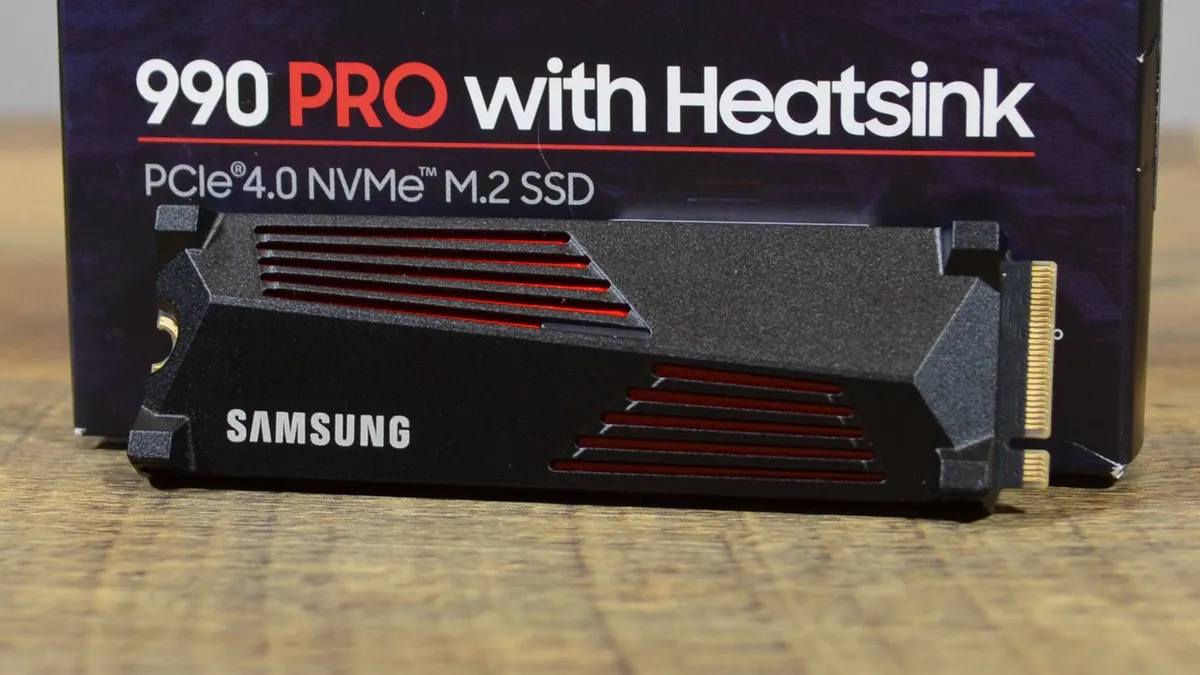


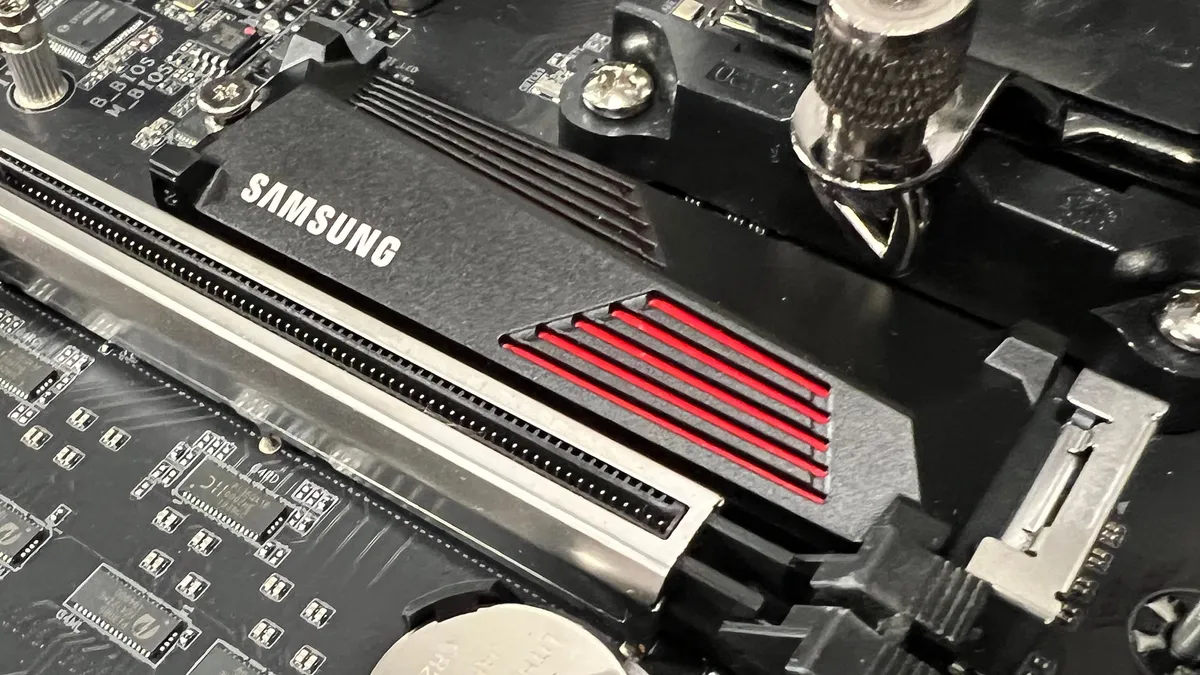


Despite its nomenclature, the Samsung 990 Pro isn’t just another high-performance drive; it’s the best SSD for PS5 right now, according to our testing.
In our tests, it delivered a blistering 7,449MB/s sequential read speed, practically touching the ceiling of PCIe 4.0, with equally impressive 6,826MB/s sequential writes. These numbers translate directly into real-world benefits for gamers, particularly PlayStation 5 owners.
On the PS5, the 990 Pro doesn’t just perform well, it ekes out the highest sequential read speed of all the chips we tested using the PS5's built-in benchmark, clocking in at 6,556MB/s. In practice, we were able to copy a massive 123GB game roughly 84% faster compared to the console’s built-in storage.
That kind of speed means dramatically shorter install times, faster loading screens, and smoother overall performance. For anyone serious about their PlayStation library, this SSD is a game-changer.
Read the full Samsung 990 Pro review
The best SSD for professionals


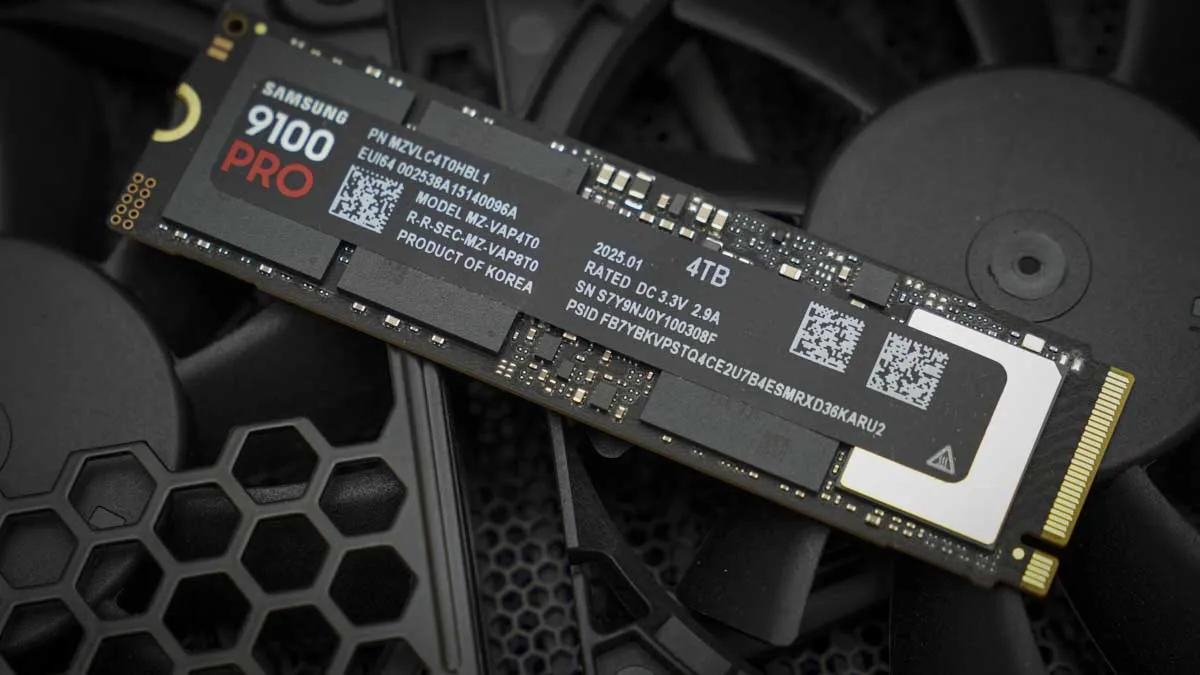
The Samsung 9100 Pro carries on Samsung's tradition of engineering high-quality SSDs with professional workloads in mind.
Rather than just chasing raw speed (which is certainly does), the 9100 Pro delivers sustained, reliable performance that makes a real difference when working with large, complex projects.
With sequential read speeds reaching nearly 14,800MB/s and writes reaching just over 13,400MB/s in my testing, it has no trouble keeping up with tasks like video production, massive code compiles, or data-heavy simulations. In practice, the responsiveness it brings to day-to-day operations is just as impressive as the headline numbers.
What also stands out is its efficiency. Samsung has refined both the controller and the cooling solution, giving the drive better thermal stability and energy use compared to its predecessors. Even under continuous stress, performance remains consistent, avoiding the dips that can slow down productivity at critical moments.
The best SSD: FAQs
Which brand of SSD is the best?
Generally, there’s no one best SSD brand, but Samsung, WD_Black, Corsair, and PNY are generally great for both general use and gaming, while Samsung, Lexar, Solidigm, and Crucial are excellent for professional users.
What’s the lifespan of an SSD?
An SSD’s lifespan is determined by the number of times data is written to the NAND cells inside the drive, and so the longevity of the drive directly correlates to the drive’s capacity. Measured in terabytes written (TBW), every 1TB of SSD capacity will generally last for at least 600TBW, but this will vary depending on the manufacturer.
What kind of SSD is the fastest?
Currently, PCIe 5.0 NVMe M.2 SSDs are the fastest drives you can get, with a theoretical sequential read ceiling of about 15,000MB/s.
What SSD is compatible with PS5?
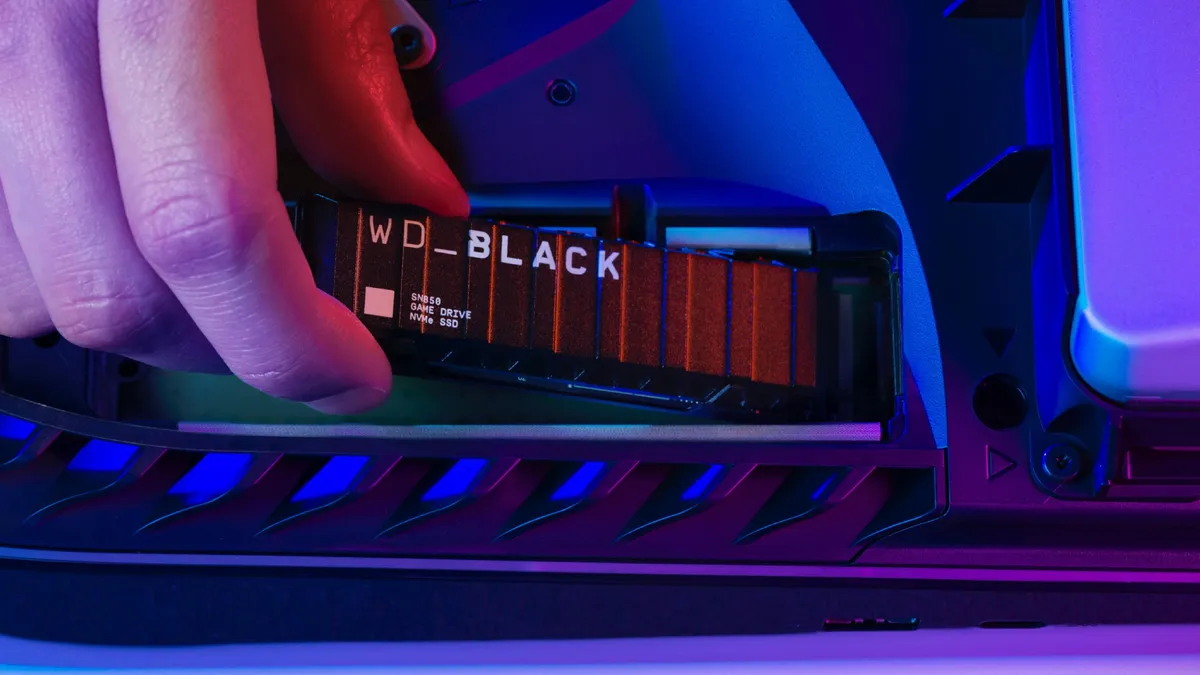
Sony has laid out several requirements for an SSD to work with a PS5:
● It must be a PCIe Gen4 x4 NVMe SSD (Key M).
● Supported storage capacities range from 250 GB up to 8 TB.
● The physical form factors allowed are 2230, 2242, 2260, 2280, and 22110.
● Total dimensions, including any heat dissipation mechanism (like a heatsink or heat transfer sheet), must be no more than 25 mm wide, 110 mm long, and 11.25 mm thick (with no more than 8 mm from above the board and up to 2.45 mm from below).
● Sony recommends a minimum sequential read speed of 5,500 MB/s for smooth performance.
● All SSDs must also include a cooling structure to keep temperatures in check—either built-in or added separately.
How to choose the best SSD for your needs

Choosing the best SSD depends on how you plan to use it. While all SSDs deliver faster performance than traditional hard drives, nearly all modern PCs will feature M.2 slots for NVMe SSDs, and unless you very specifically need a SATA III drive, you should stick with M.2 PCIe 4.0 or higher, as these are a couple of orders of magnitude faster than the older SATA III standard.
If you have to go with a SATA III drive, focus on capacity and price, as the performance difference between the available SATA III SSD options isn’t that significant to matter in the end.
Once you get to PCIe 4.0 M.2 SSDs and higher, though, you will have some other factors to consider, depending on whether you’re looking for everyday speed, professional workloads, or gaming.
General Performance
For everyday use—like faster boot times, quicker app launches, and smooth multitasking—look for a solid PCIe 4.0 NVMe SSD with good read and write speeds (a sequential read speed above 3,000MB/s is more than enough for most general computing needs).
Professional Use
If you work with large files, such as 4K video, 3D models, or complex data sets, you’re going to need an SSD with high sustained read and write speeds, durability, and large capacities. Opt for premium NVMe PCIe 5.0 drives with sequential read and write speeds above 6,000MB/s, as well as high endurance ratings (TBW).
Gaming
For gaming, load times and responsiveness matter most, and the best SSDs for gaming are NVMe drives with read speeds above 5,000 MB/s, which can drastically cut loading screens in modern titles. You won’t need to worry too much about sequential write speeds unless you are constantly swapping games in and out of your library. In the case of the latter, invest in a higher capacity drive with 2TB or more. If you’re using a PlayStation 5 or Xbox Series X, make sure your SSD meets the console’s speed and size requirements, and make sure to use a heat spreader (and that the heat spreader fits) to manage heat from sustained use.
Compatibility
Finally, check your system’s compatibility. Not every motherboard supports the latest PCIe Gen 4 or Gen 5 SSDs, so make sure the drive you choose matches your PC or laptop’s slots and interface. For older systems, a SATA SSD can still provide a big performance boost over a spinning disc hard drive.
How I tested the SSDs on this list

I spent about a month testing a lot of SSDs for this guide, using the same system build and driver and Windows update version for each drive to ensure that I could isolate the drive’s performance.
For the actual benchmark tests, I use industry standard benchmarks like CrystalDiskMark 8, 3DMark, PCMark 10, and Passmark, as well as using the lab’s PS5 to run its built-in storage benchmark for PS5 performance.
I then make sure to compare all of these scores to identify the top three in each category, like gaming or professional use, and focus on the scores that matter most for those use cases, such as sustained sequential write speeds for professional workloads.
