





Tablets are true tech chameleons: one minute they are a portable bedside movie screen, the next a compact digital notepad, and with a keyboard attached, a capable workstation for remote work. Based on extensive hands-on testing, this guide ensures you find the exact right tablet for your needs.
While Apple’s iPad ecosystem remains the gold standard, Android tablets have officially evolved past their "giant phone" phase into serious productivity powerhouses. Choosing the right device, however, takes more nuance than simply buying the latest iPad.
TechRadar’s team has put the top devices through their paces to build this definitive buyer's guide. From ecosystem mainstays to standout dark horses like the OnePlus Pad Go 2, here are the absolute best tablets available right now.
The best premium Android tablet


The Samsung Galaxy Tab S10 Plus is a top-tier tablet that's bursting at the seams with features you won't find on Apple's rival iPad tablets or other Android tablets. It's a serious contender for the tablet throne, and it's the best premium Android tablet you can buy.
Powered by a MediaTek Dimensity 9300+ processor, the Galaxy Tab S10 Plus is a gaming powerhouse, with even better gaming benchmark performance one some tests than an iPad Pro M4 tablet. This chip excels at graphics performance, making it ideal for demanding games.
But it's not just about raw power. Samsung's software, with the included S Pen, elevates this tablet to a productivity machine. Multitasking is a breeze, and the S Pen adds a layer of precision and control that's perfect for creative work and note-taking.
At 12.4 inches, the Galaxy Tab S10 Plus isn't very portable, and Apple's newer 13-inch iPad Pro (2024) takes the lead in slimness. However, Samsung scores a major point by including the S Pen in the box, unlike Apple, who makes you shell out extra for the Apple Pencil. While benchmark tests might give the iPad Pro an edge in processing power, the Tab S10 Plus holds its own in real-world performance. Plus, Samsung's IP68 water resistance makes it a more durable and versatile companion for everyday life.
Price-wise, the Galaxy Tab S10 Plus goes head-to-head with the 11-inch iPad Pro. But with Samsung, you get more screen real estate, a larger battery to keep you going, and the S Pen included.
Samsung also makes the best tablet software. It's incredibly intuitive for multitasking, and you can even transform the Tab S10 Plus into a desktop-like experience by connecting it to a monitor and keyboard.
Ultimately, the Samsung Galaxy Tab S10 Plus is the Android tablet to beat. It's a powerful, versatile, and feature-rich device that challenges Apple's dominance in the tablet space.
Read our full Samsung Galaxy S10 Plus review
The best budget tablet


The OnePlus Pad Go 2 is a standout mid-range tablet that refuses to compromise on quality for affordability. Driven by OnePlus’ superb Open Canvas software and a unique 7:5 aspect ratio, it makes multitasking seamless. Our testing proved how effortlessly it handles side-by-side apps, marking it as an ideal on-the-go productivity tool for students and professionals who want to avoid premium iPad or Galaxy price tags.
The display is a genuine, and surprising, highlight: a spacious 12.1-inch, 2.8K screen boasting a silky-smooth 120Hz refresh rate. Whether streaming media or running high-performance games, our reviewer found that visuals remain crisp and vibrant, expertly supported by a clear-sounding quad-speaker system.
Battery life is where the Pad Go 2 truly shines, lasting over 16 hours in our Future Labs testing, utterly eclipsing the competing base iPad’s 10-hour lifespan. Add in handy reverse-charging support and a clean, bloatware-free Android experience, and its $399.99 starting price delivers unmatched value that easily outclasses other Android tablet and undercuts Apple's entry-level iPad. In short, the OnePlus Pad Go 2 is a clear pick for a great budget tablet.
Read our full OnePlus Pad Go 2 review
The best Android tablet for most people


The OnePlus Pad 3 finally endows an Android tablet with the fastest Qualcomm processor around, the Snapdragon 8 Elite chipset. With Qualcomm's push, the Pad 3 is the fastest Android tablet you can buy, with amazing battery life to boot. In fact, like recent OnePlus phones, it's hard to find anything I don't like about this tablet.
The OnePlus Pad 3 has the best display on any tablet in this price range. It's more sharp than the Galaxy Tab S10 FE Plus, and it draws faster than the Samsung tablet or the iPad Air 13-inch, with a 144Hz refresh rate. In our tests, this display was exceptionally bright and clear, but the Pad 3 still had amazing long battery life.
You don't need a OnePlus phone to appreciate the OnePlus Pad 3, though it might help. OnePlus doesn't add as many cross-device features as Samsung or Apple, but if you buy an accompanying keyboard, you can quickly tap your phone to pair the two devices and share content across each.
The OnePlus Pad 3 is a premium tablet with a high price tag, so it isn't for everybody. If you don't need this much power or such a huge display, there are better options available. If you want the absolute best, most stunning Android tablet I've seen, with power that pushes performance over the top, the OnePlus Pad 3 should be the top tablet on your list.
Read our in-depth OnePlus Pad 3 review
The best iPad for most people


If you want a solid tablet and you have an iPhone or MacOS computer, the iPad should be your first stop. Apple's enrty-level tablet is refined, powerful, and reliable, with just enough features to keep you entertained or help you be productive. There's a reason Apple has dominated tablets since the iPad created this market.
The latest iPad 11 doesn't offer much more than before, but it doesn't have to. This tablet uses the Apple A16 processor found in older iPhone models, not the latest Apple M4 or M3 chipset, like the iPads Pro and Air. That won't bother most users, as this tablet is plenty powerful for gaming, working, and creating.
The latest iPad 11th generation tablet from Apple seems to deliberately keep the entry level from using Apple Intelligence, for better and for worse. That's fine by me, I haven't been so impressed with Apple's AI that I would spend more money to have it on my iPad. This iPad 11 still has the rest of Apple's great iPadOS features, and it will be upgradeable to the luscious new iPadOS 26 later this year.
Unless you're running serious creativity software or you need to use this tablet as a laptop replacement, there's little need for most folks to upgrade to a more expensive iPad than this. The iPad 11-inch 11th generation tablet with the Apple A16 inside is the perfect starter tablet for Apple fans and anybody who just wants a bigger screen to go with their smartphone.
Read the full iPad 11-inch (2025) review
The best premium iPad


If you want the very best in iPads, and subsequently tablets, look no further than the latest iPad Pro in its 13-inch screen size. This is the most powerful iPad with arguably the best display; there's an 11-inch model if you want something a little smaller. The M5 chip the tablet has at its heart is up there with offering the performance of MacBook Air models, only in fondle slate form.
You can also turn it into a form of laptop with the addition of impressive Magic Keyboard, or you can use it as a big digital canvas for your art and creative pursuits with the Apple Pencil Pro stylus.
It's not the biggest upgrade over its predecessor that we've ever seen but it's still a hugely impressive tablet and one that sets the standard for others to follow. And you'll be paying a substantial premium over other tablets on this list, but you're paying for serious quality.
Over to reviewer Jacob Krol to conclude: "Apple hasn’t changed much with the iPad Pro M5, but it didn’t really need to. The update to the M5 chip makes Apple’s top-of-the-line iPad faster and more capable than ever, and able to handle multitasking, creative apps, and even AAA games with ease. It pairs that performance with the same stunning OLED Ultra Retina XDR display, excellent battery life, and premium build quality as its predecessor."
Read our full iPad Pro (2025) review
The best battery life


Sporting a slightly bigger battery and a notably slimmer design than the Samsung Galaxy Tab S10 FE Plus, the Honor MagicPad 4 has arrived to replace it as the best tablet for battery life.
While some of the other tablets on this list have bigger battery capacities, the MagicPad 4 threads the line between battery endurance and solid performance, which earns it the spot here. One standout aspect of the battery life was when reviewer Dash Wood found the the tablet's 10,100mAh silicon-carbon cell has only dropped some 30% charge as he used in throughout a 14-hour flight.
In general, with the MagicPad 4 you'll get all-day battery life that shouldn't let you down. Nor should the performance, as the Snapdragon 8 Gen 5 chipset is no slouch for productivity tasks, gaming and streaming, even though it's not the most cutting-edge of silicon slices.
Add in a great OLED display with punchy colors, a sleek design, and a lengthy slate of promised updates, and the MagicPad 4 makes for an attractive mid-range tablet.
One caveat is the MagicPad 4 isn't easily available in the US, so we'd suggest considering the Galaxy Tab S10 FE Plus for a tablet with impressive battery life, or the OnePlus Pad Go 2, which is also our pick for the best budget tablet.
Otherwise, the Honor MagicPad 4 gets a strong recommendation for us, with Wood noting that it'll be "my go-to device for years to come".
Read our full Honor MagicPad 4 review
The best gaming tablet


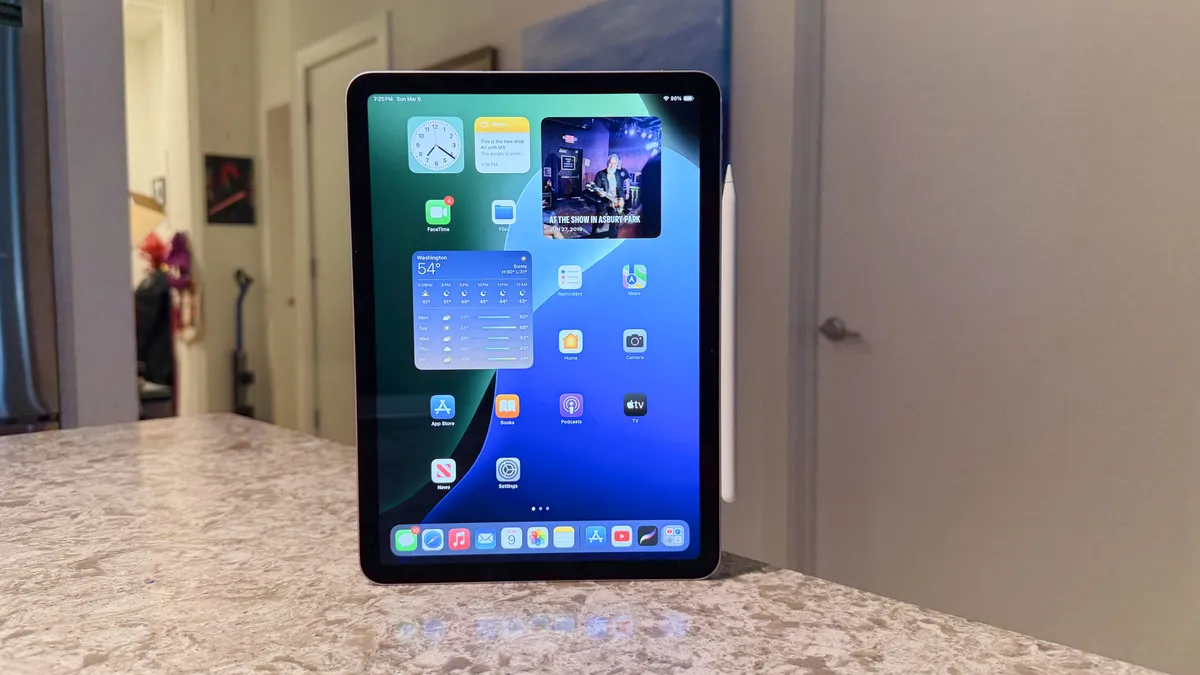


The 2025 iPad Air, available in 11-inch and 13-inch sizes, becomes a seriously compelling mobile gaming platform thanks to the inclusion of Apple's powerful M3 chip. While the design remains unchanged, retaining the sleek aluminum build and vibrant Liquid Retina display (though without ProMotion 120Hz refresh), the M3 transforms the Air into a powerful gaming machine. This upgrade, without a price hike from the previous M2 model, makes the new Air a fantastic value for gamers.
The M3 chip's performance is where this iPad Air truly shines for gaming. It handles demanding AAA titles with ease, thanks to hardware-accelerated ray tracing. Games like Death Stranding and Resident Evil run smoothly, showcasing impressive visuals.
Beyond raw power, the iPad Air boasts other features beneficial to gamers. The stereo speakers get surprisingly loud, providing immersive audio without headphones. Battery life is also a strong point, providing all-day usage for most tasks, including extended gaming sessions. The iPadOS experience is fluid, and multitasking features like Stage Manager even allow you to keep a game running in a window while you browse the web or chat with friends.
The iPad Air (M3) is an excellent choice for tablet gaming. With a vibrant display, great speakers, and solid battery life, the iPad Air offers a premium mobile gaming experience without the premium price tag of the iPad Pro. It's a great choice for gamers who want a versatile device that excels at both entertainment and productivity.
Read our full Apple iPad Air 11-inch (2025) review
The best drawing tablet


The Samsung Galaxy Tab S10 Ultra is one of the biggest mainstream tablets you can buy, and it's great for drawing or basic productivity tasks. Samsung's software excels on a tablet display, and the Galaxy Tab S10 Ultra brings features that no iPad can match, like its water resistant design and its microSD expansion slot.
That said, you might be happier finding a deal on the Galaxy Tab S9 Ultra if you can, because the Galaxy Tab S10 Ultra isn't much of an upgrade... like, at all. In some ways, it's actually a step backwards, like that MediaTek 9300 processor that has no business on Samsung's big creativity and business tablet.
If you want the biggest and best Android display, look no further, and the Galaxy Tab S10 Ultra handles everything you'll find in the Google Play Store with ease, including fast multiplayer games, Adobe photo and video tools, and more.
If you mostly want a tablet you can get wet, the Galaxy Tab S9 FE and FE Plus are cheaper options that handle almost everything the Ultra can do, only smaller. Hopefully this year will bring a powerhouse Galaxy Tab S11 Ultra to topple this list.
Read our full Samsung Galaxy Tab S10 Ultra review
The best compact tablet


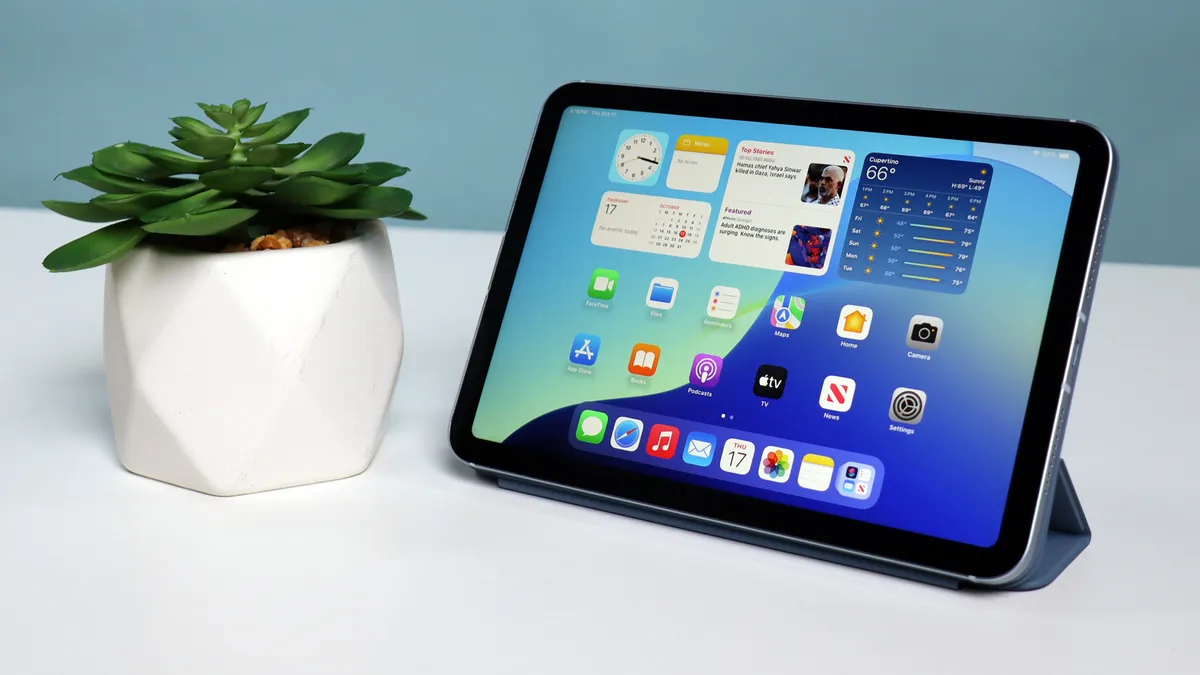


There's still nothing like the Apple iPad mini. If you want a compact tablet that you can fit in a jacket pocket, the iPad mini isn't just the best small tablet you can buy, it's one of the only small tablets worth buying. You can find media playing tablets from Amazon and cheaper Android brands with small screens, but if you need a good compact tablet, the Apple iPad mini is a great choice, and it's the only one worth considering.
Sadly, that's because the best tablet makers have opted for larger sizes, and we no longer have a small Galaxy Tab from Samsung or a small Pixel or Nexus tablet from Google. That doesn't mean the iPad mini is only worth choosing because it's the default. The iPad mini is surprisingly powerful, though Apple has left it behind the larger iPad pack by including an A17 Pro chipset instead of an Apple M2 or better platform.
The iPad mini is ready for all of the latest software and games, including Apple Intelligence, since it uses the same processor as the iPhone 15 Pro.
With such performance, the iPad mini (2024) isn't cheap, and it hasn't gotten any major new features with the latest update, but it's still a capable compact and the best small tablet you'll find.
Read our full Apple iPad mini 8.3-inch (2024) review
How we test tablets
Our reviewers test the best tablets at home and in the office, and work with Future Labs to test them in our performance laboratory; specifically for tablets with US availability. We use tablets in our daily lives every day, and will replace our work laptop computers with a tablet for regular use and testing. We travel with tablets and use them extensively for work and personal travel. We use tablets for fun, for games, for creating art, for getting work done, and for doing nothing at all.
FAQs
What is the best brand of tablets?
Is the Apple iPad or the Samsung Galaxy Tab the best tablet brand, or is there another tablet brand to consider?
Tablet makers often match features to your smartphone, so the best brand of tablets for you may be the same brand as your phone. The Apple iPad and the Samsung Galaxy Tab are two of our favorite tablet brands, and OnePlus boasts an excellent tablet, too: the OnePlus Pad.
What should I look for when buying a tablet?
The first thing to look for is the operating system, if you want to use your tablet alongside your Apple iPhone or Samsung Galaxy phone. If that doesn't matter, you should consider the size of the display and how you'll be carrying and using the tablet. If you plan on doing more professional work on your tablet as a laptop replacement, you should consider the tablet's performance handling multiple apps or pro-level apps. Of course, price is always a consideration, because the least expensive tablets are surprisingly capable, and you may not need to spend more.
What tablet can replace a laptop?
The Apple iPad Air and iPad Pro models are also powerful enough to do work, but Apple does not make it easy to keep multiple windows and multiple apps open at the same time. Apple makes better keyboard accessories for its tablets, especially the Magic Keyboard, but that accessory is expensive, and most tablets will work with any Bluetooth or USB-C keyboard you find. Samsung makes better office productivity software for tablets, but its latest tablets lack a great keyboard option that equal the Apple Magic Keyboard.
What is the best Samsung tablet?
Samsung makes a very wide range of tablets, from the huge and expensive Galaxy Tab S-series Ultra models, to more affordable FE entries. Usually, the full-fat S-series tablets are the very best from Samsung.
What is the best Android tablet?
The new OnePlus Pad 3 is the best Android tablet for most people. It has great performance, a solid design, and just the right mix of features.
What is the best tablet for kids?
The Apple iPad 11 is a great tablet for kids, especially if you have an older iPad lying around. The Galaxy Tab S10 FE is also a durable tablet that is water resistant enough that it can be washed in the sink if it gets dirty, so if your kids are like mine, you'll want a tablet that can clean up in a hurry.
What is the best computer tablet?
This list collects the best tablets running iPadOS and Android, but if you want a tablet that runs Windows you can check out our list of the best computer tablets as well.
What is the best gaming tablet?
We like the iPad Air or iPad 11 because Apple has the best selection of real AAA games available for its tablets. Any of the top tablets on this list will do a great job with your favorite games, though. We're also reviewing new gaming tablets from Redmagic and other tablet makers, so check back soon to see if we have a new recommendation.
How much does a tablet cost?
You can find tablets at any price range, from very cheap tabs that cost around $100 / £100 / AU $300 to very expensive tablets like the Samsung Galaxy Tab S11 Ultra, which costs 10X that much. An entry level Apple iPad 11 (2025) costs $349 / £329 / AU$599 for a new model.
Why are tablets less popular than smartphones?
Smartphones can fit in your pocket, and that gives them a huge advantage, though pound-for-pound a tablet gives you a lot more technology bang for your buck, especially if you value a larger display.
What is the best tablet for students?
The best tablet for students is the one that works best with your school's systems, so check with your administration to see if they recommend or require a specific model. If you don't care about using the tablet in class, a mid-range iPad Air, Honor MagicPad 4 or Samsung Galaxy Tab S10 FE will be durable and powerful enough for most students, without breaking any budgets.
Should I buy a Samsung Galaxy Tab or an Apple iPad?
The Samsung Galaxy Tab will be feature-packed, with some of the best multi-window features and productivity tools on any mobile device. The Apple iPad will be much more simple, but also much more powerful, with a desktop-class processor, though that power is only useful if you will be running desktop-level apps and games with your iPad.