
 Become a TechRadar Insider





The best 2-in-1 laptops combine the power of a traditional laptop with the convenience of a tablet, giving you flexibility whether you’re working, streaming, or creating on the go.
In 2026, our best overall pick remains the Microsoft Surface Pro 11, even if it isn't the latest in the lineup. Why? Well, after reviewing the Microsoft Surface Pro 12, we found the newer model to be a bit of a downgrade, with odd performance issues and largely unhelpful AI features, even moreso than the Pro 11. It's decent, but simply doesn't match its predecessor which can now be purchased for less than its initial retail price.
But if you're not wowed by the Surface lineup, our guide to the best 2-in-1 laptops features plenty of alternatives, including budget-friendly options and a Chromebook. Read on to learn all about our most recommended picks.
The best 2-in-1 laptop in 2026
Why you can trust TechRadar We spend hours testing every product or service we review, so you can be sure you're buying the best. Find out more about how we test.
The best 2-in-1 laptop overall

✅ You want superb battery life: At around 15 hours, the Surface Pro 11 is a real workhorse, with only the Dell Plus 14 2-in-1 (see below) able to match it on this front.
✅ You're familiar with Windows: Regardless of how you feel about Windows 11, it remains an intuitive operating system and you'll be able to hit the ground running here with its inclusion.
❌ You don't care for intrusive AI features: The Surface Pro's AI features are useless at best, annoying at worst. Consider another option if you don't want these features clogging up your system's memory.
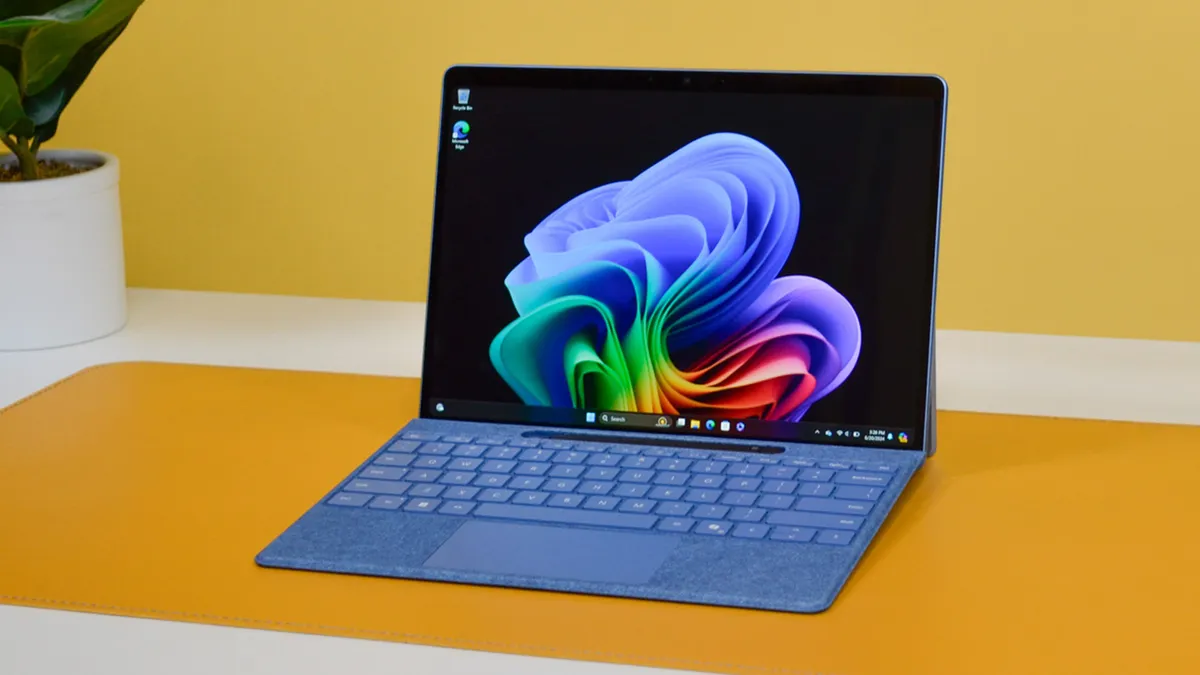
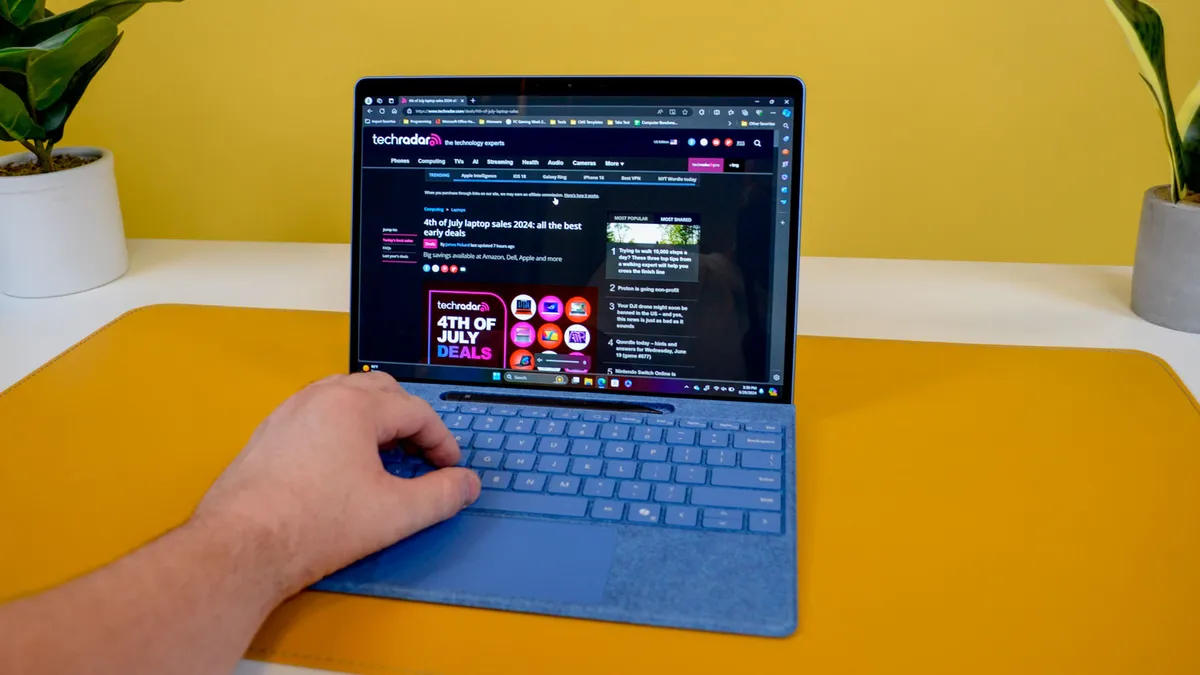
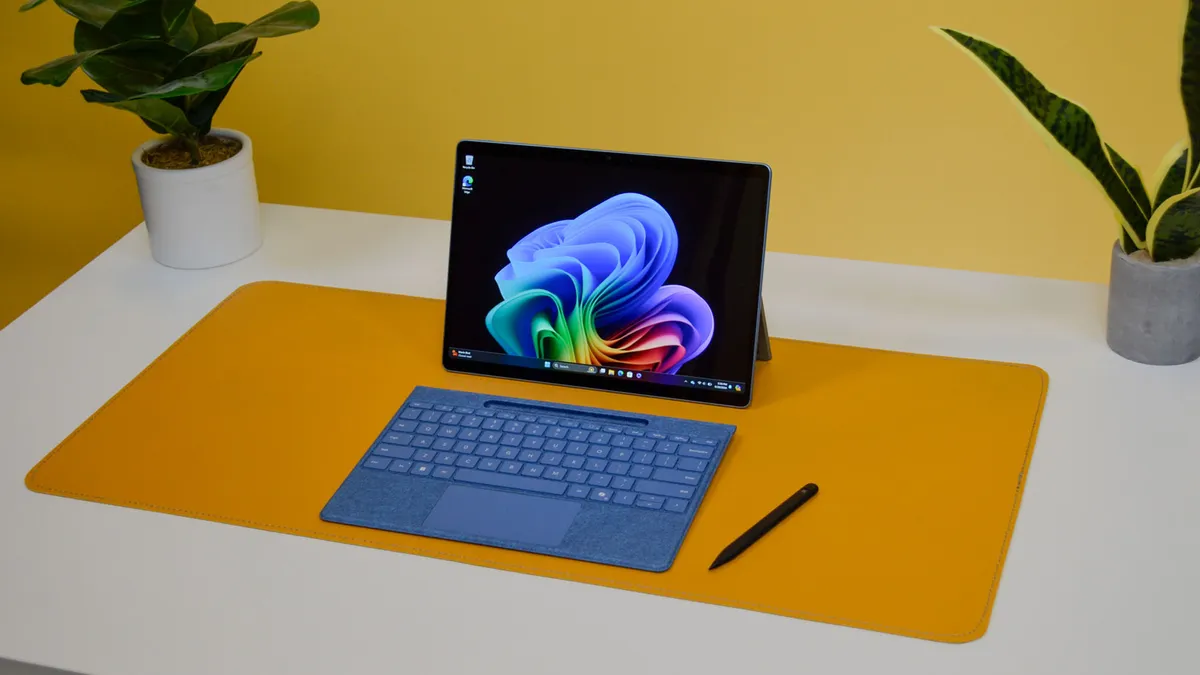
With its exceptional design, stunning display, and impressive battery life, the Microsoft Surface Pro 11 is a real standout among the best 2-in-1s.
It surpasses the iPad Pro in functionality due to its full Windows 11 OS, and though its performance might lag slightly behind the latest iPad Pro with Apple M5, it still excels in benchmark tests and has no major weaknesses for most users.
The Surface Pro 11’s design and battery life are particularly impressive, featuring an optional 2.8K OLED display with incredible color accuracy that is well worth the upgrade. In addition, you get a 1440p webcam and a solid, lightweight build. The battery life meets Microsoft’s 14-hour claim, even approaching 15 hours in our local video playback tests, showcasing the power efficiency of Arm architecture.
The Microsoft Surface Pro 11 excels in all areas, pushing the boundaries of what users expect from a top-tier Windows laptop. As more developers release Arm-compatible apps and more AI features roll out, this laptop is set to become even more remarkable.
Read our full Microsoft Surface Pro 11 review
The best budget 2-in-1 laptop


✅ You want maximum value for basic tasks: This Chromebook’s 12.4-inch screen and low price make it a great fit for students and commuters sticking to everyday productivity and streaming.
✅ You care about display quality on a budget: The 2560 x 1600 resolution delivers a bright, vibrant viewing experience uncommon at this price.
❌ You need all-day battery life: The 6.5-hour video playback result means you might need to recharge before the day’s out, especially compared to longer-lasting rivals.
The Samsung Galaxy Chromebook 2 360 is our current pick as the best budget 2-in-1 laptop largely thanks to its pin-sharp 12.4-inch, 2560 x 1600 display, which is seriously impressive for the price. The bright, high-resolution screen genuinely elevates everything from video streaming to web browsing, especially for budget-focused buyers who don't want to compromise on visuals.
In our hands-on testing, we spent a full day using the Galaxy Chromebook 2 360 for everyday tasks: general browsing, work documents, and even some light gaming. While the rather low 4GB of RAM and Intel Celeron N4500 processor aren’t built for intensive multitasking, we found basic productivity and tab management perfectly usable for the price. You won’t breeze through dozens of browser tabs or memory-heavy apps like Blender or GIMP, but for students or commuters sticking to typical tasks, the day-to-day experience is reliable enough that we didn’t feel short-changed.
Battery life, however, is a clear trade-off. In our video playback test, the Chromebook lasted roughly 6 hours and 30 minutes. Not disastrous, but noticeably shorter than many rivals. The machine is also a bit thicker and heavier than its compact footprint suggests, though it’s still easy to toss in a bag or carry case to take between classes or meetings.
If you’re after a sharp screen and dependable performance for the money and can live with modest battery life, the Galaxy Chromebook 2 360 is a smart pick at this end of the market.
Read our full Samsung Galaxy Chromebook 2 360 review
The best midrange 2-in-1 laptop


✅ You crave a sharp, vibrant display: The 14-inch OLED touchscreen gives both media and work content punchy color and clarity, clearly outshining the panels on most midrange rivals.
✅ You need proper multitasking power: With Intel Core Ultra 7 CPUs and up to 32GB RAM, the Slim 9i handled 20 browser tabs without stutter in our hands-on use.
❌ You need lots of ports and classic I/O: Port selection is annoyingly sparse, with no headphone jack to speak of either. You’ll have to rely on adapters or Bluetooth audio gear instead.
The Lenovo Yoga Slim 9i is our standout choice among midrange 2-in-1s with its slim, ultra-portable design and a simply lovely 14-inch OLED touchscreen that gives media and work alike a vivid, premium feel. Even as a 14-inch device it’s notably easy to carry, making it ideal for buyers who want a practical, good-looking laptop without the heft of a flagship convertible.
Under the hood, you can choose between Intel Core Ultra 7 256V or 258V processors and either 16GB or 32GB RAM, giving the Slim 9i enough muscle for real productivity and even some light creative work. In our hands-on testing, we were able to open 20 browser windows in Microsoft Edge almost instantly, with each tab loading new content without a hitch. That's exactly the kind of snappy multitasking that currently puts this midrange wonder above the rest of the pack, in our eyes.
On battery, the Yoga Slim 9i managed just over 11 hours in our web surfing test, but slightly under 10 hours within the PCMark 10 Battery benchmark. That’s enough to get through a full workday, though it falls a bit short of the all-day longevity set by some rivals, especially among Chromebooks and higher-end 2-in-1s.
The only other real quibble we have with the Slim 9i is its frustrating lack of port options. There's no headphone jack, for one, so you'll be relying on Bluetooth audio or 2.4GHz adapters. A mere two USB-C ports means you might be limited on accessories, too.
Otherwise, you're still getting a truly premium 2-in-1 experience here, with an enviable OLED touchscreen display and next-level build quality. If you're going for clarity and longevity, this is the one to pick.
Read our full Lenovo Yoga Slim 9i review
Find the best deals on Lenovo products with our Lenovo coupon codes.
The best 2-in-1 Chromebook


✅ You want a sturdy 2-in-1 design: With a solid convertible hinge that doesn’t wobble at any angle, this Chromebook feels robust in laptop, tent, or tablet mode.
✅ You want a crisp display for work and streaming: A 1920 x 1200 (WUXGA) screen gives you sharp visuals for documents and video, even if it isn’t OLED-level vibrant.
❌ You want heavy-duty performance: In our experience, the Spin 312 can slow down when pushed with heavy multitasking or more demanding apps and games.
The Acer Chromebook Spin 312 is a fantastic 2-in-1 Chromebook that delivers great build quality, impressive battery life, and a pin-sharp display all at a budget-friendly price
Keeping up with much pricier Chromebooks during testing, it breezes through mostly browser-based workloads without a hitch, handling a good chunk of tabs of varying graphical and processing demands while keeping things relatively cool and quiet. And as mentioned, battery life is an improvement here over our previous best Chromebook sitter, delivering around 11 hours of charge compared to the Chromebook Spin 514's modest eight.
The 12.2-inch WUXGA screen is compact enough to be portable but still sharp and readable, with a 1920 x 1200 resolution that looks crisp for reading, streaming, and note-taking. We found the touchscreen very responsive for handwriting and sketching, too, which is handy for students or anyone who likes to annotate or even doodle on the go.
The only real downside to note, besides some slight heft despite its small size, is performance. It's solid here, don't get us wrong, but can struggle with heavier apps and games.
Read our full Acer Chromebook Spin 312 review
The best 2-in-1 Dell


✅ You need long battery life: If lasting all day away from a charger is your top priority, the Dell 14 Plus 2-in-1 delivers with well over 15 hours in our battery test.
✅ You want multitasking performance: With options for Intel Core Ultra 200V and AMD Ryzen AI 300 CPUs, plus a Geekbench 6.4 score of 10,880, the Dell easily juggles demanding web apps and heavy multitasking.
❌ You want a more vibrant display: If you need a screen that pops or plan to use your device in bright sunlight, the Dell’s 300-nit IPS panel may disappoint compared to OLED rivals.
The Dell Plus 14 2-in-1 is a marvelous laptop on the premium end that excels at delivering great performance and sharp looks. Better still, even though it bears an intimidating price point, it can often be found for much less all year round. As such, you might find it to be shockingly affordable by premium standards.
Let's talk about one of this device's most impressive aspects first: battery life. At around 15 hours on a single charge, it'll comfortably last you through a work or school day, and that's with juggling several tabs, apps with a reasonable performance footprint, and even some light gaming.
The display isn't quite as impressive as, say, the Microsoft Surface Pro 11 or Lenovo Yoga Slim 9i. The FHD+ display here doesn't pop in the same way an OLED does. However, less power here contributes to larger battery life. So if you're not too fussed about peak image quality, the Dell Plus 14 2-in-1 will still serve you very well.
Read our full Dell Plus 14 2-in-1 review
How to choose the best 2-in-1 laptop for you
Choosing the right 2-in-1 laptop depends on your specific needs.
For basic tasks like office work or entertainment, most laptops with 8GB of RAM and lower-end processors are sufficient.
However, for more demanding tasks like video editing or digital art, consider a laptop with 16GB+ RAM and a faster CPU.
Remember that higher numbers in CPU names generally indicate more power, but they come at a higher cost.
If productivity is a priority, look for a screen with a 16:10 or 3:2 aspect ratio for better document visibility.
Finally, consider your storage needs—if you use cloud services, less storage might be fine, but for local files or large programs, aim for more than 256GB of storage. for 6 seconds
How we test 2-in-1 laptops
Testing 2-in-1 laptops looks a lot like testing traditional clamshell laptops, only with a few extra steps. After all, we also need to test these hybrids’ 2-in-1 form factor as well as touchscreen functionalities, ensuring that everything works swimmingly and the touchscreen is as responsive as it should be.
We take a look at a 2-in-1 laptop’s design, first of all, checking to see how robust its build is, just how portable it is, how comfortable its keyboard and trackpad are to use, how good the display is, etc. We check the availability of ports and biometrics sign-in technologies. We check out the webcam, speakers, and mic as well, since video conferencing has become such an integral part of our daily lives. Naturally, because its 2-in-1 form factor is a major selling point, we inspect the hinges, the different modes, the touchscreen functionality, and the stylus, if included, to make sure that it’s delivering a seamless experience.
Of course, we test its performance as well. Since most 2-in-1 notebooks are designed for productivity, school, or everyday use, we utilize the laptop in our daily workloads as well as for entertainment and casual use. We use the most commonly used Windows 10 (or Chrome OS on Chromebooks) apps to see how fast they load and run. We perform synthetic benchmarks as well, including PCMark 10 (Home Test) and GeekBench 5 so we can get you those exact numbers to compare to its rivals.
Battery life – or rather, great battery life – is an integral part of laptops, especially premium ones. So, we also test its longevity, using it at full charge to see just how long the battery lasts when doing everyday workloads, as well as running both our looped 1080p movie test and the PC Mark 10 battery life benchmark.
Finally, we gather all that information we collected about the laptop and compare it to its price tag to gauge whether it’s a great value to consumers - or at the very least, worth the money.
For a more in-depth guide on our testing process, see how we test.
The best 2-in-1 laptop; FAQs
Why are 2-in-1 laptops great for students?
2-in-1 laptops make a great choice for students due to their versatility. Being usable in both standard laptop mode and tablet mode makes them effortlessly convenient as study aids.
They offer excellent battery life and are lightweight and portable, so transporting them from campus to your dorm is a cinch. Their relative affordability also makes them a sensible choice for cash-strapped students, and there’s plenty of power there to handle all your important assignments.
What are the disadvantages of a 2-in-1 laptop?
Despite their many benefits, 2-in-1 laptops are not without their faults, and it’s worth knowing where they could fall short of your expectations before you hand over your money.
While a 2-in-1 laptop is likely to have more processing power than a tablet will, it’s also likely to have less power than a more traditional laptop, so you should be careful to check the specs prior to making a purchase.
In addition, they can be a little lacking when it comes to durability, due to their lightweight and hinged designs, so a bit more care may be needed when transporting them. And lastly, the keys on a 2-in-1 tend to be smaller than on a regular laptop, which may inhibit users with larger hands.
Today's best 2-in-1 laptop deals
