


You'll find all of this week's best cheap gaming laptop deals neatly wrapped up into one easy-to-read list here right on this page. I've scanned through all of the nation's top retailers to find only the best value options for our readers, and you can check out this week's recommendations just below.

To source our cheap gaming laptop deals recommendations, I've rigorously price checked most of the big-name retailers that you'd expect - Amazon, Best Buy, Walmart, HP, and Dell to name just a few. The best choices tend to come from these stores, but we've always got an eye out for other listings from specialist retailers. We always shop around to find the very best value choices and take care weed out any of the sub-par listings you often find at auction houses or the like.
Brand-wise, you'll find worthy machines from gaming laptop deals veterans like Acer, Dell, Lenovo, and Asus, though we never let big brand recognition totally sway our choices - value for money is the most important factor. Speaking of value, you'll find listings ranging all the way from around $600 to $2,000 with our choices, with plenty of options should you want to spend a little more to score yourself one of the machines reviewed on our best gaming laptop buyers guide.
And, for those who need a little guidance on their gaming laptop deals journey, scroll down to the bottom of the page where you'll find an extensive FAQ section. No question is too basic to be answered and you'll find plenty of unbiased expert advice there to help you find exactly what you're looking for, even if you're not up to speed with all the technical lingo.
This week's best cheap gaming laptop deals
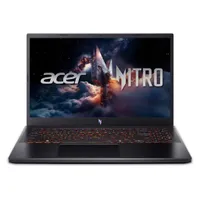
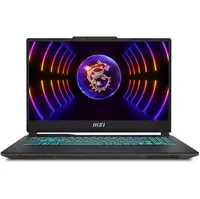
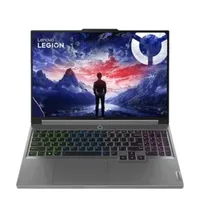
- Get your laptop for less with our Newegg promo codes.
Buying advice

How to get a cheap (but good) gaming laptop
1. Determine how much power you need
You'll be able to play a surprisingly large amount of titles well with an RTX 3050 gaming laptop
First thing's first, make a list of all the games you're planning on playing with your shiny new gaming laptop. Got your list ready? Good. You'll now need to determine the recommended and minimum specs for each of your titles. We'd recommend looking your list of games up on the Steam web store as it has a very easily visible list of minimum specs for each title. If you're buying on behalf of a friend or child, get them to list their favorite games out for you and take it from there.
As a general rule of thumb, the older the game, the less power you'll need. If you're planning on playing strategy games, eSports titles, or indie games then you might find that a machine with an RTX 3050 or similar entry-level graphics card is more than enough. Conversely, if you're looking to play CyberPunk 2077 or a similar big studio blockbuster title on max graphical settings, then you'll probably want to look at a machine with an RTX 3070 graphics card or equivalent. Again, use the games recommended specs as general guide line for how much grunt you'll need.
It's worth noting that you'll be able to play a surprisingly large amount of titles well with an RTX 3050 gaming laptop. Just because it's a budget option doesn't mean it'll exclude you from playing all the latest games. Just remember though, you may have to sacrifice a fair amount of graphical fidelity to get those games running smoothly.
2. Set your budget
We'd recommend spending somewhere between $650 to $850 for a first time buyer
Ok, so you've got your wish list of specs. Now let's set a budget and go from there. You may find that your budget is bang on for your requirements here. Conversely, it could be the case that the machine of your dreams is a little out of your budget range, for now at least.
As a starting point, we'd recommend spending somewhere between $650 to $850 for a first time buyer. Most of the best 'bang for the buck' machines tend to land within this budget range, with fairly decent graphics cards for 1080p gaming. Cheaper options do crop up occasionally, but often feature older specs and smaller storage. Your mileage may vary, but we'd generally recommend spending a bit more if you can to get a machine that will last a few more years down the line.
3. Shop around... or let us do it for you
Best Buy, Walmart, Amazon, Dell, and HP are the best retailers
Now you're clued in and know what you need, it's time to shop around. In the US, the best retailers to check for gaming laptop deals are Best Buy, Walmart, Amazon, Dell, and HP, all of which will have fairly cheap machines up for grabs at any one time. Patience will be rewarded here, especially if you're coming up to a big sales event like Amazon Prime Day or Black Friday. Before you jump in, it's always worth it staking out a listing and seeing if the other retailers are offering something better.
Alternatively, you can simply bookmark this page and let us do all the hard work for you. We update this page every week, generally on a Monday or Tuesday with the best gaming laptop deals we can find - many of which we've personally tested here at TechRadar.
What specs are most important?

1. Graphics card (GPU)
2. Processor (CPU)
3. RAM
4. Storage
5. Display
The graphics card is by far the most important component for gaming laptop deals in 2023. It's the heart of the machine and the part that's most responsible for pushing out smooth gameplay. If you're going for maximum bang for the buck, you'll generally want to prioritize getting a better GPU over other components.
That's not to say the other specs aren't important though. The processor is going to be responsible for fast loading times, smooth general use, and supporting your graphics card in game. It's the second most important component to prioritize, and, depending on your game, can make a huge difference to your overall performance. The RAM is also an essential supporting component for boosting frames per second and loading times in game. We would, however, rank it third in importance because it's fairly cheap and easy to upgrade this component yourself with a bit of know-how.
Depending on your use case, we'd rank the storage and screen as the next important specs to consider. Both of these are more quality of life improvements but there are many gamers who consider a 512GB SSD, for example, to be an essential requirement for a laptop. Some budget laptops will ship with 256GB storage drives, which isn't enough to hold more than a few modern games at once, depending on genre. The overall quality of screen, and especially refresh rate, is obviously important if you're going to be primarily using your laptop as is without an external monitor. As a general rule of thumb, we'd say go for a display with a refresh rate of 120Hz or greater. It's extremely rare to find a 60Hz monitor on a gaming laptop these days but they're best avoided if possible as this will make your gameplay feel sluggish in comparison.
What are the bare minimum specs?
This is completely subjective, depending on what type of games you want to play and what kind of level of performance you want. Just for good measure however, we'd recommend the following as a minimum if you're strictly on a budget:
- Minimum - Intel Core i5 (10th gen) / AMD Ryzen 5 (3rd gen) processor or later
- Minimum - Nvidia GTX 1650 / AMD RX 5500 graphics card or later
- Minimum - 8GB of RAM
- Optional - 512GB solid-state drive
- Optional - 120Hz refresh rate display monitor
Anything lower than the above and you'll tend to struggle with modern games at 1080p settings. You can, of course, get away with lower-level or older components if you're just planning on playing older games, but for new releases, definitely consider the above as a bare minimum.
Can I get a gaming laptop deal for under $500?
Unlikely, to be honest. There are occasional listings on Walmart especially that get close to $500 but they often feature last-gen components and are often not the best value in context. At any one time you'll often also find third-party listings on Amazon, eBay, or Newegg that advertise 'gaming laptops' but are in fact office computers or ultrabooks. If the laptop being advertised doesn't have a dedicated graphics card like an Nvidia RTX or AMD Radeon RX then it's a dead give away that it's being falsely advertised as a gaming laptop. Usually these listings may run from around $350 to $600, which is suspiciously cheap for a gaming laptop. In general, our advice is to ignore these third party listings and save up a little bit more for a budget gaming machine.
When's the best time to pick up a gaming laptop deal?
Luckily for gamers on a budget, gaming laptop deals tend to be a weekly feature over at most of the big retailers so there's always plenty to chose from. That said, there are definitely high points throughout the year, namely big sales events such as Black Friday, Cyber Monday, and Amazon Prime day which can yield great results for those willing to wait. And as several of our picks from this week show, Labor Day sales have provided some excellent savings, as well.
Our top tip - do your research. Narrow down which model and specs you want and check-in at your favorite retailers each week. Alternatively, let TechRadar simply do all the work for you and become a regular visitor to this page or our dedicated deals feed.
