





The best home security camera should give you a clearer picture of what's happening at home, whether you're checking who's at the door, keeping an eye on the garden or making sure the dog hasn't decided the sofa is a chew toy. But not every camera offers the same level of protection, and the differences aren't always obvious from the spec sheet.
That's where our guide comes in. At TechRadar, we test home security cameras in real homes, putting their video quality, night vision, motion detection, mobile apps and smart home integrations to the test. We'll help you work out which models are worth your money, whether you're renting a flat or protecting a house with a few more entry points to worry about.
We'll also flag the costs and compromises that can be easy to miss before you buy. Some cameras lock cloud storage, event history or other useful features behind a subscription, so the price on the box isn't always the full story. We'll explain what you get for free, what requires a monthly fee and which cameras offer the best fit for your home, budget and security needs.
Black Friday deals are already rolling in, so there's no need to wait until November 27 to start looking for a home security upgrade. We're seeing discounts on everything from budget-friendly indoor cameras to more advanced outdoor systems, with some prices already worth snapping up.
The best home security cameras
Why you can trust TechRadar We spend hours testing every product or service we review, so you can be sure you're buying the best. Find out more about how we test.
The best home security camera overall


✅ You want a good view: With 360-degree rotation and 169-degree tilt, this little camera lets you see much more of your room than most home security cameras.
✅ You own other Ring products: This camera will work seamlessly with your other devices, and your existing Ring Home subscription.
❌ You want motion tracking: Somewhat surprisingly considering its range of movement, motion tracking isn't available here/
❌ You don't have a handy power socket: This is a wired camera, so unlike some others, you'll need a power socket within reach.
Ring's latest home security camera is also its best to date, with an impressive feature set and affordable price tag that make it our number one choice. You'll need a Ring Home subscription to get the most out of it - see our guide do I need a Ring subscription for full details - but it's one of the more affordable plans around and will also unlock the full features of any other Ring devices in your home (the company is known for making some of the best video doorbells).
Video is crisp and clear, with footage sent live to your phone or available for up to 180 days online (provided you're a Ring Home subscriber), with motion detection and alerts to let you know if someone enters its field of view. There's also a siren to scare off intruders, which our reviewer Cesci Angell said "was easily enabled by pushing a button on the app via the device's home screen; this caused the camera to make a loud security alarm sound, which I imagine could be capable of scaring off an unwanted guest."
As the name suggests, this little camera's standout feature is its ability to rotate 360 degrees and tilt 169 degrees, which gives you excellent visibility around your room, though it's a little surprising that there's no motion tracking - the camera seems like it would be ideally suited to this. Perhaps something to look forward to in the next model.
Read our full Ring Pan-Tilt Indoor Cam review
Attribute |
Notes |
Score |
|---|---|---|
Value |
The Pan-Tilt Indoor Cam is a reasonable price for the features and picture quality, however, the paywall that restricts access to recordings is unfortunate. |
4.5/5 |
Design |
The camera’s ability to pan and tilt is convenient but it seems Ring missed a trick with the lack of motion-tracking. |
4/5 |
Performance |
The picture and audio quality were good, and the camera handled motion well, but the Color Night Vision proved a little underwhelming. |
4.5/5 |
The best budget home security camera


✅ You want sharp footage on a budget: The 2K resolution delivers noticeably more detail than the older 1080p model, particularly when you zoom in on faces or other objects.
✅ You need something small: The Mini 2K+ is exceptionally compact, so it's easy to position around your home without it taking up much space.
✅ You want useful vision: The built-in spotlight produces surprisingly vivid color footage after dark, while improved two-way audio makes conversations easier to hear.
❌ You don't have a nearby power socket: The Mini 2K+ is mains-powered, so you can't install it somewhere without access to an outlet.
❌ You don't want another subscription: You can use the camera without paying monthly, but features such as Smart Detection and 30 days of cloud storage require a Blink subscription.
❌ You use Google Home or Apple Home: The camera works with Amazon Alexa, but the review notes that it doesn't support Google's or Apple's smart-home platforms.
The Blink Mini 2K+ keeps the price low without skimping too much on image quality. At £39.99 (about $50 / AU$80) per unit, it's a particularly appealing option for budget-conscious buyers who want sharper footage without spending big. In our testing, the 2K resolution made a noticeable difference when zooming in on details, while the built-in spotlight delivered surprisingly good color footage at night.
In our testing, the camera's image quality was strong for such a small, inexpensive camera. The extra resolution is particularly useful when you need to zoom in on footage, with faces and other details remaining clearer than they would on the older 1080p model (Blink Mini). The spotlight also gives the Mini 2K+ a useful advantage after dark, producing vivid color images rather than relying solely on traditional black-and-white infrared footage.
There are some compromises at this price. The Mini 2K+ is mains-powered, so you'll need to position it within reach of an outlet, while its 2.4GHz-only Wi-Fi support may be limiting for some setups. You can use the camera without a subscription, but you'll need to pay for a Blink plan if you want features such as Smart Detection and 30 days of cloud storage. Alternatively, local storage is available with a Sync Module 2 and USB drive.
For renters, first-time buyers or anyone looking for affordable indoor coverage, the Blink Mini 2K+ offers excellent value in a tiny package.
Read our full Blink Mini 2K+ review
Attribute |
Notes |
Score |
|---|---|---|
Value |
Offering excellent value for money, you can buy two of these mini security cameras for the price of one from another brand such as fellow Amazon stablemate, Ring. |
4.5/5 |
Design |
Despite being very small, standing just a few centimetres tall, the Blink Mini 2K+ feels well-built and can be mounted just about anywhere indoors (even outdoors with a weather-resistant power adaptor). |
4.5/5 |
Performance |
Boasting 2K video resolution, the Blink Mini 2K+ also offers improved night vision over its predecessor thanks to the inclusion of a strong spotlight. |
4.5/5 |
The best home security camera for outdoors


✅ You want comprehensive outdoor coverage: The clever triple-lens setup combines a 180-degree panoramic view with a 4K pan-and-tilt camera, so you can keep an eye on the bigger picture and zoom in on anything suspicious.
✅ You want advanced security features: Onboard AI can distinguish between people, animals and vehicles, while smart tracking, package-removal alerts, powerful spotlights and a 110dB siren provide extra peace of mind.
❌ You want a simple, discreet installation: Weighing 1.1kg for the Wi-Fi model, the OMVI 3i is a bulky camera that needs secure wall mounting with a drill. It's hardly a subtle addition to your home.
❌ You don't have access to mains power: Unlike battery-powered and solar alternatives, the OMVI 3i needs a permanent power supply, which can make outdoor installation tricky if you don't have a conveniently placed socket.
The Reolink OMVI 3i is a seriously capable outdoor security camera, particularly if you have a large garden, driveway or business premises to keep an eye on. Its clever triple-lens setup tackles one of the biggest compromises with outdoor cameras. Two lenses work together to provide a 180-degree panoramic overview, while a separate 4K pan-and-tilt camera can rotate up to 355 degrees to zoom in on anything that catches your attention. Spot something suspicious in the wide-angle feed? Simply tap the area you want to investigate in the app and the lower camera will swing into action, giving you a much closer look.
We were particularly impressed by its onboard AI detection during testing, which can distinguish between people, animals and vehicles without relying on cloud processing. There's also smart tracking, package-removal alerts, powerful spotlights and a rather intimidating 110dB siren. Night-time footage is another strength, with infrared and colour night vision available depending on the lighting conditions.
There's no getting around its size, though. At 1.1kg for the Wi-Fi model, this is a hefty bit of kit that needs secure wall mounting with a drill, and mains power means you'll need an outdoor socket or a way to route the cable indoors. If you have the space and power supply to accommodate it, however, the OMVI 3i offers an impressive level of coverage for the money.
Note, we've also tested the Baseus Security S2, which offers a more compact, wire-free alternative with solar charging and subscription-free local storage.
Read our full Reolink OMVI 3i review
Attribute |
Notes |
Score |
|---|---|---|
Value |
Impressive value for money given its triple-lens setup, onboard AI detection and flexible local storage options. |
5/5 |
Design |
Bulky and heavy, with secure wall mounting requiring a drill and wall plugs. It also needs mains power, and its wide field of view may be difficult to manage in smaller or more private spaces. |
3.5/5 |
Performance |
Delivers sharp 4K footage alongside a 180-degree panoramic view, 355-degree pan-and-tilt coverage, synchronized tracking, powerful spotlights and a 110dB siren. |
4.5/5 |
The best home security camera with local storage


✅ You need 24/7 recording: With 32GB local storage, the Wyze Cam v3 can record continuously for days.
✅ You want discreet night recording: Most cameras rely on spotlights to capture footage after dark, but not this one.
❌ You want super clear footage: The picture quality from the Wyze Cam v3 is only average. If you want more clarity, look for a 2k or even 4k camera instead.
❌ You need flexibility with positioning: This camera's power lead is only 6ft long, which limits your options
If you're looking for an indoor/outdoor home security camera on a budget, you'll be hard pushed to do better than the Wyze Cam v3. This full HD camera records clear footage during the day and at night and comes with free cloud storage for up to 14 days and a Micro SD card slot for local storage, making it a more than worthy competitor to other budget cameras.
It's one of the few outdoor home security cameras with an integrated stand, so it doesn't have to be mounted to a wall, although it can be if you'd prefer. That said, it requires a power outlet rather than a rechargeable battery, which may limit outdoor use depending on your setup.
If you're not willing to pay for a monthly subscription, you'll miss out on person detection, but on test we found it works perfectly well subscription-free.
Read our full Wyze Cam v3 review
Attribute |
Notes |
Score |
|---|---|---|
Value |
One of the most affordable home security cameras around. Cloud storage requires a subscription, but this is also cheap at $2 a month or $20 a year. |
5/5 |
Design |
Not a very attractive camera, but it offers IP65 water and dust resistance, and has an SD card slot so you can store your videos locally subscription-free. It lacks a privacy shutter. |
4.5/5 |
Performance |
Full HD footage is good enough to let you recognize people you know, but at a distance subjects tend to look blurry and oversaturated. A subscription unlocks 'Wyze AI events', which is mostly reliable. |
4/5 |
The best home security camera for smart homes


✅ You are building a smart home setup: With Matter 1.5 support and compatibility across Apple HomeKit, Alexa, Google Home and SmartThings, it works well as a central hub for mixed-device ecosystems.
✅ You want smarter alerts: AI sound detection for things like baby crying or a dog barking makes notifications more useful than standard motion alerts.
✅ You want flexible storage options: You can record locally via MicroSD without needing a subscription.
❌ You want something simple: The app and menus can feel complex, especially if you just want basic monitoring.
❌ You don’t want subscription-locked features: AI video search and summaries require a paid plan.
Don’t let the removable bunny ears fool you, the Aqara Camera Hub G350 is a seriously capable indoor camera. It combines a 4K wide-angle lens with a 2.5K telephoto lens and full 360-degree pan and tilt. This allows it to follow movement around a room without losing sight of what matters. In testing across a home office and kitchen, our tester found it could keep track of their dog as they moved in and out of view, without requiring manual adjustments.
The G350 is designed to sit at the centre of a smart home setup. With Matter 1.5 support and compatibility with Apple HomeKit, Alexa, Google Home and SmartThings, it connects across different ecosystems and can trigger useful automations, such as turning on lights when motion is detected.
There is plenty of intelligence built in too. Alongside human and pet detection, it can recognise sounds like a baby crying or a dog barking, taking things a step beyond standard motion notifications. You can store recordings locally using a MicroSD card, so there is no need for a subscription for basic video storage. However, AI tools like video search and summaries require a paid plan.
It is not the simplest camera to set up, and you will need your own USB-C plug and mounting hardware, but it is a highly flexible option for anchoring a wider smart home system.
Read our full Aqara Camera Hub G350 review
Attribute |
Notes |
Score |
|---|---|---|
Value |
More expensive than many of its counterparts because you are paying for the device’s impressive dual-lens system and compatibility with various smart home ecosystems |
3.5/5 |
Design |
Much more than a camera in a bunny costume, the Aqara 350 is a solidly built unit which wouldn’t look out of place in any smart-looking smart home |
5/5 |
Performance |
The Aqara Camera Hub provides high quality images from its 4K wide angle and 2.5K telephoto lenses, as well as offering a wealth of useful AI features. |
4.5/5 |
The best home security camera for renters


✅ You're renting and can't make permanent changes: The EP4 fits through your existing peephole, so there's no drilling, wiring or damage to your front door. It's also easy to remove and take with you when you move.
✅ You want to save footage without a subscription: Add a microSD card (up to 512GB) to store recordings locally, without paying a monthly fee.
❌ You need to keep an eye on parcels: The camera's field of view doesn't extend far enough down to show packages left on your doorstep.
❌ You want to avoid frequent motion alerts: You can't suppress notifications for familiar faces, so the camera may alert you when you arrive home yourself.
The EZVIZ EP4 Wire-Free Peephole Door Viewer is a clever solution for renters who want the added security of a video doorbell but can't drill into their front door or install permanent wiring. Instead, it uses your existing peephole, with the camera sitting outside and a screen clamped to the inside of your door. Installation took us around 10 minutes, required no power tools and left no damage, making it easy to remove and take with you when you move.
Despite its compact design, the EP4 captures impressively sharp 4K footage, and its person recognition did a good job of identifying visitors during testing, even when they were carrying bulky items. The companion app is straightforward to navigate, with live viewing, two-way talk and motion alerts, while a microSD card lets you save recordings locally without committing to a subscription.
There are a few quirks to consider. The internal screen sticks out around an inch from your door, which could be awkward in a tight hallway, and the camera's field of view doesn't extend down far enough to show parcels left on your doorstep. More frustratingly, you can't stop it sending notifications when it recognises familiar faces, meaning you'll get alerts when you arrive home yourself.
Still, if you're renting and want to see who's outside without making permanent changes to your home, the EP4 is a particularly practical alternative to a conventional video doorbell.
Read our full EZVIZ EP4 Wire-Free Peephole Door Viewer review
Attribute |
Notes |
Score |
|---|---|---|
Value |
A good-value option, especially when discounted, although you'll need to buy a microSD card separately. |
4.5/5 |
Design |
A clever, renter-friendly design that's easy to install, though the indoor screen protrudes quite far from the door and has relatively low resolution. |
4/5 |
Performance |
Core features work well, but the inability to ignore familiar faces means you'll receive alerts when it recognises you. |
3.5/5 |
The best solar home security camera


✅ You want to cover a large outdoor area: With 360-degree horizontal rotation and 90-degree vertical tilt, the C660 Kit can monitor a wide area from a single mounting point, making it a good choice for driveways, gardens and the side of your home.
✅ You'd rather not keep recharging your camera: The included solar panel kept the battery topped up throughout most of our testing, so provided you have a reasonably sunny mounting spot, you shouldn't need to charge it often.
✅ You want 4K footage without a monthly subscription: The C660 captures detailed 4K video and supports local storage on a microSD card of up to 512GB, so you can access recordings without paying for cloud storage.
❌ You live somewhere that never sees the sun: Solar panels are awesome, but if you don’t get much sunlight at home then a wired security solution will likely be much more reliable.
❌ You use a mix of smart home brands: The C660 works best within TP-Link's Tapo ecosystem. Alexa support is strong, but Google Home functionality is limited and Apple HomeKit isn't supported.
The TP-Link Tapo C660 Kit is a great-value solar security camera that packs in features you might usually expect to pay considerably more for. Its included solar panel did an excellent job of keeping the 10,000mAh battery topped up during our testing, with the charge level sitting at almost 100% most of the time, even through some overcast days. That's a real plus if you want outdoor surveillance without regularly climbing a ladder to recharge your camera.
The 8MP sensor captures crisp 4K footage, with enough detail to make out faces, number plates and larger text from further away. You also get 360-degree horizontal rotation and 90-degree vertical tilt, giving one camera plenty of flexibility when monitoring a driveway or garden. We found its motion tracking responsive during testing, and the built-in spotlight provides colour night vision.
Another big plus is that you don't need a subscription to access recordings. Add a microSD card (supporting up to 512GB) and you can store and review footage locally through the intuitive Tapo app. Paid Tapo Care plans offer cloud storage and longer video histories, but the essentials aren't locked behind a monthly fee.
The solar panel does need a reasonably sunny position, and we found it struggled to maintain charge with 24/7 Capture enabled. Installation also involves drilling, but for anyone with a sunny spot to mount it, the C660 Kit offers the welcome prospect of 4K outdoor security without the regular charging routine.
For larger properties needing long-range, multi-camera coverage, the Swann MaxRanger4K Solar has a hub with a five-hour backup battery and 64GB of storage included.
Read our full TP-Link Tapo C660 Kit review
Attribute |
Notes |
Score |
|---|---|---|
Value |
You get plenty for your money, including 4K resolution and 360-degree coverage, while local microSD storage means you can save footage without paying for a subscription. |
5/5 |
Design |
The C660 Kit has a smart, understated white finish and feels sturdy, with a solar panel that's a good fit for the camera rather than an oversized add-on. |
5/5 |
Performance |
It delivers sharp, detailed 4K footage, and the built-in spotlight helps produce clear, usable images after dark. |
4/5 |
Best home security camera without Wi-Fi


If you're trying to secure a garage, holiday home or rural property where Wi-Fi is patchy or non-existent, the IMOU AOV PT solves a problem that most home security cameras simply can't. Alongside standard Wi-Fi, it also supports 4G connectivity, while the included solar panel and 32GB microSD card mean you can install it almost anywhere and start recording without signing up for a subscription.
Despite its affordable price, the IMOU doesn't feel like a compromise. In testing, we were impressed by its crisp 3K footage, effective full-colour night vision and pan-and-tilt camera, which can rotate through 360 degrees to eliminate blind spots. Our reviewer particularly enjoyed the smart tracking feature, watching the camera smoothly follow family members, the dog and even neighbours passing by, although it's just as useful for keeping an eye on suspicious visitors.
We also liked the separate solar panel, which gives you far more flexibility than integrated designs by letting you mount the camera under shelter while positioning the panel in direct sunlight.
It's certainly on the chunky side, and leaving smart tracking enabled all day noticeably drains the battery more quickly. But if you're looking for a security camera that can keep watch over places where traditional Wi-Fi cameras struggle, the IMOU AOV PT is one of the most capable and best-value options we've tested.
Read our full IMOU AOV PT review
Attribute |
Notes |
Score |
|---|---|---|
Value |
With a solar panel, 4G SIM and local storage all included, the IMOU AOV PT offers everything you need for off-grid security without the usual hidden costs. |
5/5 |
Design |
It's far from the sleekest security camera, but the rugged build and separate solar panel make it well suited to permanent outdoor installation. |
4/5 |
Performance |
The IMOU AOV PT delivers crisp 3K footage, effective smart tracking and excellent night vision, though its AI can be a little over-sensitive and tracking uses plenty of battery. |
4.5/5 |
We've also tested
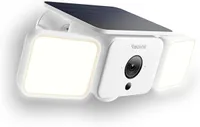
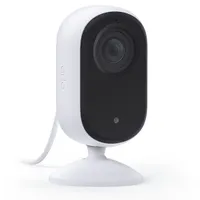
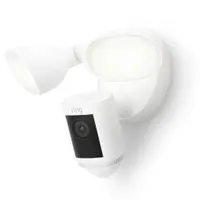
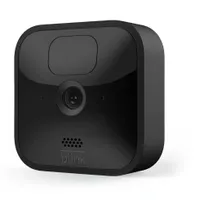
We're constantly testing new home security cameras at TechRadar. Here are some of the ones that didn't make it into our top seven.
How to choose the best home security camera for you
Start by determining whether you need a home security camera that is weatherproof and can be used outside or if you are looking for a smart security camera you can place inside your home.
You'll also need to consider how the camera is powered. Some need to be connected to mains power, which may mean you need to employ a professional to install it, whereas others are battery-powered. Look for home security cameras with swappable batteries, so you can purchase additional batteries and ensure the camera isn't out of action for several hours when the battery needs recharging.
The quality of the video the home security camera records is also essential. Many home security cameras record in Full HD, although some record in a higher resolution of 2k and 4k. While Full HD is sufficient for most homes, if you plan to mount the camera up high, its field of view covers a wide area. Higher resolution cameras will mean you can zoom into the footage and still pick out precise details such as car number plates.
Most home security cameras record footage in color during the day, although it's in black and white at night. Some come with an LED that can be triggered when motion is detected to ensure footage recorded at night is in color and as a way to scare off any would-be intruders. In addition, some home security cameras have built-in alarms triggered manually from the app or automatically when motion is detected to help deter intruders.
Many manufacturers now integrate with either Alexa and / or Google Assistant and Apple HomeKit. Ring, for example, only work with Alexa whereas Arlo work with Alexa, Google Assistant and HomeKit. This feature is useful if you want to speak with whoever is stood on your driveway (for example), without you having the select the notification on your phone. It's also another way to sync up with the other smart home devices in your ecosystem.
Finally, consider how video the camera captures is stored - does it require a subscription to save video in the cloud so it can go back and be reviewed after it has happened? Again, remember to factor in this cost. Some cameras offer local storage, so you don't have any ongoing costs associated with the camera, either in the form of memory built into the camera itself or the ability to add a micro SD card to the camera or base station.
We've also got guides for how to secure your smart home and how to set up your smart home for further tips and tricks.

How we test home security cameras
To ensure the home security cameras we’ve reviewed can be fairly compared, we’ve tested and analysed several crucial features covering style, performance, and practicalities.
We rated each camera on the quality of the footage it records during the day and in the dark, how clear the two-way talk features are, and the settings to arm and disarm the camera. In addition, for each model, we wanted to know how easy the setup and installation were, as well as how efficient the cameras were at delivering motion notifications and whether AI features were designed to identify if the activity has been created by a person, animal, vehicle, or another source, were accurate.
Where relevant, we compared the battery life of each model, and for cameras with lights and/or sirens, we also compared the brightness and loudness to see if they were sufficient. We also assessed each model for its durability and design, looking to see if it comes with handy mounting plates and the ability to adjust the camera angle to suit your home.
Home security cameras FAQs
What is a home security camera?
All home security cameras offers a level of surveillance to your property whether you are at home, or away. Smart home security cameras specifically work with an app that displays live and recorded footage, along with some other fancy features that enable you to engage with the person (or animal) inside and outside of the house.
The price difference is generally down to the quality of these features; you'll pay more to receive 4K footage, than full HD footage for example. You'll also pay more for color night vision, facial recognition, and enhanced app features.
Can a home security camera save you money on insurance?
Possibly, though it depends on your insurer and the security system that you have fitted. According to price comparison site GoCompare, "Making your home more secure could help to reduce your home insurance premiums," though not all insurers will offer such deals, and they might only give discounts for certain approved security systems. Check with your insurer for details.
What type of home security camera do you need?
The two types of home security cameras are those for outdoor or indoor use. Indoor cameras tend to be cheaper than outdoor cameras because they aren't geared for outdoor weather conditions, and they won't have the longer battery-life that comes with battery-powered outdoor cameras.
Within those two types of security cameras are wired and battery-powered cameras. Wired security cameras would be best installed by a certified engineer, but you won't need to worry about recharging the batteries which can be a bit of a nuisance.
Do home security cameras need to be plugged in?
Not all models need to be plugged in when powering the best home security cameras. While there are plenty of mains-powered home security cameras on the market, suitable for indoors and outside, if you don't have access to a power socket where you want to install your home security camera, then fear not - there are many models that a rechargeable battery can power.
How long the battery lasts between charges will depend on how often the camera detects and records motion and how often the app is used to view the camera's live feed, but you can expect anywhere between one month and one year. Some home security cameras have swappable batteries, while others need to be removed completely to be recharged.
It's also worth noting that some home security cameras that offer a choice of power method may only provide certain features, such as activity zones, when used on mains power.
What's the difference between home security cameras and surveillance cameras?
Regarding securing your home, there are two options on the market; home security and surveillance cameras, also known as CCTV. So exactly how do they two differ?
Surveillance cameras have been around for decades, and see cameras are installed, usually on the property's exterior, although they can also be positioned inside. The cameras are connected to a central recorder by cables, and if you want to review the video, you'll need to connect the main recorder to a TV or monitor.
Surveillance cameras are generally more expensive than home security cameras. Usually, they require professional installation, but they ensure footage is captured without interference or the risk of a wireless connection failing or a camera battery running out. They also record everything and are only limited by the size of the central recorder, which is considerably larger than the capacity of a MicroSD card or the amount of secure online storage offered by home security cameras.
However, home security cameras are more affordable than CCTV and far easier to install. The footage is either stored on a MicroSD card inserted into the camera or base station - if the camera requires one - or in a secure area online, and you can review it from your smartphone or tablet, which means you don't need to find room for the central recorder and screen. However, most home security cameras don't record continuously, and if the internet connection drops, some cameras won't be able to record. Find out more about CCTV vs. smart home security cameras in our article.
Which security cameras work without a monthly fee?
Because many of the best home security cameras require a subscription fee to access all of the features, you should be careful not to purchase a device that doesn't do what you need it to without extra cost if you're not prepared to pay. Many cameras do, however, work brilliantly out of the box.
It's worth pointing out that almost all security cameras will work to a large extent without purchasing a subscription. Still, it's important to do your homework if there are particular features you want or need.
eufy - to get cloud storage for your cameras, eufy charges a small fee per camera for the basic service or a reduced rate per month for up to 10 cameras. You can save by paying for a whole year upfront. Find out more about eufy's subscription plans.
Arlo - similarly, Arlo charges for cloud storage, additional notifications, package detection, the 'call a friend' service, and theft replacement. Your camera also won't be able to tell the difference between a person, vehicle, or animal without forking out a little more per month. Find out more about Arlo's subscription plans.
Google - Nest Aware is Google's subscription plan, which gets you continuous video recording (rather than just the edited highlights), additional smart alerts, 30-60 day history, and support for everything from smart speakers to doorbells. Find out more about Google's subscription plans.
Swann - Swann's subscription offers 60 days of rolling storage on both the cloud and locally, TrueDetect (the ability to differentiate between packages, pets, and vehicles), lock screen alerts, an extended warranty, and a replacement policy in case of theft. Find out more about Swann's subscription plans.
Ring - Ring offers the longest video history in exchange for its subscription fee, giving you up to 180-days for all its doorbells and security cameras. You also get an extended warranty, cellular backup, person alerts, and assisted monitoring. Find out more about Ring's subscription plans.
For more on how to keep home security costs down, take a look at our guide to creating a security system on a budget.
Can wireless security cameras work without the internet?
Home security cameras are often called wireless security cameras. Does that mean they require an internet connection to work? In most cases, they do. Unlike CCTV, which requires cables to be laid around your home, wireless security cameras need internet access so they can send a notification to your smartphone when motion is detected, as well as let you view a live feed from the camera no matter where you are.
While some home security cameras record footage to a MicroSD card inserted into the camera, others store it in a secure area online - something they can't do if they don't have a Wi-Fi or wired internet connection. However, some models, including the Google Nest Cam (battery), will store footage locally for a short period if the internet connection drops, transferring the videos to the cloud storage space when the Wi-Fi is reinstated.
Do home security cameras invade privacy?
Home security cameras are designed to capture what's going on in and around your property. In some cases, the ideal mounting position means that as well as your property falling within the camera's field of view, you may also capture the road, pavement, a neighbor's driveway, front door, windows, or even their backyard, for example.
The same privacy rules regarding CCTV apply to home security cameras. So, you should be taking adequate steps to protect the privacy of those around you, such as your neighbors.
If you find sections of their property fall within the field of view of your home security camera, re-position the camera so this is no longer the case. If that's not possible, activate any features the camera offers to block out sensitive areas while monitoring your driveway or back garden.
We'd recommend telling your neighbors about your security cameras while showing them precisely what is and isn't being monitored and recorded by the camera. Also, consider placing the signs and stickers that often come with security cameras in your window to make passers-by aware that they might be monitored or recorded. Finally, find out more in-depth on this subject by reading do home security cameras invade your privacy?
- You've reached the end of the page. Jump back to the top ^
