


Sponsored by

Do you actually need a computer for content creation?


This would have been a very short article just a few years ago: "of course you need a computer for content creation. Where else are you going to edit? What, you’re just going to record a podcast on your phone? Not happening."
The argument against mobile content creation always used to be about raw power and the compromises that brought. Sure, you could edit a quick video on a tablet, but the grunt simply wasn’t there so you were left with a stripped-down experience, good for little more than cutting up a quick social clip.
In 2026 though? Well, things have changed pretty dramatically and the answer has flipped depending on what you’re looking to make. Phones can now shoot 8K video, tablets run fully-featured editing software, and you can stream on Twitch directly from a console. Apple has iPads running the same processors as some of its MacBook line-up, it’s even recently gone the other way and borrowed an iPhone chip for the new MacBook Neo.

Alex has been creating let's play content and streaming games on Twitch for more than a decade. Playing games to what he'd describe as "a vaguely acceptable standard", he's usually stressing over traffic in Cities Skylines 2 or fishing a tractor out of a river in Farming Simulator (don't ask). You'll also find him chatting about Formula 1 on the Lap Down Podcast.
Can you edit videos without a computer?
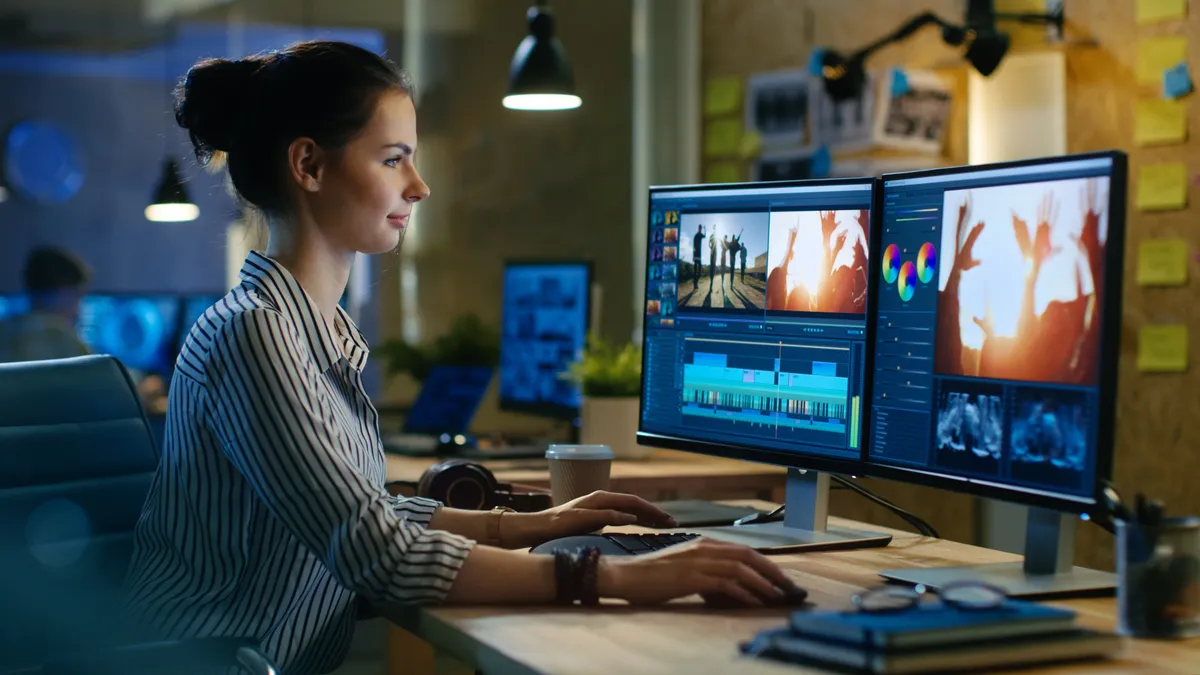
If shooting and editing video is your main focus and you’re not too concerned with crazy special effects, it’s entirely possible to go through your full workflow without even thinking about a computer. In fact, if you fancy launching your influencer career, then you don’t need anything more than a phone.
For simple vertical content destined for TikTok, Instagram Reels, or YouTube Shorts, there's a pretty strong argument that doing everything on mobile from start to finish makes more sense than using a desktop. Shoot on your phone, edit on your phone, post from your phone. Done. Apps like CapCut were built around chopping together portrait video from the start and the process is pretty beginner-friendly. If you’re focused on creating GRWM-style content or simply chopping down one or two videos, this is almost certainly the way to go.
Tablets let you take things further with more power and more intricate apps, great for longer horizontal content or juggling multi-track edits. DaVinci Resolve offers a feature-rich version for editing on iPad, complete with its pro-level colour grading tools. Final Cut Pro brings multicam recording and the polish you'd expect from Apple's flagship editor. And for creators on Android tablets, LumaFusion has plenty of functionality to pull together an impressive final edit without a PC.
The great thing about creating content on a tablet is introducing extra accessories too. USB-C hard drives remove the burden of dealing with limited onboard storage, and with a separate Bluetooth keyboard and mouse, you could almost forget you’re using a tablet at all.
What about photos?

Outside of professional settings, photo editing on a phone or tablet has arguably overtaken that of desktop computers. Adobe Lightroom Mobile is remarkably capable, offering the same core adjustments, presets, and RAW processing as its OG desktop counterpart. Snapseed remains a quick and effective option. Even native phone editing tools on both iOS and Android have improved dramatically to the point they’re likely good enough for a majority of holiday photo touch-ups.
Much like video, for content that’s going straight to Instagram, there's something to be said for editing on the same device you took the photo on and are posting from. Not only is this simpler, but at a more technical level you’ll see exactly what your audience will see. No nasty export surprises, colour profile mismatches, or wondering whether that crop looks right on a phone screen.
You might not even need a PC for game streaming or AI-assisted work

Consoles have lowered the barrier to entry considerably for showing off your gameplay. PlayStation offers native streaming to Twitch and YouTube. Xbox only supports Twitch out of the box, but apps like Streamlabs Console allow you to stream to multiple platforms and introduce overlays too. If you just want to share gameplay moments, both consoles allow for recording and sharing clips which you can edit and trim on mobile before posting. For someone starting out, that's all you really need.
I also have to acknowledge that AI has become part of the content creation conversation, whether you're enthusiastic about that or not. Most popular AI-generation tools like Adobe Firefly or Midjourney either have dedicated apps or happily run via browser or third-party apps on mobile. Browse app stores and you’ll find scores of AI image apps, though I’d advise you steer clear of most of them to save your sanity.
On-device AI features have also improved and now often become a selling point for flagship phones. Google's Magic Eraser can make tweaking reality in photos pretty simple, and while Apple's generative editing tools aren’t quite so strong yet, they can get you out of a tight spot without a computer.
Your favorite accessories could work with your phone

USB-C has proven to be a gamechanger for content creators looking to stay PC-free because it unlocks a great range of extra hardware to help you capture and record. External SSDs connect seamlessly for massively-expanded media storage.
Microphones like the RODE PodMic USB will plug straight into a phone or tablets and deliver studio-quality audio. You could even record a full podcast remotely with multiple XLR microphones by connecting an audio interface the same way.
So who actually needs a computer?

For basic content creation, nobody really. Though I’m admittedly being a bit simplistic.
Realistically, if you're creating social-first content like shorter YouTube videos, photos for Instagram, vertical edits for TikTok, then a modern phone or tablet can quite easily handle the entire workflow. I won’t sit here and try to convince you that even a high-end tablet is actually the better choice for more complex video work. There are simply too many compromises for it to truly overtake a computer. But if you’re budget-conscious and already own an iPad, it’s a viable option for full-length YouTube videos or juggling multiple tracks, particularly on the go if you’re travelling.
Where you’ll definitely still want a computer is when you start getting towards more serious work. Full photo retouching, heavy video effects, processing large files or big albums of photos, that sort of thing. The ceiling is simply higher, and the tools remain more powerful. For everyone in between, which is going to be most people taking content seriously, the answer increasingly looks like a healthy mix of both. Shoot on your phone, rough cut on a tablet, finish and apply effects before rendering on a desktop. You don’t need a computer for content creation anymore, but you’ll probably want one.
Follow TechRadar on Google News and add us as a preferred source to get our expert news, reviews, and opinion in your feeds. Make sure to click the Follow button!
And of course, you can also follow TechRadar on YouTube and TikTok for news, reviews, unboxings in video form, and get regular updates from us on WhatsApp too.