





TechRadar Verdict
The Google Pixel 6 isn’t the most powerful phone on the market, but its new Tensor chipset elevates its photo-taking capabilities beyond that of rival handsets. While it lacks a telephoto lens, and its battery life isn’t anything to brag about, it’s a big phone with a 6.4-inch display, a radical new design, and a price that can undercut rival Android phones – although carrier-specific versions might be pricier.
Pros
- +
Fantastic photos
- +
Good price
- +
Intriguing design
Cons
- -
No zoom lens
- -
Middling battery
- -
Limited storage
Why you can trust TechRadar We spend hours testing every product or service we review, so you can be sure you're buying the best. Find out more about how we test.
As our Google Pixel 6 review will demonstrate, this is the biggest update to the search giant’s smartphone line in years, and while Google’s new Tensor chipset doesn’t quite reinvent the wheel, it empowers the handset’s photo software to produce some of the best images we’ve seen from a phone.
The Pixel 6 is a more premium device than its predecessors, delivering a sleeker design and more powerful cameras. Most notably, it packs Google’s new Tensor chipset, the first silicon built by the company.
However, if you were expecting a powerhouse to rival the Apple-built A-series Bionic chipsets in iPhones, you’ll be disappointed. The Pixel 6 isn’t slow, but its benchmark results put its performance capability around atypical phones such as the Samsung Galaxy Z Flip 3 and below even the Samsung Galaxy S20 FE.
That’s okay for a phone at the Pixel 6’s price, though. The phone also packs 8GB of RAM, 128GB or 256GB of storage, and a 4,612mAh battery, which lasts around a day. The 6.4-inch Full HD (2400 x 1080) OLED display is larger than the screens that accompany most flagships, and with a 90Hz refresh rate, offers smoother browsing than phones that max out at 60Hz – although 90Hz is really the minimum we’d now expect to see on a phone in the Pixel 6’s premium-mid-range price tier.
Nevertheless, it will be the phone’s cameras that many Pixel fans will likely be most excited about. Google finally gives us higher-megapixel sensors worthy of its outstanding photo software, along with its Tensor chipset tuned to Google’s image algorithms. And the hype is deserved: the Pixel 6 takes great photos, at all levels of light, capturing nuance in color and shadow, as well as taking clearer photos at night than any other phone that has come before it.
The two rear cameras comprise a 50-megapixel main shooter and 12-megapixel ultra-wide camera with a 114-degree field of view – lacking any zoom photography, so you’ll have to make do with the phone cropping in with the main sensor if you want to shoot anything from a distance.
It’s not a let-down, as many flagship phones do the same, but getting a 4x telephoto zoom is the biggest reason to upgrade to the Pixel 6 Pro. Still, the Pixel 6 easily ranks among the best Pixel phones, and even among the best smartphones. That said, with the Google Pixel 7 fast approaching its days near the top might be numbered.
- Want Google's best Pixel 6 phone? Read our Google Pixel 6 Pro review
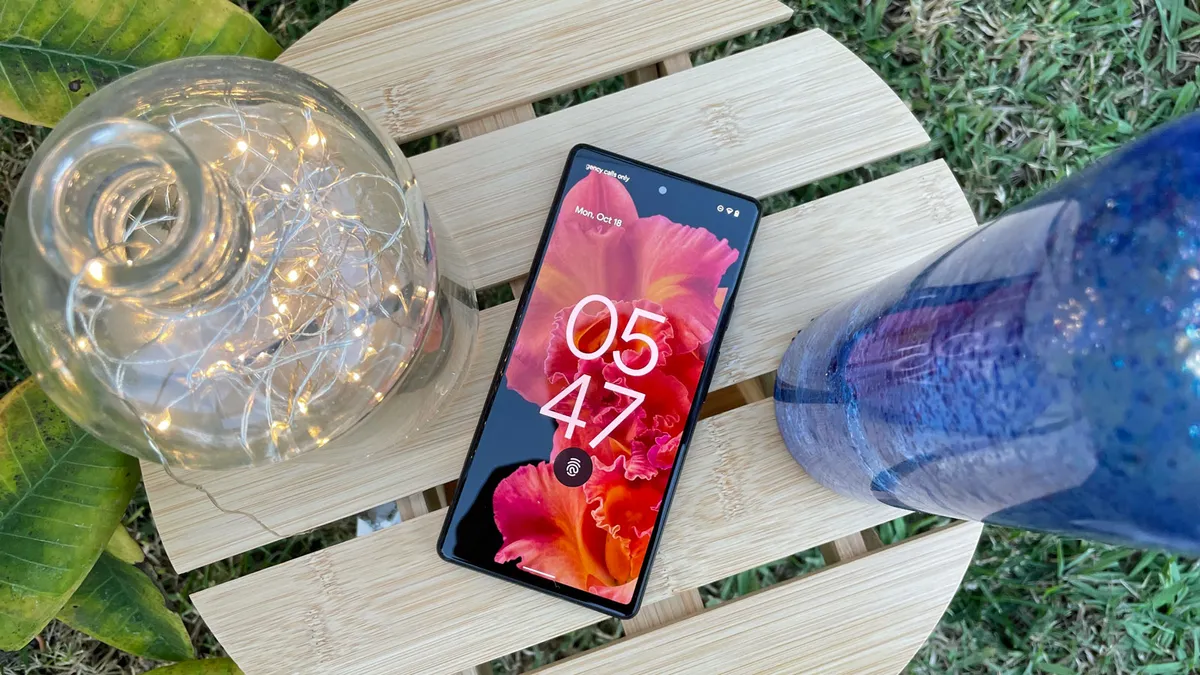
The phone was the first to launch with Android 12 out of the box, and there are plenty of new features to discover. Most of these upgrades are incremental or not too noticeable, but some are huge.
At the top of the list is the new Material You color palette coordination, which syncs up widgets and UI icons to match a chosen color theme. That’s just scraping the surface of the update; there are some Android 12 features that are only available to the Tensor-powered Pixel 6 and Google Pixel 6 Pro, like Live Translate of audio and through Google Lens which can finally be done on-device – situational perks, yes, but powerful.
Of course, for non-exclusive features there are now plenty of other phones with Android 12 too, but the Pixel 6 is sure to get Android 13 on day one as well, so it will maintain its software lead over most rivals.
And yes, the Pixel 6 launched with a bigger sibling, but a larger screen and boosted 5,000mAh battery capacity aren’t the only things that set the Pixel 6 Pro apart. Its 6.7-inch OLED display has QHD Plus (3120 x 1440) resolution and 120Hz refresh rate, and it comes with 12GB of RAM and up to 512GB of storage. It packs an extra rear camera, too: a periscope telephoto lens offering up to 4x optical zoom.
The Pixel 6 Pro is significantly pricier than the standard-issue Pixel 6, making the latter incredibly good value for its price. Sufficiently powerful, with a battery lasting little more than a full day, but with cameras and photo software that outstrip other flagship phones. It might not be the most impressive phone on the market, but it hits a sweet spot of capability and lots of unique perks for its price point.
Google Pixel 6: price and release date
- Launched in October 2021
- Launch price of $599 / £599 / AU$999
- Can often be found at a discount
Weight: 207g
Dimensions: 158.6 x 74.8 x 8.9mm
Display size: 6.4-inch
Resolution: 1080 x 2400
Refresh rate: 90Hz
Pixel density: 411ppi
Chipset: Google Tensor
RAM: 8GB
Storage: 128GB / 256GB
Rear cameras: 50MP + 12MP
Front camera: 8MP
Battery: 4,614mAh
The Google Pixel 6 was unveiled on October 19, 2021 alongside the Google Pixel 6 Pro, and each of these smartphones were released on October 25.
Prices for the Google Pixel 6 typically start at $599 / £599 / AU$999 for 128GB of storage, while 256GB starts at $699 / AU$1,129, with that version not being available in that UK.
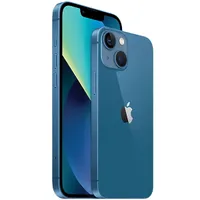
That starting price is lower than the launch price of the Google Pixel 5, which was available in only a single configuration (and a sub-flagship chipset) for $699 / £599 / AU$999. The Pixel 6 is priced notably below rival handsets at the lower end of the flagship spectrum: prices for the standard iPhone 13 start at $799 / £779 / AU$1,349, while the Samsung Galaxy S21 is priced almost identically at $799 / £769 / AU$1,249.
Since launch we've often seen the Pixel 6 reduced as well. At the time of writing for example you can get it direct from Google for £449 in the UK.
However, the price may also be higher in your region due to different versions sold by carriers. In the US, Google sells its own version of the Pixel 6 that only has sub-6 5G, while Verizon and AT&T sell a variant that supports sub-6 and mmWave for a higher price – $699 and $739, respectively.
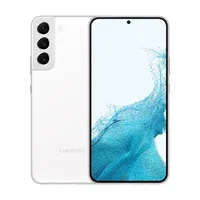
Contrast that with the Google Pixel 6 Pro, whose prices start at $899 / £849 / AU$1,299 for 128GB of storage, climbing upwards thereafter. However, that price still sits below that of rival flagship phones. The Samsung Galaxy S22 Plus comes in at $999 / £949 / AU$1,549, while prices for the iPhone 13 Pro Max start at $1,099 / £1,049 / AU$1,849. In comparison, both new Google phones appear to be bargains, although bear in mind that they aren’t as technically powerful.
Prices for both phones may drop soon too, as it's Amazon Prime Day on July 12 and 13 2022, and many smartphones often get discounted during this sale. So if you're reading this ahead of then, it's worth waiting a little longer before buying.
The Pixel 6 is available in three colors, with the 256GB storage model available in Stormy Black (grey/black) and Sorta Seafoam (blue/green), with Kinda Coral (pink/red) only available in the 128GB of storage option. To avoid any confusion, some US carriers have opted to sell only the former two colors – or just Stormy Black.
If you want a 512GB variant, you won't find one for the Pixel 6. The Pixel 6 Pro is available with that much storage in the US and Australia, but that's even limited to certain colors.
Google Pixel 6: design
- Distinct, unusual design
- Fairly hefty
- No headphone port
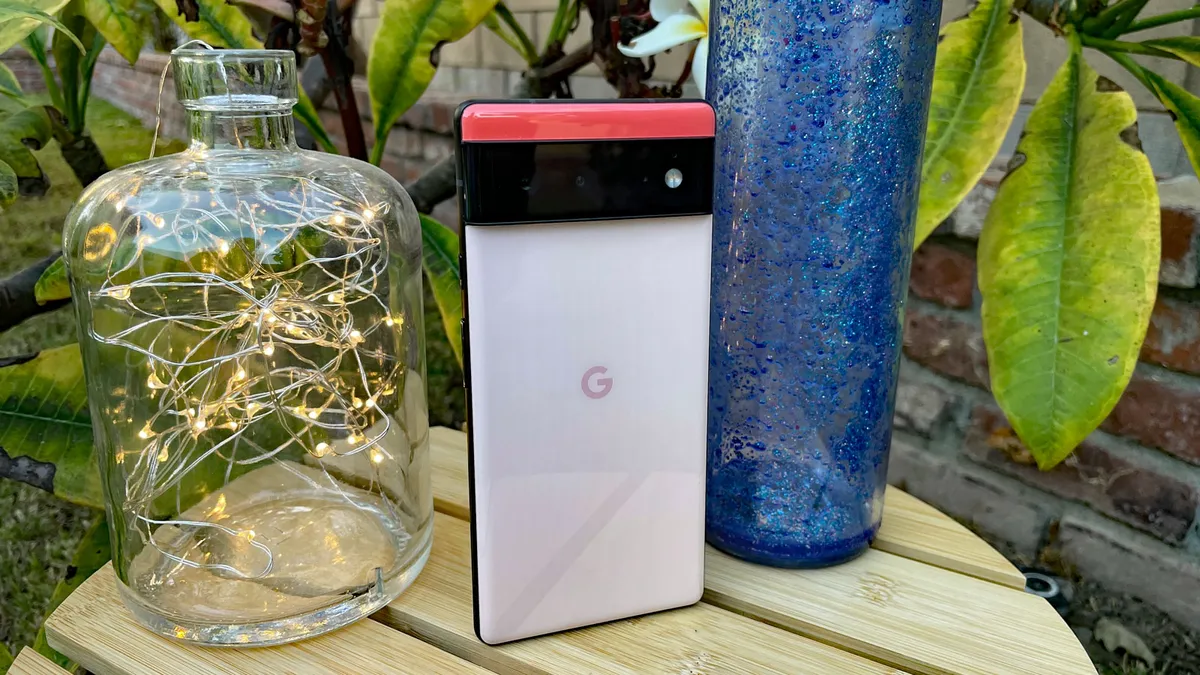
The Google Pixel 6 sports a new look that was officially revealed months before the phones launched. Perhaps this was to ready the public for the radical redesign over the more generic-looking Google Pixel 5, which had a single-color rear marked only by a subtle fingerprint sensor and square camera block.
The new Pixel 6’s rear, on the other hand, is two-tone and split by a horizontal camera block that spans the width of the phone. It’s a bold design, to be sure, and the joke comparisons to Star Trek’s Geordi La Forge are plentiful. It’s certainly unique, and will possibly be a dealbreaker for those who would like a more modest camera array on their phone. The Pixel 6 will certainly require a unique case as a result – and it feels borderline necessary.
Google does include a silicon Pixel 6 case in the box, with additional bumpers above and below the camera gap, to ensure the glass doesn’t scratch against the surface on which you place the phone. We don’t feel particularly confident that it would survive a drop that directly impacted the phone’s rear, however; nor we aren’t sure if the glass on the rear is of the Gorilla Glass Victus protecting the front.
Nevertheless, we kept the Pixel 6 in the official Google case throughout testing, and while it doesn’t add much weight, it did make the already generously-sized phone feel bigger – which might be alarming for those who like smaller handsets.
With or without the case, the Pixel 6 won’t lay flat on a desk, with the sizeable camera bump causing the ramp-like inclination.

However, unlike the Pixel 5, iPhone 13 and Galaxy S21 ranges, the full-width camera bar on the Pixel 6 means the handset doesn’t rock on prodding the screen. The latest model ranges from both Apple and Samsung continue to see their camera blocks placed in a corner of the device, making for an unbalanced posture when the phones are placed on a flat surface.
Something else the camera bar influences is the Pixel 6’s weight. At 207g, the handset is heavier than the iPhone 13 and 13 Pro, as well as the Galaxy S21 and S21 Plus. Pick it up and you’ll find the Pixel 6 is top-heavy, requiring a firm grip when held in one hand to ensure its safety. The ungainly balance, weight, and camera block jutting out from the back mean the phone is less svelte than other handsets. You may be slower pulling it out of a pocket or a bag, and find it catches on the way out.
The Pixel 6 has a glass rear, instead of the metal wrapped around the back and sides of the Pixel 5, but the new phone does have a similar matte finish to its metal frame, with quality material that doesn’t feel cheap. Both the power and volume keys reside along the right edge of the handset, with the latter falling relatively well under thumb. The power button will be a slight reach for those with smaller hands, but its placement isn’t terrible.
IP68 dust- and water-resistance means the Pixel 6 should happily survive a trip to the beach or a quick plunge in the bath.
Overall, the Google Pixel 6 isn’t as curved as the Pixel 4 and Pixel 5-series phones, with its more straight edges and less-rounded corners resulting in a look that’s not wholly dissimilar to the Sony Xperia 1 III. It does feel a bit wider, though, which may lead users to fumble it when handling the phone; it isn’t really suited for one-handed use.
However, where it excels is for watching media – and listening to it. We loved the Pixel 4’s speakers, and we’re continued fans of the Pixel 6’s audio, which sounds evenly balanced among highs and lows. Other handsets have uneven splits between their dual speakers (typically around the earpiece and next to the power port), with treble or bass favoring one or the other; but the Pixel 6 feels much more even, with its two speakers delivering a more even mix.
The increased weight and less cutesy design help to create the more mature aesthetic Google is apparently aiming for with the Pixel 6, helping it look and feel like a real premium contender.
There’s no headphone jack here, which keeps the Pixel 6 in line with the Pixel 5 and Pixel 4 before it. If you’re a fan of wired listening then you’ll need to keep your fingers crossed that a Pixel 6a arrives with a 3.5mm port – Google has, to date, reatained this connection for its cheaper ‘a’ series handsets.
Google Pixel 6: display
- Vibrant 6.4-inch screen
- 90Hz refresh rate
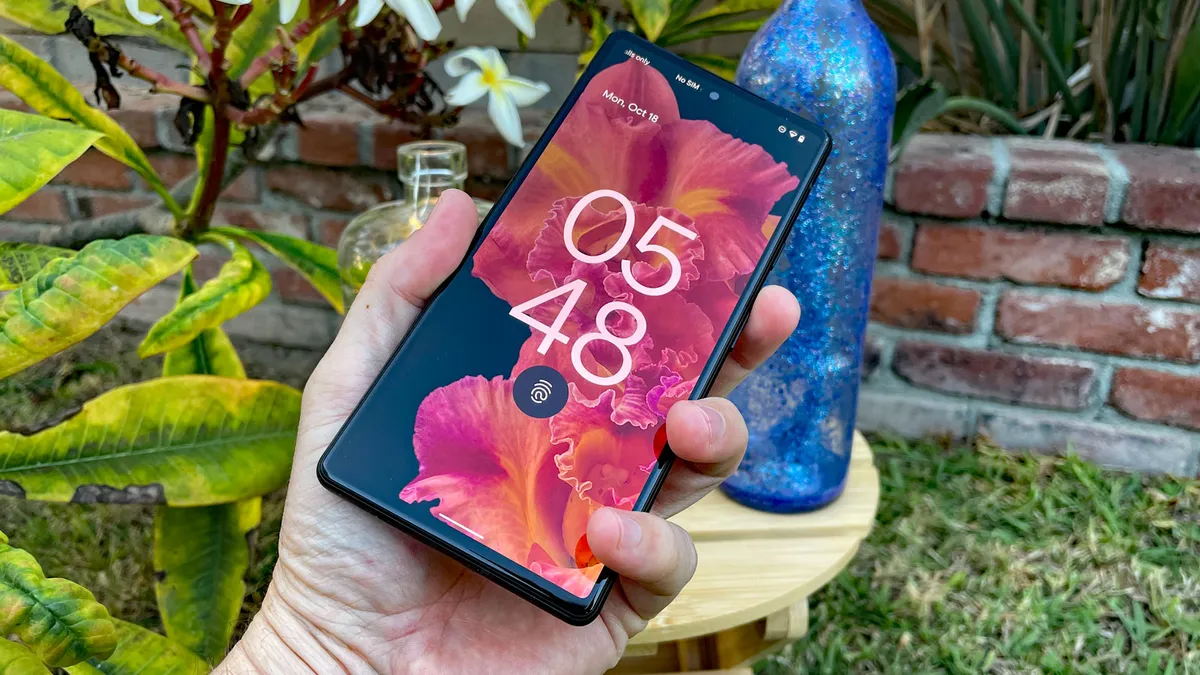
The Pixel 6’s 6.4-inch OLED display is the biggest screen included on a Pixel phone, with the exception of the Pixel 6 Pro with its 6.7-inch screen, topping even the 6.3-inch Google Pixel 4 XL from 2019.
The Full HD Plus 2400 x 1080 resolution here (so not QHD) equates to 441 pixels per inch, which is on a par with other phones around the price (and even with some pricier options such as the Samsung Galaxy S21).
But in side-by-side comparisons between the Pixel 6 and its pricier Pixel 6 Pro sibling – which does have a QHD (3120 x 1440) display – we couldn’t really determine much difference in detail watching identical media (a 4K YouTube video scaled to each phone’s respective resolution). In fact, it wasn’t until we got within inches of both phones that we could discern any difference, and even then, it was very minimal.
The display does tend towards a more vibrant mix of colors than handsets such as the iPhone 12 Pro – and that isn’t only in the overall palette, either. The Pixel 6’s OLED screen displayed greater contrast in adjacent colors, going from brighter to darker hues; side-by-side evaluation of contrast saw the iPhone 12 Pro’s display flatten more of the color together.
The big update to the Pixel 6 display is its size, but the faster refresh rate, as seen on its predecessor, is welcome too. It’s a 90Hz screen, which makes navigating the UI and browsing websites far smoother. While the difference over previous panels is more slight compared to the 120Hz refresh rate on the Pixel 6 Pro’s display, the Pixel 6 price is lower than many of its 120Hz rivals, and 90Hz is likely sufficient for most users. It’s certainly better than the static browsing on a 60Hz refresh rate screen.

Google Pixel 6: cameras
- 50MP wide and 12MP ultra-wide rear cameras
- Capable of capturing great photos
The Pixel 6 doesn’t come packing a greater camera count than its predecessor (you’ll have to upgrade to the Pixel 6 Pro for a telephoto shooter), but the suite has been upgraded with higher-megapixel cameras and software, which Google asserts is empowered by its Tensor chipset.
However, the proof is in the photos – and whether compared to images captured on a flagship such as the iPhone 12 Pro, or earlier Google phones such as the Google Pixel 5a, the Pixel 6 takes better photos. There’s more nuance in the color and shadows, along with more true-to-life temperature that reflects real conditions.
On the rear, the Pixel 6 has a 50-megapixel main shooter with an 82-degree field of view and f/1.85 aperture, and a 12-megapixel ultra-wide sensor with 114-degree field of view and f/2.2 aperture.
The Pixel 6 also includes a 8-megapixel front-facing camera, in a punch-hole at the center-top of the display, which has an 84-degree field of view and f/2.0 aperture.
There’s no optical zoom available here then, as there is on the Pro model, but the Pixel 6’s ‘Super Res Zoom’ does deliver a 7x digital zoom.
Note that digital zoom isn’t as good as optical, since it crops into the image to artificially get you closer to the action, resulting in a slight loss in image quality. As would be expected, the Pixel 6’s zoom capabilities are limited. Don’t expect to get much clarity beyond 2x zoom – for that, opt for the Pixel 6 Pro instead.
The new Motion mode is a mixed bag. It’s possible to achieve some fun imagery out of its two sub-modes, Action Pan and Long Exposure, for photos that capture a still subject with motion around it and blurring light trails, respectively. The former is easier to pull off, although there aren’t any instructions on how you do so; you’ll have to figure it out on your own. As for Night mode, the Pixel 6 improves on its predecessor here, too, producing far less noise when illuminating low-light photos.

Google Pixel 6: camera samples
While it's not surprising that the Google Pixel 6 takes great photos given how much its predecessors have been capable of, the Pixel line has been doing wonders with 12MP cameras for years – and we wondered what Google's new phone could do with its 50MP main camera and Tensor chipset.
The answer is: a lot. Here's a few samples – note the rich colors adjacent to each other, unlike other phones that flatten patches of color. Also note how clear the sky is captured, which is often a weak point of other phones' cameras.


Here's Portrait mode:

And a low-light photo of a sunset – compare the shadows in the clouds and color gradient on the horizon in the Pixel 6 (first photo) compared to the same details taken by the iPhone 12 Pro (second photo) and Google Pixel 5a (third photo) – the latter of which had the same 12MP main camera and Snapdragon 765G chipset as the company's former flagship Google Pixel 5.


And here is Night Mode, capturing a park bench with zero ambient light. While the phone lets you zoom in and shoot in Night Mode, we strongly recommend against it, as all our shots attempting the same were extremely blurry. Note the difference between the Pixel 6 (first photo) and the night modes of the iPhone 12 Pro (second photo) and even the Google Pixel 5a (third photo), which have far more grain:


As far as the new Motion modes, we couldn't get the Long Exposure sub-setting to work, but we had fun with Action Pan, which lets you immobilize a subject and blur the world around them. It works better with subjects bicycling or jogging (first photos) – we struggled to capture a car moseying around a parking lot (second photos). Helpfully, the Pixel 6 also saves static photos of the blurred image, making for great compare and contrasts here:


Finally, here are a pair of selfies. Note that the Pixel 6 Pro's front-facing camera does have a wider field of view than the Pixel 6's selfie shooter, allowing you to get more friends in for group shots. But the latter does just fine, with good sky detail in the regular shot, which is something nearly every phone's front-facing camera struggles with. The Portrait mode shot doesn't have much sky detail, but that's not really needed in a depth shot anyway:


Google Pixel 6: performance and specs
- Uses the Google-designed Tensor chipset
- 8GB of RAM
- Strong but not class-leading performance
The Google Pixel 6’s specs were another great mystery: just how good would the Google-designed Tensor chipset be? While benchmarks don’t see the phone outperforming any leading flagships to any great extent, the phone does have enough power to run smoothly and take great photos.
The Pixel 6’s other key specs are respectable, with 8GB of RAM and either 128GB or 256GB of storage. As noted before, it’s only the 128GB model that comes in the Kind Coral hue.
The combination of 8GB of RAM and the Tensor chip saw the Pixel 6 achieve an average Geekbench 5 score of 2837 – which is just above the Samsung Galaxy Z Flip 3 at 2801, and below the Samsung Galaxy S20 Plus at 3034. Note that the Pixel 6 Pro didn’t score particularly higher at 2895, suggesting the Tensor chipset may not hit the performance levels of Snapdragon 888-powered phones.
Whether that matters is another question: like the Samsung phones mentioned above, the Pixel 6 breezes through browsing, watching media, and other tasks, without a hitch. Those scores are also notably higher than that of the Google Pixel 5, which, with its Snapdragon 765G chipset, got a Geekbench 5 score of 1600.
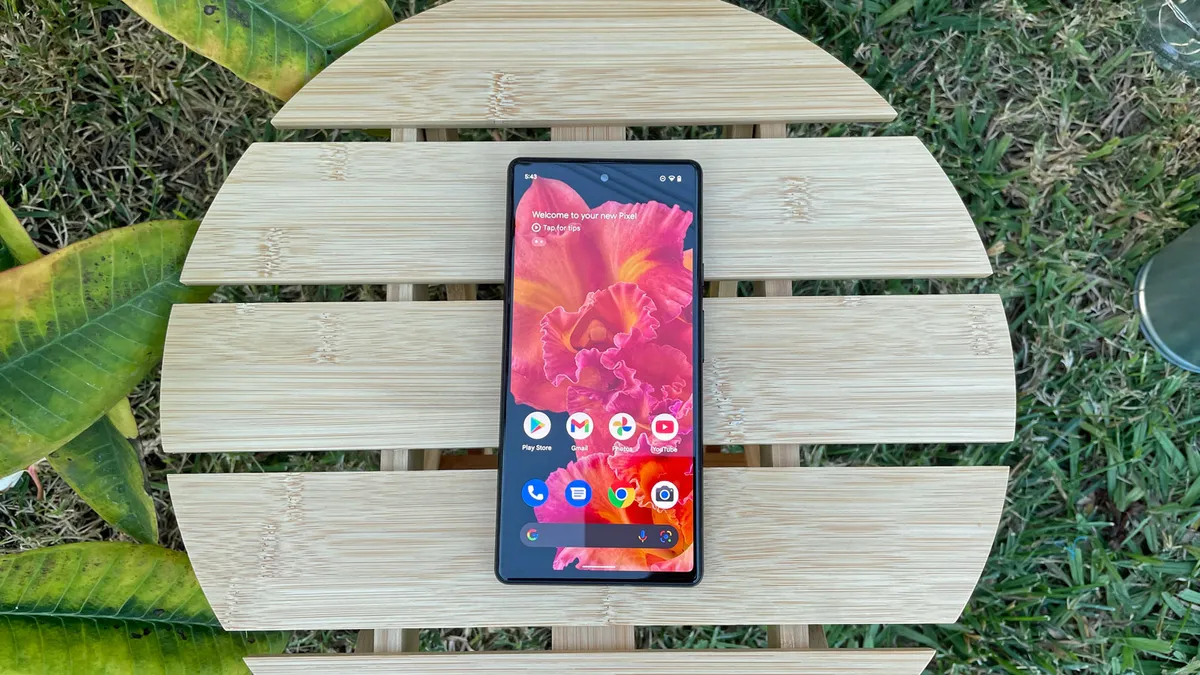
The Pixel 6 runs Android 12 out of the box, complete with Material You and a host of other upgrades. Most are refinements of the Android UI, such as the new Security settings page that collects all security risks in an easy-to-understand color-coded checklist. However, many other improvements are small and tough to notice, such as faster orientation recognition when switching between portrait and landscape on rotating the phone in camera mode. In other words, while they might not be seismic, they offer plenty of quality-of-life improvements.
Being a Google phone this will also be first in line for Android updates for a few years though, so expect Android 13 to land on the Pixel 6 more or less on day one.
Google Pixel 6: battery life
- 4,614mAh battery
- 30W charging
We can at least be relieved that Google likely won’t repeat the mistake of hobbling its new phones with inadequate battery life. The Google Pixel 6 has a 4,614mAh capacity, up from the 4,080mAh of 2020’s Pixel 5, and far above the measly 2,800mAh in the Pixel 4.
While the Pixel 6 Pro’s battery offers even more capacity at 5,000mAh battery, the Pixel 6 comfortably makes it through a full day of use. Google claims the phone will last for up to 24 hours, which can be extended to 48 hours with the help of the Extreme Battery Saver mode, although we’d expect less than that with our testing.
The Pixel 6 supports fast charging up to 30W – and while a USB-C to USB-C cable is included in the box, there’s no plug adapter. It appears Google has joined other phone makers in the war on e-waste, so you’ll need to source one yourself.
We managed to recharge the Pixel 6 to a respectable 47% in 30 minutes – the phone maxes out at 30W of charging via the company’s 30W USB-C charger, which is an optional extra you’ll have to pay for. In testing, we achieved a little over 80% charge in an hour.
It’s nowhere near the fastest charging we’ve seen: at the top of our list is the Xiaomi 11T Pro, which can charge to full in just 17 minutes via its 120W charger. Even other Android flagships with less absurd fast-charging – the Asus ROG 5 supports 60W charging, and the OnePlus 9 can hit 65W – would leave the Pixel 6 in the dust.
The Pixel 6 does also support wireless charging (up to 21W), enabling you to pop the device onto a charging mat without the need to fumble for a cable. This is comparible to the 10W and 15W maximum wireless charging rates typical of other phones.
Should you buy the Google Pixel 6?

Buy it if…
Don’t buy it if…
Also consider
If our Google Pixel 6 review hasn't sold you on the phone, you might want to consider one of the following alternatives.

First reviewed: October 2021
