





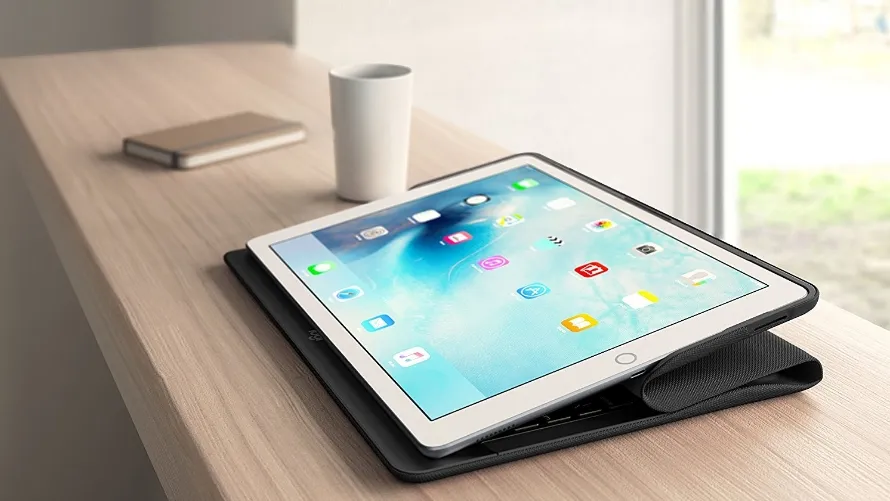
With the iPad Pro Apple showed that it had ambitions for its slate to be more than just a humble tablet, with the official Smart Keyboard turning it into more of a laptop alternative.
But third-party manufacturers have been making iPad keyboard cases for years, so you don't need an iPad Pro - or an official accessory – to get your type on.
With that in mind we've created a list containing some of the very best keyboard iPad cases for all of the currently available models, and some of the older ones that are still popular.
Note: within each category we've ranked these from cheapest to most expensive according to prices at time of writing.
- Looking to buy a tablet? Check out our best iPads rundown
3 of the best iPad Pro 10.5 keyboard cases
Why you can trust TechRadar We spend hours testing every product or service we review, so you can be sure you're buying the best. Find out more about how we test.
The iPad Pro 10.5 is a new model in a new size, bridging the gap between Apple’s mammoth 12.9-inch slates and its long-running 9.7-inch range.
It’s big enough for a full-size keyboard, so it’s great to type on, especially if you opt for one of these cases.
- Read our iPad Pro 10.5 review

The KuGi iPad Pro 10.5 Keyboard Case is one of the cheaper options, but it’s got more going for it than just a low price.
For one, it fully protects the front and back of your tablet, which the official Smart Keyboard doesn’t. It’s also got a slot for the Apple Pencil, and that too is surprisingly lacking from Apple’s option.
It can also be folded into a variety of angles and the keyboard itself is a decent size. But like most cheaper options it uses Bluetooth rather than the Smart Connector, which makes connecting it less seamless and means you’ll occasionally have to charge the thing.

Don’t let the name fool you, if you want a genuinely slim iPad Pro 10.5 keyboard case you’re better with Apple’s Smart Keyboard, but the Logitech Slim Combo is more feature-packed and cheaper.
It has backlit keys and shortcut buttons, the keyboard itself is detachable and the case can be propped up at four different angles.
It also protects both the front and back of your iPad, is powered by the Smart Connector and includes a slot for the Apple Pencil. It covers your iPad in dull plastic, but if you want function more than form it’s a strong option.
Take a look at our Logitech discount codes for the best Logitech offers and savings.

Apple’s official option is arguably the best option, though only if you can stomach the price tag. Its slim and light design adds very little weight and bulk to your iPad Pro 10.5, and as it uses the Smart Connector you don’t need to worry about charging it.
You could save money when purchasing and official Apple keyboard with our Apple promo codes.
When using the keyboard you can only really stand your iPad in one position, which can be limiting, but it works on a desk or your lap, and when not using the keyboard you can fold it out of the way and angle the tablet in other ways.
The Apple Smart Keyboard also offers protection to the front of your slate, but not to the back, so you might want to consider a sleeve or back cover too (just make sure it fits with the keyboard attached).
