





While VPNs are most often associated with desktop computing, it’s equally important to stay safe and secure while accessing the internet on the go.
Android is the world’s most popular mobile operating system, but despite this the Google-backed OS has been slow to develop a market of trustworthy VPNs. The Google Play Store is, unfortunately, overstuffed with unreliable VPNs, some of which are solely designed to harvest user data.
In fact, a TechRadar investigation found that three quarters of Android VPNs fail even the most basic transparency tests, and of the ones that are actually worth using, many are overpriced or lack essential features.
Luckily, you don’t need to spend all day looking through the Google Play Store to find a great VPN for your Android phone or tablet – with 15 years of combined VPN experience, the TechRadar team have tested and reviewed all of the best VPNs for your Android device.
Keep reading to find out which Android VPNs are actually worth using, and which ones offer the best deal while keeping your online activity safe and private.
The three best Android VPNs in 2026
Here's a quick rundown of our top three VPN picks to secure your Android device.
The best Android VPN for 2026:
Why you can trust TechRadar We spend hours testing every product or service we review, so you can be sure you're buying the best. Find out more about how we test.
See how our top Android VPN picks compare as we discuss reasons to subscribe, reasons to avoid, test results, what we liked most about each provider, and how each service compares with the competition.

The best Android VPN overall
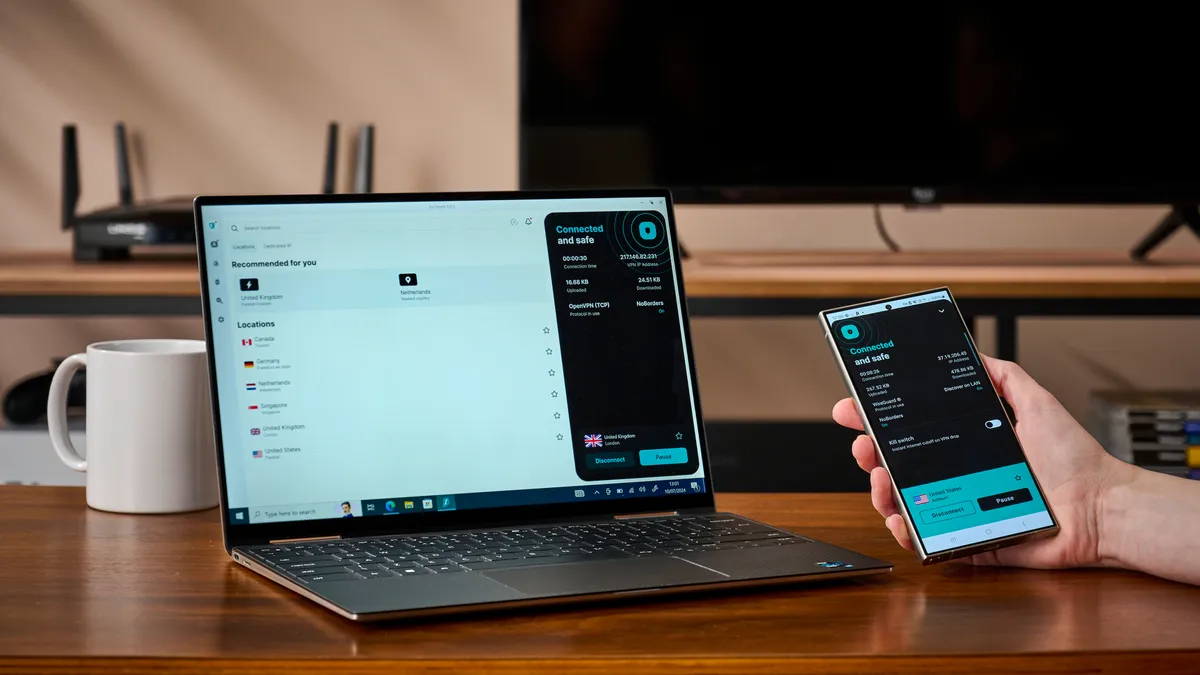
Surfshark blends a simple, easily navigated Android app with helpful widgets and chart-topping performance, making it the best Android VPN right now. Amassing over 10 million downloads on Android, users love how easy the app is to use, and just how quick it is to connect to its lightning-fast servers, and we agree.
Surfshark is one of the best cheap VPNs available, but is performant enough to rival even the best VPNs. Plus, its unlimited simultaneous connections mean you can protect your Android phone, tablet, or TV, and any other devices you might have, while still accessing Surfshark’s suite of features.
▶ Try Surfshark with a 30-day money-back guarantee.
Read more about Surfshark ▼
In our testing, Surfshark performed remarkably well. It unblocked every streaming service we tested without issue and showed no weakness to DNS leaks or kill-switch issues, the latter of which the provider fell afoul of in our previous tests. Its speed results saw it achieving a super-fast 2000 Mbps on WireGuard and 845 Mbps with OpenVPN.
Statistics aside, Surfshark’s usability on Android is key to what sets it apart from other Android VPNs. Loading the app gives you instant visibility of your fastest server, connection choices such as multihop, static IP, and dedicated IP, and your suite of available tools, all without overfilling the screen with overwhelming options and settings.
If you're in a hurry, Surfshark’s Android widgets offer quick access to either your fastest server location, your most recent connection locations (including MultiHop servers), or even Surfshark’s secure search browser – a neat addition for de-Googlers looking for a secure search option.
You'll find Surfshark’s full suite of tools within the app itself. Depending on the plan you choose, you can access everything from ad, tracker, and malware blocking, to email and personal detail masking called Alternative ID (which also offers phone number masking in the US), and data breach alerts for your personal data, credit cards, and ID.
Android users can also exclusively access geo-spoofing capabilities. While geo-spoofing doesn’t quite work as well as it once did with location-based games, this could be useful for people on dating apps, or users who’d rather their apps didn’t have a constant view of their real-time location.
All of these tools are simple to use, despite the confines of a small phone screen. Every setting and feature is within three taps of the home screen, and almost every tool has a handy one-line explainer so you’re never wondering what anything does – though we’d love to see the latency explainer given more prominence on the home screen, as it could otherwise go easily unnoticed.
Security fanatics will be glad to know that Surfshark’s Android app doesn’t skimp here either. OpenVPN and WireGuard protocols use AES-256-GCM and ChaCha20 encryption, respectively; all of its servers are RAM-only, and its no-logs policy and security have both been audited this year, with no critical vulnerabilities found. It's also the first major VPN to offer post-quantum encryption over WireGuard, meaning your activity will be impossible to decode with currently available tech.
It’s also great to see Surfshark offer a kill switch separate from the Android-native kill switch solution. This means you’re not forced to have a VPN on all the time to use the kill switch, and only ExpressVPN offers something similar.
The best VPN overall
NordVPN comes in a very close second in our Android VPN rankings. It’s second only to Surfshark in speed, offers equally robust security capabilities, and has the best VPN antivirus we’ve tested. It’s not without limitations; the app experience is slightly less beginner-friendly, you’re limited to 10 simultaneous connections, and it costs more than Surfshark while delivering a very similar experience for Android users.
Despite this, it performs flawlessly when unblocking streaming services, has servers in more countries than Surfshark (or any VPN for that matter), and offers Onion-over-VPN connectivity, should you wish to further improve your security by connecting via the Tor network. You even get tapjacking protection on Android – meaning you’re protected from unintended disconnections and malicious overlays.
▶ Try NordVPN with a 30-day money-back guarantee.
Read more about NordVPN ▼
Experienced VPN users will find lots to love about NordVPN. You’re greeted by its P2P, Onion Over VPN, Obfuscated, and Double VPN connection capabilities before you even reach its traditional locations list or its Meshnet feature. You’re also only 3 taps away from accessing custom DNS capabilities, local network settings, and post-quantum encryption capabilities.
That said, VPN novices will understand NordVPN well enough after a few uses. The app chooses the best protocol on a rolling basis, although the proprietary NordWhisper obfuscated protocol is omitted from this functionality. Access to NordLynx, NordVPN’s proprietary protocol built around WireGuard, and OpenVPN, both TCP and UDP, means you’ve got access to industry-approved, up-to-date protocols which the app will switch between as needed should you stick to automatic protocol selection.
Two key inclusions in NordVPN’s Android app are Threat Protection and Meshnet. Threat Protection is NordVPN’s ad, tracker, and unsafe domain protection system. It can be set up to work on Android either all the time or only when the VPN is connected, and even has an upgraded version, Threat Protection Pro, for Windows and Mac, should you use NordVPN across multiple devices.
Threat Protection blocked 34% of phishing sites, 24% of malware sites, and 21% of ads in our testing. That's nowhere close to perfect, but still among the best antivirus programs included with a VPN.
Threat Protection Pro performed much better in testing, blocking 92% of phishing sites, 80% of malware sites, and 21% of ads. It would be good to see improvements to the basic Threat Protection results in the near future, especially since Pro isn’t available on Android right now, but it’s definitely better than nothing.
Meshnet is one of our favorite features. It lets you connect up to 60 devices and use them as though they are all on the same local access network. This means you can play local multiplayer games easily, transfer files in seconds, and have constant access to any servers you may use to hold data. The best part is it’s seamlessly integrated into the Android app; you can connect to any online device from the home screen, and we found that even large files were rarely delayed during transfer.
It’s worth noting that NordVPN’s layout is a bit more complex than other Android VPNs. For example, while its map interface is lovely, we never once found ourselves using it to identify and connect to a specific server, instead referring the country list placed below. What’s more, the icons to navigate between menus aren’t labeled, and one of the four is merely for notifications. A labeled navigation system that also swapped out notifications for a dedicated settings menu, for example, would speed up accessing features and make the layout more novice-friendly overall.
However, its layout doesn’t stop NordVPN from being among the top-performing VPNs in our performance tests. It achieved 1427 Mbps when connecting via NordLynx, and 1093 Mbps over OpenVPN, more than enough for high-resolution streaming, gaming, or downloading large files. Plus, it unblocks every streaming service we tested, meaning no matter where you are in the world, your phone or tablet should be able to give you your home comforts without issue.
The best VPN for beginners

Proton VPN is commonly chosen by VPN enthusiasts because of its Swiss origins; Switzerland being a privacy haven that takes no part in intelligence-sharing agreements with the EU, NATO, or other supranational organisations.
Android users will find much more to love about the service once they dive in. It’s seriously quick, simple to navigate, and offers continuous privacy reassurances thanks to not only its Swiss base, but also its collection of security functionalities available on-device.
That said, much like ExpressVPN, Proton VPN struggles in terms of added features for Android, but still costs more than either Surfshark or NordVPN. Should you want Proton’s full suite of tools, including its Mail, Drive, Calendar, and Password systems, you’re left signing up for a plan that doubles the price of Surfshark One+.
Read more about Proton VPN ▼
Proton’s lack of features does, however, make using it a simple and quick experience for VPN beginners. You’re greeted by a screen dedicated to getting you connected, be that to your default connection or a server or profile you’ve used recently, meaning a VPN newbie can simply click connect, join the most optimal server for them at the time (based on connection speed), and forget the VPN is even on.
More experienced users can quickly access advanced connection options via the navigation bar. Proton offers P2P and Tor Over VPN compatible servers, as well as Proton’s Secure Core server network, which protects users with two layers of full disk encryption, routing your connection through two servers as in a traditional multihop connection.
All of these options are quickly accessible and come with in-depth descriptions of when you might want to use them, meaning even beginners needn’t be overwhelmed should they try one out.
Something Proton puts particular emphasis on is profiles. These can be enabled quickly, either within the app or via a homescreen widget, and offer a simple solution to accessing specific VPN setups, even to the extent of loading specific URLs once the profile is activated.
This is extremely useful if you’d prefer to use a specific protocol, NAT type, or DNS when performing a particular task, or want a quick way to ensure you’re always connected to a VPN when you wish to load a particular site.
The only other feature to highlight for Android users on Proton is NetShield, Proton’s ad, malware, and tracker blocking solution. It turns on at the switch of a toggle, but, unfortunately, we found it’s not hugely effective in our testing. It blocked only 4% of malware sites and 32% of phishing sites – for comparison, Surfshark blocked almost five times the number of phishing sites. It was much more effective at ad blocking, stopping 88% of ads, but that’s still the lowest score among the providers listed. If you’re keen to add top protection to your Android device, your best bet is Surfshark.
By contrast, Proton VPN scored highly throughout our performance testing. It achieved 1783 Mbps download speeds using WireGuard but only 394 Mbps on OpenVPN, the former only being beaten by Surfshark. It also successfully unblocked every streaming service we tested without issue – great news if you’re looking to stream on the go with your Android device. Plus, should you run into any issues, unlikely though that is, you have the choice of WireGuard on TCP and UDP, OpenVPN on TCP and UDP, and Proton’s obfuscated Stealth protocol to help you access content as usual, no matter where you are in the world.
Other VPNs I've tested and recommend


ExpressVPN is the Android VPN to choose if you’re new to VPNs. Its app is simpler than any other on this list, it offers top-grade security capabilities, and won’t let you down if you want to stream on the go. That said, the simplicity does come at a cost, as ExpressVPN is notably more expensive than the likes of Surfshark and NordVPN.
What’s more, while it does offer ad, tracker, malicious site, and adult site blocking, as well as a password manager, there are no unique features to speak of for Android users. Plus, there’s no multihop or static IP connectivity to speak of, and you’re limited to 10 device connections on the Basic plan, where Surfshark offers unlimited connections.
► Try ExpressVPN with a 30-day money-back guarantee.
Read more about ExpressVPN ▼
It’s difficult not to love how ExpressVPN sets its apps out – especially if you’ve never used a VPN before. Through revamps and redesigns, it's retained the simple 'big red button' approach, giving you instant access to your selected server location. If you’re unsure where to choose and just need the security benefits of a VPN, the Smart Location feature will connect you to the optimal VPN server based on latency and connection speed.
Alongside the big red button and your location choices, you’re also given quick access to auto-connect settings, which can be set for when your Android starts up and even when joining untrusted networks (such as public Wi-Fi in cafés), its ad, tracker, malicious site, and adult site blocking functions, and your protocol choices. Oddly, split tunneling and the killswitch can't be accessed from the home screen (but are only one tap away).
Something we love about ExpressVPN’s Android app is how much effort has gone into explanation and support. Firstly, all of ExpressVPN’s help materials can be accessed with a single tap, thanks to a support link in the bottom navigation bar. Additionally, every core setting and feature is explained in a way that even a total novice will understand. Protocol benefits are clearly stated, and settings tell you what you need to know about their utility before changing them. This makes ExpressVPN extremely simple to just pick up and use if you’re in a pinch and need a VPN.
ExpressVPN’s focus on layout and ease of use could, however, be attributed in part to its lack of other features. Its two key offerings are its password manager, ExpressKeys, and its ad, tracker, malicious site, and adult site blocking tool. Both tools are well integrated into the app, continuing the theme of easy use, but it’d be good to see more added to help Android users.
ExpressVPN also has an in-built speed testing tool to help users test the speed loss experienced when connected to the service. This won’t do masses for everyday VPN users, but it’s a nice addition for those looking to dive deeper into the numbers.
On the topic of numbers, ExpressVPN performed very well in our latest round of performance testing. It achieved 1810 Mbps connecting over Lightway Turbo, ExpressVPN’s proprietary protocol, and 967 Mbps over OpenVPN. These scores are more than enough to stream, game or download files, and put ExpressVPN ahead of NordVPN, our best VPN overall.
It’s also great to see that Android users get full customization, with explanations, of the protocols on offer. ExpressVPN on Android has Lightway, both TCP and UDP, OpenVPN, both TCP and UDP, and traditional WireGuard – though it’s likely for most use-cases you’ll find yourself simply using Lightway thanks to its speed and security. Plus, you can switch between AES-256-GCM and ChaCha20 encryption on the Lightway protocols, access post-quantum encryption should you need it, and configure manual proxy settings if that’s your preference, too.

PrivadoVPN Free offers the closest experience to a paid VPN of any of the best free VPNs for Android. It’s blisteringly quick, can unblock streaming services to a degree, and offers security features that work as well as any paid VPN. However, you are confined to a 10 GB data limit and only 13 server locations, which is hugely restrictive compared to any paid VPN. Plus, it lacks the feature spread you’d enjoy were you to pick a premium option.
Using PrivadoVPN Free on Android is simple, but has some room for improvement. It’s not the prettiest to look at, nor are the provider’s limited capabilities instantly within view on loading, but that doesn’t mean you can’t squeeze out a truly high-performance experience from the app.
▶ Try PrivadoVPN: the best free VPN
Read more about PrivadoVPN Free ▼
In our performance tests, PrivadoVPN Free achieved 950 Mbps download speeds over WireGuard, incredible for a free VPN. What’s more, it unblocked Netflix in the US, UK and Canada without issue, and even in Australia and Japan after a couple of failed attempts. It also had no issue with Amazon Prime Video, BBC iPlayer, or ITVX, and eventually worked with 9Now and 10Play. The only streaming sites that it couldn’t crack were Channel 4 and Disney+, which is still rather impressive as a free VPN.
The suite of tools on offer with PrivadoVPN free is limited. Included are a kill switch, split tunneling, and obfuscation capabilities. Scramble, PrivadoVPN’s obfuscation technology, is only available on OpenVPN connections, though we were surprised to see that enabling it had little impact on our connection speed – which is great if you need to hide your VPN traffic for whatever reason, be that due to the region you’re in or the site you’re attempting to visit.
It’s also great to see the customizability on offer despite the VPN being free. You can set the app up to choose the best server for you based on either distance or latency, you can pick the port you use when using non-obfuscated OpenVPN protocols, and you can even choose whether your split tunneling is via a blacklist or a whitelist – meaning whether the selected apps are excluded from the VPN connection or the only ones to use it. This particular ability is superb if, for example, specific apps, such as banking apps or Android Auto, cannot function properly when connecting through a VPN.
Another useful inclusion in PrivadoVPN Free is GeoJump, a GPS spoofing solution that changes your GPS location to wherever you’re connected, no matter the protocol you use. While the limited server locations of the free app restrict uses for this, it does mean you can avoid apps unnecessarily tracking your real location, should you turn it on. We also love the ability to set up tiny home screen widgets to connect you to your best server location. This is something no other provider on this list offers, and gives you an easy way to incorporate your VPN into your app lists if your device is so loaded with apps that larger widgets may take up too much space.
While it’s difficult to look past the 10 GB data cap, testing PrivadoVPN Free on Android showed we only started truly churning through the data when we were streaming or downloading and uploading files. For general browsing, emails, and social media, we often found ourselves forgetting we were connected to the VPN, and never ran into warnings about the data cap. It shouldn’t go unmentioned that even if you were to reach this cap, you’re not disconnected entirely. Instead, your speeds are throttled to around 1 Mbps, which, while not ideal, means you can still use the VPN to some degree.
How to choose the best Android VPN
Regrettably, the Google Play Store is overloaded with insecure and outdated VPNs, as well as those designed to harvest data for unknown, possibly nefarious, reasons. When using an Android device, it’s especially important to choose a VPN from a trusted, reputable provider that actively seeks to prove its security and privacy credentials.
We strongly recommend choosing a VPN that ticks these three boxes:
- An audited no-logs policy: Choose a VPN provider with a stated policy of not logging user data. This means that authorities or other snoopers won’t be able to access your user data or activity, as the VPN service won’t have collected it in the first place. The best VPNs will commission independent audits to prove their policy is followed throughout the entire service.
- An understandable interface for your needs: User experience matters when it comes to VPNs, and getting online quickly and smoothly can be the difference between forming a good habit of VPN usage and leaving it by the wayside. Proton VPN and Surfshark offer sleek, simple apps, while NordVPN and others like CyberGhost have more complex, but more customizable, interfaces.
- The best protocols/features for your use-case: Consider what you need from your VPN before signing up. Need to hide your VPN use altogether? Pick a VPN with obfuscation like ExpressVPN or NordVPN. Need to stream high-quality video? A secure WireGuard connection is the way to go. Others might want ad-blockers or built-in antivirus abilities, which are variously available from providers.
How we test VPNs
We test Android VPNs in several ways. Firstly, we put each VPN through a set of proprietary tests. These tests cover the different metrics and capabilities a VPN offers:
- Speed: What download and upload speeds can a VPN achieve? How much do these speeds change when connecting from abroad? What issues arise with latency and jitter? These are the kinds of questions we seek answers to, ensuring that whether you’re streaming, torrenting, or gaming from your Android device, you won’t encounter any obstacles.
- Privacy and security: We dive into the protocols VPNs offer, the encryption they use, and any additional security functionalities, such as multihop or obfuscation. We also look into a service’s no-log audit history, track record, and features to ensure there are no causes for concern. This includes testing kill switches, DNS leaks, and malware and phishing link checks, depending on what a VPN offers.
- Unblocking: Streaming on Android should be simple, so we ensure you never run into roadblocks if you’re trying to access home favorites while abroad. We test each VPN service with the top streaming services worldwide, as well as a selection of local services from the US, UK, and Australia, to ensure you get a smooth, enjoyable experience no matter where you are, or what device you’re on.
We then partner these tests with our own expertise and experiences. The TechRadar VPN team constantly tests VPN services across a range of devices for different use cases. We look to make sure that, when using a VPN on Android, you are always happy with the:
- User experience: There’ll never be a situation where one VPN fits all. So, we dive deep into each VPN's apps across numerous platforms, discovering which work best, which are easiest to use, and which are best suited to VPN newbies and VPN veterans, respectively. This includes everything from each app’s layout to how easily settings and features can be found and used, and what minor issues may exist that could sway you from one VPN to another.
- Features: Each VPN offers its own unique features. Some features are now rather commonplace, for example, password managers and antivirus software, though several services go one step further. We look into every feature a VPN offers, be that simple things such as kill switches or split tunneling, or unique features that shine on Android and other platforms, and check how well they work, how useful they are, and whether they’re truly worth any costs you may incur to get them.
- Customer support: There’s nothing worse than encountering a bug or an issue with your VPN and not knowing what to do. So, we take a look at each VPN’s complete support network. This includes FAQ pages, resource hubs, live chats, email services, and anything else they may have. We test agent responsiveness and helpfulness, assess how easily we could self-diagnose and resolve issues using guides, and generally rate the breadth and depth of support available.
Best Android VPN FAQs
What is the best Android VPN?
The best VPN for Android is Surfshark. It offers a simple-to-use app, a bunch of awesome widgets for your Android home screen, and performance that rivals even NordVPN. In our testing, it was the fastest VPN on record, unblocked every streaming service perfectly, and gave us no hassle when setting up features such as its Alternative ID or Secure Search tools.
What can I do with an Android VPN?
An Android VPN acts as an excellent first line of defense alongside Android antivirus in protecting yourself when online. The nature of their encrypted tunneling and ability to keep your IP address secret makes them a wonderful way to keep cybercriminals at bay – no more worrying about online banking and shopping while using unfamiliar networks.
But it's their shapeshifting, geo-spoofing abilities that have made the popularity of Android VPNs explode. The fact you can log into a server in another country elsewhere in the world means that you don't have to miss out on the stuff you'd usually stream to your mobile/tablet when abroad on holiday or business.
And they've proved a great way of getting around blocked websites. Where mobiles are concerned, a fantastic example is using WhatsApp in China, as well as other sites and services. The state may have blocked some of the big hitters, but they can't do anything about it when you use your Android VPN app to make it look like you're in another country entirely!
Should I get a free VPN for Android?
We would almost always recommend choosing a paid Android VPN rather than a free one. Free VPNs often come with several key limitations, which can range from data caps to server limits and even in-app ads.
What’s more, increasing amounts of free Android VPNs actually put your data at risk. Whether it’s due to outdated protocols, weak or unaudited no-logs policies, or simply that the app is trying to harvest your data, choosing a free Android VPN can be a minefield.
That said, if you need one, we’ve ranked the best free VPNs for Android in a separate guide. These are VPNs that you can not only trust, but that also offer the fewest limitations and the best performance when compared to other free Android VPNs out there. The best of these is PrivadoVPN Free, which we’ve gone into detail about above.
We test and review VPN services in the context of legal recreational uses. For example: 1. Accessing a service from another country (subject to the terms and conditions of that service). 2. Protecting your online security and strengthening your online privacy when abroad. We do not support or condone the illegal or malicious use of VPN services. Consuming pirated content that is paid-for is neither endorsed nor approved by Future Publishing.
