


TechRadar Verdict
Mondo Robotics Beni is a lively, active, slightly chaotic, and resilient camera robot that can track and film you. It's fun to use and have around, but that fact that it can only film from ground level is fairly limiting. You can drive it remotely, or let it use onboard sensors to avoid obstacles on its own, and while Beni's skill in this regard is mixed, this is likely fixable with another firmware update. Overall, Beni is one of the more advanced consumer robots on the market, but it costs more than you probably want to pay for a robot with relatively limited filming and autonomous features.
Reasons to buy
- +
Cute and responsive
- +
Fast and resilient
- +
Good quality video
Reasons to avoid
- -
Pricey
- -
Obstacle detection is hit and miss
- -
Battery life limited to an hour
Why you can trust TechRadar We spend hours testing every product or service we review, so you can be sure you're buying the best. Find out more about how we test.
Mondo Beni Review: One-minute review
I've been kicking my robot a lot lately. Don't worry, it's not abuse. Mondo Robotics' Beni camera robot is designed to take a kick or two and pop right back up.
Of course, it's more than that. The adorable, two-wheel bot is mobile, animated, and capable of following you around like a hyperactive puppy — albeit one that can film you at your request. Beni is full of beeps and other cloying sounds that beg for attention. Its flat head and two LEDs blink and look up at you from its ground-based vantage point. Basically, it engages with you with pet-like enthusiasm.
Beni is also athletic, jumping and flipping forwards, backwards, and left and right with the touch of the app (or a gesture) in ways that reveal the robot's startling power and versatility.
Perhaps that's why, even in repose, Beni is a loud robot. From the moment I turned Beni on, I heard the fans whirring inside, doing their level best to keep the hyperactive mobile companion cool.
Like any good robot, Beni has multiple sensors that help it interpret and adjust to its world. But those sensors occasionally failed to protect Beni from basic obstacles like a table, my leg, or a flight of stairs. Our time together will always be marred by the time I let Beni go flying down my front steps. Beni's tough, and survived, but not without a scuffed eye.
Beni is both a robot companion and an automaton with one very specific purpose: filming its owners. That may or may not be enough to justify the $799 price tag ($60 off this Black Friday). I know that the hefty little guy has grown on me, but I also doubt I'd buy one for myself.

Mondo Beni Review: Price and availability
Mondo Robotics unveiled its Beni robot in September 24. The Standard Combo bundle, which costs $799 / £699, includes the robot, one battery pack, a wearable motion controller, one hat, a chest protection plate, and the standard wheel set. My test unit shipped with the Explore Combo, which, for roughly $100 / £100 more, adds off-road wheels, a second battery, a charging hub, and more protective coverings.
This is a fairly sophisticated camera robot, which should make the price more palatable. Still, you have to really care about having yourself filmed to want one.
There is, by the way, a Black Friday offer direct from Mondo, which takes $60 off in the US.

Mondo Robotics Beni Review: Design and setup
Mondo Robotics Beni arrives, thankfully, fully assembled. Its compact four-pound body is tightly folded up, just waiting for its brick-like battery pack and app connectivity.
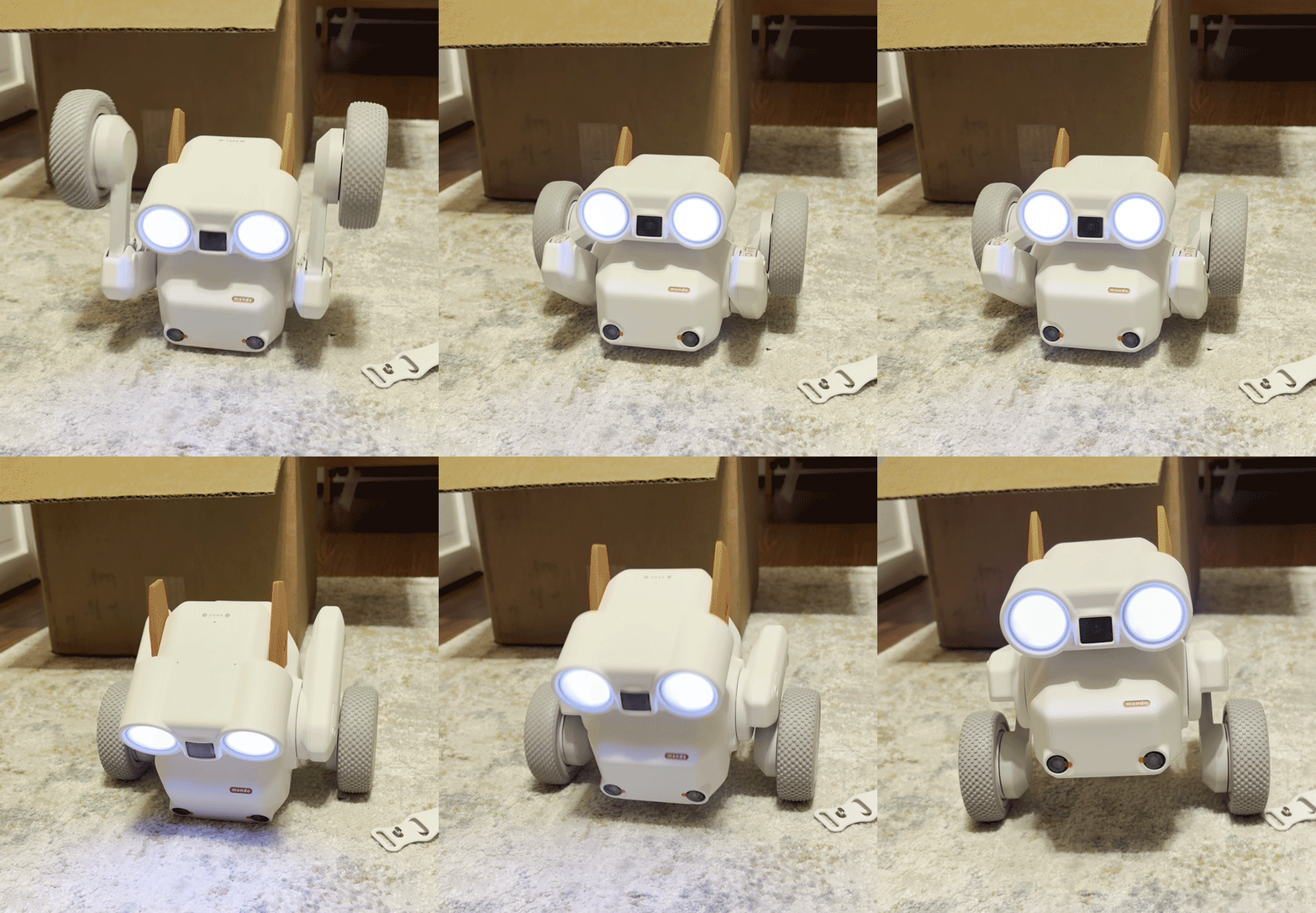
Beni's white body, with orange accents, feels sturdy. To get started using it, I installed the Mondo app on my iPhone 18 Pro Max, connected to Beni's Wi-Fi network, and, as instructed, unfolded Beni's legs to rest the two gray rubber wheels on the floor (you hold down an 'up' button in the app to get Beni to stand).
The battery can charge in-body (it can take about 90 minutes), but if you have the charge hub, you can charge not only up to two batteries at a time, but there's a special compartment for charging the wearable remote control.
Beni's battery snaps into its back. A short press and then a long press on the pack's lone button powers up the robot, which instantly stands up and appears to look around.


In a way, it is: Mondo Beni has a pair of front-facing cameras in its body that it uses for navigation and obstacle avoidance. There's also a video camera between its large LED eyes, capable of filming in 4K at up to 60fps. As for Beni's big, blinking 'eyes,' they might appear to stare at you, but they actually don't see anything.
Powered up, Beni stands about nine inches tall. That means that unless you put it on a table (I wouldn't recommend it), Beni and its camera will always be looking up at you.
It's fair to describe Beni as a drone camera, but instead of flying above you for dramatic overhead shots, Beni can only provide a ground-level view, a limitation that may frustrate pro content creators.

Beni ships with one breastplate that basically sticks onto its front, but you can buy an entire collection to snap onto the legs, head, and back. Given Beni's penchant for bumping into things and sometimes taking a tumble, they might come in handy.
I also tried out the off-road wheels, which are useful for outdoor jaunts. I kind of love how the wheels detach and reattach: there's a spot on each wheel hub that I pinched together to release the wheels from the axle, and then I used the same spot to snap them back on. Easy and smart. It's also worth noting here that, even with the standard wheels, Beni easily rolls over small obstacles like almost inch-high room dividers.
To match Beni's orange "ears," Mondo Robotics includes a stylish plastic baseball hat that, after peeling the protective layer from two tape strips, I stuck on Beni's head. It looked cute and, remarkably, never popped off.

Mondo Robotics Beni Review: Performance
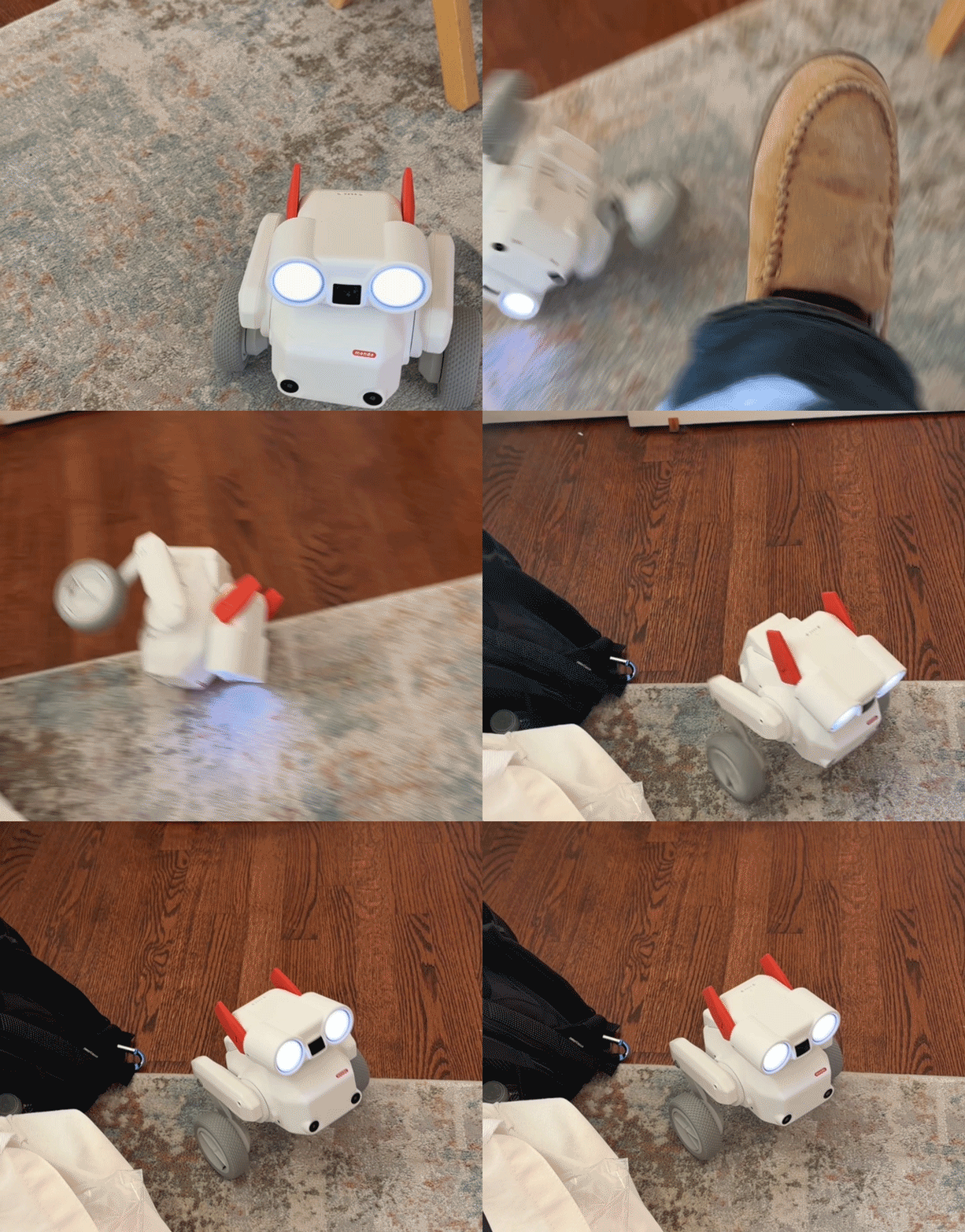
Mondo Beni is a semi-autonomous robot. Left alone, it balances on two wheels, looks around, makes noises, and will get back up if you kick it over, which I did over and over again. You can turn on follow mode, and Beni will trail you and follow alongside you.
With a max speed of 17.9mph, you won't outrun Beni — trust me, I tried. I set Beni to Trail Tracking mode, and it carefully followed five feet behind me, and when I took off in a run, Beni easily kept up. The little robot also had no trouble stopping on a dime whenever I pulled up short.
Beni can also keep you in view with 'Spotlight' tracking mode, which kept me in frame while I was on the move.
The only time Beni had trouble following me was when I used 'Parallel' mode. In this mode, Beni was supposed to follow alongside me, but it quickly ran right into my ankle.
Beni is also able to climb (or really bound up) steps, but I had to turn on a special and relatively hidden mode that lets it autonomously detect a staircase, and then leap to surmount each step.
In my experience, Beni never made it up a single staircase in my home. When I took Beni outside and had it follow me, it would stop short of the staircase into my home. In my house, it did try to take the staircase to the second floor, but each time it bounded up the first flight, it would end up bouncing off the step.
Beni was also no better at avoiding injury, including obstacles like my home's front porch. I walked down the steps and turned around to see Beni taking a header off the first step and then tumbling to the ground below.


You can use the app to remotely control Beni or the wearable tracker, which includes a thumb-ready joystick (I would press it down to make Beni jump). There are also buttons for recording video and initiating tracking, a speed slider (I kept it in the default mode), a game mode button, and a big stop/sit button.
One app setting let me use the phone as a motion-control remote, meaning Beni would travel in whichever direction I tilted my iPhone, and a steeper tilt would make the robot go faster. It was the best and most intuitive way to control Beni.
I often used the wearable controller to drive Beni, though I found it was best to use it in my right hand as opposed to awkwardly wearing the joystick on my wrist. Usefully, the main controller is only magnetically seated in the wristband, so it was easy enough to pop off and hold in my hand.
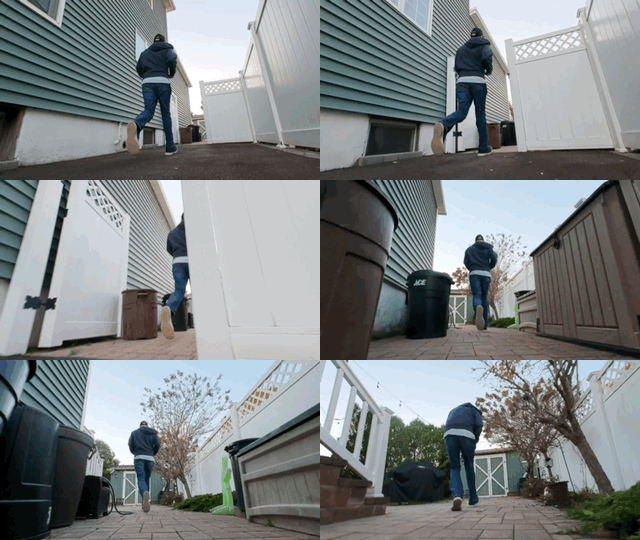
Beni has a bunch of canned filming modes, or 'One Tap Shots,' including Comet Orbit, Dolly Overtake, and Swoop Orbit. All are useful if you have room to move for both you and Beni. Video quality is wide-angle and good, though the audio can include the sound of Beni's wheels on, for instance, a pavement.
There are also games like Coin Hunter (work with Beni to find hidden virtual coins), Tug of War, which was kind of dumb, and Motion Control, which is not really a game so much as it is the control mode that lets you use your phone's position to control Beni.

Perhaps the best part of Beni is its personality. The robot responds in a limited way to my voice (when I start with "Beni Beni") and even to my touch, or at least when I press down on it or shake its head. Beni can also respond to hand gestures like a wave or peace sign to start video recording. I enjoyed using the thumbs up, left, and right, to get Beni to jump, flip left, or flip right, respectively.
Watching me the way it does, Beni seems attentive, but without any real language, our interactions are limited; I actually think I wouldn't mind if Beni could speak, maybe that'll come with a future update.
Mondo Robotics Beni Review: Battery life
Beni lasted about an hour on a full charge, which is not bad, but if you have Beni out and about for a big shoot, the run time might seem a bit limited.
When the charge gets down to a single bar, Beni can no longer perform his signature tricks: jumping and flipping. At least the robot can still right itself if I kick it over.