





TechRadar Verdict
Lightroom's emphasis on image quality endears it to high-level pros, but Aperture is a phenomenal tool for everyone else
Pros
- +
Unified library formats
- +
Some improved tools
- +
New Auto Enhance tool
Cons
- -
Uninspiring grey interface
Why you can trust TechRadar We spend hours testing every product or service we review, so you can be sure you're buying the best. Find out more about how we test.
Aperture is Apple's professional image-cataloguing and image-editing tool. It's also what iPhoto users migrate to when they need to step up to something more advanced, and version 3.3 makes this a lot simpler with a new 'unified' library format.
Both Aperture and iPhoto store images in standalone 'library' files (though you can use them to reference external files in their existing locations, too). In the past, the Aperture and iPhoto libraries had two different formats. If you wanted to use both apps, you had to maintain two separate libraries.
The new, unified format means you can open your iPhoto library in Aperture, complete with your Faces, Places, slideshows and albums. You can do it the other way, too, opening Aperture's library in iPhoto and using templates and other design tools.

And it does work well, though there are inconsistencies in some of the more advanced options. In Aperture you can 'stack' related images, but if you view a stack in iPhoto, you only get to see the top image, not all the others.
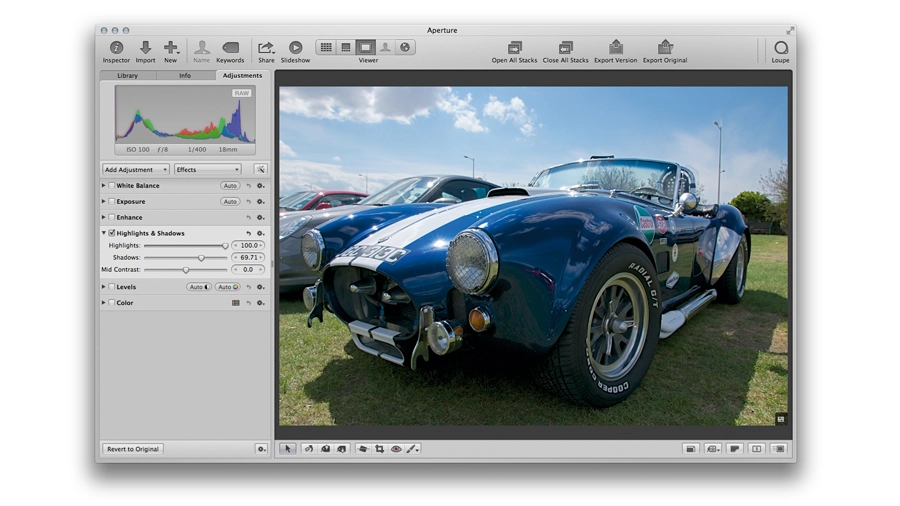
There are new tools and tweaks, too. The Highlights and Shadows tool is more sophisticated. You can recover shadow detail without sliders, and the Highlights slider uses the extended highlight detail in RAW files.
A new Auto Enhance button enables you to improve substandard colours and exposures with one click, and the White Balance tools have been extended to include Skin Tone and Neutral Gray modes. These are improvements, but apart from the inclusion of support for the AVCHD movie format, the other new features focus on usability and appearance.
For example, you can now opt to use embedded JPEG previews in imported images, rather than waiting for Aperture to render its own. It speeds things up initially, but then you still have to wait for them to be rendered when you view or edit them properly, and it's then you realise that the embedded JPEG and Aperture's own rendition are quite different, so you might prefer to get it to render your previews on import after all.

Aperture is an excellent tool for professionals and keen amateurs alike, and version 3.3 improves it in a number of ways. But it's more of a maintenance release than anything else, and Aperture is in danger of falling behind its rival, Adobe Lightroom.
Aperture is still faster and neater at image cataloguing, but the gap to Lightroom's editing tools - which include everyday staples like automatic lens corrections and digital graduated filters - is growing just a little too large for comfort.
