
 Become a TechRadar Insider





Google has just announced its two new handsets for 2017 at an event in San Francisco and we now know everything we need to about both the Pixel 2 and Pixel 2 XL.
These are follow up handsets to the Google Pixel and Google Pixel XL, but there are more key differences between the Pixel 2 and Pixel 2 XL than there were between the handsets released last year.
- Check out our early look at the Pixel 2 XL with our video run through
- And then watch the Google Pixel 2 hands on, please
The exact release date for the phones is set as October 19 for the Pixel 2, but you'll have to wait until around November 15 to buy the larger phone.
Below we are going to compare the new phones so you can decide whether it's worth waiting for the Pixel 2 XL or you want to grab the Pixel 2 when it first comes out.
Google Pixel 2 vs Google Pixel 2 XL design

If you know the original Pixel and Pixel XL well, you won't be particularly surprised by the design of the two new phones.
The Pixel 2 is smaller than the Pixel 2 XL, but the two-toned design of the rear on the two phones looks rather similar. Each comes with an aluminium design and curved edges on the back.
Colors differ a little with both phones launching in "Just Black", "Black and White" but the smaller phone looks to be the only phone coming in "Kinda Blue", which you can see below on the right.
The power button is a different color on some too, with the Black and White variant having a bright orange button and Kinda Blue getting a jazzy blue button too.

The bad news is both phones will not have 3.5mm headphone jacks which we think is to specifically allow for it to be waterproof, unlike the original Pixel.
Each handset has a USB-C port on the bottom and the power/volume keys are on the right hand side of the handset. The fingerprint sensor sits on the rear of each phone too.
Google Pixel 2 vs Google Pixel 2 XL display

Screen is going to be one of the big differing factor for both versions of the Pixel 2. The smaller Pixel 2 will come with a 5-inch screen with a Full HD resolution.
It's OLED tech and come with a traditional 16:9 ratio, unlike a lot of phones we've seen this year. All of that seems quite predictable, but both new phones also include an always-on display too.
The Pixel 2 XL has a 6-inch display with a ratio of 18:9 with a resolution of 2560 x 1312. It uses AMOLED tech and comes with a thinner bezel, but it still doesn't look as bezeless as the Samsung Galaxy S8 or iPhone X.
If you're after the latest and greatest beautiful screen tech, you'll want to opt for the Pixel 2 XL over the smaller Pixel 2.
Google Pixel 2 vs Google Pixel 2 XL OS and power

The new Google Pixel phones are running the latest Android Oreo software and it'll be ready to roll as soon as you take it out of the box. It'll be in a stock capacity and work in a very similar way to how we've seen it on the older Pixel devices.
When it comes to power, both phones are running the latest Qualcomm Snapdragon 835 chipset that performs particularly well on a series of flagship phones we've already seen launch this year.
Both phones have 4GB of RAM and storage wise we know your choice is either 64GB or 128GB of internal memory.
Google Pixel 2 vs Google Pixel 2 XL camera and battery
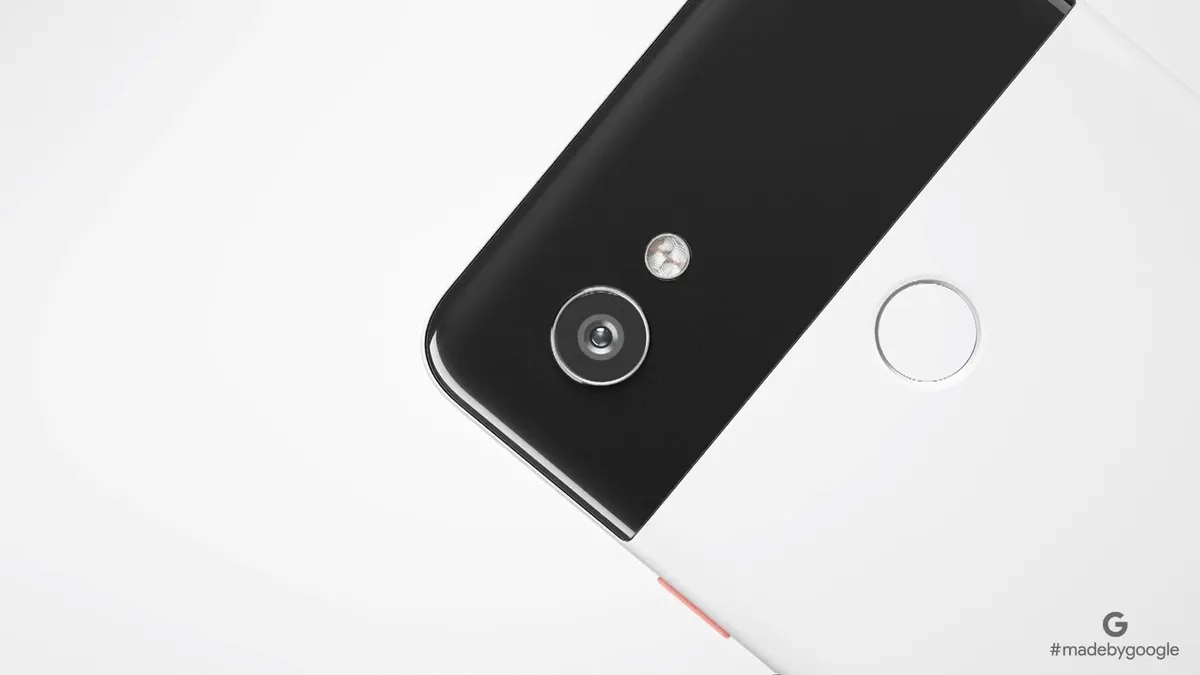
Camera wise, the Pixel 2 and Pixel 2 XL will both feature the same shooter setup. Each has a 13MP camera on the rear, but it won't be a dual sensor shooter like a lot of modern smartphones.
Instead the single sensor is very large - as large as the fingerprint sensor itself - that should allow for lots of light and hopefully should mean great photography in poor lighting
There's optical image stabilization on the rear camera that works with electronic image stabilization to offer smoother video than on other handsets. On the front there's also a 7MP camera for selfies.
- To learn more about the camera tech, head to our Google Pixel 2 explainer
Battery will be a big differing factor between the two phones too. Google hasn't officially unveiled the battery capacities, but previous leaks have given us a good idea at how big each cell will be.
One source claimed the Pixel 2 would come with a 2,700mAh battery while another leak suggests the Pixel 2 XL will have a 3,520mAh cell.
That heavily suggests the battery will be much better on the Pixel 2 XL, but we won't know for certain until we get the phones to review in the coming weeks. Whether wireless charging or fast-charging tech will be available is currently unclear too.
Google Pixel 2 vs Google Pixel 2 XL price
Neither of these phones are going to be cheap. The original Pixel was US$649 (£599, AU$1,079) at launch, and we know for certain the Pixel 2 will also cost $649 / AU$1,079, but the price has jumped up to £629 in the UK.
The Pixel XL was US$769 (£719, AU$1,269) but the price of the Pixel 2 XL has jumped up significantly to US$849/£799/AU$1,399. If you're after a more affordable Pixel 2, you'll want the smaller one but neither of these handsets are particularly affordable.
Takeaway
The Pixel 2 and Pixel 2 XL are quite similar handsets. You'll get most of the same features, it's just whether you'd like a larger - and higher quality - screen and hopefully extended battery life.
The Pixel 2 XL looks to be the higher spec phone that will be the better handset in general, but it also has that much higher price tag. It mostly comes down to how much you're willing to spend on a new phone from Google.
