
 Become a TechRadar Insider





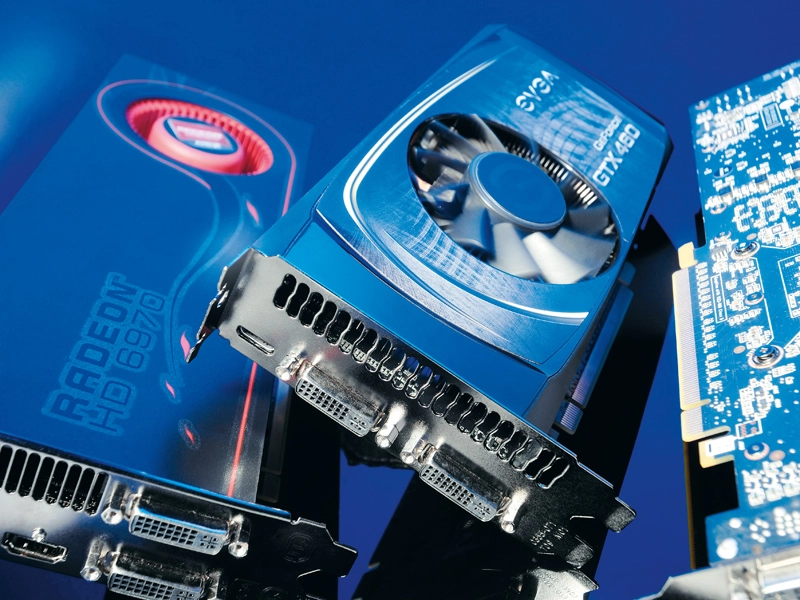
The graphics card is the racehorse of your PC components stable. It's a high-value add-in board that's traditionally done one thing and one thing only: let you play games with all the latest graphical wizardry.
Increasingly though, the graphics card is becoming far more than just a gamer's luxury. With architecture improving year on year, 3D graphics aren't the only thing your discrete GPU can do.
It can now be used to enhance your web browsing experience and enjoyment of high-definition media, let you explore your creative side with enhancements for productivity software and even help cure terminal diseases through projects like Folding@home.

So as well as producing some stunning visuals, your graphics card can also help save lives.
In the last decade, GPUs have been following in the footsteps of the CPU market, with increased core and thread counts. Speed in MHz or GHz is no longer the only measure of a chip's power, whether it's a GPU or a CPU.
What counts now is the number of cores, and how much data the chip can process at any one time. In CPU terms, the maximum on the desktop is six cores and 12 threads, and a full-fat 12 cores in the server space.
The top-end Nvidia GPU – the GeForce GTX 580 – has 512 CUDA (Compute Unified Device Architecture) cores. Meanwhile, the AMD Radeon HD 6970 has 1,536 shader processors, all of which are simple processors capable of taking on tasks such as video encoding, where some simple parallel processing is needed to enhance speed.
Nvidia was first to take this on with its CUDA cores, which let programmers write code in industry-standard languages such as C++. This code is run using all the shader processors (or CUDA cores) in Nvidia's GTX 8-series onwards.
Microsoft's latest update to its graphics API – DirectX 11, has done a similar thing with its Compute feature, which enables general purpose applications to run through a DirectX-capable GPU rather than taxing the processor.
If the GPU is becoming ever more powerful, why is there such doom and gloom around the discrete graphics card market? According to Intel and AMD, the future is fusion.
Are integrated graphics the next big step in the great graphics war?

There are many reasons to be upbeat about the future of discrete graphics cards. There isn't going to be a new games console release for another couple of years now, and the mid-range cards of today are far superior to anything the Xbox 360 or PS3 contain, so the PC is the platform to go for if you want to see the top releases looking their best.
Integrated graphics (the graphics processing power that traditionally comes with your processor chipset combination of CPU and motherboard) are catching up, though. They're changing as well – moving from the motherboard onto the CPU. All the big boys are getting involved.
First there was Intel and its Arrandale processors, which packaged a GPU and CPU on the same chip. Then came the company's Sandy Bridge, with its fully integrated processor graphics.
AMD has recently released its first Fusion board to the world, housing a tiny CPU and GPU setup – the first new CPU architecture we've seen from the company in years.
At this year's Consumer Electronics Show, held in Las Vegas in January, Nvidia announced Project Denver, its own collaboration with ARM to create a powerful desktop CPU with Nvidia's GPU architecture built right in. This may not shake up the high end of the discrete graphics market – after all, the latest 3D games are still going to need a power-hungry graphics card sitting in that PCI Express slot – but the value end of the market is going to change.
Processor graphics will be more than capable of coping with high definition video, encoding and casual gaming, so why would you choose to spend £50 on a separate card that will do the same job?
That said, times move quickly in the graphics card market, and tomorrow's £50 GPU will make processor graphics weep. AMD and Nvidia will be launching a slew of low-end cards to prop up their latest HD 6xxx and 5xx series respectively.
The high end will probably see the biggest battle. Nvidia's GTX 580 is currently top dog, but AMD is due to release its dual-GPU Antilles behemoth in the next few months, possibly at the CeBIT show in Germany. Details are scarce, but if AMD follows the example set by its previous dual-GPU releases, you can expect two Cayman Pro GPUs wired into one slice of AMD-red PCB.

Those are the chips powering the superlative Radeon HD 6950, and will make for one hell of a card.
Don't expect Nvidia to be keeping quiet, though. When we spoke with Tom Petersen, the company's Director of Technical Marketing, at the secretive preview of the GTX 580 last year, we asked if he expected to see a dual-GPU Fermi card any time soon.
He explained that, now the thermal issues seen in the first high-end Fermi card (the GTX 480) had been solved in the GTX 580 and GTX 570, there really wasn't a barrier any more.
So pretend to be surprised when Nvidia announces a GTX 595 just as AMD starts to get excited about its Antilles card.
Three top graphics card choices
Zotac GTX 580 AMP
Performance
Price: £480
Info: www.zotac.com

On the basis that money is no object in your search for graphics perfection, you'll be hard-pressed to find a more impressive pixel-pusher than Zotac's recently launched, overclocked GTX 580 AMP.
This souped-up version of Nvidia's GPU is the fastest thing on two PCIe power cables. Based almost entirely on the first Fermi card, the GTX 480, it's undoubtedly what the brand wanted to release originally.
The GTX 480 had a cutdown version of its low-yielding GF 100, with one streaming microprocessor turned off. That meant a lowly 480 CUDA cores instead of the full 512 we were expecting.
The GTX 580 came out of nowhere last year with the full complement, plus nifty power and cooling advances. So it's quicker, cooler, quieter and far more power-efficient. In short, it's just better.
The AMP version is ever so slightly overclocked, but will also give a little more headroom should you wish to push it further. At these speeds though, you won't need to for a few years at least.
Verdict: 4.5/5
Asus GTX 460 Top 768MB
Budget
Price: £130
Info: www.asus.com

We've already seen the stock GTX 460 768MB, and now it's the turn of the overclocked cards in the shape of Asus' GTX 460 768MB TOP edition.
The GTX 460 looks set to be the most successful iteration of the Fermi architecture that Nvidia has released to date. That's mainly thanks to a redesigned chip, still based on the same technology that made the GTX 480 such a blisteringly fast, and hot, card.
This new GF104 GPU is a far more streamlined chip compared to the fairly bestial GF100.
It still has the same basic premise running through it, but more cores have been squeezed into fewer streaming microprocessors (SMs) and more texture and special funtion units have been jammed in there too.
Verdict: 3.5/5
Read the full Asus GTX 460 Top 768MB review
Sapphire Radeon HD 6950
All round
Price: £228
Info: www.sapphiretech.com
AMD's Radeon HD 6950 is the must-have card of the moment, its price tag hitting the sweet spot in terms of cost/performance ratios.
The card is based on AMD's latest Cayman GPU, and with its redesigned approach to tessellation, offers some serious competition for the far more expensive GTX 570. It's also the only card under £250 that can take on the tessellation-heavy Metro 2033 at an eye-bleeding 2,560 x 1,600 resolution and still come out smiling.
The Cayman GPU's twin tessellation engines make the HD 6950 an excellent DirectX 11 card. On the DX 10 benchmarks it loses ground to the new GTX 560 Ti from Nvidia, but the AMD card has the better scores in the newest titles and comes with an impressive trick up its sleeve.
With a simple BIOS flash you can upgrade your HD 6950 and turn it into an HD 6970 – a £270 card – for free. That's not an overclock; it's unlocking dormant parts of the GPU and setting them free. That makes it the card of choice right now.
Verdict: 5/5