





I’ll be honest: despite many tech companies trying to convince me otherwise, artificial intelligence has left me cold (if not downright outraged when Google’s AI overviews steal my content) — but there’s one AI feature that I use almost every day: Nvidia’s DLSS, which uses artificial intelligence to upscale video game graphics, reducing the stress on compatible graphics cards, and essentially allowing for more impressive graphical effects and results without the hardware holding them back.
When it comes to flagship GPUs like the RTX 5090, it means achieving the kind of results (such as 8K resolutions at 60fps) that would have once been impossible, but it also means more affordable mid-range and budget GPUs can offer the kind of performance that used to demand more expensive GPUs.
Since its inception in 2019, Deep Learning Super Sampling (DLSS) has continued to improve, with its latest version, DLSS 4.5, focusing primarily on frame rate improvements that aim to match the frames per second (fps) your GPU can achieve with the native refresh rate of your monitor.
Having a monitor with a refresh rate of 120hz, for example, and a frame rate of 120fps, will give you a fast and responsive gaming experience with (hopefully) no instances of screen tearing or stuttering, two big visual problems that can occur when the frame rate and refresh rates don’t match exactly.
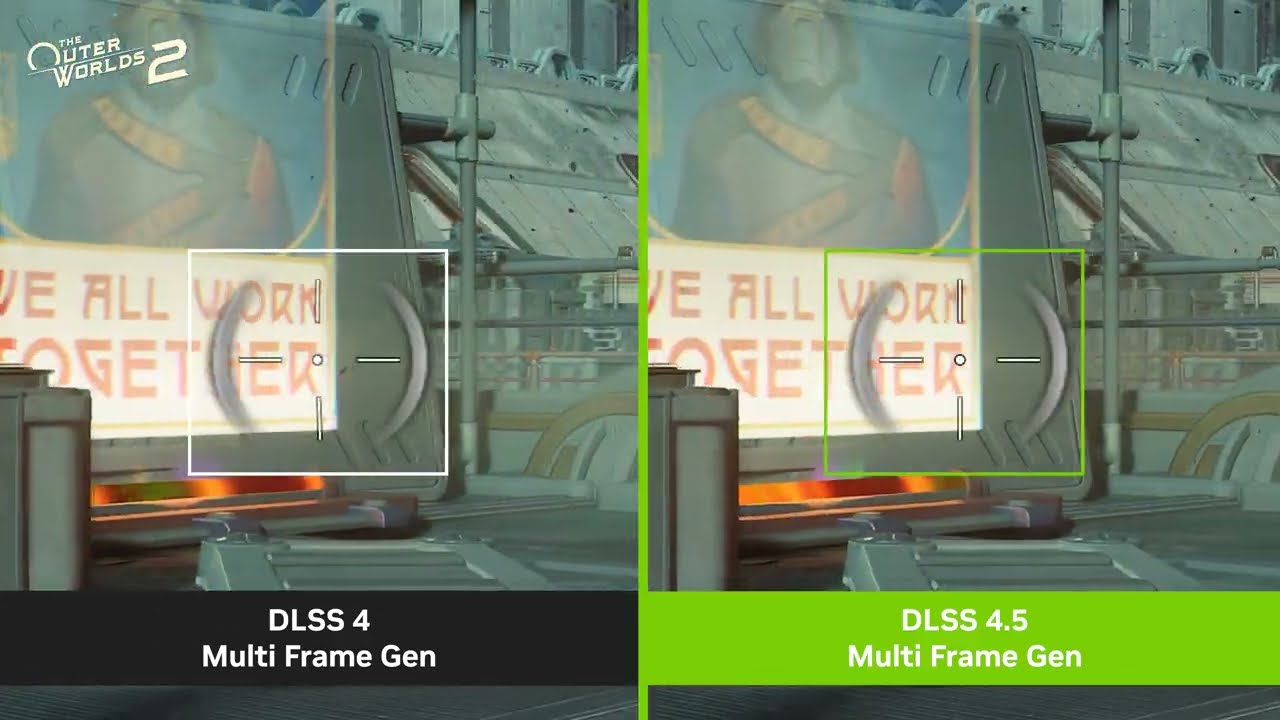
DLSS 4.5 attempts to rectify that by bringing up to six times frame generation, as well as a new Dynamic Multi Frame Generation feature.
The pros and cons of Multi Frame Generation
Frame Generation, which was introduced in 2022 as part of DLSS 3.0, was — before DLSS 5’s announcement — arguably the most controversial part of DLSS. It uses AI to generate additional frames between rendered frames, helping to improve or stabilize frame rates. Essentially, if a GPU was hitting 20fps, Frame Generation could boost this to 40fps by inserting a generated frame after each rendered one.
To be honest, I wasn’t too impressed when Frame Generation first debuted. While the generated frames were supposed to be indistinguishable from the rendered frames (as they were generating frames based on the rendered frames, and you’re likely seeing lots of frames every second), I found that it made the overall look of certain games (I tried it with Cyberpunk 2077) feel rather soft and blurry.
The introduction of Multi Frame Generation (MFG) with DLSS 4.0 allowed for up to three frames to be generated per rendered frame, potentially increasing the frame rate by up to four times, while minimizing the impact on the GPU (as generating a frame is less intensive than rendering a new one). I was initially worried about this due to my experience with the first generation of Frame Generation, as generating more frames per second would make any issues more noticeable.
However, I was pleasantly surprised by the improvements Nvidia had made to Multi Frame Generation, as I found the impact on graphical fidelity to be much less noticeable (if at all), while frame rates drastically increased. Of course, this does depend on the game, level of Multi Frame Generation support, and your own subjective experience, but what I liked most of all about Multi Frame Generation was that it allowed you to determine how many frames (if any) were generated compared to rendered.
So, while I got my RTX 5090 to hit ridiculous 200+ fps in Cyberpunk 2077 at 4K with path tracing on, because my TV has a refresh rate of 120Hz, I could tweak Multi Frame Generation, lowering the number of generated frames until I hit a rock-solid 120fps.

Combined with improvements to upscaling quality, DLSS was fast becoming an impressive bit of tech, especially for people who couldn’t afford flagship GPUs.
However, controversy was brewing amongst PC gamers, mainly focused on the idea of ‘fake frames’, with some naysayers dismissing the generated frames and arguing that relying on DLSS and MFG could lead to game developers not bothering to optimize their games for PC.
I didn’t really buy that argument — for me, personally, I was finding it increasingly difficult to differentiate between rendered and generated frames, though there were still times when visual glitches and artifacts gave the game away.
Also, because DLSS is exclusive to Nvidia GPUs (and the most recent RTX models), game developers would still need to optimize their games for Intel and AMD hardware, not to mention consoles.
In fact, DLSS’ success saw AMD and Intel (plus others) come up with their own alternatives (AMD FidelityFX Super Resolution (FSR) and Intel XeSS) — and in my view, any technology that inspires or forces competitors to innovate and up their games is broadly positive.
Courting controversy
Aside from some, in my mind, easily dismissed complaints in some quarters about ‘fake frames’, over the past few years, DLSS has quietly been impressing me, and has become an AI tool that this AI sceptic uses almost daily.
I’m not the only one, either. According to numbers Nvidia shared early last year, 80% of PC gamers who have an Nvidia RTX graphics card (which, let’s face it, is a large majority of PC gamers due to Nvidia’s market lead) play with DLSS turned on, and as the technology develops, and an increasing number of games support it, I assume that number has only grown.
Still, the launch of DLSS 4.5 wasn’t without its risks, especially as one of the key selling points is that MFG can now generate five additional frames per rendered frame (which Nvidia terms 6X). If you had concerns about ‘fake frames’, or found the generated frames particularly noticeable and distracting, then you might not be overjoyed by the thought that with 6X MFG, the vast majority of frames you’re seeing will be AI-generated, rather than rendered by your GPU.
However, DLSS 4.5 also introduces Dynamic Multi Frame Generation (DMFG), which automatically changes the number of frames generated to ensure games reliably hit your target frame rate. So, by setting the target at 120fps, for example, DMFG will generate more frames when a scene in a game gets particularly intense, then it will lower the number of generated frames when things calm down, which should give you a solid frame rate without sacrificing image quality too much. It’s kind of what I’ve been doing manually, but with DMFG, it can change the settings on the fly as you play, and it means you don’t have to mess around with settings if you’re one of those weird PC gamers who prefer actually playing games, rather than tweaking.
With extremely high refresh rate gaming monitors, capable of 240Hz, 360Hz and beyond, becoming more common, 6X MFG also aims to take the burden of producing similarly high frame rates off the GPU, and combined with Nvidia’s Reflex tech, which lowers latency, DLSS 4.5 shouldn’t just allow compatible GPUs to punch well above their weight when it comes to performance, but should make games feel faster and more responsive, and allow gamers to make the most out of high refresh rate monitors without having to spend a fortune on a high-end GPU.
Testing out DLSS 4.5
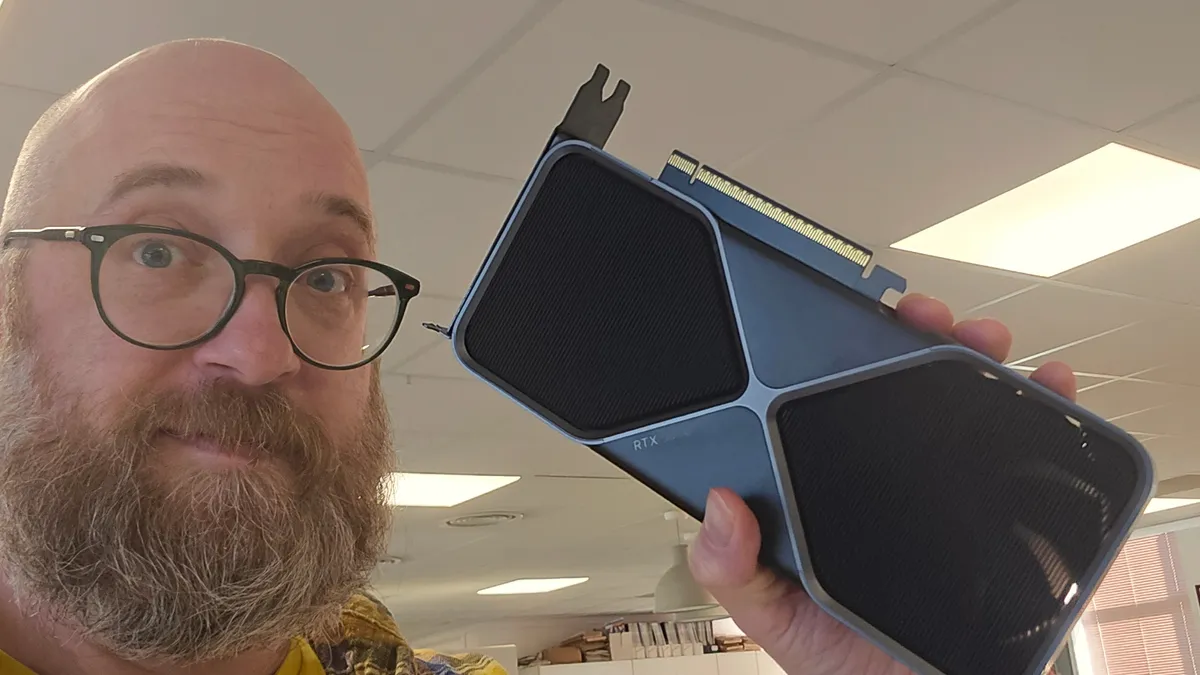
For the past few weeks, I’ve been having a play with DLSS 4.5 to see if it can deliver on its lofty promises. To do this, I installed a PNY RTX 5070 graphics card in one of my PCs. The RTX 5070, with 12GB of GDDR7, is a mid-range (though at the upper end of the market) GPU that’s more affordable than the more powerful RTX 5080 and 5090 GPUs, but with hardware that will struggle with gaming at 4K and super-high frame rates, and that means it’s going to be one of the GPUs that most benefits from DLSS 4.5.
To help with my tests, MSI kindly sent me over its MPG 322UR QD-OLED X24 gaming monitor, which is a 31.5-inch 4K OLED (which uses MSI’s fourth generation QD-OLED technology) that’s capable of refresh rates of up to 240Hz. This is a screen that offers exceptional image quality alongside super-fast refresh rates.
Ordinarily, the relatively modest RTX 5070 graphics card would struggle to get anywhere near 200fps at 4K resolution in modern, graphically intensive, games, so pairing it up with the MSI MPG 322UR QD-OLED X24 could be considered a bit of a waste of money.

Not so with DLSS 4.5. At native resolution, with DLSS and MFG turned off, Cyberpunk 2077 at ‘High’ textures hit around 51fps on average. This is the kind of performance I’d expect from the 5070 — not mind-blowing, but with a bit of tweaking and lowering some settings, you could get a playable 60fps at 4K. Turning on extremely intensive Path Tracing lighting saw the average frame rate plummet to below 4fps.
Enabling both DLSS upscaling and 6X frame generation (which, for the moment, needs to be done via an override in the Nvidia app, rather than within the game’s settings) saw the frame rate jump to a very impressive 140fps on average. Not only is this taking advantage of the MSI monitor’s high refresh rate, but it also means RTX 5070 owners can experience Cyberpunk 2077, an already great-looking game, with immersive and realistic path-traced lighting — something they’d have missed out on in the past.
Turning off path tracing saw frame rates hit 270fps — well above the 240Hz of the MSI MPG 322UR QD-OLED X24. All of a sudden, the RTX 5070 becomes a great GPU to pair with the MPG 322UR, and while I did notice some minor visual issues (mainly around reflections sometimes looking pixellated, and some ghosting around moving objects — especially when driving), on the whole it looked, and felt, amazing to play, and the OLED monitor really made the neon-lit metropolis of Night City, where the game is set, look incredible. The visual issues weren’t too distracting, and I’m aware that at 6X frame generation, 4K resolution, and high graphical settings, I really was pushing the RTX 5070 to its limits.
Setting Dynamic Multi Frame Gen to match the 240Hz maximum refresh rate of the monitor made for more consistent frame rates, while also slightly reducing ghosting, as fewer frames are generated.
I also set Dynamic Multi Frame Gen to target 120fps, as my OLED TV (which I usually play on) offers, like a lot of TVs, 120Hz refresh rates at 4K. This gave me headroom to increase DLSS from ‘Performance’ to ‘Quality’, which means less upscaling is involved, while also turning on path tracing. This again improved image quality, and I was getting around 130fps on average.
It wasn’t perfect, as there were still some glitches (especially with some of the user interface (UI) elements, which DLSS 4.5 is supposed to address), but the fact that the RTX 5070 was managing 4K at 120fps with ray tracing on was very impressive.
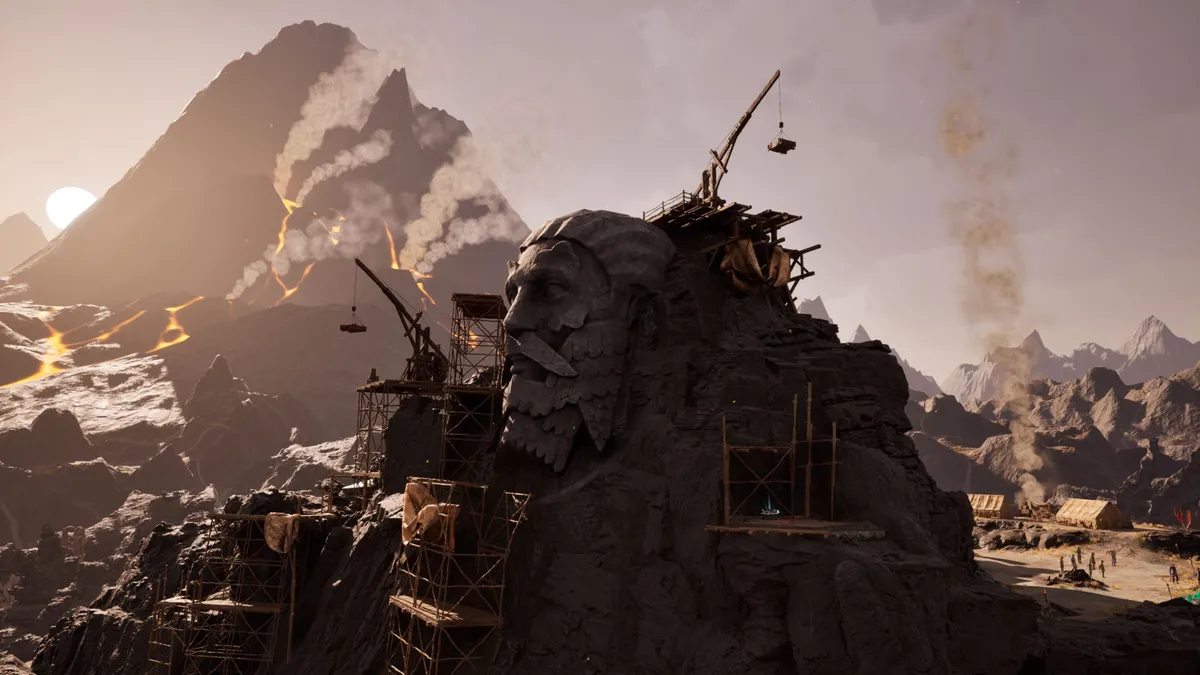
I also played Avowed, which looked fantastic, and was hitting around 255fps on average, and Hogwarts Legacy. That last game was less impressive, with very noticeable and distracting visual artifacts and ghosting around characters. I fiddled around with the settings in both the game itself and via the Nvidia app, but I couldn’t seem to fix it, though this seems to be an issue with the game, rather than DLSS 4.5.
With the high refresh rates, I didn’t experience noticeable latency (a pause between issuing a command, such as firing a gun, when gaming, and when that command is shown on the display), though people who play competitive esports, where latency has to be kept to an absolute minimum, might find it more noticeable. However, in those cases, you’d be better off lowering the resolution to 1080p and turning down graphical effects so you can play the game natively, rather than introducing DLSS features, which, no matter how well optimized, will increase latency slightly.
Don’t let DLSS 5 overshadow DLSS 4.5’s good work
Overall, I was impressed with how DLSS 4.5 boosted my RTX 5070’s performance enough to take advantage of a 240Hz 4K screen. While there are some visual issues when really pushing MFG, the benefits far outweigh these, in my opinion, if you’re using a mid-range or budget GPU, and it continues to make high-end effects and features like path tracing more accessible for people who can’t afford high-end GPUs.
Bearing in mind my disappointing first impression of the original DLSS, I’m also reasonably confident that DLSS 4.5 will continue to be improved both by Nvidia and game developers as the technology matures and they become more familiar with it.
As I’m lucky enough to also own an RTX 5090, and mainly play on a TV that is capable of 4K and 120Hz, I’m going to stick with playing games natively where possible (so no upscaling or frame generation is used), but as games continue to become more graphically demanding, I could definitely see Dynamic Multi Frame Gen helping out, kicking in only when needed.
What does concern me, however, is that DLSS 4.5’s solid release seems to have been eclipsed already by its successor. This is due to Nvidia showing off a preview of DLSS 5… which didn’t get a positive response, to put it lightly.
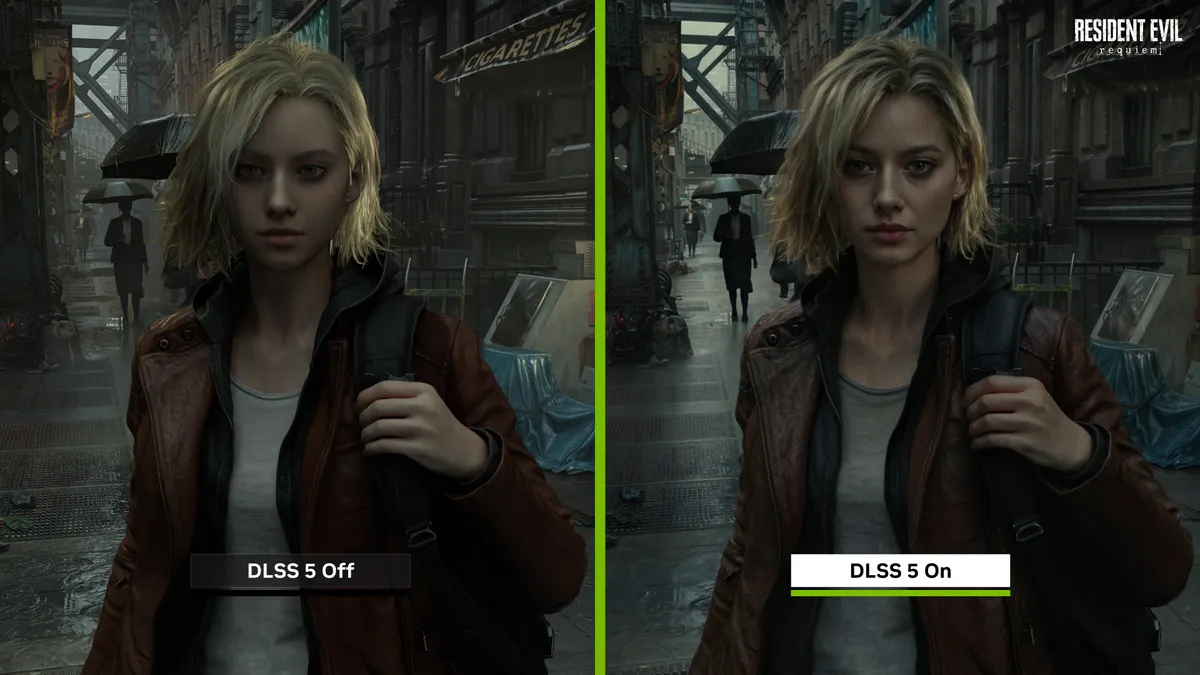
Rather than concentrating on improving frame rates, image quality, and general performance, DLSS 5 instead looks to focus purely on aesthetics. The issue is, while the likes of DLSS 4.5 would upscale or generate images based on existing rendered frames, while preserving the original artistic intent, DLSS 5 appears to fundamentally change certain aspects of the image, including lighting and, most controversially, character designs, with many critics unflatteringly comparing DLSS 5 to cheap AI filters you find in mobile apps. The backlash was vocal enough to prompt Nvidia CEO Jensen Huang into responding, though his initial reaction, calling naysayers “completely wrong”, didn’t help matters.
While I have reservations myself (the DLSS 5 examples shown did feel like too many liberties were taken with the artists’ original intent, and it could lead to gamers having very different experiences depending on whether they have a GPU capable of DLSS 5 or not), DLSS 5’s biggest crime will be if the furor surrounding it makes people dismiss DLSS 4.5, and the positive steps it’s taken to make advanced graphical effects achievable to more people (though as long as you have an Nvidia GPU, of course).
I’ll reserve my judgement until DLSS 5 officially comes out — until then, I hope Nvidia continues down the DLSS 4.5 route, rather than turning future DLSS releases into just another generative AI slop tool I’d rather avoid using.
Follow TechRadar on Google News and add us as a preferred source to get our expert news, reviews, and opinion in your feeds. Make sure to click the Follow button!
And of course, you can also follow TechRadar on YouTube and TikTok for news, reviews, unboxings in video form, and get regular updates from us on WhatsApp too.
