





Whether you're buying for work, study, travel, gaming or everyday home use, the best laptop in Singapore is the one that fits the jobs you need it to do and the budget you have to work with.
There are plenty of choices, from long-lasting MacBooks and better-value Windows notebooks to lightweight ultraportables, Chromebooks and gaming laptops.
The variety is nice to have, but it can also make small spec differences hard to judge, especially when price, battery life, screen quality, local availability, warranty support and the number of ports all impact which laptop is best for your specific use.
The latest releases also make the overall choices a little more interesting. Apple’s M-series chips remain excellent, the MacBook Neo gives buyers a cheaper way into macOS, and newer Intel, AMD and Qualcomm hardware means Windows laptops are getting more capable too.
We've tested and compared the main options available now, including models from Apple, Dell, Microsoft, HP, Asus, Lenovo and Razer.
The recommendations below focus on what each laptop is best suited for, where it falls short and where it’s worth spending more or saving money.

Lindsay is a long-serving contributor to TechRadar, handling testing and reviews for a wide range of products. He especially loves to benchmark the latest laptops, but also can't resist testing power banks and all things charging related.
The best laptop overall

While not everyone wants a MacBook or to join the Apple ecosystem, there's no denying Apple's M-series chips are impressively good. You do tend to pay a premium, but Apple laptops have high-end build quality and some of the best battery life going.
The M5-powered Air looks just like the M4 model — which is a good thing, as the design is simple but effective. The MacBook Air is well known for its battery life and our tests show this model can last about 15.5 hours between charges. The Air also has two Thunderbolt 4 ports and MagSafe charging, can run up to two external monitors, and now starts with 16GB of RAM and a 512GB SSD. Wi-Fi 7 support is included too, though you’ll need a compatible router to make use of it.
Like the M4 Air, be aware the lack of fan means the CPU tends to throttle under prolonged load, so it may not suit heavy creative users. If you regularly run long video exports or other sustained CPU-heavy work, the MacBook Pro is a better fit.
Apple Singapore lists the 13-inch MacBook Air (M5) from SG$1,599, while the 15-inch model starts from SG$1,899. The now-superseded M4 models are still excellent and can be decent buys if discounted.
Read the full review: Apple MacBook Air 13-inch (M5)
The best value laptop


The Dell 14 Plus impressed us and in testing proved to be more than just a modest successor to the Dell Inspiron line.
The laptop starts at quite an affordable price and current configurations go up to an Intel Core Ultra 9 288V processor, with Intel Arc graphics, up to 32GB of RAM and up to 1TB of storage.
The 14-inch display is good enough, though its 300-nit brightness can be limiting in bright environments. Its battery life is impressive, reaching around 13.5 hours on a charge, which comfortably supports a full day of work. This makes it a decent choice for students too.
Of course, there are some limitations — the keyboard feels a bit stiff, the trackpad is average, and the speakers lack oomph. While it’s not suited for heavier creative tasks, it handles daily productivity tasks with ease.
All in all, the Dell 14 Plus delivers excellent value and features for its class, and the higher-tier configurations offer surprisingly good performance.
Read the full review: Dell 14 Plus
The best Windows laptop
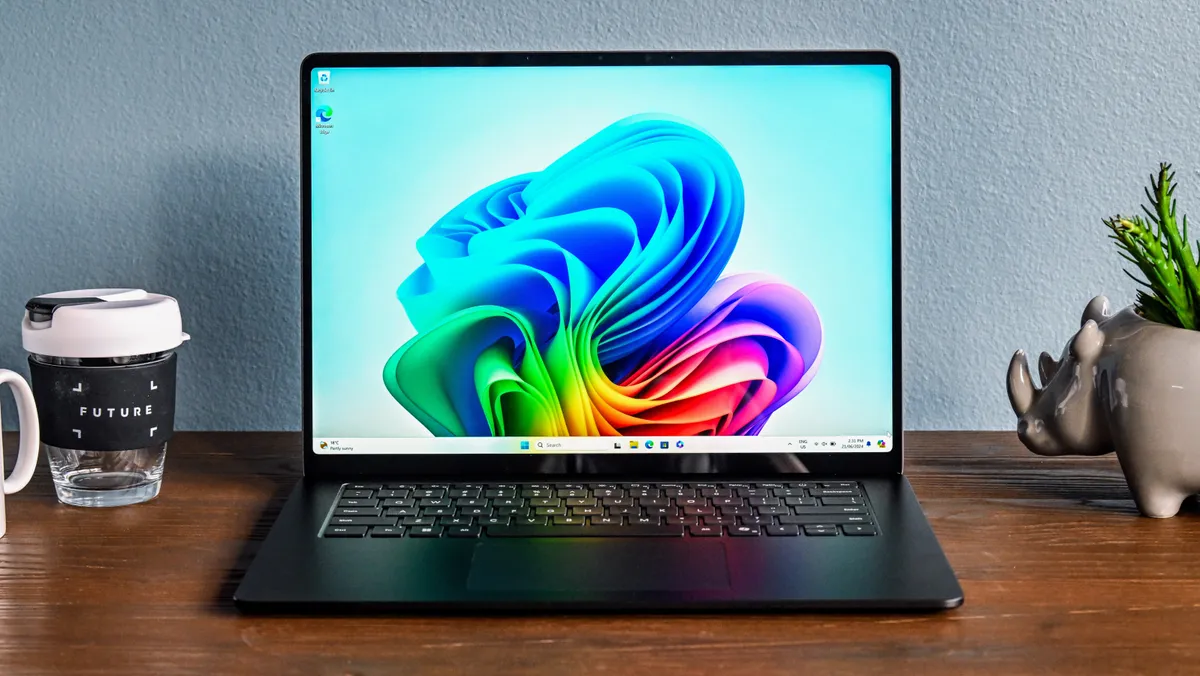

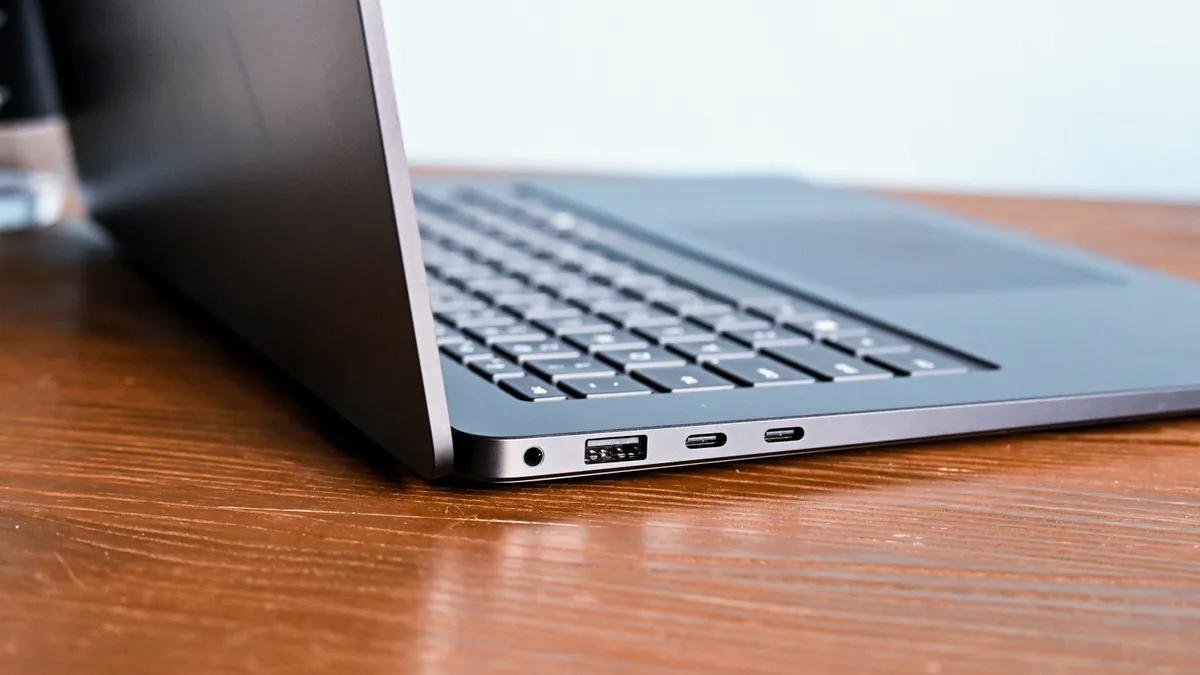
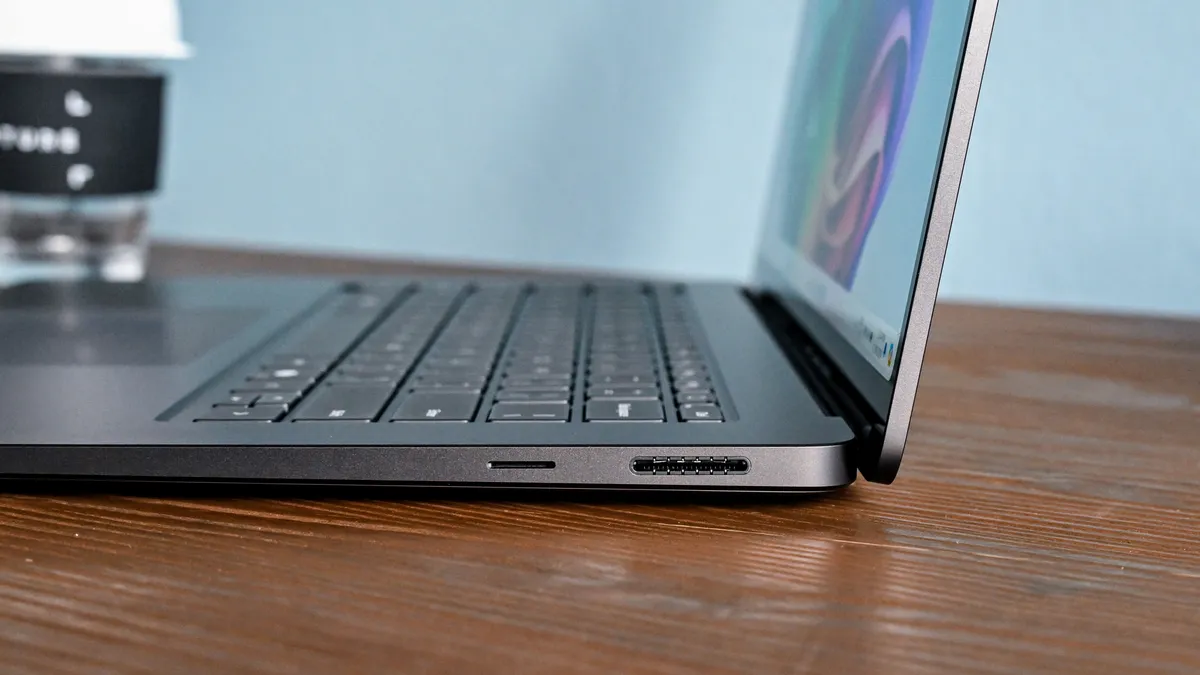


Windows has plenty of faults as an operating system, but the Surface Laptop 13-inch shows how good a small Windows laptop can be when the hardware and software work well together. From the outside it's a very normal-looking laptop that might even be boring if not for the range of colours available. On the plus side, it uses a premium all-metal design that favours portability, with a very good keyboard and trackpad for a laptop this small.
The real strength of the Surface Laptop 13-inch is inside, thanks to the Snapdragon X Plus CPU from Qualcomm. This Arm chip doesn't have the same raw performance as the faster Snapdragon X Elite models, but it handles web browsing, Microsoft 365 and video calls well while staying efficient enough for excellent battery life.
The 13-inch model is available with 16GB of RAM and either 256GB or 512GB of storage. The touchscreen uses a 3:2 aspect ratio, which gives you more vertical space for documents and web pages than a typical widescreen laptop, though the 1920 x 1280 panel isn't as sharp or smooth as the screens used in the larger Surface Laptop models.
In our testing, the Surface Laptop 13-inch lasted a little over 17 hours on battery, so it can handle a full work day without being plugged in.
Some Windows software still doesn't have a native Arm version and is run using emulation. This can cause a mild reduction in performance, and compatibility issues in some specialist apps, but it isn't a particular problem for mainstream apps.
The main hardware limit is ports. You get two USB-C 3.2 ports, but no USB4, no USB-A and no Surface Connect port, so fast external drives, high-end docks and more complicated monitor setups are less well catered for than on the larger 15-inch Surface Laptop.
All-in-all, the 13-inch Surface Laptop is a polished, portable option if battery life and day-to-day use matter more than raw speed.
Read the full review: Microsoft Surface Laptop 13-inch
The best laptop for students


Apple has made a serious play for the budget laptop market with the MacBook Neo, and the result feels more polished than most low-cost laptops.
It uses an Apple A18 Pro chip, 8GB of unified memory and either 256GB or 512GB of storage. The 13-inch Liquid Retina display is a real highlight too, with 500 nits of brightness and a sharper, more premium look than the price might suggest.
Battery life is also impressive. It lasted 13 hours and 30 minutes in our testing, so it can handle a full day of classes, browsing or everyday work without being plugged in. Build quality is another plus, and the all-metal design feels a step above most budget laptops.
It also comes in four colours, Silver, Blush, Citrus and Indigo, which gives it a more fun look than the usual budget laptop lineup. There are still some limits: there’s no keyboard backlight, one USB-C port is stuck at USB 2 speeds and the 8GB memory cap can become frustrating if you keep lots of apps open or start doing heavier creative work.
Still, the MacBook Neo offers excellent value for money, especially for students or anyone who wants a new MacBook for day-to-day tasks without paying MacBook Air prices.
Read the full review: MacBook Neo
The best premium Windows laptop


If you’re chasing a premium Windows laptop that still feels thin and light, the Asus Zenbook S 16 is well worth a look.
It’s our choice for the best premium Windows laptop, largely because the design is simply stunning. Parts of the chassis are made from ceraluminum — a composite of aluminium and ceramic — and it’s easily one of the best-looking laptops we’ve tested.
The inside matches the exterior, too, with a 3K OLED screen that delivers exceptional image quality. Performance is a standout as well, thanks to hardware like the AMD Ryzen AI 9 HX 370 processor and up to 32GB of RAM, which keeps Windows 11 and demanding productivity apps feeling fast.
The larger 16-inch display gives you more space for work than a smaller ultraportable, but the laptop still weighs 1.5kg and is just 1.29cm thick. In our testing, battery life is just under 15 hours, which is very good for a laptop with a large OLED screen.
The only real catch is the price: all those premium touches come with a premium cost, so it’s not for anyone shopping on a budget. Asus software can also be irritating, but the Zenbook S 16 is still an excellent premium Windows laptop if you want a large OLED screen in a slim design.
Read the full review: Asus Zenbook S 16
The best premium gaming laptop

If you want a high-end gaming laptop and price isn’t the main concern, the Razer Blade 16 is the one to look at. It comes with Nvidia’s latest RTX 5000-series laptop GPUs, up to the RTX 5090, and has the hardware to run demanding games at high settings.
Razer has kept the design slimmer than most laptops with this level of power. The Blade 16 is 17.4mm thick and weighs 2.14kg, so it’s much easier to carry than a bulkier desktop-replacement gaming laptop, though the large power brick still takes up quite a bit of space in your bag.
The 16-inch OLED QHD+ display is one of the biggest drawcards, with sharp detail, excellent contrast and the fast response times needed for gaming. The keyboard is better than the previous model too, and the aluminium chassis feels sturdy and well made.
Battery life is better than expected for a gaming laptop. In our testing, the Blade 16 lasted 7 hours and 36 minutes when not gaming, so it can handle some work away from the charger. Gaming on battery is much shorter, as expected, so you’ll still want mains power when playing.
It’s expensive, and the higher-end GPU configurations climb quickly, but the Blade 16 earns that price better than most premium gaming laptops thanks to its performance, screen and thinner design.
Read the full review: Razer Blade 16 (2025)
The best lightweight laptop


The HP OmniBook 7 Aero is seriously compact, but it doesn’t feel stripped back. It weighs just 0.9kg and is 1.74cm thick, so it’s easy to carry every day, while the port selection is better than many small laptops thanks to HDMI alongside USB-C and USB-A.
Inside, AMD’s Ryzen AI hardware gives the OmniBook 7 Aero solid everyday Windows performance, and the built-in NPU can handle light local AI workloads. It’s not a workstation, and the fans can get a little loud if you run demanding software for long periods, but it’s a capable machine for general productivity.
The screen is decent rather than pro-grade, so creative pros chasing rich HDR colour should look elsewhere. Battery life fell just short of 9 hours in our web surfing test, which is workable for a light day, but not a highlight. The shallow key travel is another small drawback if you type for hours at a time.
The OmniBook 7 Aero makes the most sense if you want a very light Windows laptop with current AMD performance and useful ports, rather than the longest possible battery life.
Read the full review: HP OmniBook 7 Aero
The best workstation


The latest 14-inch and 16-inch MacBook Pro models are available with Apple M5, M4 Pro or M4 Max processors. The M5 model is the current entry point and brings a reasonable upgrade over the base M4, while the M4 Pro and M4 Max versions are the better match if you need extra GPU power, more memory or heavier external-display support. If you find an M4 model at the right price, it can still be a good buy.
The MacBook Pro range offers a very portable package that uses Apple’s ever-improving M-series CPUs to deliver solid performance for considerably less power than many workstation-style laptops. This means you can do demanding tasks on the go without having to rely on plugging in to get through a full work day.
The MacBook Pro has three Thunderbolt 4 ports on the M5 model, while the M4 Pro and M4 Max versions move to Thunderbolt 5. The M5 and M4 Pro versions can support up to two external displays, while the M4 Max can support up to four. You also get HDMI, an SD card slot and MagSafe charging, which makes the Pro easier to use with cameras, monitors, fast storage and studio gear.
The entry-level 14-inch MacBook Pro with M5 starts at SG$2,199 from Apple, but that’s with 16GB of RAM, and bumping that up to 32GB adds SG$600. Jumping up to the 16-inch MacBook Pro, the minimum spec is the M4 Pro with 24GB of RAM and a 512GB SSD, which costs SG$3,499. The MacBook Pro with M4 Max starts at SG$4,999 and comes with 36GB of RAM and a 1TB SSD as the base spec.
For those already in the Apple ecosystem, the choice is likely easy and the MacBook Pro is well worth the premium price. It’s also an appealing option for anyone who needs to do creative tasks, such as video editing, on battery power, but also use the laptop as a workstation connected to external monitors.
Read the full review: Apple MacBook Pro M5
Read the full review: Apple MacBook Pro M4
The best dual-screen laptop

The Lenovo Yoga Book 9i Gen 10 is one of the few dual-screen laptops that actually makes good use of the second display. It’s not a normal 2-in-1, and it’s not cheap, but the design makes sense if you want a portable setup with more screen space than a standard clamshell can offer.
The Gen 10 model uses two 14-inch 2.8K OLED touchscreens, up from the 13.3-inch panels on the older version. You can mount the screens one above the other, use them side by side like a book, or add the included keyboard and use it more like a regular laptop. The keyboard, stand and pen are part of the appeal here, because they make the dual-screen setup feel less like a gimmick.
Performance comes from Intel Core Ultra H-series chips, with options up to a Core Ultra 9 285H, plus up to 32GB of RAM. That’s plenty for general productivity, photo editing and working across two screens, but this still isn’t a laptop for intensive video editing or gaming.
Battery life is the main catch. In testing, the Yoga Book 9i lasted 6 hours and 45 minutes, which is understandable for a laptop powering two OLED panels, but still below what we’d like from a machine this expensive.
There’s no getting away from the price either. The screen quality, flexible design and included accessories help justify it, but only if you’ll actually use the second display. If you mostly work on one screen, a normal laptop will be simpler and cheaper.
Read the full review from our friends at Tom's Hardware: Lenovo Yoga Book 9i Gen 10
The best budget gaming laptop

Though the HP Victus 15 may not be the sleekest or most portable gaming laptop, its basic but sturdy build helps keep the price down while still feeling durable enough to throw into a bag. That said, it’s still a little bulky, so it’s better suited to desk use rather than regular travel.
The design also uses post-consumer recycled and ocean-bound plastic, which adds a small sustainability angle to an otherwise straightforward budget gaming machine.
That’s just as well, since battery life is one of its weaker points. Our tests showed it lasts just over four hours, so it’s best used while plugged in. Performance is where the Victus 15 does better. Its heat management is impressive for the price, and it handles demanding games well at lower settings. It can also double as a work laptop when you’re not gaming.
The main appeal is still the price. You don’t get a premium design, long battery life or the most portable build, but the Victus 15 proves a capable gaming laptop doesn’t have to cost a fortune.
Read our full HP Victus 15 review
The best Chromebook
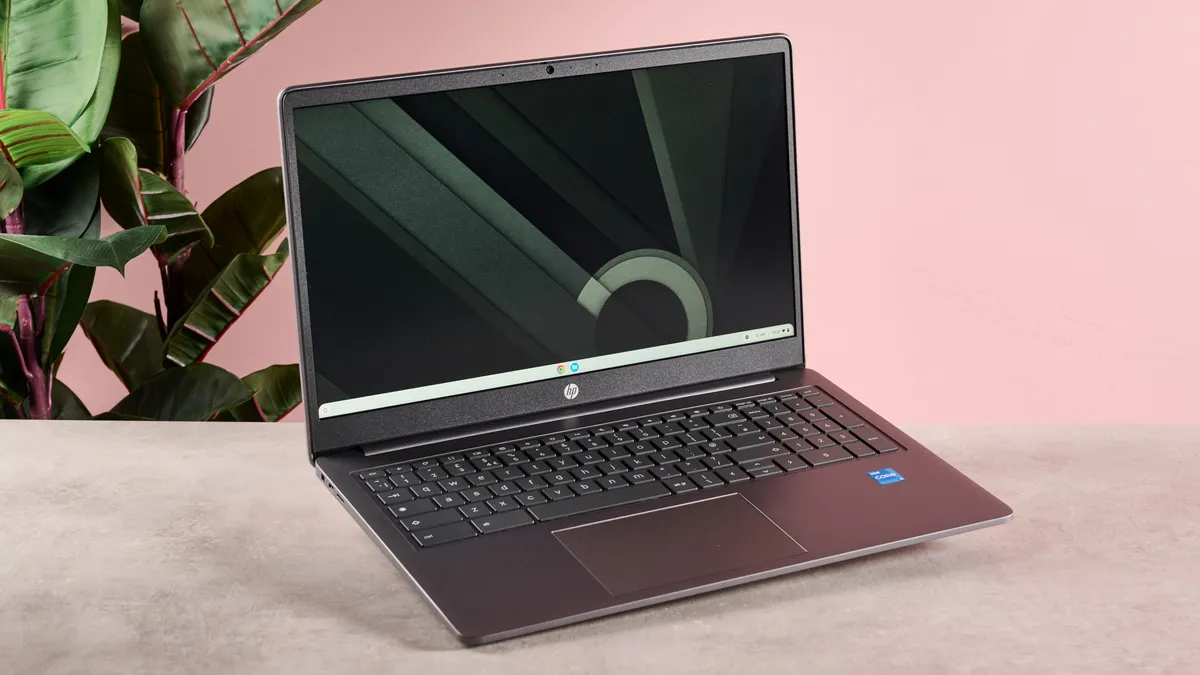
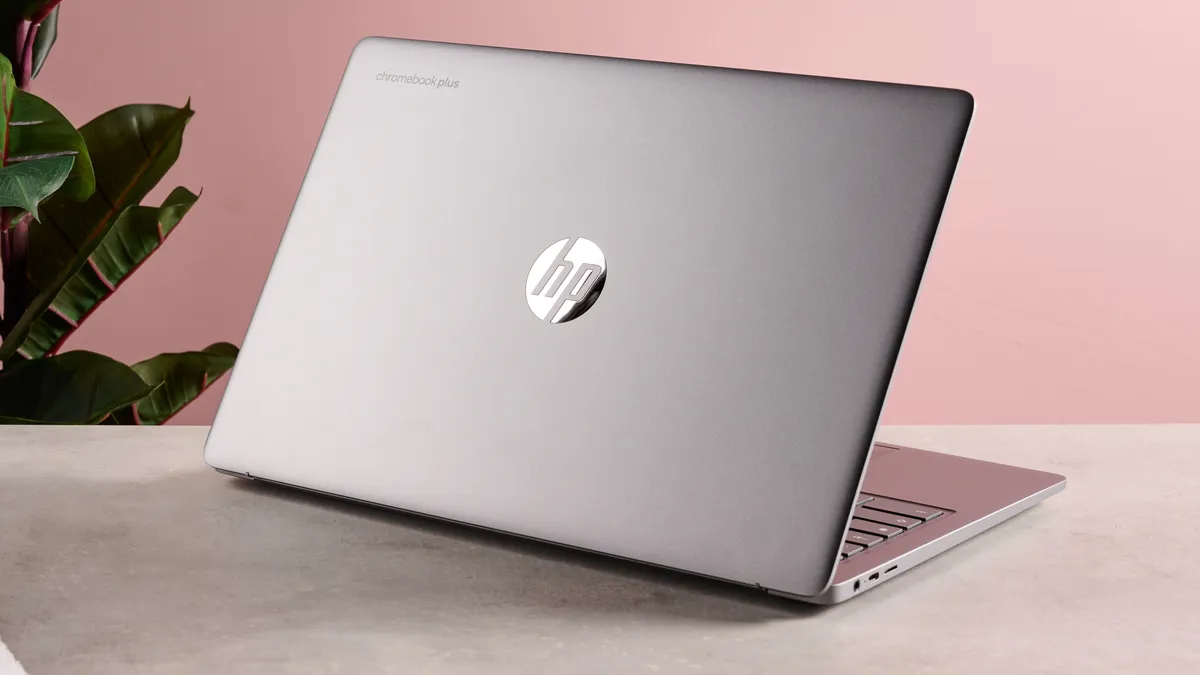


The HP Chromebook Plus 15.6-inch is our choice for the best Chromebook, combining premium design and build quality with a price that stays impressively low.
It’s not the cheapest Chromebook you can buy, but it’s still far more affordable than most Windows 11 laptops, and certainly any MacBook, while delivering solid performance for day-to-day work.
As a Chromebook Plus device, it comes with relatively powerful components for a Chromebook, so ChromeOS and its apps feel fast and responsive. It also has a 1080p display with a 144Hz refresh rate, which is better than most displays you’ll see on other budget laptops at this price.
In our review, we liked how it handled productivity apps like Google Docs, and it even impressed us when we hooked up a Bluetooth gamepad to play mobile games such as Asphalt Legends Unite. The main drawbacks are the small lid opening angle, the non-convertible design and a keyboard that can feel tight, but for a straightforward Chromebook, this is still an excellent all-rounder.
ChromeOS won’t suit everyone, so make sure your work fits web apps, Android apps and cloud storage rather than Windows or macOS software. If it does, the HP Chromebook Plus is a worthy entry in our best laptops list in its own right.
Read the full review: HP Chromebook Plus 15.6-inch
Laptop buying advice: FAQs
The recommendations above cover our favourite laptops in Singapore right now, but the right model still depends on what you need it for, how much you want to spend and whether you prefer macOS, Windows or ChromeOS. These quick answers should help narrow things down before you buy.
What type of laptop should you buy?
For everyday work, study, browsing and video calls, a general clamshell laptop is usually the safest option, and many cost less than SG$1,500. Ultrabooks are thinner, lighter and often have better screens and battery life, but prices usually sit closer to SG$1,500 to SG$3,000.
A 2-in-1 laptop can be useful if you want a touchscreen for notes, drawing, presentations or watching video, but the extra hinge or detachable keyboard can add cost.
Chromebooks are often cheaper and work well if you mostly use web apps, Google apps, cloud storage and Android apps.
Gaming laptops are the better option if you want to play modern games, but they are usually heavier, louder and battery life is not as good.
How much should you spend on a laptop in Singapore?
For basic work, study and home use, you can often find a capable Windows laptop or Chromebook for under SG$1,000, though you may need to accept a dimmer screen, less storage or a less premium build. Around SG$1,000 to SG$1,500 is a better price range to shop if you want something that will last longer.
Premium ultraportables, MacBooks and higher-end Windows laptops usually sit around SG$1,500 to SG$3,000. Gaming laptops and workstation-style models can cost more again, especially if you want a faster graphics chip, a better display or more memory and storage.
Should you buy a MacBook, Windows laptop or Chromebook?
A MacBook is a good option if you want long battery life, a polished design and macOS, especially if you already use an iPhone, iPad or other Apple devices. Windows laptops give you more choice across price, size and design, and are still the safest bet if you need specific Windows software for work, school or games.
A Chromebook can be a smart buy if your work mostly happens in a browser, Google Docs, Gmail, streaming apps and cloud storage. Just make sure you do not need full Windows or macOS apps before choosing one.
What specs should you look for in a laptop?
For most people, 16GB of RAM is the safest starting point, especially if you want the laptop to last several years. A 512GB SSD is worth it over 256GB if you store lots of photos, videos, games or work files locally.
The screen, keyboard, trackpad, webcam, ports and battery life matter just as much as the processor. A fast laptop with a dim screen, poor keyboard or not enough ports can still be frustrating to use every day.
What is the best laptop for students?
For students, portability and battery life usually matter more than raw performance. A 13-inch or 14-inch laptop is easier to carry than a larger model, and it should be able to last through classes, study sessions and video calls without always needing the charger.
A MacBook, Windows ultraportable or Chromebook can all work well depending on the course. Before buying, check whether your school or university requires specific Windows or macOS software.
Do you need a gaming laptop?
You only need a gaming laptop if you want to play modern games, use software that benefits from dedicated graphics or want one machine that can handle both work and gaming. A dedicated GPU makes a big difference for games, 3D work and some creative apps.
The trade-off is that gaming laptops are usually heavier, thicker and have shorter battery life than normal laptops. If you mostly write documents, browse the web, watch video and take calls, a standard laptop will usually be cheaper and nicer to use day-to-day.
Which laptop brand is best?
There is no single laptop brand that is best for everyone. Apple is a good option for battery life, build quality and macOS. Dell, HP, Lenovo, Asus and Microsoft all make worthwhile Windows laptops across different sizes and prices, while Razer is better known for premium gaming machines.
It is better to compare the exact model, configuration and warranty than to shop by brand alone. The same laptop family can include cheaper versions with less storage, lower screen quality or less memory.
Where should you buy a laptop in Singapore?
It is usually safest to buy from official brand stores, authorised retailers or reputable marketplaces that clearly list local warranty terms. Before paying, check the exact processor, RAM, storage, screen type, keyboard layout and included warranty, because the same laptop name can be sold in several different configurations.
It is also worth comparing sale prices across retailers, but be careful with imported models if warranty support, charger type or keyboard layout is not clearly listed.