


The best soundbars are essential if you’ve invested in a big TV and its speakers aren’t living up to its visuals. With one of the top soundbars, you get bigger, forward-facing speakers that deliver better speech clarity and immersion in movies. Plus, they’re sleek and slim, often fitting below your TV on a cabinet, or mounted on the wall – no problem.
Some TVs won't need a soundbar, but plenty of today's best TVs benefit from an external soundbar – and that's especially true for cheaper models. The best soundbars tend to come in three styles: all-in-one units with just a single soundbar, soundbars with subwoofers, and soundbars with subwoofers and rear speakers for surround sound. The first is ideal for people who want a minimal setup, the second is great for big sound on a budget, and the third is perfect if you want a real home theater audio experience.
The TechRadar team has tested all of the soundbars you'll find in our rankings below, and we review more than 20 soundbars, on average, per year. These range from elite units with Dolby Atmos 3D sound to budget-friendly picks that'll boost speech and add depth without breaking the bank.
We think that the Sonos Beam Ultra is the best soundbar overall, thanks to its powerful soundscape that captures (and heightens) dialogue and details. If you're looking for a budget pick, we'd recommend the Sony HT-S2000, which packs plenty of features into a modest price point.
We're rapidly approaching this year's winter sales season – and that means big savings on today's best soundbars. If you've got your eye on a new soundbar and want to grab a bargain in the process, be sure to keep an eye on our Black Friday and Cyber Monday coverage. We'll also update this guide as deals go live.
The best soundbars you can buy
Why you can trust TechRadar We spend hours testing every product or service we review, so you can be sure you're buying the best. Find out more about how we test.
The best soundbar overall


What you need to know: The Sonos Beam Ultra is compact but mighty, delivering surprisingly powerful audio for such a sleek soundbar. It's a mid-range option that fits most setups, even smaller ones (think bedrooms and offices), and we found it nails the fundamentals in our testing. Dolby Atmos support is just as strong, and the Beam Ultra effectively tracks action across the screen for a truly immersive experience. The Beam Ultra also offers several useful features, like TruePlay, which optimizes the sound for your room. If you prefer to adjust audio manually, you can tweak height effects as per your preferences. In terms of connections, we're glad to see HDMI eARC and Wi-Fi 6, but the lack of an HDMI input is disappointing and can become frustrating if you've already got a lot of devices vying for precious HDMI slots.
Read our full Sonos Beam Ultra review
Buy it if:
✅ You want a compact, but powerful, soundbar: The Beam Ultra delivers impressive auditory width for such a sleek soundbar, thanks to dedicated up-firing drivers.
✅ You already own a Sonos system: If you've already got a compatible sub and speakers in your setup, the Beam Ultra adds even more immersive audio to the experience.
Don't buy it if:
❌ You need HDMI passthrough: The Beam Ultra lacks HDMI passthrough, which can be an issue for folks with multiple gaming consoles, or other devices, that also use HDMI.
❌ You're looking for DTS:X: While the Beam Ultra supports Dolby Atmos, there's no support for DTS:X, which is often used by 4K discs.
In-depth analysis

The Beam Ultra's audio performance is palpable. During Godzilla Minus One, the monster's rampage emanated from different corners of our testing room even without the help of surround speakers. We were also impressed by the deep, low-end sound produced by the Beam Ultra, which is great news for action-packed movies with rowdy action sequences and scores. Pushing the Beam Ultra to its highest volumes didn't produce any tininess or harsh compression, either. Softer, more refined sounds aren't neglected either. Dialogue was reproduced with clarity and detail – and we got the best results when using the Speech Enhancement feature set to Medium, which brings voices forward without spoiling the fidelity of the overall audio mix. All in all, the Beam Ultra delivers across the board, whether you're tuning in to movies, TV shows, music, or games.

We're big fans of the Beam Ultra design. It's modern, stylish, and understated, and it'll slot in nicely in just about any living space. The touch controls are intuitive and responsive, and the status indicator lights give a quick overview of the soundbar's connection status.

While the Beam Ultra isn't the cheapest soundbar in our list of recommendations, it's a mid-range option that we think offers solid value for money. No other soundbar at this price range can compete. Still, if you're looking for a budget pick, you'll want to check out the Sony HT-S2000.
Alternatives
- Samsung HW-Q800F: The soundbar that previously held the #1 spot remains a solid choice, especially considering its modest price, and offers seriously impressive detail and dialogue clarity.
- LG S95TR: If you're looking for the best premium option for an LG TV, the S95TR delivers a powerful home theatre experience with striking surround sound.
The best budget soundbar
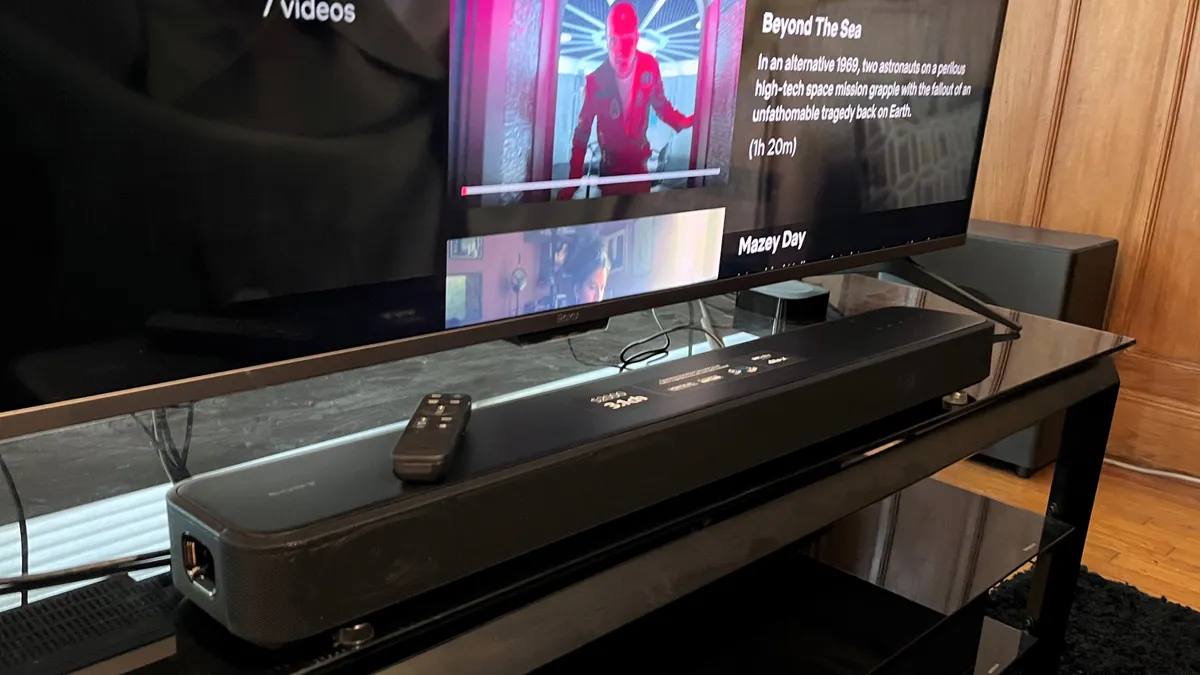


What you need to know: When it comes to sound quality, features, and value for money, we think the Sony HT-S2000 is the best budget choice around. Sony's proprietary processing translates to impressive levels of immersion and particularly clear dialogue, and we're glad to see support for Dolby Atmos and DTS: X. The HT-S2000 is rather basic when it comes to connectivity, however, with only one HDMI port along with an optical digital input, but it's still a fantastic option for anyone looking to upgrade their TV's built-in audio without breaking the bank.
Read our full Sony HT-S2000 review
Buy it if:
✅ You're looking for an affordable soundbar: The HT-S2000 proves that you don't have to empty your wallet for immersive audio, clear dialogue, and deep bass levels.
✅ You need a soundbar that's easy to use: During testing, we found that the HT-S2000's front-panel display provided great visual feedback – and a better-than-average soundbar remote control.
Don't buy it if:
❌ You own a current-gen console: Without 4K 120Hz passthrough, the HT-S2000 isn't the best for gamers with consoles that need access to HDMI slots.
❌ You want a home audio system: The HT-S2000 does not have Wi-Fi, so you won't be able to link it up to a multi-room wireless speaker system.
In-depth analysis
The HT-S2000 uses five speakers: three for the right, left, and center channels, and two woofers. It can't match the Sonos Beam Ultra when it comes to truly room-filling audio, but the sound you do get for the price is still solid. During testing, we particularly liked the clear dialogue levels, and pushing the volume to high levels didn't introduce any hard edges to speech. The virtual surround sound is spacious, too, and punchy bass levels add extra definition to action sequences and pounding movie scores. The HT-S2000 won't beat a soundbar with height channels, but for a 3.1 option, it offers plenty.
The mesh metal grill on the front of the HT-S2000, as well as the sturdy black plastic casing that houses the speakers, gives the soundbar a modern look and feel. In fact, we think that the HT-S2000 looks far more expensive than it is. For a budget soundbar, the HT-S2000 also produces visual feedback to remote control commands, which is a rarity at this price point.
The HT-S2000 isn't the cream of the crop when it comes to pure audio quality - but when you're paying roughly $349 / £299 / AU$695, it's hard to find anything else that delivers like the HT-S2000. It's the best budget-friendly option on the market, no doubt.
Alternatives
- Sony HT-SF150: For bargain hunters looking for a real steal, the HT-SF150 manages to balance solid built-in sound with an attractive design, though the HT-S2000 has it beat in terms of overall audio quality.
- Ultimea Poseidon D50: If you want surround sound for cheap, the Poseidon D50 offers 5.1 channels of clear, punchy sound at a budget-friendly price point.
The best all-in-one soundbar


What you need to know: The Klipsch Flexus Core 300 is a big soundbar with room-filling sound – though it's certainly on the pricey side. During testing, the Flexus Core 300's subwoofer adds extra oomph to movie effects and low notes in scores, and everything from TV shows to sports gets a boost of precision. With both HDMI eARC and HDMI 2.1 ports, the latter with 4K 120Hz passthrough, the Flexus Core 300 easily connects to current-gen consoles and TVs, and Wi-Fi support means that you can stream directly via Spotify Connect. The real star of the show is the Dirac Live room correction, which helps the bar sound awesome in any room you place it in.
Read our full Klipsch Flexus Core 300 review
Buy it if:
✅ You want uncompromised home theater sound: The Flexus Core 300 gives you a real Dolby Atmos home theater experience from a standalone soundbar, with height effects and bass you can feel.
✅ You want great sound in any room: This soundbar’s Dirac Live room correction processing provides clear and balanced sound no matter how big (or small) the room is.
Don't buy it if:
❌ You have limited setup space: This is a large soundbar, and it’s best suited to systems with a 65-inch (or larger) TV. If your setup is more compact, check out the Bose Smart Soundbar.
❌ You don’t use Google Home: If you’re an Alexa or Apple HomeKit user, the Flexus Core 300’s exclusive support for Google Home means you won’t be able to link it with your smart home ecosystem.
In-depth analysis
The Flexus Core 300’s basic sound quality is very good. We didn't have trouble picking out dialogue or finer, more delicate sound effects, though mid-range tones can sound a little overstuffed. We did find that the overall experience got even better when we used Dirac Live. The feature creates a custom EQ profile that adjusts as per the layout and dimensions of your room, and the results are outstanding – no matter how complex the audio gets, in a movie, game, or sporting event, audio is delivered with pinpoint precision.
This soundbar is undeniably big and, as a result, is better suited to larger TVs (think 65-inches ore more). It's an attractive model, however, available in black or walnut, both with an elegant woodgrain finish. The Flexus Core 300 also features a bright alphanumeric LED display with a large readout which, combined with the visual feedback from remote control commands, makes it one of the more intuitive picks in our list.
At $1,199.99 / £1,049.00, the Flexus Core 300 is pricey for a standalone Dolby Atmos soundbar, but its performance and feature set, which includes the option to expand out to a 7.1.4-channel system by adding wireless surround speakers and subwoofers, go a long way toward justifying that cost.
Alternatives
- Sonos Arc Ultra: The Arc Ultra delivers awesome Dolby Atmos effects from a single box, and it can be easily expanded with Sonos surround speakers and subs.
- JBL Bar 1300MK2: Thanks to its wireless rechargeable speakers, the 1300MK2 is especially versatile, with no power cords to find outlets for.
The best soundbar for Dolby Atmos


What you need to know: Samsung’s HW-Q990H bundles a true home cinema experience into a soundbar. It's comprised of four units: a main bar, a wireless subwoofer, and two discrete rear speakers. Together, they produce clear dialogue and effects that aren't lost in among swelling soundtracks and action sequences – which is exactly what we'd expect from a flagship Samsung soundbar. There's not a huge amount of innovation on display compared to the previous iteration (the Samsung HW-Q990F), but at such an attractive price point, it's hard to deny that the HW-Q990H is a tempting option for anyone who wants to bring an expansive Dolby Atmos atmosphere into the home.
Read our full Samsung HW-Q990H review
Buy it if:
✅ You want an immersive Atmos experience: The Q990H's Dolby Atmos effects are presented with superb clarity, putting you in the center of every scene.
✅ You need a soundbar that covers all the bases: The Q990H supports Hi-Res audio, Dolby Atmos, DTS: X, and 4K 120Hz for gaming.
Don't buy it if:
❌ You want to save money and space: The Q990H is physically larger and more expensive than the Q800F, which might suit smaller rooms or tighter budgets better.
❌ You need an easy-to-read LED display: We found the Q990H's front display a little hard to read during our testing.
In-depth analysis
The Q990H didn't disappoint during our testing, and produced some of the most precise sound mapping we've experienced. Movie effects followed the on-screen action accurately and generated an impressive sense of depth. We were also impressed by the powerful subwoofer – despite the fact it's on the smaller side! The bass packs a rumbling punch that was especially evident during Batmobile scenes in The Batman. Dialogue is never lost in the mix, either, and even in complicated scenes (like car chases and shootouts), we had no trouble following dialogue.
The Q990H looks almost identical to its predecessor, the Q990F, and we feel that it's somewhat outdated. The soundbar itself is nice and sturdy, but the metallic grille cheapens the overall look. We also continued to have trouble reading the front LED display – and the problem only intensified the further we sat from the soundbar.
The Q990H comes with a hefty price tag, which we think is justified by the stellar performance on offer. However, you can save some cash by opting for the Q990F while it's still on the market. Alternatively, check out cheaper models from rivals – like the Sony HT-S2000.
Alternatives
- LG S95: If you're an LG loyalist who wants room-wide Dolby Atmos sound, it's hard to find a better option than the budget-conscious S95.
- Hisense AX5125H: The AX5125H is a fantastic Hisense soundbar that excels at delivering surround sound and Dolby Atmos effects – and all at a price point that's incredibly modest.
The best small soundbar


What you need to know: The Bose Smart Soundbar might be compact, but it's incredibly effective - and that's thanks to its upfiring speakers that accurately deliver Dolby Atmos soundtracks and effects. The Smart Soundbar also has built-in Wi-Fi for streaming music, AirPlay 2 and Chromecast support, and can be paired with optional Bose wireless surround sound speakers and a subwoofer if you decide to upgrade your setup. Alternatively, the Smart Soundbar’s Personal Surround Sound feature, which requires Bose’s Ultra Open Earbuds, can produce surround sound without worrying about adding extra speakers.
To save money on Bose products, check out our Bose discount codes.
Read our full Bose Smart Soundbar review
Buy it if:
✅ You want great sound from a standalone soundbar: The Smart Soundbar delivers the Bose audio quality one expects. The bass and soundstage width are a bit light, but clarity and dynamics are good.
✅ You want real Dolby Atmos: The soundbar’s two upward-firing speakers let it deliver a real spatial audio experience. Also, a TrueSpace feature can upscale non-Dolby Atmos tracks for spatial audio.
Don't buy it if:
❌ You want full surround sound: Adding Bose Ultra Open Earbuds can give a great surround sound experience, but just for one person. If you want full surround sound for around the same price, other options are available.
❌ You’re on a tight budget: The Smart Soundbar has a premium price for a single soundbar. You can find similar compact soundbars for less, but you will compromise on both sound quality and features.
In-depth analysis
The Smart Soundbar is a small bar with a hefty price – but we think that you're getting plenty of value in exchange. Its compact size makes it especially well-suited to small rooms, like bedrooms and offices and even more modest living rooms. The Smart Soundbar can't produce a home-theatre experience, but that's not its purpose, and we found that the narrow soundstage can keep action-packed movies from feeling truly elevated. Still, two upward-firing speakers provide excellent Dolby Atmos effects and a vast sense of space that does a good job of offsetting that narrow soundstage.
If you're looking for a soundbar that'll suit virtually every setup without drawing any undue attention, the Smart Soundbar is a solid choice. It doesn't break the mold, but it doesn't offend the eye, either. We found the Smart Speaker's remote nice and easy to use, and two on-unit buttons make the Smart Soundbar one of the more user-friendly bars we've tested.
We were impressed by this small but mighty soundbar, and appreciated the Personal Surround Sound and TrueSpace features that add extra depth and oomph that similarly compact soundbars often lack. The Smart Soundbar is a good value option – as one of the few soundbars that sell for under $500 / £500 / AU$700.
Alternatives
- Samsung HW-QS700F: If you'd prefer a wall-mounted soundbar to save on space, the HW-QS700F is just as happy on a wall as it is on a stand, with gyro sensors that automatically adjust the speaker configuration for optimal performance
Best soundbars: comparison chart
Below, you'll find a chart showing the scores of every soundbar featured on this list, based on the criteria on which we review them: Features, Performance, Design, Setup & Usability, and Value. You can sort each column by clicking on its header.
How to choose the best soundbar
There are a lot of soundbars on the market, and a few key factors to keep in mind when shopping around.
- Size. Depending on your setup, your soundbar needs to fit under or next to your TV. For example, the long Sonos Arc soundbar is designed specifically for large screens, so it won’t look right with a smaller 50-inch TV. You'll need to know the size of your current TV and the size of the space available for your soundbar, and double-check the soundbar's dimensions to ensure it'll fit in nicely.
- Dolby Atmos. Dolby Atmos is a surround-sound technology that creates a soundscape all around you. This makes anything you watch way more immersive - but Dolby Atmos speakers also tend to be more expensive. You'll need to consider how important this Dolby Atmos experience is to you. If you opt for a cheaper, but still capable, option, the Sony HT-S2000 is our go-to pick for budget-conscious buyers.
- Connection type. Most modern soundbars have HDMI connectivity, while some boast optical connectivity. What's the difference? They're both ways that audio is passed from your TV to your soundbar, but HDMI passes high-resolution audio, including Dolby Atmos. If you want a premium listening experience, you’ll want an HDMI connection from your soundbar and an HDMI ARC (that's audio return channel) or eARC (enhanced audio return channel, a higher-resolution connection) port on your TV. This means that one of your TV's HDMI ports will be used by the soundbar, so some bars have 'passthrough' ports. These allow you to connect a console, set-top box, etc., to the soundbar, and it'll pass the visuals back to the TV. If your TV only has a few HDMI ports, this is doubly important.
- Budget. There are soundbars available to suit all budgets, whether you're trying to save a few pennies or ready to splash out. Some of today's more premium soundbars come with smart home functionality, like built-in virtual assistants, but if you don't need the bells and whistles, more basic options are available for less.
FAQs
What connection do I need for a soundbar?
The best way to connect a soundbar to your TV is with an HDMI cable. You'll need to make sure you have an HDMI port on your soundbar and an HDMI ARC or eARC port on your TV. This allows you to use a cable to connect them.
An HDMI port means that the highest quality audio can pass from your TV to your soundbar, like Dolby Atmos.
If your TV or soundbar doesn't have HDMI ports, the second-best option is an optical. This can still transfer digital sound, but not the high-resolution audio you'd get with HDMI.
However, you will still get quality audio, and an optical connection does work with soundbars and surround sound systems.
What size soundbar should I get?
When it comes to soundbars, size matters – and bigger doesn't always mean better.
Your soundbar needs to fit your setup, and going straight for the biggest and most powerful option you can find won't always play nicely with the space you have. Plus, an overlarge soundbar can distort the soundscape if it extends beyond the TV's dimensions, disrupting the staging and the overall effect.
Ideally, the soundbar should be the same width (or slightly shorter) than your TV.
This ensures that the soundbar slots in nicely underneath the screen and, importantly, that you're not creating an eyesore that'll distract you from the action every time you sit down to tune in.
Can soundbars provide surround sound?
True surround sound means speakers are positioned around you. Some soundbars on this list, like the Samsung Q990D and Hisense AX5125H, also come with a subwoofer and two smaller rear channel speakers, meaning you can place them around your room.
However, other devices with only one soundbar claim to offer surround sound. What this means is they deliver a stereo effect, which seems more like sound is coming from different directions, but isn't.
Many of the high-end soundbars in this list also have Dolby Atmos built-in. Again, this isn't technically surround sound, but the audio tech is advanced and creates the illusion of immersive sound by bouncing sounds off the walls and ceiling around you.
Are Dolby Atmos soundbars really worth it?
Although not all the soundbars on this list capture Dolby Atmos as well as a home theatre system, more and more soundbars are supporting Dolby Atmos, making it available to people with all budgets.
Yes, the level of detail you get from a full home theatre system compared to soundbars with 'virtual' Atmos or surround soundbars isn't quite as high, but Dolby Atmos soundbars are becoming more sophisticated and provide an extra level of immersion to your cinema experience.
Are soundbars worth it?
Absolutely. Even if you don't consider yourself a hardcore cinephile, the best soundbars make a world of difference to your TV-watching experience. Even the best TVs often fall short when it comes to audio quality. The built-in speakers often don't do justice to the complex, layered audio mixes of movies, shows, games, and sports, and a soundbar helps to differentiate these layers.
How much should I spend on a soundbar?
It depends on what you're looking for and your available budget. If you want the best of the best, prices typically start from $800 / £800 / AU$1,000 and upwards.
The good news is that there are lots of fantastic budget-friendly soundbars on the market, with some costing less than $100 / £100 / AU$150. Bear in mind, however, that you generally get what you pay for, and budget models don't tend to have premium features like Dolby Atmos, built-in rear speakers, and hi-res audio support.
The mid-range market is getting more competitive, too, and it's easy to get plenty of bang for your buck. Soundbars offering Dolby Atmos and a subwoofer for under $400/£400/AU$650 are becoming more and more common.
Where should I put a soundbar?
There are two sweet spots for your soundbar, depending on your setup: wall-mounted or slotted below your TV on a media console.
The best place to mount a soundbar is usually below the TV - unless you've got a TV hung particularly low on the wall. Wall-mounting a soundbar can be tricky, as it's easy to place it off-centre, resulting in an uneven audio experience.
Alternatively, putting your soundbar beneath your TV on a stand is a lot easier and makes for a more discreet look. The soundbar should sit level with your ears when you're sitting down, and that usually means keeping the soundbar as close to the TV as possible.
Does my soundbar brand need to match my TV?
Quick answer: No, any soundbar can be used with any TV. That’s because all TVs made over the past decade feature HDMI (ARC or eARC) and optical digital connections that output audio signals, and virtually every soundbar will feature both HDMI and optical digital inputs to accept that output. And even if you’re mixing brands, a TV’s HDMI-CEC feature will conveniently let you control the soundbar's volume level using the TV remote control.
Having said that, there are instances where combining soundbar and TV brands will yield benefits. Many Samsung soundbars, such as our best overall pick, the Samsung HW-Q800F, for example, support a feature called Q-Symphony that lets you combine the sound output of the TV’s built-in speakers with the soundbar’s output for an enhanced, more spacious audio presentation. And LG soundbars support a similar feature called Wow Orchestra that automatically integrates the soundbar and TV speakers when connected to a compatible LG TV. In both cases, you will experience a more powerful, immersive soundstage than you would from just the soundbar working alone.
Another benefit to using the same-brand soundbars and TVs is the ability to make a lossless wireless audio connection between the two – no HDMI cables required. Once again, this feature is supported by select TVs and soundbars from Samsung, which simply calls it Wireless Dolby Atmos, and LG, which calls its version WowCast.
What is Eclipsa Audio, and does my soundbar need it?
At the CES 2025 trade show, Samsung announced a new immersive audio format meant to compete with Dolby Atmos. Eclipsa Audio was jointly developed by Samsung and Google, and it will be supported by new Samsung TVs and soundbars coming out in 2025. Other TV and soundbar brands didn’t announce any new products with Eclipsa Audio support at CES, but since Google is involved, the format will certainly be supported on future TVs that run the Google TV smart TV platform (Hisense, Sony, TCL, among others).
Eclipsa Audio differs from Dolby Atmos in that it’s a channel-based format. Dolby Atmos soundtracks are “object-based” mixes comprised of audio “objects” positioned in 3D space that are scaled to a specific speaker configuration (e.g., 7.1.4 Atmos, 5.1-channel surround, 2-channel stereo). Eclipsa Audio, in contrast, supports up to 28 input channels, which Samsung and Google say is sufficient to provide an immersive 3D audio experience on systems ranging from headphones to multichannel home theaters.
While its license-free status should make it appealing to hardware manufacturers (Dolby, in contrast, charges licensing fees for Dolby Atmos), a key challenge that Eclipsa Audio faces is streaming service support. Dolby Atmos is firmly entrenched in the streaming ecosystem, while Eclipsa Audio is currently only supported by Google-owned YouTube. Given that situation, it’s safe to say that Eclipsa Audio support on soundbars is a non-issue for now, though it’s something to keep an eye on for the future.
Other soundbars to consider
We've reviewed several soundbars recently that didn't quite snag a spot in our shortlist, but are still worth considering.
LG Sound Suite H7: If you're looking for powerful sound and Dolby Atmos FlexConnect capabilities, then the LG Sound Suite H7 is well worth checking out. The soundbar can act as a kind of hub, too, if you choose to pair it with a sub and surround speakers. Keep in mind, though, that it lacks HDMI passthrough and DTS support, and is on the pricey side. Check out our LG Sound Suite H7 review for all the details.
Bose Smart Ultra Soundbar: An all-in-one competitor to the Sonos Arc, but with a slight lack of heft to its sound and a limited sense of height, this soundbar isn't great enough value to make it into the list. You can read our full Bose Smart Ultra Soundbar review to learn more.
Sennheiser Ambeo Soundbar Plus: This soundbar really earns its keep with superior delivery of Atmos effects and extended bass. It's well worth consideration if you're looking for something that's a single unit and if price isn't a worry, but it's expensive, and that's why it hasn't made our list here. Give our full Sennheiser Ambeo Soundbar Plus review a read if you want big sound without multiple boxes.
Sennheiser Ambeo Mini: If the Sennheiser Ambeo Soundbar Plus is beyond your budget, the Mini is a more compact and affordable model. It still packs an expansive soundscape, though it can't match the Plus when it comes to bass extension and Atmos height effects. It's a similar size to the Sonos Beam Gen 2. We'd choose that model over this one for overall audio quality, but you can read our Sennheiser Ambeo Mini review to learn more.
Sony Bravia Theater Bar 6: The Theater 6 delivers a powerful performance, with booming bass and precise, clear sound. Better yet, it's great value for money, but there are still cheaper options available on the market. Read our Sony Bravia Theater 6 review for more info.

Matt is TechRadar's Managing Editor for Entertainment, and has over 15 years of experience in tech publishing. He has been writing about the latest soundbars and TV audio since 2017, and has very strong opinions about the correct ratio of HDMI ports to price.
How we test the best soundbars
☑️ More than 2,600 TV and home theater reviews
☑️ 16 years of product testing
☑️ Over 16,000 products reviewed in total
☑️ Nearly 200,000 hours testing tech
When we test the best soundbars, we look at categories such as audio performance, design, setup and usability, value for money, and features - the same criteria we use for our reviews of soundbars.
Sources: After connecting the soundbar to a TV, we play not only streaming and 4K Blu-ray sources through the TV into the soundbar using the TV’s HDMI eARC connection (as 4K Blu-ray provides better audio quality than streaming), but also music over a Bluetooth wireless connection.
Audio overview: For audio performance, there are several factors we look at when testing. Soundbars are often used to upgrade a TV's built-in sound, so dialogue clarity and volume are key, as that’s where built-in TV speakers usually struggle the most. We also test bass, mids, and trebles by listening to how each range sits within a mix, and also whether the soundstage is wide or narrow.
Spatial audio: Dolby Atmos spatial audio and surround sound (both virtually and physically through extra speakers) have become common features on soundbars, so we will test the effectiveness and spaciousness of the surround sound, as some people will want a room-filling home theater feel without all the boxes needed for a full AV setup.
HDMI passthrough: When it comes to higher-end soundbars, we expect 4K 120Hz passthrough on HDMI ports and will test that feature if available. Gamers specifically look for this feature as some TVs don’t have the four HDMI 2.1 ports needed to cover both game consoles and a soundbar.
Music: Bluetooth streaming is more commonly being featured on soundbars as manufacturers look to offer an ‘all-in-one’ solution for movies and music. So, if a soundbar offers that feature, we’ll be sure to test its performance with streamed music. On more premium soundbars, we expect to see Wi-Fi streaming, although this is not always the case.
Setup and ease-of-use: This is another area we test, as some soundbars carry a plug-in-and-play philosophy whilst others require more in-depth calibration. More soundbars are featuring auto-calibration features to adjust the sound for the room they’re installed in, and this can make a big difference in sound quality. As part of our tests, we’ll listen to a soundbar before and after this calibration to see just how much of a difference it makes.
Consistency: While we strive to maintain consistency in testing conditions, some of our writers have different setups they’ll be listening in. However, the tests carried out and the testing criteria are the same for all our reviews.
Latest updates
October 29, 2026
We've given this guide a top-to-bottom refresh, replacing the Samsung HW-Q800F with the Sonos Beam Ultra as 'Best Overall'. We've also shortened our list of recommendations to keep our advice concise, and offered alternatives to each option.
September 11, 2026
Updated article FAQs and "How to choose" advice.
August 12, 2026
Revamped article intro and product entries to reflect our most recent testing data. Added a recent news section that we'll update regularly to reflect industry news and product rumors.
July 9, 2026
Updated Ultimea Poseidon D50 entry to reflect page structure, with up-to-date specs.
June 8, 2026
Replaced the Samsung Q990F with its successor, the Samsung Q990H, as 'best for Dolby Atmos'.
May 5, 2026
Added LG Sound Suite H7 to 'Also consider' section. Updated 'How to choose' and FAQ sections.
January 12, 2026
Replaced the Samsung HW-Q800D with its successor the HW-Q800F as 'best overall.' Replaced the Amazon Fire TV soundbar with the Sony HT-SF150 as 'best super-cheap' option as the former is no longer on sale. Replaced the JBL Bar 1300X with the JBL Bar 1300MK2 as 'best for flexibility.'
