


If you (or your kid!) are about to head off to high school, college, or university, you're going to want one of the best student laptops. But picking the right laptop for you isn't always straightforward; the best laptops on the market won't necessarily be the right fit for your personal needs and budget.
You'll want good battery life, for starters. Unlike office or remote workers, students will often have to spend a full day in packed classrooms, potentially without easy access to a power outlet. So a device that can make it through the school day is a must-have – though preferably without sacrificing the necessary performance to meet your software needs, and without costing an outrageous sum.
Whatever level of education you're at, a new laptop is often one of the single biggest one-off expenses for students. To ensure you can buy with confidence, I've drawn on TechRadar's collective experience reviewing more than 1,300 laptops since our inception 17 years ago to help you find the perfect student laptop to suit your needs and budget.
The good news is that Apple has finally done the impossible and released a budget laptop, the new MacBook Neo, which is arguably the single best laptop on the market right from a pure price-to-performance perspective. It immediately rocketed to the top spot in the list below, as well as our ranking of the best budget laptops, so if you're an Apple fan, this is the definitive pick. Apple also has a student discount program, though if you're looking for a Windows laptop or Chromebook, many other retailers offer student discounts and back-to-school sales.
Every laptop featured in the list below has gone through our rigorous product testing and review process to ensure it deserves a place on our top laptop lists. This includes battery life testing, synthetic benchmarking, and real-world user experience – as well as gaming, since many students may want a laptop that can double up as a gaming device. When I decide to include a laptop in this list, it's because I'm 100% confident that it's a strong choice for any student looking for a new laptop.
If you don't need anything that flashy and would rather save some cash instead, look to the Acer Chromebook Plus 514, which is perfect for lighter coursework. Whichever laptop you choose, know that you're buying with confidence with TechRadar's expertise at your back.

Understanding what makes a good laptop for students is more than just knowing an awful lot about laptops (although I do know an awful lot about laptops, having been reviewing them for more than eight years, for TechRadar and beyond). As someone who went through higher education with a decidedly lackluster laptop, I learned the hard way what's needed - and I've combined that with my knowledge from dozens of laptop reviews to ensure you get the perfect laptop to carry you through a full course of studies.
The best student laptop overall


✅ You spend long days away from outlets: The MacBook Neo delivered a respectable 13.5 hours in our battery life test, so you can easily get a full school day without scrambling for an outlet.
✅ Your coursework requires macOS-specific software: With the Neo, you get full compatibility with macOS apps and tools, making it a comfortable fit for a wide range of majors and student workflows.
✅ You're shopping with a strict student budget: Starting at $599 (before Apple's student discount), the Neo gives you premium build and performance without the premium price tag.
❌ Gaming performance is a priority for you: The Neo isn't built for serious gaming—demanding titles will run poorly compared to pricier, gaming-focused laptops.
❌ You're a design or creative major: This model lacks the advanced display and creative hardware found on higher-end Macs, so it's not ideal for creative professionals or design majors.
❌ Minimal device weight is a must for you: While still portable, the Neo is thicker than the MacBook Air and heavier than some ultra-light Chromebooks and Ultrabooks, which may matter if weight is your top priority.
The MacBook Neo stands out as our top overall pick for students, delivering a tested 13.5 hours of battery life in our video rundown and launching at a student-friendly $599 / £599 / AU$899 – and you can save an extra $100 (or equivalent for your region) by utilizing Apple's own student discount function, making it even better value for money.
In daily use, the Neo’s A18 Pro chip handled note-taking, research, and multitasking without a hitch. We found it equally responsive for everyday tasks; the fact that you get the complete macOS experience, not a stripped-down OS, means you’re free to run all the software your courses demand. TechRadar's own Matt Hanson noted in his review that swapping between a half-dozen browser tabs, Zoom, and Word never slowed the Neo down, which was a big reassurance during finals week.
Compared to mainstream alternatives like Chromebooks or the Surface Laptop Go, the MacBook Neo offers a more polished build and smoother performance. While some Chromebooks are lighter, they can feel flimsy and are limited by ChromeOS. The Neo’s full macOS compatibility and reliable hardware make it a smarter long-term choice, especially if you want something that won’t hold you back as your workload ramps up.
There are trade-offs. The Neo isn’t aimed at gamers or those needing a premium display and advanced creative features, so serious gaming and heavy creative workloads are better served elsewhere. For most students, though, the balance of price, performance, and OS flexibility makes it a strong pick for campus life.
Read our full Apple MacBook Neo review.
The best laptop for students on a budget


✅ You’re after a great value laptop: Despite its low price, this Chromebook punches above its weight.
✅ You want something simple but effective: With decent battery life, speedy performance, and an impressive screen for the price, this laptop is perfect for students.
❌ You need a powerful device: While the Acer Chromebook Plus 514 offers great performance in everyday workloads, we wouldn't recommend it for more intensive tasks like video editing or 3D rendering.
❌ You want a silent laptop: One of our only key criticisms of this laptop is that the fans can get quite noisy if you're running more demanding software.
Chromebooks can be an excellent choice for students working with a tight budget, as they're designed with affordable efficiency in mind. ChromeOS is a less resource-intensive operating system than Windows or macOS, meaning that a Chromebook can run smoothly even with a less powerful (and therefore cheaper) processor.
Still, the Intel Core 100U CPU at the core of the latest Acer Chromebook Plus 514 is leaps and bounds ahead of the feeble chips we've seen powering budget Chromebooks of yore. No, it's not going to run the latest triple-A games or handle complex scientific modeling software, but for straightforward tasks like writing assignments or researching online, our reviewer found it ran smoothly and efficiently, with enough battery life to see you through a full day of classes.
Read our full Acer Chromebook Plus 514 review
The best overall Chromebook for students
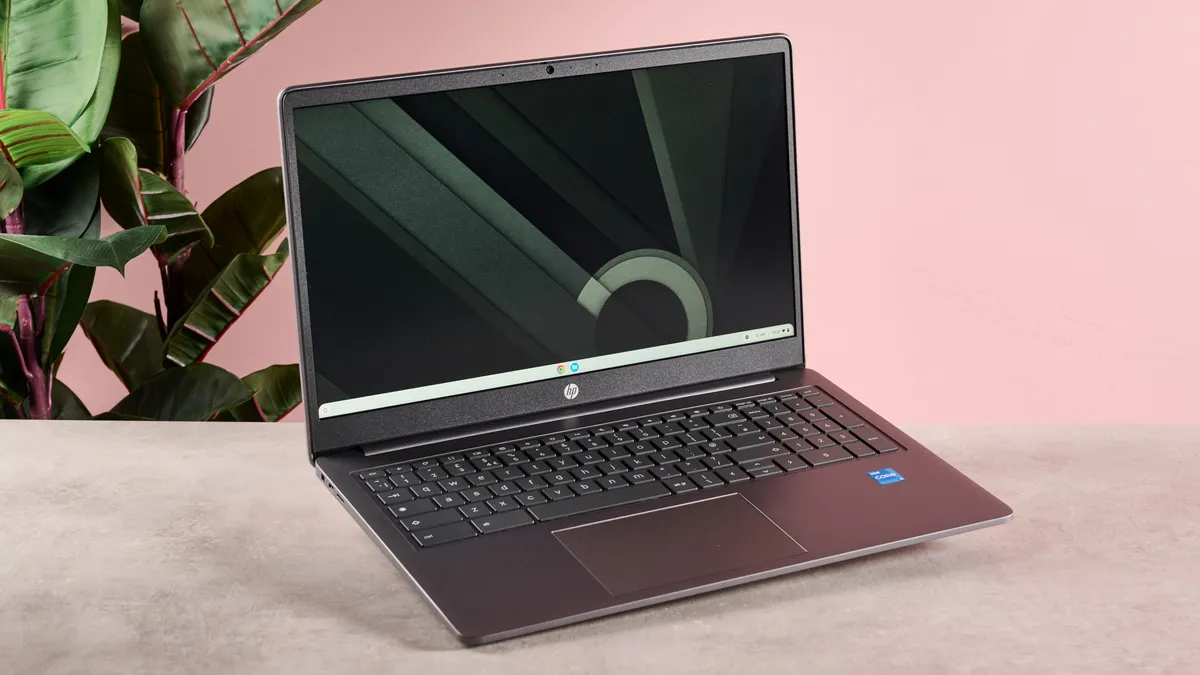


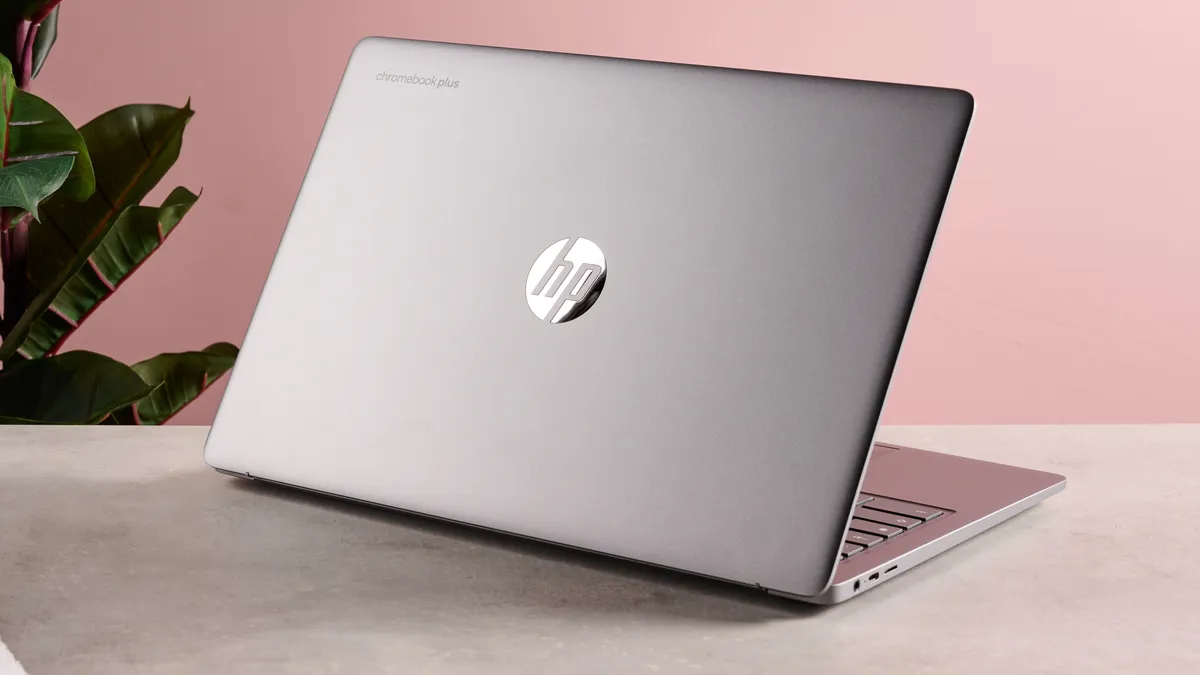


✅ You want one of the best Chromebooks around: With good performance and a premium-feeling design, this sets a new gold standard for Chromebooks.
✅ You like using the cloud: Like most Chromebooks, HP's Plus model works best when you take advantage of Google's cloud-powered software suite with Google Drive.
❌ You want a large keyboard: Since it includes a numpad, the keyboard of the HP Chromebook Plus 15.6-inch may feel a little cramped for users with larger hands.
❌ You want to run demanding software: Like most Chromebooks, this laptop simply isn't well-suited for high-level tasks like 3D rendering or video editing.
If you're already a ChromeOS lover or are looking to make the leap to Google's cloud-focused operating system, the HP Chromebook Plus 15.6-inch is a solid choice. With strong productivity performance and a battery that gave us more than 11 hours of continuous use in our tests, this feels like a laptop for serious students.
Reviewing this laptop, our Reviews Writer Lewis Maddison praised its premium-feeling build quality - something of a rarity for a Chromebook, which can often feel a little cheap in the hands - along with its surprisingly good display and quiet cooling fans. He described using the HP Chromebook Plus 15.6-inch to navigate ChromeOS as "a largely seamless experience" - although he did note that the keyboard can feel a little cramped at times, due to the inclusion of a numpad.
Of course, since it's a Chromebook, it's not going to be the right choice for students studying creative disciplines like graphic design or videography. If you're taking a course that doesn't require the use of intensive software, however - like Business Studies or Creative Writing - this laptop can definitely go the distance.
Read our full HP Chromebook Plus 15.6-inch review
The best lightweight student laptop


✅ You leave your charger at home: In our lab test, the XPS 13 (2026) delivered 16 hours and 17 minutes of video playback, enough to last a full day at school or work without recharging.
✅ You want something super portable: Weighing in at almost exactly one kilogram and packing a super-thin machined aluminum chassis, the new XPS 13 is easy to take with you everywhere you go.
❌ You frequently run many demanding apps: With only 8GB of RAM, the base configuration of the 2026 Dell XPS 13 slowed down when multitasking or running demanding programs in our tests.
❌ Seamless performance matters to you: The XPS 13 is lighter and lasts longer than the MacBook Neo, but it doesn't match Apple’s performance or offer macOS's finely tuned hardware and software ecosystem.
The Dell XPS 13 (2026) weighs just 2.2 pounds and measures half an inch thick, making it one of the lightest and most portable Windows laptops available. If you want a machine that slips into any bag and genuinely won’t weigh you down on campus, this is the standout option for mobility.
In our battery test, the XPS 13 ran for 16 hours and 17 minutes playing video at 50% brightness. That’s enough to get most students through a full day of classes and homework without reaching for a charger. If reliable unplugged use is your top priority, this model delivers.
Performance is where you’ll feel the limits. With only 8GB of RAM in the cheapest configuration, the XPS 13 handled basic browsing and office tasks well, but heavier multitasking or running demanding software caused slowdowns in our testing. If your coursework involves large apps or frequent multitasking, you’ll notice the bottleneck – and while you can always upgrade to more RAM and a faster CPU, it'll cost you.
Next to the similarly-priced MacBook Neo, the 8GB XPS 13 is lighter and lasts longer on a single charge, but can’t quite match Apple’s speed or macOS ecosystem. For students and commuters who put portability and battery life above raw power, it’s a smart pick.
Read our full Dell XPS 13 (2026) review
The best laptop for creative students


✅ Heavy multitasking slows you down: The latest MacBook Air 13-inch boasts the powerful M5 chip and is available with up to 32GB RAM, so it won’t hold you back in creative apps or heavy multitasking.
✅ Color accuracy is your top priority: Its Liquid Retina display serves up crisp visuals and accurate colors, ideal for editing, design work, or just watching Netflix.
❌ Minimum weight matters most to you: The MacBook Air 13-inch (M5) is portable but not class-leading for weight – other models like the XPS 13 go lighter if that’s your top need.
❌ You're on a tight budget: While you do get plenty of bang for your buck with the M5 MacBook Air, it's significantly more expensive than the MacBook Neo at the top of this list.
For students tackling creative workloads, the Apple MacBook Air 13-inch (M5) is a compelling choice. In our Geekbench 6 tests, it achieved a multi-core score of 17,073, and you can configure it with up to 32GB of RAM for even better performance. This laptop delivers smooth performance for editing photos, compiling code, or using multiple creative apps.
Our hands-on experience backs this up. The Air M5 stayed responsive and cool while running multiple Adobe Creative Cloud apps, browser tabs, and reference materials, even during heavy multitasking. This reliability matters for demanding projects.
Display quality is essential for creative work, and the MacBook Air stands out with its 2560x1664 native resolution. Visuals are razor-sharp, colors vibrant, and text crisp, which helps with color grading and long reading sessions.
Compared to rivals, the Air M5 has clear advantages. It outperforms the MacBook Neo in creative-class apps and offers a higher-resolution display than the Dell XPS 13. The macOS ecosystem and build quality are strong, though these don't directly give it an edge for creative toolchains. The Air M5 is not the lightest or cheapest option, and while its battery life is solid at up to 15 hours of mixed use, it lacks a touchscreen. If you want a lightweight laptop or a premium touch experience, the Air M5 might not be the best fit. Its performance and display quality, though, make it a strong contender for creative students.
Read our full MacBook Air 13-inch (M5) review
The best 2 in 1 Chromebook for students


✅ You need a versatile 2-in-1: The low package weight and 360-degree hinge on the Samsung Galaxy Chromebook 2 360 make it a flexible and effective little device.
✅ You prefer looks over performance: Design-wise, this is one of the best-looking compact Chromebooks on the market - but it doesn't offer high-end performance.
❌ You prefer a larger display: The 12.4-inch touch display on this Samsung Chromebook is actually very sharp and colorful, but it's certainly on the smaller side.
❌ You need lots of processing power: With only 4GB of RAM, this is probably the least powerful laptop on this list - it puts portability over performance.
While its lower-end internal specs might hold it back from achieving true greatness, the Samsung Galaxy Chromebook 2 360 nonetheless does an admirable job of what it sets out to be: a lightweight, compact, and flexible laptop.
With the smallest display size of any laptop on this list, it's easy to take with you on the go or hold in your hands when flipped into tablet mode - and despite its small size, the touchscreen is a rather impressive QHD+ panel that places it above many of its Chromebook siblings.
Granted, some sacrifices have been made here to allow that excellent display at the very reasonable $429 / £419 / AU$707 starting price (though you can often find it cheaper than that). In terms of its CPU and RAM, this Chromebook is admittedly one of the weaker devices on this list - but as long as you're just planning to do basic tasks like word processing and watching YouTube, you should be fine.
Read our full Samsung Galaxy Chromebook 2 360 review
The best 2 in 1 Windows laptop


✅ You want a well-rounded 2-in-1 laptop: With strong performance at a very respectable price point, the Dell 14 Plus 2-in-1 is a great all-rounder.
✅ You need longer battery life: Considering that 2-in-1 laptops often struggle with battery life due to their form factor, the 15+ hours of use you get from a single charge is great.
❌ You want something super-cheap: Although the Dell 14 Plus 2-in-1 is very competitively priced for a Windows 2-in-1, there are cheaper laptops out there.
❌ You need a high-quality display: The display on this laptop is decidedly just average, which is a shame considering how well it performs in other areas.
When John Loeffler, our US computing editor, reviewed the new Dell 14 Plus 2-in-1 earlier this year, he was happy with its performance, design, and price point (models start at $649 / £849 / AU$1,498), though he did note that some of the things he was willing to accept in the regular Dell 14 Plus clamshell model to keep the price low are more problematic in a 2-in-1 form factor. Specifically, John notes in his review that the display on the Dell 14 Plus 2-in-1 can only be described as "decent enough".
On a 2-in-1 device, however, where notetaking and collaborating across a table with your classmates are common use cases, the quality of the display matters a lot more than it does on other laptops. That's not to say the 14-inch IPS panel on the 14 Plus 2-in-1 is bad, it's just not great, and it's a compromise that more than a few 2-in-1 fans might not be willing to make.
The other big issue John had with the laptop was its lack of high-end performance, but given the focus on a lower price point with the 14 Plus lineup, you really shouldn't be expecting more than a productivity and general computing laptop. In that regard, John found the performance more than up for the task, but he definitely recommends against trying to do any serious PC gaming or video editing work on this one.
Read our full Dell 14 Plus 2-in-1 review
The best student gaming laptop


✅ You balance heavy gaming with academic tasks: The Omen 16 Slim's RTX 5060 GPU and 16-core Intel Core Ultra 7 255H CPU delivered 132 fps in Shadow of the Tomb Raider in our lab tests, and our lead tester ran a Steam library of AAA titles with no issues.
✅ You want a sensibly-priced gaming laptop: While it's undeniably still more expensive than most of my other recommendations for students, the Omen 16 Slim delivers plenty of bang for your buck within the gaming laptop market.
❌ You carry your laptop everywhere: The Omen 16 Slim is heavier and bulkier than ultraportable laptops like the MacBook Air and XPS 13, which may be a drawback if you carry your laptop everywhere.
❌ You connect multiple devices at once: The Omen 16 Slim has fewer ports than thicker gaming laptops, which could be limiting if you need to connect multiple devices.
The HP Omen 16 Slim stands out for students who want a laptop that can handle both coursework and gaming. In our testing, the Omen 16 Slim delivered impressive gaming results thanks to its Nvidia GeForce RTX 5060 GPU and 16-core Intel Core Ultra 7 255H CPU, which together provide smooth multitasking and consistently high performance across demanding titles. Our lead tester used the Omen 16 Slim as their daily driver for a while, running a Steam library of AAA games without a hitch.
Compared to popular student laptops like the MacBook Air, MacBook Neo, and Dell XPS 13, the Omen 16 Slim offers far superior gaming and creative capabilities. Those ultralights excel in portability and battery life, but they can't match the Omen's graphics power or frame rates in modern games. Despite the higher performance, the battery life on the Omen 16 Slim is surprisingly good, managing more than 12 hours of video playback in our testing.
There are some trade-offs to consider. Despite the name, the Omen 16 Slim is the heaviest and bulkiest laptop on this list, but the physical port selection is weak compared to most gaming laptops. Fan noise was noticeable under load (this is likely the loudest laptop recommended here, too), but did stay within reasonable limits. If gaming is a priority and you want a laptop that can also handle everyday student tasks, this is the clear pick.
Read our full HP Omen 16 Slim review
Other laptops we've tested
New laptops arrive on the market every single month, so anyone shopping for a laptop is usually spoiled for choice. Here, I've highlighted a few laptops we've recently reviewed that didn't quite make it into this ranking; consider them my honorable mentions.
- Dell Inspiron 14 Plus: A Windows laptop ideal for anyone who just needs a straightforward system to get through the day, the Inspiron 14 Plus from Dell is a no-frills system that can act as a solid MacBook Air alternative for those who prefer Windows to macOS.
Read our full Dell Inspiron 14 Plus review - Dell 14 Plus: The non-hybrid version of the Dell 14 Plus 2-in-1 found in the list above, this is essentially the same laptop but without the 360-degree hinge and touchscreen functionality. Still a great laptop, mind you!
Read our full Dell 14 Plus review - Acer Nitro 14: Fundamentally a bit overpriced (which is its main downfall), but still a solid choice of 1080p gaming laptop, offering good gaming performance and a well-designed chassis.
Read our full Acer Nitro 14 review
FAQs: How to choose the best student laptop for you
The best student laptop is going to give you the right balance between sufficient performance for productivity tasks, affordability for a student's budget, and durability to handle the kind of wear-and-tear that a student can put their laptops through – and having it look good never hurts.
But that can be a hard thing for students and families to balance, especially if they aren't as familiar with computer hardware as they'd like to be. Fortunately, there are some general guidelines that you can follow to get the right student laptop for your needs and budget: check out these frequently asked questions to get an idea of what you might need to look out for (and ways to save money!)
How much storage does a student need?
This depends on what type of laptop you decide to pick up, as well as what subject you're studying. For example, if you're a creative writing student rocking a straightforward budget laptop, you really don't need to worry about storage that much. Simple text documents don't take up much space, and Chromebooks make heavy use of cloud storage via Google Drive anyway. 256GB, 128GB, or even 64GB is fine in these cases.
On the other hand, students studying disciplines that involve using resource-intensive software and large files - think photo and video editing, scientific modeling, and anything that involves rendering 3D files - are going to want a lot more storage. For this, I'd recommend 1TB of SSD storage as the minimum; 2TB is better, and you might even want to consider investing in one of the best external hard drives.
The same goes for students who plan to install and use lots of programs at once - if you're like me, and like to keep dozens of games installed on your computer (because I'm chronically indecisive), bear in mind that you'll want a laptop with storage measured in the TBs rather than the GBs.
Is 4GB RAM enough for a student laptop?
For any Windows or macOS laptop, 4GB is fundamentally not enough RAM for modern use cases. 8GB should be considered the bare minimum for light work on these operating systems; 16GB is better, and has become the de facto new industry standard.
For Chromebooks, things are a little different; the lightweight software ethos of ChromeOS means it can comfortably run well on less powerful hardware, meaning that 4GB of RAM is a more viable option. Still, more RAM is useful for multitasking; I'd recommend springing for 8GB if you're the sort of person who likes to keep 10+ browser tabs open at once while playing music in the background.
How to get a student discount on a laptop
One of the benefits of being a student is that you can often take advantage of student discounts on all sorts of products - including a new laptop. How you do this will vary heavily depending on your region, though.
If you're in the UK, UNiDAYS is a great resource for finding discounts on tech, while Student Beans offers periodic discounts on products from Currys, which can include laptops. Meanwhile, UNiDAYS is also available in the US and Australia. American students can also sign up for the Student Advantage Card, which offers a wide range of discounts.
It's also worth noting that some laptop manufacturers, including Dell, HP, and Acer, sometimes offer student discounts directly on their online storefronts. Some schools may even have their own system for getting discounted laptops into the hands of students, so be sure to investigate this before making a purchase. For all of the above methods, though, remember that you'll need a valid student ID.
Is a MacBook a good laptop for students?
This is a slightly loaded question, because the best operating system for students (whether that's Windows 10 or 11, macOS, or ChromeOS) will ultimately come down to which OS the student in question prefers to use. Some of us are married to the effective functionality of Windows; others might prefer the aesthetically pleasing UI of Apple devices, or the Android-esque, streamlined user experience Chromebooks provide.
If you're already comfortable using a specific operating system, making the leap can be tricky. ChromeOS is arguably the easiest to pick up and use, but changing to MacOS after a decade spent familiarizing yourself with Windows might lead to confusion. Take this into consideration when choosing a new laptop for school or college.
On the hardware side, we're pleased to say that MacBooks are more competitive than ever. Apple's fantastic M-series chips are much more capable of running demanding tasks than processors with integrated graphics, making Apple laptops excellent all-rounders for the busy student. However, if you need to run highly intensive software, it's worth considering a Windows laptop with a dedicated GPU - ideally an Nvidia RTX one - since this will give you a lot more grunt in GPU-accelerated programs.
Which is better for students: a laptop or a desktop?
Simply put, most college-level students will need a laptop for their studies at this stage. While having a computer of some kind is practically a necessity at this point - with the rise of remote learning and content creation among university students - a laptop can be thrown into a rucksack and taken along to lectures and workshops, unlike a desktop PC.
Yes, a desktop will typically offer more processing power and the advantage of a bigger screen, but you can easily end up spending more (especially once you factor in the need for peripherals) and then still find yourself needing a portable device for note-taking and working on the go. If you've already got a small tablet or laptop that you can take out and about, you might want to consider buying one of the best desktop computers, but otherwise, we recommend you get a more capable laptop and use that in lieu of a desktop.
Can students get a free laptop?
Some schools and universities will offer free (or discounted via subsidy) laptops to students who demonstrate need. Be sure to research your chosen place of education to find out whether it offers any tech assistance schemes or hardware grants; whether or not you qualify is likely to depend on your personal financial situation.
If you don't qualify for these or your school doesn't offer a tech assistance program, there are also third-party groups that offer free or reduced laptops to students. Computers with Causes, Dell Scholars, and Notebooks for Students are some examples of these.
If you still need to buy a laptop, take a look at our best cheap laptop deals page to see if you can snap up a bargain.
How we tested these student laptops
We know that buying a new laptop can be a huge investment. Even more so with laptops for college students. That’s why we take our jobs seriously, and test every laptop recommended on this list extensively.
That process involves using them in our day-to-day lives to see how long their battery lasts, how robust they are – college kids have hectic lives, after all, and how cool they stay under pressure. We also look at their design, including how stylish they are, if they are thin and light enough to carry around with, and how comfortable they are to work on. Because the webcam and microphone in a laptop are also incredibly important, especially these days, we take time to test those out as well.
When it comes to performance, we use a mix of real-world tests and synthetic benchmarks to see how powerful (or not) these laptops are. This means using Windows 10 (or ChromeOS on Chromebooks and macOS on MacBooks) and running various apps and seeing how fast they load, noting down any problems.
Battery lives are also important, so we’ll keep track of how long we can use the laptop without needing to charge it. To get specific numbers, we also run our own battery life benchmark that plays a looped 1080p movie until the battery dies and the PC Mark 10 battery life benchmark, which replicates real-world usage, such as web browsing and document creation. These tests give us an excellent idea of how long the batteries in these laptops last.
When all is said and done, we then take everything we’ve learned about the laptop and compare it to its price, to see if it offers the best value to students.
Tested by
Look at that, it's me again! Yes, I didn't just write this guide: I also personally reviewed some of the laptops you'll find in it. I've been testing and reviewing computer hardware for most of my professional career as a journalist, and I'm also just generally an avid fan of laptops and fancy cutting-edge tech.

Having lugged an old PC to university, I’m determined to make sure other students never make that mistake, so I’m always on the hunt for the best laptops for college and school work to recommend. I’ve been reviewing laptops for nearly two decades, and during that time, I've learned what makes a great device for students: something that’s light, well-built, has a long battery life, and is super affordable.

Named by the CTA as a CES 2020 Media Trailblazer for his science and technology reporting, John specializes in all areas of computer science, including industry news, hardware reviews, PC gaming, as well as general science writing and the social impact of the tech industry.

A member of our dedicated reviews team at TechRadar, Lewis previously wrote for our business-focused TechRadar Pro section. He's a master at covering computer hardware, with some extra background in music production that helps him pick up on key audio-related features when reviewing laptops.

Part of our trusted network of freelancers, James has plenty of experience from four years spent testing all sorts of tech products, from laptops to robovacs. His work is found all over TechRadar, as well as sites like Top Ten Reviews and T3.
Today's best student laptop deals
