





TechRadar Verdict
The second-generation Ray-Ban Meta still stands as the best smart glasses for most people, but they don’t move the needle enough to suggest they’ll hold onto that spot for the next few years. That being said, I was impressed by just how capable and streamlined they are in use, and the upgrades to camera specs and battery life make these a viable option if you’re tired of experiencing life through a phone-camera lens.
Pros
- +
Better photo and video quality
- +
Stylish in a wide range of frames
- +
Longer battery life
- +
Clear and loud audio
Cons
- -
Privacy minefield
- -
Still some audio leakage
- -
AI is not 100% accurate
- -
Difficult to take good photos
Why you can trust TechRadar We spend hours testing every product or service we review, so you can be sure you're buying the best. Find out more about how we test.
Ray-Ban Meta (Gen 2): two-minute review
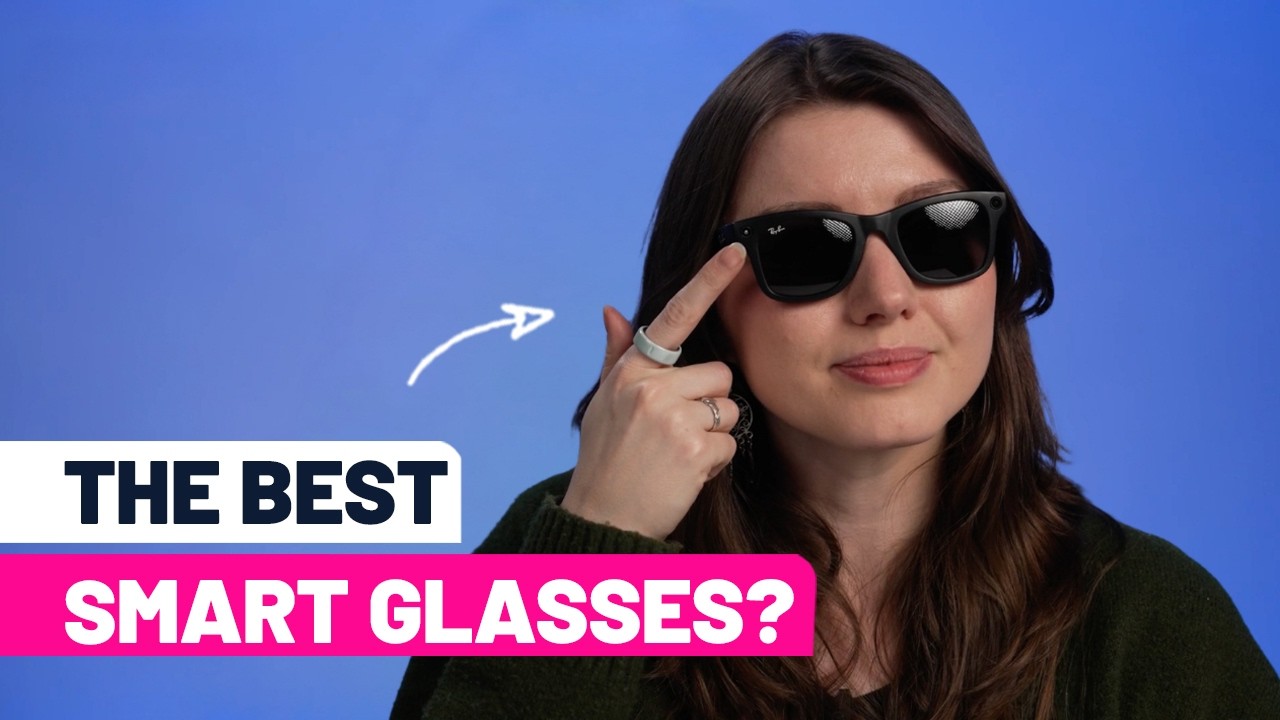
Between the boom in generative AI technology and the ability of manufacturers to produce smaller-than-ever hardware components, accessories as light as glasses frames can house impressive computing power these days, and leading that particular charge has been Meta, with its stylish and capable Ray-Ban Meta smart glasses.
Ray-Ban Meta smart glasses, made in collaboration with EssilorLuxottica (the parent company of Ray-Ban and Oakley), set the current standard for the many lesser-known brands competing for space in the burgeoning market.
That being said, the competition may well catch up before long — the changes between the first- and second-gen glasses are only iterative, and Meta’s focus is more than likely on the Meta Ray-Ban Displays rather than on these comparatively ‘dumb’ smart glasses.
So, what better way to test them than by taking them on the road? I took my pair of second-gen Ray-Ban Metas on vacation to Rome, Italy and used them as both my main camera and my tour guide to find out how useful they are in real-life environments.
Ray-Ban Meta (Gen 2) review: price and availability
- Starts at $379 / £379 / AU$689
The Ray-Ban Meta (Gen 2) start at $379 / £379 / AU$599 in all their various styles — that’s $80 / £80 / AU$150 more than the first-generation glasses. That’s a relatively small price increase (especially given current market conditions) for a decent upgrade to battery life and camera specs — and you can easily swap out your existing lenses into the Gen 2 if you already own the first generation and really want those benefits.
You'll also pay $30 / £30 / AU$40 or $80 / £80 / AU$90 extra for Polarized or Transitions lenses, respectively. I went for standard shaded lenses, and I wished for transitions countless times during my testing; they’re a must-have if you plan to use these indoors at any point without looking like you’re nursing a hangover.
Specs |
Ray-Ban Meta (Gen 1) |
Ray-Ban Meta (Gen 2) |
Camera |
12MP ultra-wide |
12MP ultra-wide |
Photo Resolution |
3024 x 4032 pixels |
3024 x 4032 pixels |
Video Resolution |
1080p at 30fps |
1200p at 60fps 1440p at 30fps 3K at 30fps |
Microphones |
5-microphone array |
5-microphone array |
Storage |
32GB |
32GB |
Audio |
Two open-ear speakers |
Two open-ear speakers |
Weight |
49.2g |
52g |
Processor |
Qualcomm Snapdragon AR1 Gen 1 |
Qualcomm Snapdragon AR1 Gen 1 |
Compatibility |
iOS; Android |
iOS; Android |
Battery (Glasses) |
Up to 4 hours of moderate use |
Up to 8 hours of moderate use |
Battery (Charging case) |
Up to 32 additional hours of charge |
Up to 48 additional hours of charge |
Water Resistance |
IPX4 (splash resistant) |
IPX4 (splash resistant) |
Designs |
Wayfarer, Skyler and Headliner |
Wayfarer, Skyler and Headliner |
Lenses |
Prescription (-6.0 to +4.0), Transition and Polarized |
Prescription (-6.0 to +4.0), Transition and Polarized |
While these are still surprisingly affordable, the price is beginning to creep up towards “wait, do I really need these?” territory; in a world where we can now purchase a $599 / £599 / AU$899 MacBook Neo, the ‘cool’ factor can only go so far to inspire new customers to invest in an otherwise niche category.
All frame designs are priced the same, and you can choose from six color options across the Wayfarer and Headliner frames, or seven in Skyler. Plus, two new designs have also recently been released for prescription wearers: Blayzer and Scriber. There are two model sizes too, although exclusively for the Wayfarer style; one for larger and one for smaller heads. Certain frames also offer the option of a low nose-bridge model.
- Value: 4/5

Ray-Ban Meta (Gen 2) review: design
- Broadly the same as first-gen glasses
- Slightly heavier
- Still IPX4 splash-resistant
Little has changed outwardlythat the eye can see between the first and second-generation Ray-Ban Meta smart glasses. The case is the same, they’re available in the same styles with the same lenses (Prescription (-6.0 to +4.0), Transition and Polarized) – in fact, all that’s noticeably changed here is the weight, which goes up 2.8g, from the 49.2g of the first-generation to 52g, likely on account of the larger battery and improved camera hardware.
There’s some disappointment in this sameness. For example, these still only have an IPX4 rating, so they’re splash-resistant but not splash-proof — and something that’s worn on your head, which is the first place to get wet in a sudden downpour, should have the best possible protection here.
I don’t love how the Wayfarers look on me, which did kind of ruin my holiday shots. I went for the Wayfarers as they’re a more unisex design, and I could share them around with my colleagues, but the boxy shape and thick frames make me look like Carl Fredricksen from Up. Broadly speaking, I think at least one of the three styles will suit most people (I’m more of a Skylar girl, myself), but even Meta can’t entirely escape the fact that these glasses need to be decently boxy in order to squeeze in all that tech.

The fit is still super-comfortable, though, and that 2.8g weight increase hasn’t made the glasses unwearable — though first-timers may find them a little heavy on the nose bridge. On the upper-left corner when you’re wearing the glasses / looking at the glasses from the front, as on the first-gen, is the 12MP camera lens, and on the upper-right is the indicator light that lets passers-by know you’re filming or taking a photo. The placement here bothers me — most smart glasses clearly weren’t made with women in mind, because if you have bangs as I do, you’ll find a great many shots get interrupted by your hair.
Also as on the first-gen specs, the shutter button is on the top of the right arm, and the invisible touchpad is on the outer side of the arm, which lets you control things like music and Meta AI. On the left arm is the power switch.
From afar, these features are discreet enough to be almost invisible, and that continues right the way through to the embedded mics and speakers. In fact, the only way you can tell these are smart glasses at all is from the camera lens and the light — I’ll let you decide whether that’s a good thing, or a menace to society.
- Design: 5/5
Ray-Ban Meta (Gen 2) review: Performance
- AI is broadly reliable
- 12MP camera is still limiting, but decent
- Battery boost is much appreciated
I took the Ray-Ban Meta (2nd generation) smart glasses on vacation with me to Rome, Italy, hoping the beautiful and historic city would offer lots of opportunities for that neat little 12MP camera to capture some great first-person perspectives as I explored the landmarks.
I didn’t necessarily want to like the process — I’m deeply concerned by the privacy implications of guerrilla video and photo capture — but I can’t think of a better way to really capture a moment than to record pretty much the exact perspective you had when you experienced it. Plus, with news in late 2025 about new targeted ads using Meta AI conversations and alarming reports about footage captured on the glasses, including intimate moments, being viewed by contractors, the privacy-conscious may well want to keep all Meta products at arm’s length.
That aside, the quality of photos and videos captured by the Ray-Ban Meta (2nd generation) will naturally pale in comparison to the main camera on any flagship smartphone from the past few years. It’s only a 12MP camera, after all. Still, I think there’s something quite rustic and charming about the photos and videos taken by the Ray-Ban Meta, especially if you work around its limitations.


You’re limited to vertical shots, and framing your shots is tough, given there’s no display or preview. Shooting at night will garner middling results, and colors can also often be a little diluted, but broadly speaking the results are great for capturing the moment.
You’ll need to put some thought into what video settings suit the action, too: 1080p at 30fps is a little better stabilized, but naturally less detailed and well-balanced, than 3K HDR videos. You can see examples of this in our Ray-Ban Meta (gen 2) video review.
The most noteworthy upgrade for me is to the battery. With double the on-device battery and a solid 16-hour boost to the case charge compared to the first-gen, these can comfortably last you through a whole weekend away, or you could get by with a few quick charges if you’re travelling for a week or two. That’s a huge win while only adding a few grams to the weight.
Inside the glasses’ arms are two open-ear speakers, through which you can hear Meta AI’s responses and music; these are louder, bassier, and have less sound leakage compared to the first model, according to Meta. I’d say that all tracks — the quality here is pretty great, though there’s still a good amount of leakage. I still wouldn’t personally wear these while sitting next to a stranger and listening to tunes full blast, but if you’re lying on a beach or on a walk, they’ll work a treat.


Speaking of Meta AI, the assistant is pretty handy to have around, and has seen some improvements since we reviewed those original specs back in 2024. Broadly, the AI suite works as expected, including newer features; I tried using Live Translation to quickly unpack what someone was saying, and while it’s not super-accurate or snappy, it gets you by when you’re abroad and you’ve been neglecting your Duolingo sessions.
When I visited the Colosseum, Meta AI served as my stand-in tour guide, telling me about the different landmarks I was looking at, and chatting up a storm about Ancient Rome. However, I did experience some hallucination; I asked if the massive structure had ever been used for anything beyond entertainment, and Meta AI told me all about its past as a housing complex.
I pressed for more information – including when this happened, and all of a sudden it said that had never been the case. Such issues were infrequent, but it does show why you should generally take AI-generated information with a pinch of salt.
The worst part of the AI suite is, unfortunately, the app you have to use to pair your Ray-Ban Meta. The Meta AI app is brimming with AI slop, and I hate that there’s no one-touch button to get straight to your media if you’re a Ray-Ban user. Every time I accidentally open the Vibes feed, I shudder.
- Performance: 4/5
Should I buy the Ray-Ban Meta (Gen 2)?
Attribute |
Comment |
Score |
Design |
Comfortable and stylish thanks to Ray-Ban's ocular know-how, though camera placement can still be bothersome. |
5/5 |
Performance |
A boost to audio and battery makes for a well-rounded set of smart specs, though there's still room for improvement. |
4/5 |
Value |
Still sit comfortably within the value range for smart glasses at this calibre, but a $/£80 price increase might spell trouble for future lenses. |
4/5 |
Buy them if…
Don’t buy them if…

How I tested the Ray-Ban Meta (Gen 2) review
I used the Ray-Ban Meta (Gen 2) for a month, including during a trip to Rome, Italy, wearing them on any day where it was bright enough to use sunglasses. I filmed and shot photos indoors and outdoors, day and night to see how well the 12MP camera could capture the action.
I made sure to try all of their AI features, testing their battery and performance over longer periods to assess comfort, usability and battery life.
I ran the Meta AI app from my iPhone 15 Pro.
- First reviewed: April 2026
