


There’s a massive cold front moving across much of the United States, and temperatures in New York City are in the low 20s – but it feels more like the teens with the wind chill. I’m still rocking AirPods Pro 3 on my walks, of course, listening to Bruce Springsteen, but I’m keen to keep my hands in my coat pockets and rely on hands-free controls.
Alongside keeping my fingers crossed that the AirPods’ microphones are good enough to pick up my voice and transcribe things properly, I’ve also been relying on a lesser-known feature: gesture controls. Yes, they might make me look a little weird to folks passing me on the sidewalk, but shaking my head up and down or left and right is a surprisingly simple way to have a notification read aloud – or not – as well as to respond to a message or ignore it entirely.
Maybe best of all, you don’t need the very latest AirPods from Apple. The Cupertino-based tech giant rolled these out in 2024, and gesture controls are supported on AirPods 4 (with or without noise cancellation), AirPods Pro 2, and AirPods Pro 3. They’re also easy to enable in Settings on your iPhone.
Let’s break that down and explain why these head-based controls are so handy and how they complement the hands-free experience.
Make sure Gesture Controls are on – and customize them
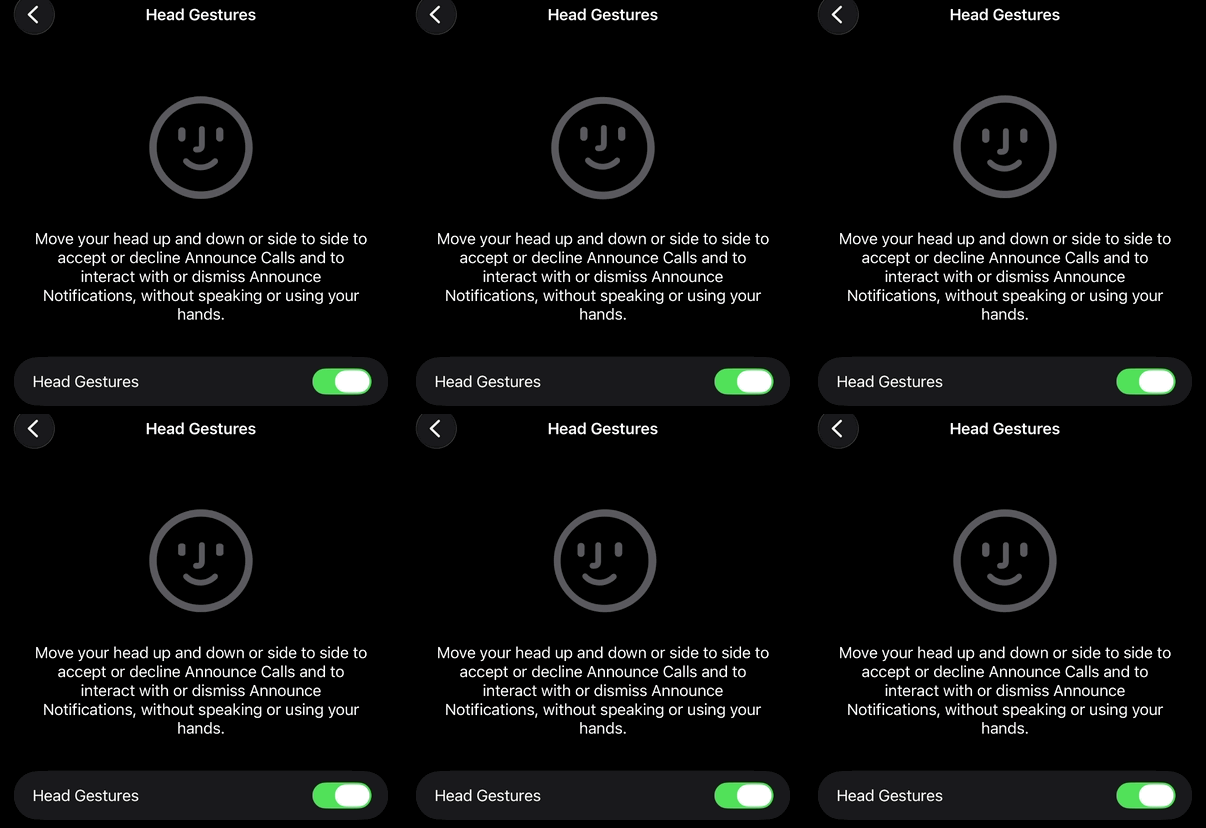
The first step is to open Settings on your iPhone while it’s connected to your AirPods. From there, you’ll see your AirPods listed at the top of Settings – in my case, they appear as “Jacob’s AirPods Pro.”
Tap that to open the AirPods settings panel, then scroll down to the section labeled “Head Gestures” and tap it. On that screen, you’ll find a brief explanation of how the feature works, along with the option to turn it on or off.
You can also decide which gesture – up and down or side to side – is used for accepting and declining. You’ll need to assign one to each, and you can test them out right there. I’d recommend doing so, as it can take a few deliberate head movements in the right direction to trigger the desired action.
This is also where you can adjust other controls to your liking, such as what a single press or a long press on the stem does. Of course, your options will vary depending on which AirPods model you’re using.
Gesture controls are great for getting a point across quickly

What I like most about these controls is that they’re generally faster than interrupting Siri while the assistant is in the middle of announcing a notification. They’re also far less awkward than blurting out a command when you’re walking near other people or standing in a crowded transit hub.
They also help you get back into your groove – whether that’s a favorite walking track or a podcast – with fewer interruptions. If a long Slack message starts being announced, for example, you can quickly shake your head side to side to dismiss it and let the crossfade bring your audio back up.

It’s especially useful if you find yourself in a “Quiet Car” on your commute. In my case, NJ Transit’s first and last cars are designated quiet zones, where all conversations must be kept to a whisper– making this a perfect control option since it doesn’t require you to say a word.
So yes, AirPods head controls have been around for a bit, but as temperatures continue to drop, I’d much rather be shaking my head and keeping my hands in my pockets than triggering a command with my fingers or my voice. And it still lets me keep listening to the Boss.
Follow TechRadar on Google News and add us as a preferred source to get our expert news, reviews, and opinion in your feeds. Make sure to click the Follow button!
And of course, you can also follow TechRadar on YouTube and TikTok for news, reviews, unboxings in video form, and get regular updates from us on WhatsApp too.
