
 Become a TechRadar Insider





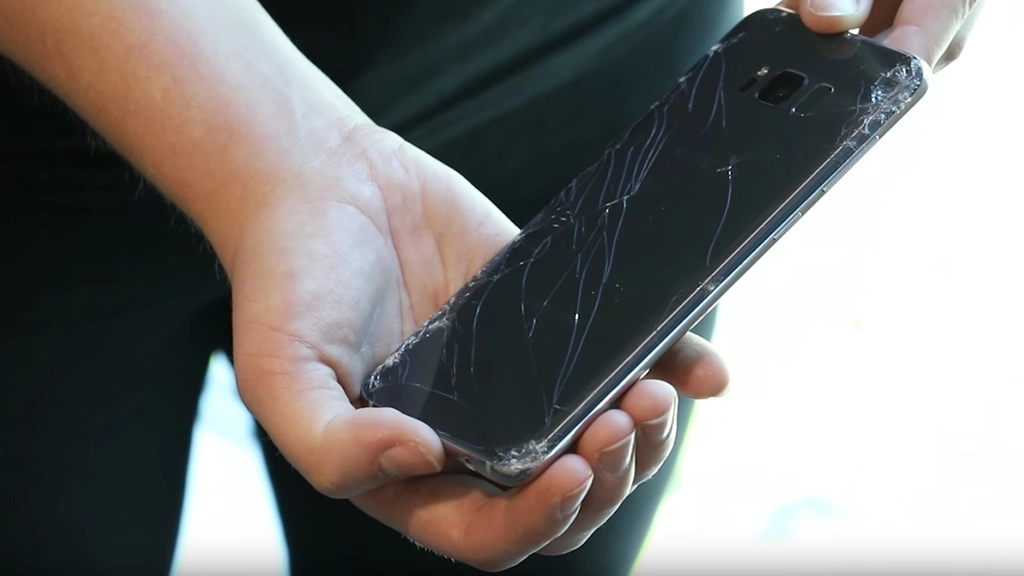
With so much glass covering Samsung's sleek new Galaxy S8 and S8 Plus handsets, it perhaps comes as no surprise that they'd be quite fragile. What you may not have been expecting, however, is for the devices to be described as more fragile than any other flagship phone on the market.
A recent video posted by extended-warranty service provider SquareTrade has put both the Samsung Galaxy S8 and S8 Plus through a series of durability tests, and the results are, well, shattering.
The tests revealed that neither the fronts, backs or corners of each phone managed to come away unscathed from a six-foot drop to the pavement. Both handsets suffered loose glass, spiderwebbing and starburst-shaped cracks in several areas.

Commenting on the results, SquareTrade stated that the "S8 is the first phone we've tested that's cracked on the first drop on ALL sides."
Described as being of 'medium-high risk', the Galaxy S8 earned a 'breakability' score of 76/100, while the S8 Plus earned a score of 77/100. By comparison, SquareTrade gave the iPhone 7 a score of 5/10 while the explosive Galaxy Note 7 scored a 6.5/10.
According to Motherboard, mobile phone repair companies are anticipating many Galaxy S8 and S8 Plus repairs in the near future, with Fruit Fixed repair shop owner Justin Carroll predicting "it's definitely going to break, no question about that."
Thankfully, it appears that repairs should be relatively inexpensive. Motherboard has reported that the price of a replacement S8 screen is currently "between $50 and $100 cheaper than Galaxy S7 screens were at launch."
According to Kev Notton, founder of RepairMapr, the cost is "low for an OLED panel in a new flagship, especially for new screen tech like the Infinity Display."
