





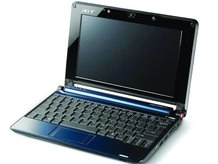
The netbook trend has been called something of a Trojan Horse for the spread of Linux; we're not about to disagree.
The number of Linux users is increasing exponentially, and there's a good chance you're among them if Santa has been kind.
Netbook sales in 2008 have been nothing short of astonishing.
The typical netbook is user friendly because it's wrapped in an attractive shell. The Aspire One's brash home menu, for example, could guide anyone to their email. But that comes at the cost of a bit of freedom; your netbook is much more than it appears out of the box. It really is a fully-fledged PC - so check out our tips to help you get the most out of your low-cost laptop.
1. Grab some Linux games
Whichever netbook you're using, there are games to suit. Try Wormux, a decent Worms clone; Torcs, an open-source racing simulator that really emphasises the simulation aspect; or Frozen Bubble, a Linux stalwart which apes the classic Bust a Move games. You're not just stuck with clones: Quake III, the classic shooter, has a Linux port which runs surprisingly well on a netbook.
2. Check out the latest apps
Don't be fooled into thinking your netbook isn't a full-fledged computer. It's perfectly capable of running some pretty high-end applications. While certain programs have issues with the smaller screen resolutions of most Atom machines, you're well advised to check out our previous looks at essential Linux apps and here.
3. Try Windows gaming
Folks running Windows can wrangle just about every game up to and including GTA San Andreas onto their machines; Linux users aren't quite so lucky, but you'll be surprised at what you can squeeze out of the platform. WINE interprets Windows games so they'll run natively on Linux, whichever Netbook you happen to be coveting. Cedega is a commercial spin on WINE that's pretty much hassle free, or you should be able to install the latest version of the open source skew through your platform's package manager.
What to do with... an Asus EeePC
4. Free your Eee
The Eee's Xandros Linux environment is wrapped in an Asus-specific frontend that hides some of its more powerful features. To get your hands on a full desktop, hit Ctrl + Alt + T to bring up a terminal, type sudo bash to gain full command line access, and use the following commands, which utilise Xandros' text based package manager, apt-get:
apt-get update
apt-get install kicker
apt-get install kmserver
Then type exit twice to get out of the terminal window. Press your Eee's power button -- you'll find a new option to reboot into full desktop mode.
5. Set up the package manager
Once you've opened the full desktop, root around in the Start menu and find Synaptics Package Manager. This is the graphical version of apt-get, giving you access to hundreds of new packages and programs. You'll need to add a couple of software sources, known as repositories, before anything interesting will come up, so click Settings / Repositories, New, and enter a few of the repositories listed here.
What to do with... an Acer Aspire One
6. Add right click options
As you may have twigged, the Aspire One includes a verison of Linux which is highly locked down, even going as far as denying you access to a right-click context menu. Thankfully it's an easy job to get it back. Hit Alt+F2 and type terminal to bring up the, er, terminal, then type xcfe-setting-show to bring up the xcfe control panel. Then click Desktop, choose the Behaviour tab, and check the box next to 'Show desktop menu on right click'.
7. Change your desktop background
With the xcfe settings window still on screen, find the Image section. This will allow you to select a different wallpaper for the Aspire One desktop; click Browse, and have a look through