


Sponsored by

IPVanish mobile app: features, price, how to install

Some VPN providers talk a big game when it comes to your digital anonymity, but don’t quite follow through. Our research shows that over 75% of Android VPNs fail basic transparency tests, for example.
IPVanish isn’t one of them, with a well-earned reputation as one of the most secure and trustworthy VPNs available.
Repeatedly demonstrating its commitment to user privacy, the US-based company has seen its 'zero logs' policy claims verified on multiple occasions, while proactively withdrawing its servers from countries where users' right to privacy might be compromised.
All IPVanish plans grant you VPN and cybersecurity protection across unlimited connections, so you can safeguard every device you own. That includes iOS and Android tech, which, exposed more often to unencrypted Wi-Fi networks, arguably have the most to gain from a VPN’s multi-layered defences.
This guide will detail the security features that make up the provider's mobile app, walk you through the straightforward installation process, and break down the cost of an IPVanish subscription.
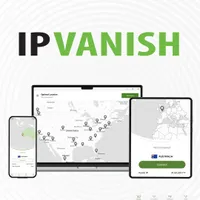
What features do IPVanish's mobile apps include?
Deceptively simple and highly powerful, a kill switch is triggered when your VPN connection suddenly drops, blocking your regular web connection so personal data isn’t exposed. In tandem with DNS Leak Protection, that helps keep your browsing activity from becoming public knowledge.
Meanwhile, using a RAM-only server is a great pre-emptive against data breaches, because – unlike HDD servers – they erase any and all information on reboot. At last count, IPVanish offered over 550, with the ability to filter by RAM-only server on the app.
For security-critical tasks, Double Hop VPN is ideal. By routing your connection through two servers, you disguise your web traffic – logins, emails, identifying information – under an additional layer of encryption, so that hackers would need two decryption keys to uncover your data.
Plus, IPVanish Double Hop lets you chain any two servers together, a feature not all that common in the world of VPNs.

Split tunneling, meanwhile, is a customization tool that’ll optimize your web experience. Want unhindered access to local services, but bank-grade encryption covering everything else? Choose the sites or apps you want to bypass the secure tunnel, and enjoy unmitigated speeds, fewer CAPTCHA requests, and still access streaming services like Netflix while abroad.
Complementing the VPN’s encryption and IP masking abilities, Threat Protection quashes a range of other security risks: blocking malicious websites, ads, and online trackers. Employing DNS blacklists to keep your online experience safe and flowing smoothly, Threat Protection impedes third-party monitoring and targeted ads, in addition to extinguishing malware that could result in phishing scams and data fraud.
You can also pick from multiple encryptions protocols with the IPVanish mobile app. The most popular, WireGuard, is designed to be lightning fast, while delivering top-notch security and stable connectivity.
OpenVPN can’t match WireGuard's speeds, but it’s stealthy. With its Scramble obfuscation setting enabled, you can bypass network filters by masking your VPN traffic as regular HTTPS. It’s highly customizable too, providing UDP (User Datagram Protocol) and TCP (Transmission Control Protocol) settings. The former's great if you need fast and responsive gaming, while the latter privileges accurate data delivery.
Meanwhile, IKEv2 (Internet Key Exchange Version 2) proves deft at juggling networks without dropping your VPN connection – and that's what any mobile user wants when surfing the web on unreliable public Wi-Fi.

You'll find a handful of features, however, that are exclusive to either iOS or Android.
Baked into the iOS app, Connect On Demand works like your standard auto-connect, though with a range of sub-settings for functional flexibility. Get your VPN to automatically activate when it brushes up against untrusted Wi-Fi hotspots, or enter the domains you’d rather exclude from your VPN – similar to split tunneling.
Meanwhile, Alternative Connection Mode is a valuable troubleshooting tool if you’re struggling to access a particular IPVanish server, helping to force a connection when all previous efforts have failed.
Android users get some shiny extras too. If you’ve got documents you can’t afford to lose, Livedrive Cloud Storage offers 1TB cloud storage for multiple devices, and supporting file sync and share functionality. On top of that, the Android interface has a Favorite Servers feature. That lets you create a personalized shortlist of locations so that you can access them quickly and easily.
Last but not least, you get eSIM data on all IPVanish subscription tiers, available to activate in your choice of over 200 countries – an absolute lifesaver if you can’t find a secure web connection while away and an essential part of your vacation prep.

How much does the IPVanish mobile app cost?
Naturally, access to the IPVanish mobile app for iOS or Android is free to any subscribers to the service.
How much you pay depends on the length and type of plan you choose, with both IPVanish Essential and IPVanish Advanced available to purchase either monthly or yearly.
The company’s 2-year plans offer the best value. Go for one of those and (at the time of writing) you’ll pay $52.56 upfront for IPVanish Essential (equivalent to $2.19 a month) or $78.96 ($3.29 a month) for the IPVanish Advanced plan.
Paying the extra for Advanced throws in 1TB Cloud Storage (Android only), Secure Browser (via web link or browser extension only), and boosts your eSIM data up to 5GB. But, if those extras don’t appeal, you’ll find the Essential plan packs more than enough firepower.
It's worth noting that there's a 7-day free trial up for grabs for iOS and Android users, although only with a yearly subscription method.
Meanwhile, its rolling monthly plans are charged at $12.99 and $14.99 respectively. Considering the app can be downloaded on an unlimited number of devices, IPVanish’s longer plans deliver the biggest savings, letting you protect a huge amount of tech for the least amount of money.
How to install the IPVanish mobile app
Follow the simple instructions below to install the IPVanish app on Android devices (currently compatible with Android 5.1 and above):
- If not yet subscribed, sign up for an IPVanish VPN plan
- Download the Android app from the Google Play Store
- Once installed, launch the app and sign in to your IPVanish account
- Deny or accept the subsequent VPN permissions requested
- Tailor your preferred setup in Settings, or use the VPN’s default configuration
- Click the green Connect to activate your secure connection
Alternatively, follow the steps below to download the IPVanish app to iOS devices (currently compatible with iOS 14 through iOS 26):
- Subscribe to an IPVanish VPN plan if you haven’t already
- Download the iOS app from Apple’s App Store
- Click Allow on iOS message saying ‘“IPVanish” Would Like To Add VPN Configurations.’
- Hit the green Connect button to connect to the fastest available IPVanish server, or pick a location yourself.
