


Android and iOS each have their own security features, and while there’s a lot of overlap between the two software packages, they also have some significant differences in their available tools.
So, if you’re hoping to keep your phone safe from threats both online and in person, the approach you’re able to take may differ, depending on whether you own one of the best iPhones or best Android phones.
Below, then, we’ve looked at the key security features offered on each operating system, designed to protect you across a range of scenarios.
How they secure your device against online threats

The most common threats most of us face on our phones are of the online variety — things like viruses and other malware. Fortunately, both Android and iOS have tools to limit these risks — if you use them.
For one thing, it’s worth setting up two-factor authentication on the account you use to log in to your device, be that an Apple account or a Google one, as this makes it much harder for hackers to access or take control of your account. In fact, you should use two-factor authentication anywhere it’s offered, but especially for these accounts.
It’s also worth using a password manager, so you can more easily create and keep track of complex, unique passwords, and both iOS and Android have password managers built in. That said, third-party options are sometimes more feature-filled.
A VPN is worth considering too, to secure your internet traffic. However, while Google Pixel phones have a built-in VPN, most Android handsets don’t, and neither do iPhones — though if you have iCloud+, you can access Private Relay, which has some of the same protections, and both operating systems let you download third-party VPNs (here's our roundup of the best VPNs, if you're interested in getting one).
If you have an Android phone, you might also want to run an antivirus app on it — though again, these don’t come built in most of the time. iOS doesn’t allow for conventional antivirus apps, but it arguably doesn't have much need for them, as it largely keeps apps sandboxed anyway, limiting their ability to interact with the rest of the system.
How they ensure your apps are safe

Both Apple and Google take steps to ensure the apps listed on their official stores are safe. On Android, for example, there’s Google Play Protect, which checks apps for harmful behavior before you download them — and if you get them from third-party stores, they’ll be checked once they’re on your device.
On iPhone, Apple similarly uses automated scans for known malware in apps, and on both operating systems, employees review apps before listing them on the official stores to begin with.
There is slightly more risk on Android, though, simply because it allows you to download things from third-party stores, which may not have the same level of security. Outside of the EU, this isn’t possible on iPhones.
Beyond the checks that Google and Apple carry out, though, they also give you the ability to turn off any permissions you don’t want an app to have. For example, many apps may ask for location data, but they don’t always have clear reasons for needing it. Similarly, you might want to think twice about giving an app full access to your photo gallery.
And you should also consider stopping apps from tracking your use of other apps. They do this to serve you personalized adverts, but you’re giving up some privacy in the process.
On iPhone, you’ll be asked if you want apps to be able to track you each time you download a new one, or you can find a toggle for every app in the ‘Tracking’ section of the settings menu.
Android doesn’t put the option quite so front and center, but if you head to Settings > Google > Ads, you’ll find the option to delete your advertising ID, which has a similar impact.
How they prevent in-person snooping

Keeping your phone secure when you’re around people or when you’ve given someone access to your device requires a different set of tools, but both Android and iOS have some options available.
If you have a Samsung Galaxy S26 Ultra, specifically, then you can enable Privacy Display when using your phone in public, which keeps sensitive content obscured when not viewed front-on. But other Android phones don’t have this feature, and nor do iPhones.
The more widely available tools are mostly focused on keeping your device safe when someone else has physical access. For example, both iPhones and most Android phones have a way to hide apps so they won’t appear on your home screen. Generally, those apps will also then require a PIN or biometric authentication to access.
Additionally, you can choose to lock but not hide individual apps on iPhone. So people with access to your phone can see that you have them, but can’t open them. Some Android brands have a similar feature, or you can make use of third-party apps for this, but it’s not a tool that’s built into the version of Android that Google ships — though leaks suggest that might change with Android 17.
How your device data is kept safe from thieves
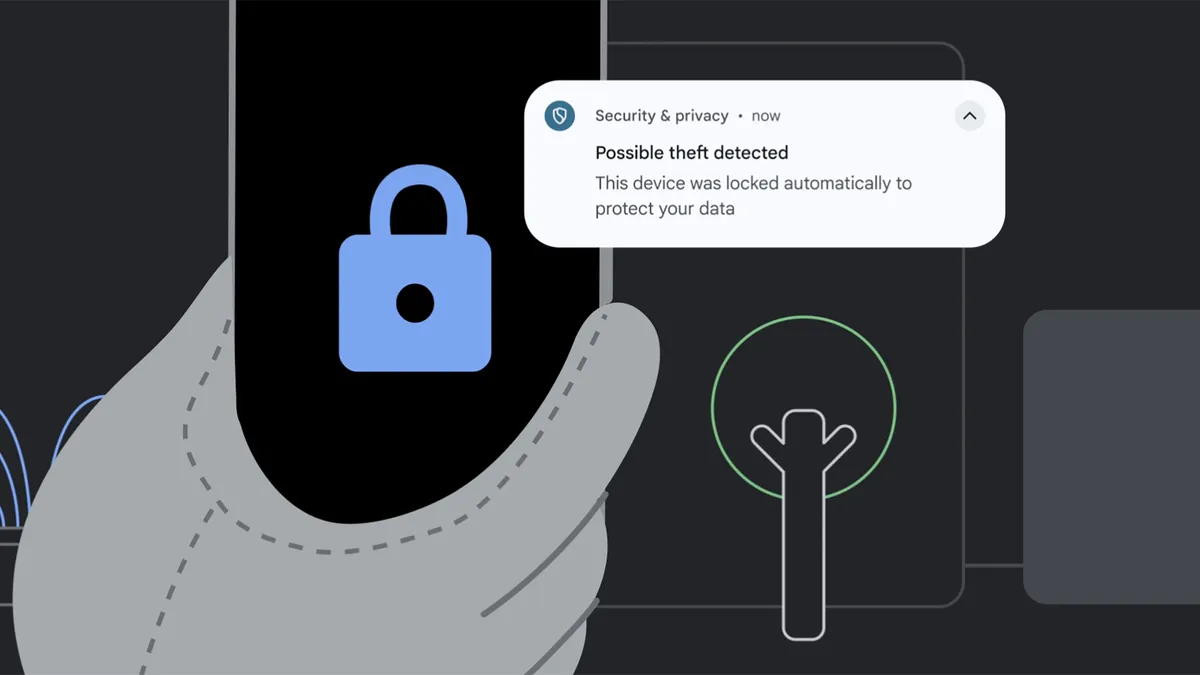
Finally, you need to consider how to keep your phone’s data safe if it’s stolen, and both Android and iOS have a selection of features to help with that.
For one thing, you should obviously have a lock on your phone, so that it requires a PIN or biometrics for anyone to access, and both iOS and Android offer this feature.
But beyond that, on iPhone, you can also make use of Stolen Device Protection, which — when your iPhone is away from a familiar location — will require Face ID or Touch ID authentication to access things like passwords and credit card details, with no option to use a passcode instead, so that it ensures you’re the person seeking access.
It also requires you to wait an hour before taking some actions such as changing your Apple password, giving you time to secure your account in case it’s a thief trying to do those things.
On Android, there’s a similar suite of tools, collectively called Theft Protection, which do things like using biometrics and other safeguards to verify it’s you accessing the phone, lock your screen if the device detects that someone took it and ran away, lock your screen shortly after your device goes offline, and lock it after repeated failed authentication attempts in apps and settings. All of which is designed to prevent thieves from accessing your data.
Additionally, both Android and iOS let you remotely lock and even wipe your phone in the event of it being lost or stolen, and they both have tools to help you locate lost or stolen devices, in the form of Apple’s Find My service and Google’s Find Hub.
You might also want to change your phone’s settings so that notification content is hidden when the device is locked, ensuring thieves won’t be able to read your notifications. This too is an option on both iOS and Android.

Follow TechRadar on Google News and add us as a preferred source to get our expert news, reviews, and opinion in your feeds. Make sure to click the Follow button!
And of course you can also follow TechRadar on TikTok for news, reviews, unboxings in video form, and get regular updates from us on WhatsApp too.