


Memory prices have absolutely skyrocketed in the past few months, leaving many manufacturers looking for ways to keep prebuilt PC costs at reasonable levels. This problem has created a worrying trend, though – particularly when it comes to budget gaming PCs.
Browse retailers like Amazon and Best Buy, and you'll find that a decent number of systems come kitted with DDR4 RAM instead of DDR5. On the surface, this may seem like a reasonable compromise in performance for the benefit of a lower barrier to entry.
But in reality, you're the one left holding the bag.
There goes your upgradeability

The biggest issue with swapping DDR5 kits for outdated DDR4 memory is how it impacts upgradeability.
One of the most attractive aspects of building a PC, as opposed to buying a console, is the incremental upgrades you can make to keep your system relevant. If you need more storage, you toss in a new, faster SSD. If you haven't upgraded your CPU in a few years, you find a current-gen processor on sale and get a major performance boost without having to buy an entirely new system.
But if you have DDR4 RAM, this isn't the case.

DDR4 memory is only compatible with outdated motherboards and, in nearly all cases, outdated CPUs. You may come across an affordable prebuilt PC that boasts modern Nvidia graphics, 32GB of RAM, and a relatively recent Intel CPU. An enticing offer in today's market.
What that tempting offer isn't telling you, though, is that there's almost no opportunity to upgrade down the line.
DDR4-compatible motherboards are not compatible with DDR5 memory. If you want faster memory in the future, you now have to upgrade not just the RAM, but also the motherboard.
Not to mention, most modern gaming CPUs support DDR5 memory exclusively. All AM5 processors (Zen 4 and Zen 5 CPUs like the Ryzen 5 7600X and Ryzen 7 9800X3D) are incompatible with DDR4 memory, meaning you're locked into the AM4 chipset if you buy one of these DDR4 systems. The same applies to Intel Core Ultra series chips, which are also DDR5-dependent.
So, if you want to upgrade your memory, you must also upgrade your motherboard. If you want a newer CPU, you have to upgrade your motherboard and your RAM.
DDR4 performance woes

Upgradeability aside, DDR4 is also significantly less performant than current DDR5 kits.
DDR4 speeds typically top out at just 3600MHz (with overclocked kits touching 4000MHz), whereas DDR5 RAM reaches up to 6400MHz (and even 7000MHz+ when overclocked).
Yes, the CAS latency of DDR4 RAM is technically lower than that of DDR5. But that comes at the cost of far lower bandwidth, eliminating any practical advantages that lower CL would provide.
This is especially prevalent in low FPS scenarios. If you have DDR4 RAM, you may notice far more stuttering and frame tearing in resource-intensive areas of your game, where DDR5 would pull through with smaller FPS drops rather than full-on stutters.
Plus, as discussed in the previous section, DDR4 memory locks you into older CPU generations. Your GPU doesn't care what type of RAM you have - you could be rocking a 5000-series Nvidia graphics card with DDR4 RAM - but your CPU does.
If you try to pair a modern GPU with an outdated CPU and RAM, you're going to face major bottlenecks, especially in CPU-heavy games like Sid Meier's Civilization and Minecraft.
Should you buy a gaming PC with DDR4 RAM?

In my opinion, no, you shouldn't buy a prebuilt PC with DDR4 RAM – even with the lower asking price. It severely stunts upgradeability and locks you into lower performance.
So, what should you do instead?
Well, you have a few options. You could bite the bullet and get a prebuilt PC with DDR5 RAM. This will be the best move in the long run, as you preserve your ability to modernize your system and keep up with rising performance demands.
Or, if you don't have the extra capital to meet the current asking prices, you could opt for a handheld gaming PC.
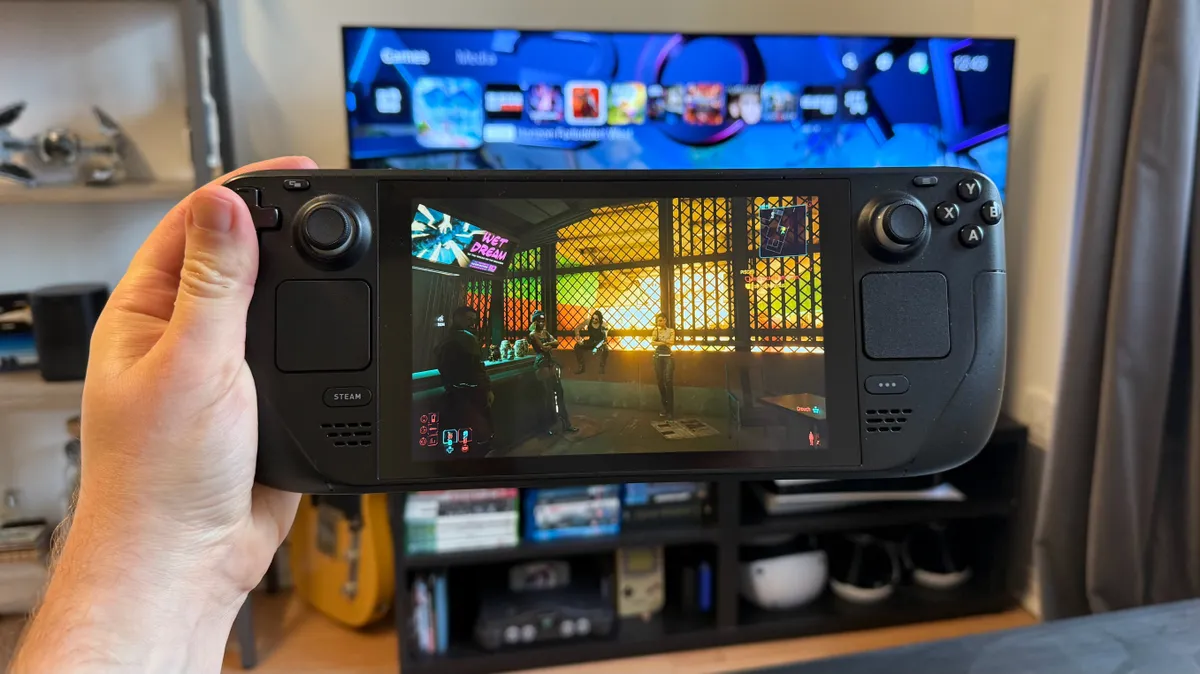
These handhelds, like the Steam Deck and Asus ROG Ally X, provide a far better cost-value proposition than gaming laptops nowadays. And while you won't get 4K 60+ FPS at Ultra settings with ray tracing enabled in Cyberpunk 2077, you will get to play just about any game you want at reasonable settings.
You can even hook a handheld gaming PC up to a monitor, mouse, and keyboard (by attaching a USB adapter) and have yourself a decent entry-level rig for a fraction of the cost of current prebuilt PCs.
The last option I'd recommend is the toughest, but may make the most sense in the long run: just wait.
We've seen RAM prices skyrocket in the past, and who can forget the chip shortage that ravaged GPU prices during lockdown? What these price hikes taught us is this: it may take time, but PC component prices eventually return to normal.
Follow TechRadar on Google News and add us as a preferred source to get our expert news, reviews, and opinion in your feeds. Make sure to click the Follow button!
And of course you can also follow TechRadar on TikTok for news, reviews, unboxings in video form, and get regular updates from us on WhatsApp too.

➡️ Read our full guide to the best DDR5 RAM
1. Best overall:
Corsair Dominator Platinum RGB
2. Best budget DDR5 RAM:
Corsair Vengeance DDR5
3. Best easy-to-install RAM:
Kingston Fury Beast RGB DDR5
