
 Become a TechRadar Insider





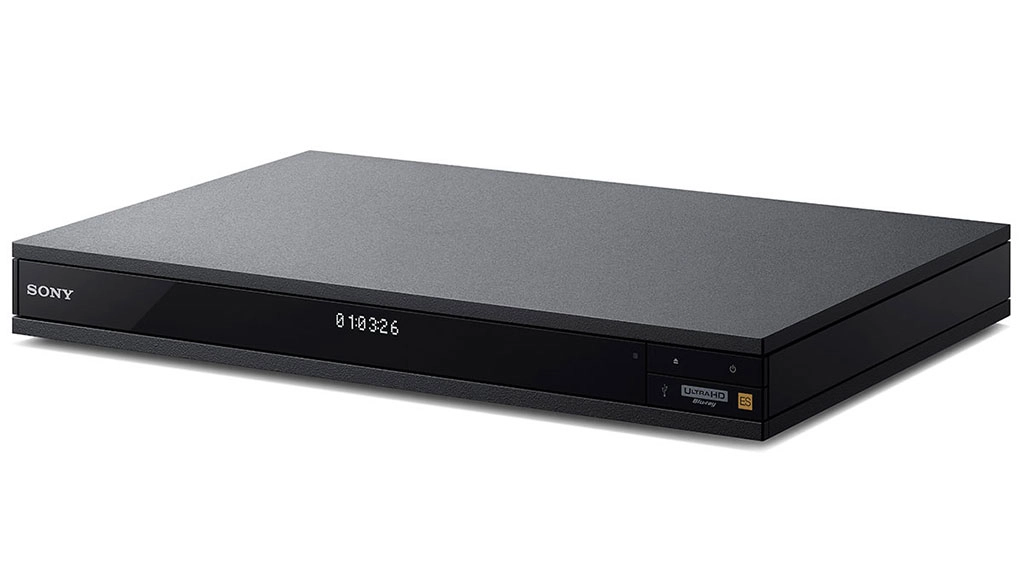
Though it controversially opted not to include support for the format for its upcoming PS4 Pro console, Sony has not abandoned 4K Ultra HD Blu-ray, unveiling a standalone player at the CEDIA Expo today.
Aside from its ability to play Ultra HD Blu-ray discs, the UBP-X1000ES will incorporate a number of video codecs in order to stream 4K video from Netflix, YouTube and more, and will also support high-dynamic-range (HDR) content.
However, before you rush out to buy one, Sony has stated that the X1000ES will be available exclusively from "authorised Sony AV dealers and custom installers" next spring (or autumn, if you live below the equator) with pricing to be "announced at a later date."

Everyday consumers need not apply
When asked for further information, a spokesperson confirmed that "Sony is making this product announcement at CEDIA because the product aligns with the audience for the custom installers show."
So it looks like for the time being at least, the player won't be available to everyday consumers. It's not yet clear why Sony would choose to go down this route when consumer players are already available from both Samsung and Panasonic.
"The new UBP-X1000ES player has been long awaited by custom installers who desire a 4K Ultra HD Blu-ray player that provides a 'one-stop' solution for their clients' premium entertainment needs," said Yukio Ishikawa, Director of Home Entertainment Systems for Sony Electronics.
Ishikawa continued, "Our new reference model has been specifically designed to deliver the highest quality video and audio possible and will excite the most demanding A/V enthusiasts."
Speaking of audio, the X1000ES will be fully compatible with Dolby Atmos and DTS:X receivers, providing dual HDMI outputs with separate audio and video signal paths. Its 32-bit processing DAC is compatible with both native DSD (at up to 11.2 MHz) and LPCM (at up to 192kHz) in order to play Hi-Res music files.
- Don't want to wait? Check out this review of the Samsung UBD-K8500 4K Ultra HD Blu-ray player
