

Don't see what all the Windows 7 fuss is about and thinking of jumping ship to Linux?
The experience of switching to Linux needn't be a traumatic one.
Here are 25 things you need to know that will make your transition to an open source OS easy.
The basics
1. What's a distribution?
Linux isn't sold as a single package like Windows or MacOS. There are lots of variations on the basic operating system put together by different people for different reasons.
Some might be hardware specific - designed to run on netbooks, for example - while some might be tailored towards particular uses, like general desktops, webservers or multimedia workstations.
Think of them as like the different versions of Vista, but with many more apps in each package. Each of these different bundles is called a 'distribution'.
2. How are they different?
The most obvious differences between distributions are the number and type of applications that come pre-installed. Under the hood, they may use a different technique for managing sound playback, too.
Not all distributions will use the same versions of core system files either, rather the ones they've tested and are most likely to work with the other programs in the package.
3. Which distribution should I choose?
Ubuntu is by far the most popular distribution for beginners, but most of the big names - OpenSuse, Fedora and so on - are just as approachable and have their strengths. Mandriva works well when syncing with Windows Mobile, for example.
4. Understand desktop environments
The familiar windowed desktop of any operating system is simply a layer on top of the core code that makes it easier for you to interact with your computer. Because Linux is highly modular, this desktop environment is easily separated from the core operating system, and you can choose one from several options.
Most popular distributions will give you a choice of desktop environment, while smaller ones, like Mint, may only come in one flavour.
5. Which is best for Windows' switchers?
Gnome and KDE are the closest to Vista or OS X, and most people will find Gnome easier to pick up. Others, life XFCE or LXDE are designed to run quickly on low end systems.
oDon't worry too much, though. The great thing about Linux is you want to try a different desktop manager without reinstalling your OS, you can. In fact, you can have several different ones on the same machine to choose from at login.

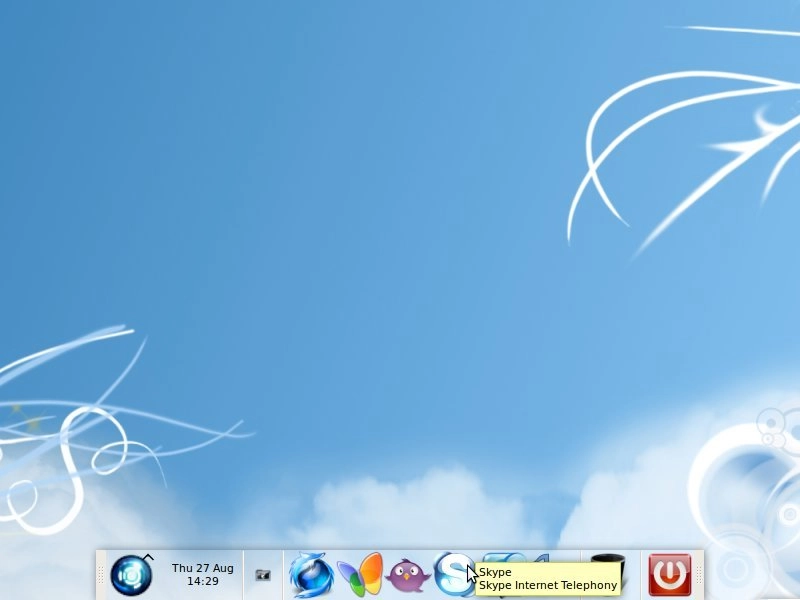
IN CONTROL: Whichever desktop environment you use, you have an incredible amount of control over the way it looks and behaves
Installation
6. Live CDs
Once you've decided which distribution you'd like to try, download the installation file (usually a .iso file) and burn it to CD or DVD. With many distributions, booting from that disc will give you the option to try a 'live version'. This lets you boot into a Linux desktop without altering your current hard drive.
7. Look elsewhere
Don't forget, though, that the Live version will have its limitations. Before you discard a distribution for looking dull, run a few searches to see if it can be spruced up. Remember, most distributions are designed for maximum hardware compatibility. Your PC can almost certain handle better desktop effects, for example.
8. Putting Linux on your PC
If you've never installed an operating system before, it can be quite daunting. Don't fear, though, it's a straightforward operating and the big distributions have excellent documentation for first timers, like this how-to at Ubuntu.
9. Keep the Windows open
The easiest way to install a distribution would be to wipe your PC clean and start over. You may want to keep your existing Windows installation, though, to run applications like games that don't work so well in Linux.
Most installation processes will guide you through setting up a dual boot system, with two or more operating systems on. You will need a separate hard drive or partition for each, though.

PACKAGE MANAGER: Synaptic is a popular package manager for Debian-based distributions, like Ubuntu


Your comments (13) Click to add a new comment
spotht
July 22nd 2010
13. I have tested various Linux distributions and found that Ubuntu is the best because of its ease of use. It also has less bugs than other distributions.
Alert a moderator
eitland
September 14th 2009
12. >> "Accounting programs are about the only thing that's thin on the ground"
If you live in either Denmark, Germany, Spain, Norway, Sweden or UK you can try http://www.e-conomic.no/ which, -last time I tested it, worked very well under firefox/linux. Or, if you don't like web applications you can try HansaWorld first office, -runs under Windows, Linux and Mac OS X.
Alert a moderator
retroworm
September 7th 2009
11. Point 14 gives the impression that there is something horribly wrong with linux's file structure.
Also it's a bit unclear to me whether or not using the shell is mandatory for effective operation. In other words, is there anything that windows does through gui that isn't possible in Linux gui?
Techies won't mind either way, but it's kinda poor selling point for average user, no matter how much emphasis you put on its usefulness
Alert a moderator
flymo
September 6th 2009
10. Thanks Adam, all very useful, will be sharing this with our many and various n00bs. Agree that Mint is a great starting point, as is Super-Ubuntu - hang on, they changed the name on that? err... Super-OS, that's its new name - find it at http://hacktolive.org/wiki/Super_OS
Alert a moderator
fredbird67
September 4th 2009
9. Got a correction for ya in item #4: While Linux Mint's main edition features the Gnome desktop, Mint also comes in KDE and Xfce versions.
Alert a moderator
dandart
September 4th 2009
8. @psyfur Of course!
Just get Wine : www.winehq.org - it also tells you what will run (appdb).
Alert a moderator
psyfur
September 3rd 2009
7. To all the knowledgeable out there! Is it possible to play games like Wow or Crysis in Linux?
Thanks
Alert a moderator
zeke123
September 1st 2009
6. Sorry, you blew it at 2.
The main difference isnt between distros but between desktops, KDE, Gnome and XCFE for older hardware.
Check Kubuntu, Opensuse, Mandriva or some other KDE4 distro and the differences are minimal things like wallpapers and icons.
Simple rule of thumb, you like the look and feel of Mac, then you will love Gnome. You come from the windows world and its 75% people that will chose KDE at all the LUG installfests Ive done.
Its normal, you want the person switch to feel at home, right? WOuldnt you expect them to like something which is familiar?
I use 5-6 different desktops a day so I dont care but show a person who has used Windows for over a decade the top taskbar and the text that stays always on it and it disorients them.
As well, using GTK you will never get the Windows feel, the look....its different. Its closer to Mac...
Most top software like FF, Gimp, OO, VLC are found on all distros, apps choice is all relative. pidgin and kopete do the same thing except kopete supports video but there is little to differentiate. you have gems like Digikam and Amarok but there are usually equal versions and you can still mix and mach.
Apps is rarely a reason why you choose a distro when you are a newbie and if you are not, you know you can use the same software.
Its how it looks and feels that gets people to decide a distro.
And say hi to 'most people', I hope they are well.
They often get quoted so Im sure they busy.
I can introduce them to the 14 people in my family who are over 65 who are using Kubuntu and Mandriva 2009 and PCLinuxOS2009 with no problem. There are 3 women over 70 how have used a computer for the first time in their lives and are now talking regularly on Skype and emailing and stuff.
Easier? Opinion, nothing more.
And on 5, you got the order wrong.
C+: can do much better if Johnny puts his mind to it and stops looking around the class during assignment time.
Alert a moderator
paul
September 1st 2009
5. Thanks gero. Link now corrected.
Alert a moderator
crhylove
September 1st 2009
4. You should really mention Linux Mint. For a beginning Windows switcher it is far and away the easiest, best, most complete Linux distro.
Alert a moderator
howtolinuxnet
September 1st 2009
3. ..and for those who want to learn more about Linux, take a look at this site http://www.howto-linux.net/
Alert a moderator
gero
August 31st 2009
2. Interesting article but I have spotted an incorrect link - Mint Linux should be http://www.linuxmint.com/ rather than mintlinux.com, which sends you to an advertising holding page.
Alert a moderator
abc
August 31st 2009
1. Great article!
Thank you
Alert a moderator
Tell us what you think
You need to Log in or register to post comments