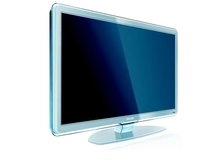
One of the questions we get asked most is: "which TV should I buy?"

And no wonder, as well as two main types (plasma or LCD) the TV market is vastly complex and can be very confusing.

To help you here are the answers to the most common questions you need to consider - and some pointers for when you go to the shops.

How do I choose between plasma and LCD?
If you're set on a particular size of television, the decision between the two competing flat TV technologies could be made for you.

LCD TVs start at 14 inches and go right up to 65 inches, whereas plasma tech is used only on TVs from 42 inches and above. There are a couple of exceptions to this rule: LG make a unique 32-inch plasma and Panasonic do a quite superb 37-inch plasma.

LCD TVs are now available at reasonable prices across all sizes, but don't discount plasma if you want a big TV of 42 inches or bigger. Both technologies are very versatile, but LCD TVs do have a few problems.

I've heard LCD TVs are blurry and plasmas are better quality. Is this true?

Because they use an always-on backlight, LCD screens simply cannot show black, instead displaying a grey-ish tone that looks especially disappointing if you turn the lights off and watch in a blackout. On the other side is plasma, which uses tiny cells of neon and xenon gas behind each pixel that can adapt instantly to changes in brightness – and switch off entirely for dark areas of an image.

This helps plasma show more detail and a lot more depth in gloomy pictures – and it's this cinematic performance that's a big advantage given the dour nature of many popular films (Batman Begins, Lord of the Rings, anything by Tim Burton). Plasma TVs also have a wider viewing angle than LCD TVs, which is important if you're likely to be watching from the side.

The main problem found with LCD tech is blur. Moving pictures tend to leave a smear and a judder that can be uncomfortable to watch, though the first 100Hz engines (where picture information is flashed on the screen twice as fast) are now used by the bigger brands – and it's slowly becoming less of a problem.
Buy a sub-£400 LCD TV and these problems of contrast and blur are likely to be obvious, but there are (expensive) exceptions that solve almost all of LCD's traditional problems.

Plasma also has its pitfalls. It's generally assumed that plasma uses more power than LCD TVs, but this has never been proven beyond doubt. What is clear is that plasma TVs show a little less detail than similar sized LCD TVs, though this can be an advantage if you're watching Freeview on a bigscreen – some LCD TVs tend to present digital channels with a lot of picture noise.

Who makes the finest LCD TV? And what about the best value?
Philips currently claims that crown. Its latest LCD TV is fitted with over a thousand LED lights and can show jet-black without any problems. If you're after an affordable but good quality 32-inch set for the lounge, the choice is endless, with Sony, Panasonic and Samsung currently making the best sellers.

Who makes the finest plasma TV? And what about the best value?
No doubts here. Pioneer's 'Kuro' plasmas TVs are the finest around with price tags to match, but Panasonic churn-out some excellent plasma TVs that are surely the best value flatscreen TVs available, regardless of the screen technology used.

Most TVs in the shops and online seem to be LCD TVs. Is plasma in danger of disappearing? And, if so, should I avoid investing in it?
Double negative. It's true that although plasma was the original flatscreen tech, the mass-market demand for sub-42-inch sets has seen LCD build up quite a lead among buyers. Now only one in ten flat TVs sold use plasma screens, though this hides the fact that plasma is still very popular for screens over 42 inches.

LCD TV's massive popularity is largely based on its lower production cost and price on the shelves, though with the UK's thirst for ever-bigger flatscreen TVs, plasma could be about to make a comeback. At present, very few budget plasma TVs are produced and it's fast becoming a premium technology for home cinema aficionados, though Panasonic's aggressive pricing for its 42-inch plasmas (less than £700 for its TH-42PX80) is keeping plasma tech in the mass market.

What's OLED?
OLED – or organic light emitting diode – is a brand new flatscreen tech that could, one day, blow both plasma and LCD TVs off the shelves. However, only one exists at the moment. The XEL-1 is made by Sony and costs north of £1,300. It is brilliant, offering deep blacks, fluid pictures and tremendous depth – but the XEL-1 measures only 11 inches. So for now it's a desktop treat for the wealthy, though there are rumours of 27-inch models coming to market from both Sony and Samsung in the next year or so.

Read: 7 reasons why OLED is the future of TV

I want to 'go digital' and get high definition TV channels. What should I buy?
Virtually all flatscreen TVs now have built-in digital TV tuners, so you no longer need to use a separate set-top box to watch Freeview channels. Bear in mind that an HD Ready TV doesn't mean you get high definition TV channels – only that the TV is 'ready' to display them.

Freeview doesn't show any channels in high definition (as yet), so if you want to watch in HD then you'll have to pay monthly subscriptions to SkyHD and Virgin V+, or buy a Freesat set-top box. Freesat is a new service that uses a satellite (installation of the dish costs around £80) to give you a few HD channels and hundreds of digital TV channels. If you want to buy a TV that solves all your problems in one stroke, Panasonic is now selling plasmas and LCD TVs with built-in Freeview AND Freesat HD tuners.

What kind of telly should I buy if I want to watch hi-def channels from a SkyHD, Virgin V+ or Freesat set-top box?
A simple HD Ready television will do the trick. None of the high definition channels on these three HD-capable platforms broadcast in Full HD 1080p (or 'Blu-ray quality') so a good 32-inch LCD TV should do just fine.

What's the difference between HD Ready and Full HD 1080p?
You've probably seen these badges applied to various sets. They refer to the resolution – (number of pixels) on a screen, which determines how much detail is visible. HD Ready sets are now the basic spec, with Full HD 1080p being the upgrade. HD Ready sets typically have a resolution of 1,366x768 pixels (which equates to around one megapixel) while Full HD 1080p uses 1,920x1,080 pixels (about two megapixels).

Why would I need a Full HD 1080p set?
If you have a Blu-ray player or a games console it's worth considering. We're willing to bet that gamers have helped drive the demand for flatscreen TVs of all types, but particularly Full HD 1080p versions.
This is an area where LCD tech has the upper hand. Manufacturers have been able to produce 32-inch LCD TVs this year that sport Full HD 1080p resolutions. Such sets from the likes of Sony, Sharp and Samsung have proved popular with gamers looking to match their Xbox 360 or PlayStation 3's 1080p capabilities pixel-for-pixel.

Will I notice the difference between HD Ready and Full HD 1080p?
Opinion is divided on whether Full HD 1080p resolution on small TVs (32-inch or so) is worth it. It's great for still images and for PC desktop screens, but as soon as you watch moving pictures, LCD screens display some blur. It arguably renders that extra resolution almost meaningless. There's also the issue of viewing distances.

A 32-inch screen should be positioned around six feet from your sitting position for you to comfortably see the difference between normal TV and high definition material. For Full HD 1080p content, you should sit just four feet away for your eyes to perceive the difference. That seems unlikely.

Should we all start investing in motorized sofas to drag us nearer the TV every time we watch a Blu-ray movie?
Full HD 1080p resolution was designed for truly big screen entertainment, such as home cinema projectors and flatscreen TVs over 42 inches in size – and it's only there that you'll get the wow factor.
Many people get in a kerfuffle about which to choose, but admit it: high definition is a brilliant excuse for replacing your old, but perfectly good CRT TV for a much bigger telly. Until Freeview HD arrives (three years and counting…) only the minority is going to be watching much TV in high definition.

What is HDMI and how many inputs do I need?
HDMI is a new digital connection and cable that is fast replacing Scart on TVs. There's no need to panic; Scart sockets are still found on almost all flatscreen TVs. In the coming years you're likely to have a set-top box, DVD player, Blu-ray player and perhaps a games console, all which now use HDMI – so aim for at least three HDMI inputs on any new TV if you want to avoid having to swap cables. That goes double if you intend to mount your new plasma or LCD TV on a wall.