


- Redditor creates own smart home controller, tied into Sonos systems
- Cost just $20 / £16 (or around AU$30), for a small display
- It's like the Sonos Controller, but in 2026
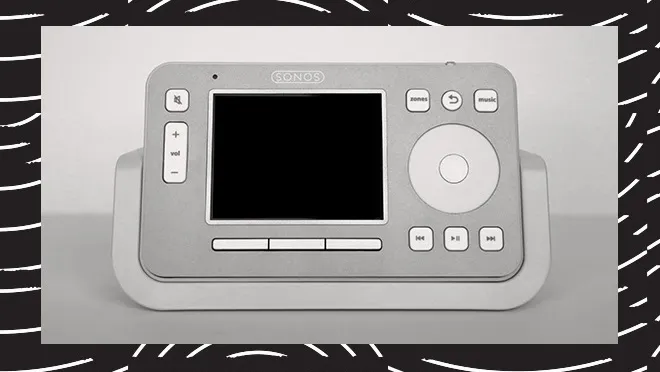
Back in Ye Olden Days (the noughties), Sonos used to sell dedicated music controllers and they look wonderfully retro now. These fell by the wayside when smartphones got good enough to do the exact same thing. But given the current penchant for nostalgia tech, cassette players and digital detoxing, these music controllers are seemingly making a comeback.
No, Sonos isn't re-releasing its beloved CR100. And while a new Google Nest Hub is on its way, it's apparently going to focus more on AI chatbots than music controls. So to manage your Sonos, we have to turn to Redditors.
Over on the r/sonos subreddit, a user appropriately called hometechgeek has shared a small, simple smart display they created. Using software shared in the post (and screens bought for cheap online), they have fashioned a home assistant controller which you can use to change lighting, check sensors and, yes, control your music.
Cover art and smart room control using a £16 touch screenfrom r/sonos
Screens show a play/pause button, volume controls and track skips, and a default screen shows the song you're playing — perfect, in other words, to manage your Sonos devices from one controller. Some commenters have compared it to the Windows Phone's old software, and more widely to Windows' noughties and 2010s boxy look, and honestly they're not wrong.
Can you make it at home?
Making a controller like this doesn't sound expensive. The 4-inch screen hometechgeek used cost £16 (about $20 / AU$30), bought cheap from AliExpress, and they list plenty of other models that'd work. The internet is, as it turns out, rife with little screens you can buy and use for your own ends.
The software is free too, and it sounds like plenty of people on the r/sonos subreddit have already got their hands stuck in by trying it out, reporting any bugs they've found and suggesting tweaks.
If you're a technophile you'll likely find it really easy to make at home, then. However, as some commenters point out, not everyone will find it feasible. You'll need a little technical know-how to set up the screen, and to use Github for the code.
Obtaining that technical knowledge shouldn't be too hard, with a few YouTube tutorials sure to get the job done, but it might not be worth it for everyone. This kind of kit will be useful to people with a smart home full of gadgets, but if you've just got a single speaker or soundbar, it likely won't be worth your time.
There's a reason the smartphone killed the Sonos controller: a dedicated screen to control your music just isn't necessary for most of us (because it's already at our disposal with zero effort, in our phone).

➡️ Read our full guide to the best Bluetooth speakers
1. Best overall:
JBL Flip 7
2. Best cheap:
JBL Clip 5
3. Best high-end option:
Bang & Olufsen A1 3rd Gen
4. Best party speaker:
Tribit Stormbox Blast 2

Follow TechRadar on Google News and add us as a preferred source to get our expert news, reviews, and opinion in your feeds.
