





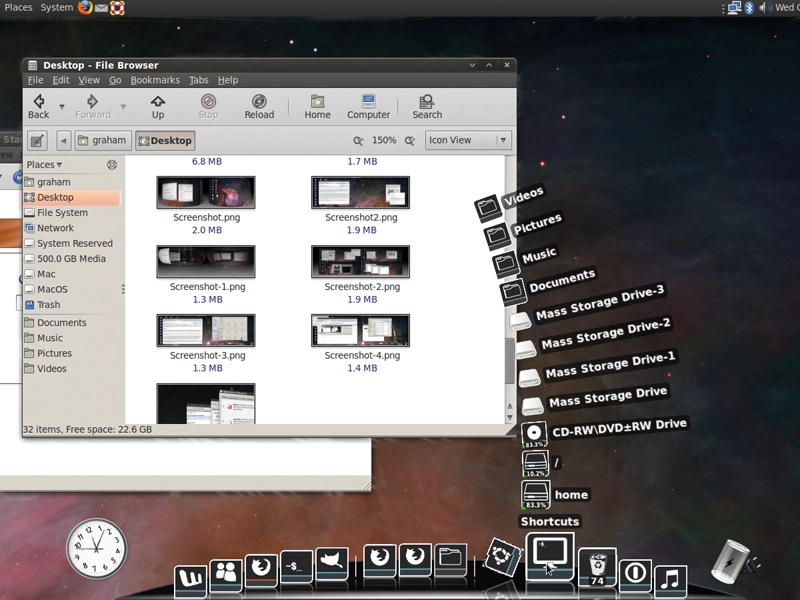
Good looks was never supposed to be a priority for Linux apps. It wasn't so long ago that we seemed to be struggling to get even basic eye-candy such as anti-aliased fonts to work on the Linux desktop, but things have changed almost beyond recognition.
It's now fair to say that the Linux desktop is at the forefront of visual effect, a cornucopia of eye-candy overflowing on to your desktop. And with a few tweaks, it can look even better.
With both Windows and OS X continually upping the ante in what the average desktop user expects from their desktop experience, it's vitally important that Linux stays ahead of the game – even if that only means turning on a genie effect for minimized applications when your friends come over, or using a more usable version of virtual desktops when you lend your machine to someone.
Adding eye candy should never be about purely cosmetic changes. Instead, it should enhance the usability of the desktop and make the average session more productive and more streamlined.
We're going to show you how to do just this, and in the process we'll help you turn your Linux desktop into the envy of your proprietary OS-loving friends.
Run the best window decorator on the Linux desktop
When the Compiz project began it marked a real turning point for desktop Linux, but the project has been through many transitions and hardships over the years.
Suffering a fork, community alienation and a lack of development, it has re-emerged as the standard graphical enhancement for Gnome and many other Linux desktops, and it's a technology that finally combines maturity with some excellent productivity enhancements.
If it's not installed already, most distributions will offer packages that can be installed easily, and you'll need only a moderately powered 3D-accelerated graphics card to get the most out of it.

One of the best additions to Compiz is the Emerald window manager. It replaces the border around your applications, and its big advantage over the default is that is isn't tied to a single GUI such as Gnome, KDE or Xfce. It's also the most easily configurable window manager we've come across, as well as being the best-looking.
Running Emerald
If you've already got Compiz installed, Emerald is available as a single additional package. If you're using Gnome with the extra effects enabled, Compiz will already be running, and you can launch the Emerald window manager by entering emerald in a terminal.
If you're using KDE, or Compiz isn't running, run decorator first followed by the compiz.real --replace command. You should see the window borders change to the current Emerald theme, and you can edit the current theme by launching the Emerald Theme Manager application, which you should be able to find in your distribution's launch menu.
By default, the theme manager will contain only a single theme, and that's the theme that has changed the window borders on your desktop. To get the most from Emerald, you really need to get hold of some new themes.
The best way to do this is to point your browser at www.compiz-themes.org, find some themes you like and download them.
They're normally packaged as .tar.gz files, and you'll need to un-archive these into a directory. You can then point the Emerald theme manager at the .emerald file within these directories to import the file. Some themes are plain .emerald files that don't need any messing around with.
Fine-tune your themes
It's worth fine-tuning your theme from the theme manager's editing pages. Click on the Edit Themes page and you'll see the main parameters for each theme split across five further pages.
The most influential parameter to change is the rendering engine, and this can be changed from a drop-down list. As with all Emerald parameters, each change updates the display in real time so you can see exactly what kind of effect your changes are having.
Our favourite effect is called 'trueglass', but 'oxygen' and 'vrunner' are good options too.
Each engine will have it own set of parameters, and these will mostly change the colours used by the rendering engine on the window border. Use the Frame/Shadows window to adjust the size of the window border and to edit the size of the drop-shadow, and the 'Titlebar' page to adjust the size of the border, where the text is located and the kind of glow or shadow used to render the text.
Don't forget to save your theme when you've finished.
Step by step: Get Emerald running
1. The easy way

With both Compiz and Emerald installed, open a terminal and type emerald --replace. This will launch the Emerald window manager.
2. The harder way

If you're already running Compiz, you won't need to follow this step. Otherwise, type compiz.real --replace into a different terminal session.
3. And you're done!

You should now see the window decoration change on your desktop. To edit this decoration, launch the Emerald Theme Manager from your distro's menus.