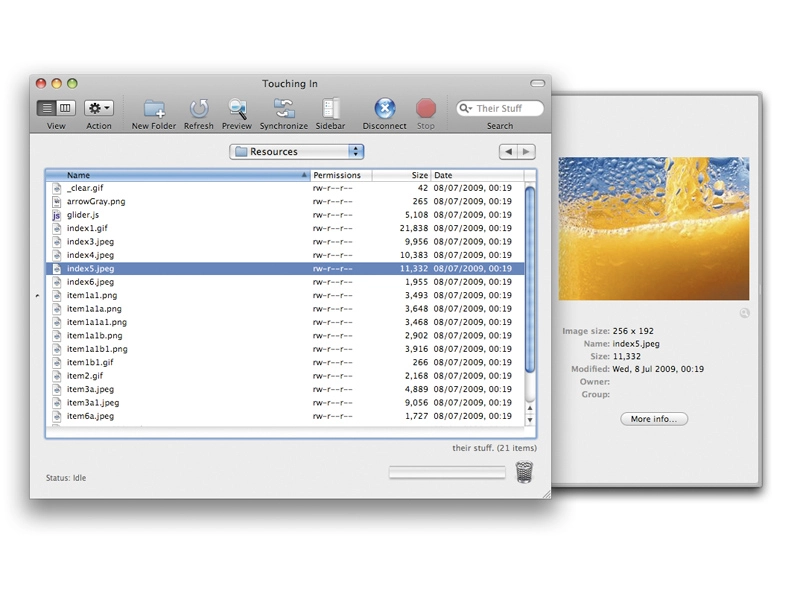
FTP (File Transfer Protocol) is a well-established way to upload and download files online.
FTP client utilities (the programs you run on your Mac to connect to FTP servers) aren't exactly exciting, but they can be really useful. We don't use these things for general downloading much these days, but this is still the best way to move large files around.
If you ever do web design work of any description you'll recognise the need for a good FTP client. Even if your web software uploads for you you'll still find the need to look in yourself from time to time.

Anyone with WebDAV storage (and that's all of you with MobileMe accounts, by the way) should sit up and take note, especially if you use iWeb or iDisk. Apple's background updating takes an age to finish, but a good FTP utility can make life much better.
Support for Amazon S3 (Simple Storage Service) is also useful for very large file-handling. The six programs in our test represent some of the best in this category, although there are others worth exploring too, if you have the time.
The evaluation of the different programs was done using a number of different tests, all cooked up to reveal each FTP's individual strengths and weaknesses in different situations. We looked at everything from speed and file management abilities through to syncing and automation. We also considered the interfaces, although not as part of a separate test.


Your comments (3) Click to add a new comment
soothe
October 19th
3. RUBBISH!!
Not only is this review full of horrible ads and little content, the actual content which is supposed to be "IN DEPTH" is nothing of the sort. Most of the unique functionality for each of the apps listed is not even mentioned, and stuff which IS mentioned is not even accurate.
For example:
For the record, my preferred FTP client, Yummy FTP, has never EVER crashed on me in years of use. Either you must be extremely unlucky or you were using an old version. The current release is 1.8.1, what did you use? 1.0 ??
You also totally missed out about half the functionality that Yummy provides which *none* of the others have: FTP Alias, for example, is like the Droplets you love in Transmit, except they are self contained applets and *can be used on another computer without Yummy even installed*. That's a way cool feature that nobody else has, and there are many more that you'd find if you really did make an "in depth" review.
Another fallacy is that Yummy can't set User and Group. It CAN when using SFTP. The facility Transmit offers is for plain FTP. The number of FTP servers that actually support that is practically zero... go see if you can find one! Whereas with SFTP it's part of the protocol, so it is supported on ALL servers.
There's nothing like an uninformed, half baked review, written by a Panic fanboi. This is it in all its ad-wrapped glory.
Alert a moderator
benbrown
October 19th
2. A lot of sites do this now... spread 1 page of content over 8 pages or more so they get lots of ad impressions. Weasels...
The funny thing is, I have never in my life clicked on a stupid flashing web advert and I never will. Waste of time and bandwidth.
Alert a moderator
rsd
October 19th
1. I think it's too bad that you didn't put more of the article, and less of the ads on each page... :(
Requiring readers to click through EIGHT web pages for the absurdly small amount of information supplied is just plain dumb.
It smacks of a vey 'pc'ish background.
Alert a moderator
Tell us what you think
You need to Log in or register to post comments