


- Samsung has teased its upcoming Privacy Display feature for a second time
- The teaser shows it being used to hide the whole screen from prying eyes on a train
- A leak has also shown the various toggles and options you might get with Privacy Display
It’s looking like the Samsung Galaxy S26 series won’t be particularly big upgrades on their predecessors overall, with leaks pointing to the phones having similar designs and specs to the Samsung Galaxy S25 line. But the Samsung Galaxy S26 Ultra seems to be getting at least one massive upgrade — and it’s one that Samsung has just teased for a second time.
We’re talking about the Privacy Display, a feature that would allow you to block out some or all of the screen when viewed side-on, so people wouldn’t easily be able to peep at what you’re viewing.
Samsung teased this tool a while back, and now it has shown it off again more clearly in a YouTube video, which you can see below.
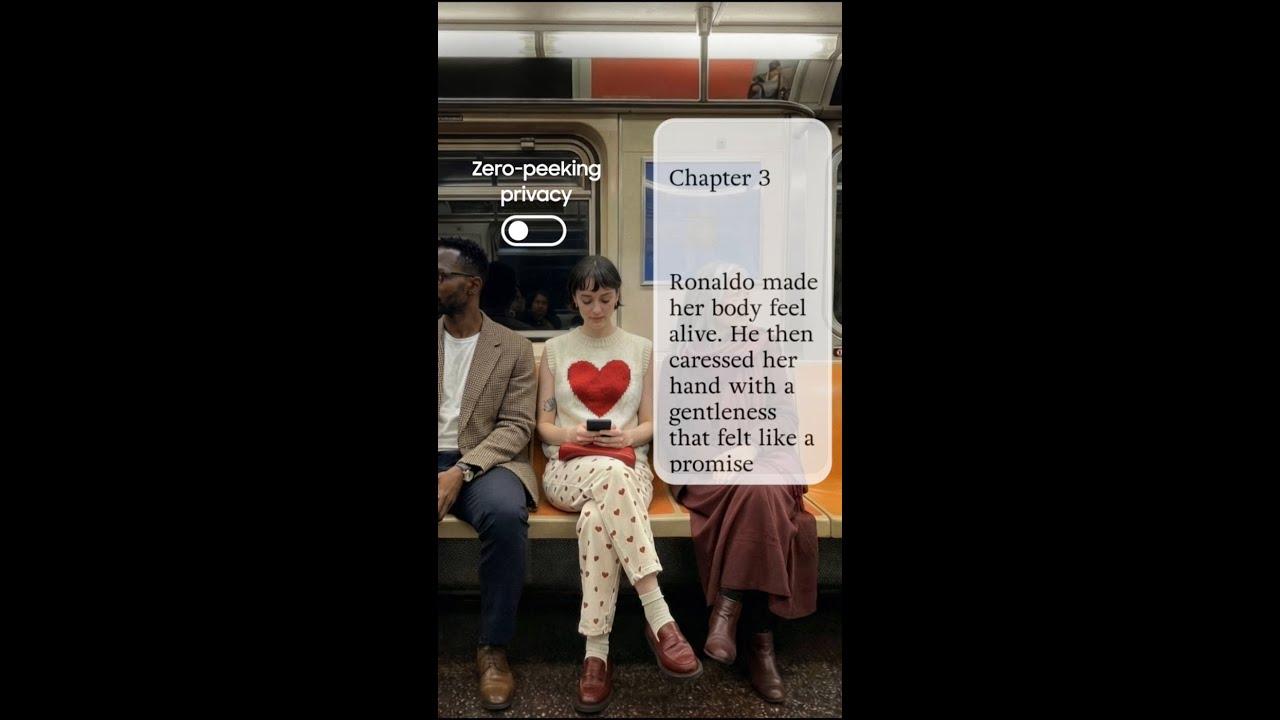
As you can see, phones with this feature will have a toggle that can hide the whole screen from anyone not viewing it front-on, so if as in this video you’re reading a spicy story on the train, you can do so without attracting unwanted attention.
The video ends by saying that this feature is coming on February 25, which is when we’re expecting the Galaxy S26 series to launch – but leaks so far suggest it will be exclusive to the Ultra model.
Customizable privacy
In any case, while this video shows just a single toggle to blank out the whole screen, it’s likely in fact that Privacy Display is smarter than that.
For one thing, the company’s previous teasers suggested you could use it to blank out specific messages for example, and we’ve also now seen leaked screenshots showing the various Privacy Display toggles and options.
These were shared by Tarun Vats – a leaker with a reasonable track record – and as you can see below they show a toggle to automatically have Privacy Display switch on when using sensitive apps or in crowded places, and a toggle to have the screen dim when Privacy Display is active for extra privacy.
Galaxy S26 Ultra feature👀Privacy Display pic.twitter.com/Kf2edTCXsIFebruary 17, 2026
You can also set it to turn on when you’re out in public, and toggle it to specifically hide your screen lock, images, notifications, and picture-in-picture.
If these images are accurate it looks like this tool could be quite customizable and extremely useful; we’d take these screenshots with a pinch of salt, though, as there are multiple typos, and the text is inconsistent about whether to capitalize Privacy Display, as well as sometimes calling it Private Display instead.
Now, this could just be an early version of the software that hasn’t had the language polished yet, but it could just as easily be fake – we should find out soon, as February 25 is only around a week away.
Follow TechRadar on Google News and add us as a preferred source to get our expert news, reviews, and opinion in your feeds. Make sure to click the Follow button!
And of course you can also follow TechRadar on TikTok for news, reviews, unboxings in video form, and get regular updates from us on WhatsApp too.