


Your phone is something you’ll almost always have with you, which can make it a great choice for content creators, who might not want to carry around bulky gear when shooting on the move or away from their home or studio.
But if you’re a content creator then quality also really matters — it’s essential that the photos and videos you’re sharing look good, and also important that the tech you’re using doesn’t get in the way of your workflow, so you can quickly and easily edit and share your creations.
So how well does the Samsung Galaxy S26 Ultra handle these things? Below we’ve answered common questions that content creators might have, about whether Samsung’s flagship phone is a good choice for them.
TL;DR: With versatile cameras, AI-boosted results, and powerful editing tools, the Galaxy S26 Ultra is ready to create all kinds of content and get it polished fast, so you can share it sooner.
Are the cameras versatile enough to rely on?

If you include the front-facing camera then most smartphones have either three or four lenses, but the Galaxy S26 Ultra has five, so that immediately gives it more versatility than the majority of handsets.
You’re getting not just an ultra-high-resolution 200MP wide sensor, but also a 50MP ultra-wide, a 50MP 5x telephoto, a 10MP 3x telephoto, and a 12MP front-facing camera.
So whether you’re shooting products up close and want maximum detail from that 200MP sensor, or you want to fit a wide party scene in your shot with the ultra-wide, or shoot from a distance with one of the telephoto lenses, the Galaxy S26 Ultra can cope.
You’ve got five dedicated lenses in your pocket attached to one small device that’s always ready to go, reducing the need for carting around multiple cameras and lenses.
Can it cope with low-light shots?

Thanks to its advanced nightography¹ capabilities the Galaxy S26 Ultra is a highly capable choice for low-light shots. So if you’re out filming after dark or trying to capture a dimly lit indoor event, you’ll still get crisp and clear photos.
That’s thanks to a number of factors, including wider apertures that let in up to 47% more light², AI-Powered Image Signal Processing on the front-facing camera which automatically reduces noise, Nightography Video, which thanks to the Galaxy S26 Ultra’s advanced processor can deliver noise reduction on individual noise patterns when filming, and Night mode for photography, which uses AI multi-frame processing to combine 30 images into a single photo, for lifelike, detailed results.
So whichever lens you’re using and whether you’re taking photos or shooting videos, the content you share will look clear and professional, with none of the noise or muted details that can plague lesser cameras.
How can Galaxy AI help improve photography?
Galaxy AI³ is used in a variety of ways to aid the photography experience with the Galaxy S26 Ultra, but one of the most useful is its AI scene recognition.
This identifies the type of scene you’re pointing the camera at, and adjust the settings accordingly, so you can focus on capturing content rather than being distracted by adjusting settings between each shot.
That means you can work faster and more efficiently, while being confident that the settings will always be right to capture the scene perfectly, even if you’re constantly moving between dark interiors and bright exteriors.
How is camera shake countered in videos?

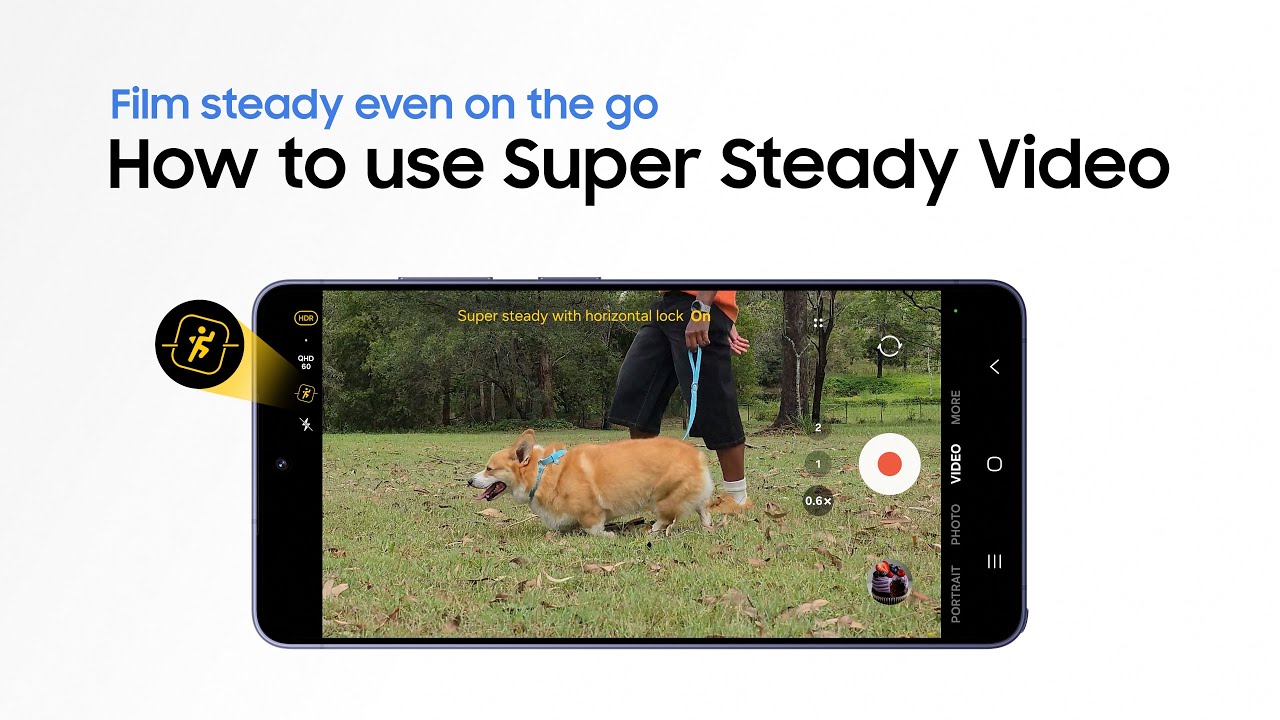
If your content requires you to shoot handheld then you’ll know that camera shake can be a real issue, but the Galaxy S26 Ultra has a solution in the form of Super Steady with Horizontal Lock⁴.
With this, the phone can stabilise your videos using real-time gyro and accelerometer data, so if your hands aren’t perfectly steady or if you’re moving around while filming, perhaps for example walking around a park or city while recording a vlog, the resulting footage will still come out smooth and professional.
Can images and videos be improved after they’ve been taken?
The Galaxy S26 Ultra has a powerful suite of editing tools, which we’ll discuss below, but before you even come to edit your photos and videos, they can already be improved with the help of ProScaler⁵.
This works in the background to upscale photos and videos, providing improved details and sharpness. That means great results without edits, and in turn less time spent editing, so you can get your work done faster.
What editing tools are available?

The Galaxy S26 Ultra includes a wide range of photo and video editing tools, but for content creators there are two in particular that are worth highlighting.
One of those is Photo Assist⁶, an AI-powered editing tool that allows you to simply tell the phone what edits you want (using text or voice) and it will carry them out for you, potentially saving you hours of manual work.
The other is Audio Eraser⁷, which can remove unwanted background noise from your videos, and also from videos in places like YouTube.
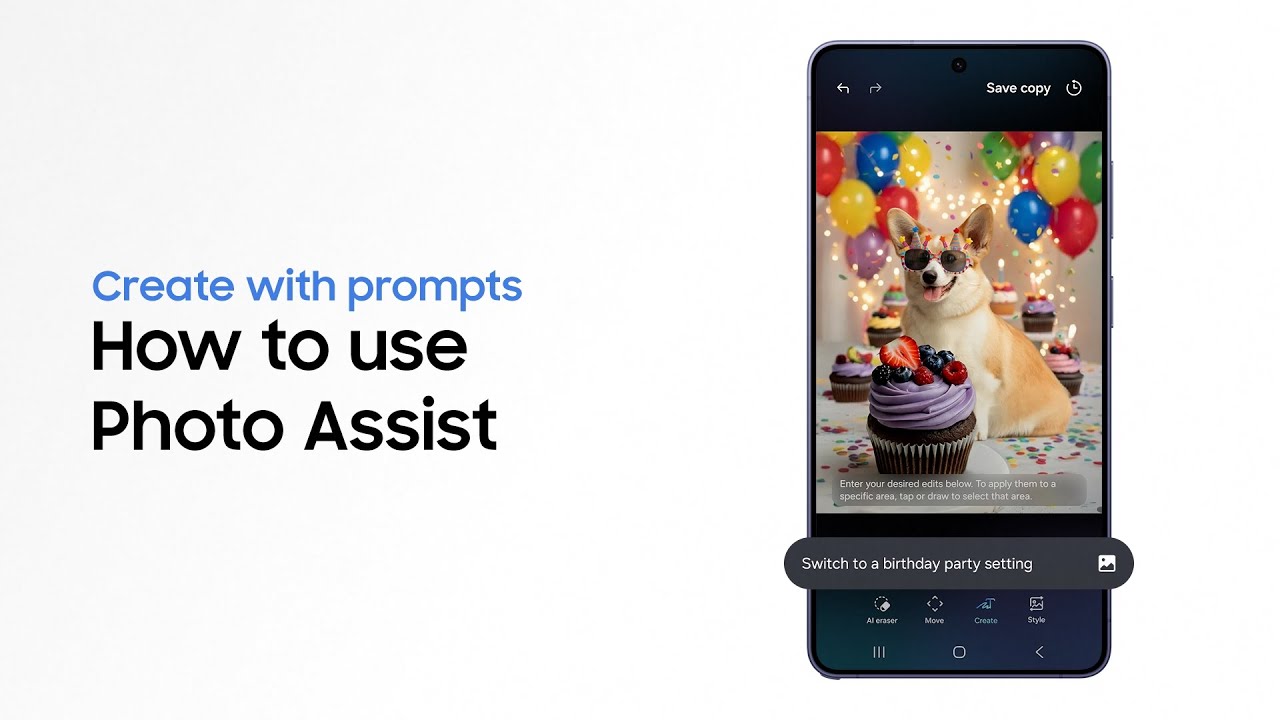
So whether you want to quiet down a noisy crowd in festival footage, remove unwanted objects from photos, or almost anything else you might want changing, the Samsung Galaxy S26 Ultra has tools to make this quick and easy, so you can share content faster after filming.
And thanks to Advanced Professional Video (APV) codec support, you can edit videos repeatedly without degrading their quality — all while storing the files with lower space requirements than competing formats.
Will the battery hold up to a long day of shooting?

If content creation is your job, then you need to be able to rely on the tools you use, so a long-lasting battery is vital.
In the Galaxy S26 Ultra’s case, you’re getting a 5,000mAh⁸ battery, so it’s high capacity, and it includes an AI-powered Adaptive Battery feature that learns how to optimise power based on your usage patterns, helping the phone go further.
The Galaxy S26 Ultra is rated for up to 31 hours of video playback between charges, so even if you spend all day reviewing footage you’ve filmed, you won’t run out of battery.
So if you’re ready to start working more efficiently while still getting high-quality, professional-grade results, head to the Samsung website to find out more.
1. Results may vary depending on light condition, subject and/or shooting conditions. 2. Performance boost measured in comparison to previous Samsung Galaxy smartphones. 3. Samsung account login is required for certain AI features. Galaxy AI features are provided for free. Future releases may include additional advanced features that are offered as part of a paid subscription plan. Different terms may apply for AI features provided by third parties. 4. Super Steady results may vary depending on editing method and/or shooting conditions. 5. ProScaler available on Galaxy S26 Ultra and Galaxy S26+ models only. 6. Requires network connection and Samsung account login. A visible watermark is overlaid on the saved image to indicate it was generated by Galaxy AI. Accuracy of output not guaranteed. 7. Samsung account login required. Six types of sound can be detected; voices, music, wind, nature, crowd and noise. Results may vary depending on audio source & condition of the video. Network connection required to be used on supported apps. 8. Typical value tested under third party laboratory conditions. Rated minimum capacity of the Galaxy S26 Ultra is 4,855mAh.