


Lenovo's EOFY sale is over and there are loads of laptop, desktop and gaming PC deals available through June. The deals are mostly all done, but you can check below in case there are still any stragglers hanging on.
We won't be updating this page after July 1, so head over to our laptop deals guide if you are looking for a discount after that.
Lenovo had discounts of up to 50% off on selected models, plus 2x reward points available on eligible purchases. Business buyers should also check Lenovo Pro, while students, teachers and parents can compare the education store.
EOFY can be a smart time to upgrade a home laptop, work PC, study machine or gaming setup, especially if your current device is starting to feel slow in daily use.
Lenovo's EOFY sale started in early May, but the deals tend to really heat up in June. EOFY itself ends on June 30, and stock, coupon codes and reward-point offers can change before then, so make sure to check back to see the latest sales and discounts.
While Lenovo sponsored this page, only the deals I think are actually worth your money will be included. I'll be checking configurations, sale prices, coupon stacking and obvious alternatives, so a giant percentage off won't be enough on its own.
- Want to save more at Lenovo? Check the latest Lenovo coupon codes before you buy.
For broader buying advice, check our best laptops guide, including the Lenovo Legion 7i, or our best gaming laptops guide, where the Lenovo Legion 5i is our current top pick.
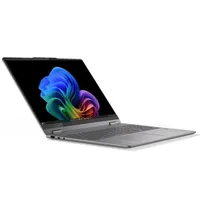
Best Lenovo laptop deals
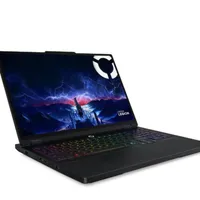
Best Lenovo gaming laptop deals
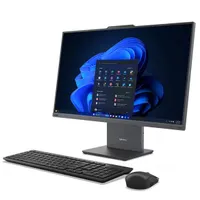
Best Lenovo desktop and AIO deals
Best Lenovo other deals
2026 Lenovo EOFY deals: Key information
Tax time can make discounted tech more appealing, but don't assume every purchase is deductible. The Australian Taxation Office (ATO) has specific rules for computers, laptops and software, so check the guidance or speak to a tax professional if you're buying partly or fully for work.
When does Lenovo's EOFY sale start?
Lenovo's EOFY Early Access sale started in early May for 2026, with deals across laptops, desktops, monitors, accessories and gaming gear.
The main shopping period runs through June, and EOFY ends on June 30, 2026. Some clearance deals can continue into July, but the best configurations can sell through and coupon codes can change, so don't assume a good price will hang around.
How to get the best Lenovo EOFY deal
Lenovo has a lot of ranges, and the best deal is the one that fits the job, not just the one with the biggest advertised saving.
Start with IdeaPad if you want a practical everyday laptop for study, browsing and office work. Yoga is the range to check for a nicer screen, a thinner design or a 2-in-1 hinge. For desktops, IdeaCentre all-in-ones and compact tower PCs make more sense if the machine will live on a desk.
ThinkPad is the business-focused laptop range, while ThinkCentre covers office desktops, mini PCs and workstations. Check Lenovo Pro if you're buying for a business, because member pricing and business EOFY offers can be different from the regular consumer store.
Legion is Lenovo's main gaming line, while LOQ is the cheaper way into Lenovo gaming. Both names can cover laptops and desktops, so compare the exact Nvidia GeForce RTX chip and the final configuration before you buy.

Know what you need before EOFY
Decide what the upgrade needs to do before you start sorting by discount. A cheap Lenovo deal is still the wrong buy if the laptop is too heavy for commuting, the desktop is too cramped for upgrades or the monitor doesn't suit your desk.
If you have a model or setup in mind, write down the screen size, processor, memory, storage, ports and any features you don't want to compromise on. That makes it easier to spot a real price drop and avoid spending your budget on a configuration that only looks good in a sale banner.
EOFY can also add a deadline feeling to the decision, especially if you're buying for work. That doesn't mean you should rush. Check the final checkout price, delivery timing and any coupon or reward-point conditions before you commit.
Choose the right size and setup
Lenovo laptops cover a wide range of sizes, from compact 13-inch and 14-inch machines through to 16-inch and 17-inch models with more screen space and stronger cooling.
A smaller Yoga, ThinkPad or IdeaPad is easier to carry and more comfortable on a cramped desk. A larger Legion or LOQ laptop can fit more powerful parts, but the extra weight and bigger charger matter if you plan to move it every day.
If the device will stay in one room, don't ignore desktops. A ThinkCentre Tiny takes up very little desk space, an IdeaCentre all-in-one keeps the setup simple, and a Legion tower can give you more gaming power and better upgrade options than a similarly priced laptop.

Check the spec sheet
The model name is only the start. A Yoga, ThinkPad, Legion, ThinkCentre or monitor deal can change a lot once you check the exact specifications.
For PCs, look at the processor (CPU), system memory (RAM), storage, display and graphics processor (GPU) before you treat any discount as good value. An Intel Core Ultra, AMD Ryzen AI or Qualcomm Snapdragon X chip can all work well in the right device, but the exact model changes battery life in laptops, noise in desktops and performance everywhere.
Desktops can be better value if you don't need portability, because more of the budget can go into performance, cooling and upgrade room. A previous-generation processor can still be a very good buy for web work, documents, study and streaming if the discount is big enough.
AI PC branding is also not enough on its own. If features like local AI tools matter to you, check the processor, neural processing unit (NPU) support and software compatibility rather than relying on the badge.
RAM and storage
For most people, 16GB of RAM should be the minimum in 2026. It gives Windows, browser tabs, video calls and office apps enough room, and it gives the machine a better chance of feeling usable for several years.
I'd skip 8GB configurations. They can look cheap during EOFY, but the saving isn't worth much if the device starts to feel cramped within a year or two. For creative work, heavier multitasking or gaming, 32GB is the better target.
Storage is just as easy to overlook. A 256GB solid-state drive (SSD) fills quickly once you add Windows, apps, downloads and a few large files. I'd look for 512GB as a minimum, or 1TB if you store games, photos, video projects or work files locally.

Graphics, displays and monitors
Integrated graphics are fine for everyday Lenovo laptops and compact desktops. They'll handle browsing, streaming, office work, light photo edits and some very casual games without adding the cost, weight and heat of a separate graphics chip.
If gaming or GPU-heavy creative work is the reason you're buying, look at a Legion or LOQ laptop or desktop and check the exact Nvidia GeForce RTX graphics processor (GPU). A small model-name difference can mean a big performance difference, and the cheapest gaming PC isn't automatically the best value.
Display quality matters too. I wouldn't go below a 1920 x 1080 Full HD screen for a laptop or everyday monitor, while 1920 x 1200, 2.5K or 2.8K laptop panels can make browsing and document work feel better because they add sharpness and vertical space.
If you're buying a monitor, check the resolution, refresh rate, panel size, ports and whether USB-C docking is built in. A cheap screen can still be the wrong upgrade if it doesn't support the laptop or desktop setup you actually use.
Handheld gaming devices need a different check. Storage, controller comfort, battery expectations and where you play matter more than a big discount, and a Legion or LOQ gaming laptop or desktop can still be better value if you mostly play at home.
OLED screens can look excellent, especially for movies and colour-rich work, but they cost more and can use more battery. A 4K panel can be tempting, though on a laptop it often adds cost and power drain without helping as much as a better CPU, GPU or more RAM.
Check warranty, delivery and accessories
Before you check out, look beyond the headline device price. Warranty upgrades, accidental damage protection, docks, USB-C chargers, monitors, keyboards, mice and backpacks can make sense during EOFY, but only when they solve a real setup problem.
Delivery timing is another detail to check if June 30 matters to you. A deal can still be good after EOFY, but if you're lining up a work purchase with the end of the financial year, make sure the shipping estimate and invoice timing suit your situation.
Lenovo's direct store can also show reward points and coupon-code fields at checkout. Check those before paying, because the lowest-looking product price isn't always the lowest final price.
Stick with TechRadar to get the best Lenovo EOFY deals
EOFY sales can get messy quickly, especially when Lenovo has several similar laptop, desktop, monitor and accessory configurations discounted at the same time.
That's why I'll keep checking Lenovo's EOFY deals and surfacing the discounts that are actually worth your time. My focus is on finding the best final price on a sensible configuration or genuinely useful extra, not just repeating the biggest advertised savings.
