





TechRadar Verdict
A good netbook for average office and internet use but there are better netbooks available
Pros
- +
Great battery life
- +
Screen quality
- +
Good storage
Cons
- -
Thick chassis
- -
Small screen
Why you can trust TechRadar We spend hours testing every product or service we review, so you can be sure you're buying the best. Find out more about how we test.
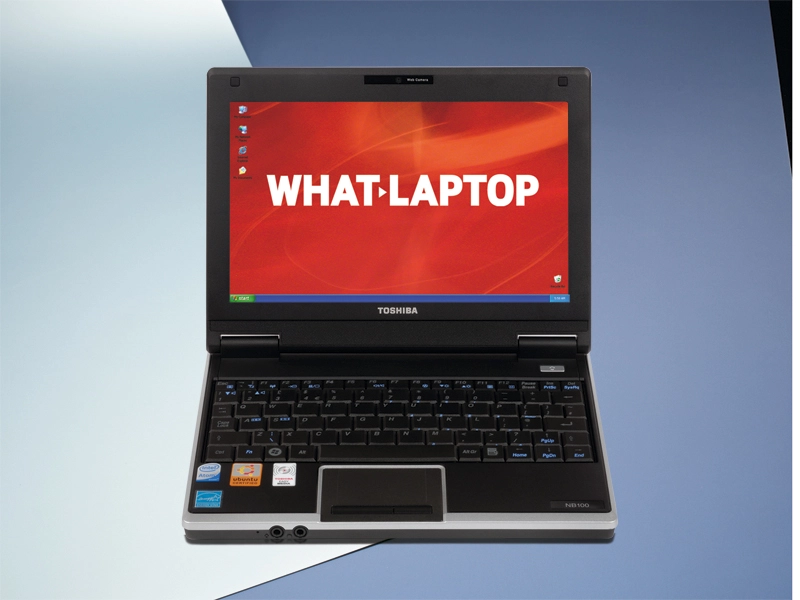
As with Samsung, Toshiba was relatively late to enter the fast-growing netbook market. When it finally released the NB100 range last year, we were left slightly under-whelmed, but that's not to say that this model, the NB100-128, isn't still worth consideration.
The compact 1.1kg chassis has the slimmest width – just 225mm – so easily slips into even the smallest luggage. It is also one of the thickest netbook chassis, however, so although build quality is excellent, it lacks the sleek look of the Asus EeePC S101 or Dell Inspiron Mini 9.
This narrow design unfortunately has a direct effect on the keyboard. The small keys are awkward to use when typing at speed, so you're forced to pick at them rather than typing smoothly. Users with large hands are sure to struggle.

In terms of mobility, we previously reviewed a model with a 3-cell battery, and were left disappointed. Toshiba has since added a 6-cell battery for an excellent 253-minutes of mobile uptime, but the battery is quite large and protrudes from the rear of the chassis.
As with the Dell and MSI Wind U90, the 8.9-inch screen is one of the smaller panels on the market. Image quality is outstanding, thanks to its glossy Super-TFT coating, but you may prefer a larger 10.2-inch netbook if you plan to regularly work for extended periods.
Impressive software
The comprehensive software suite included with the NB100 sets it apart from its rivals. Microsoft Works provides basic office tools and McAfee Internet Security Suite keeps you protected when online.
Storage is another strength. Although the 120GB hard drive is bettered by the Samsung NC10, it is still one of the most spacious around and ideal for carrying large quantities of files. The 3-in-1 card reader also supports the most common Flash storage formats.
Unfortunately, despite an identical base specification to most other netbooks, the Toshiba provides the lowest performance. Graphics power is capable but, for office use, we found it quite sluggish and slow to respond.
Connectivity is also limited. While 802.11g Wi-Fi and 10/100 Ethernet provide standard network access, this is one of only two models, along with the Advent, not to feature Bluetooth for wireless connections to peripherals.
Although the excellent storage, battery life and screen quality of the Toshiba NB100-128 make it easy to recommend, it falls too far short of its rivals to be an essential purchase. At this price, you may find that other options are a better overall fit for your needs.