TechRadar Approved - Sponsored Offer Samsung
Samsung's 2026 PC gaming monitors are here to refresh your desktop battlestation — and you can save up to AU$110 off with our exclusive discount code
Plus, snag a 50% discount on high-speed Samsung SSDs with any monitor purchase
Samsung has officially launched its 2026 range of premium PC monitors in Australia, featuring a bevy of gaming models and a wide variety of options, including up to 6K resolution, refresh rates of up to 360Hz and ultrawide panels.
To kick off the launch, Samsung has some special offers to help you save on your brand new monitor, including a discount code you can only find here at TechRadar.
If you trade in your old monitor — Samsung or otherwise — you can save up to AU$150 on one of the new releases. Furthermore, if you use our exclusive coupon code TR-ULTRAHI at checkout, you can save an extra 5% off your cart, with savings of up to AU$110.
But that’s not all — purchasing any of the new models below will get you free standard delivery (valued at AU$15) and the option to snag 50% off a Samsung 9100 Pro SSD, which we rated 4.5 stars in our review for its blazing fast read and write speeds. That’s up to AU$1,999.50 in extra savings if you get the 8TB.
You can find more information on Samsung’s new range of premium monitors below, as well as links to where you can order them. Make sure to use the code TR-ULTRAHI at checkout to save up to AU$110.
Samsung is a TechRadar preferred partner (What does that mean?)
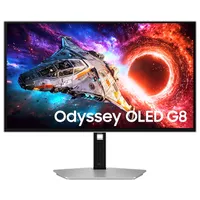
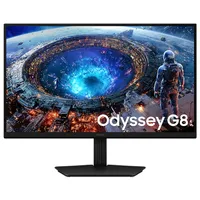
This new Samsung QD-OLED screen is an impressive feat of engineering, managing to cram 4K resolution in a 27-inch space to produce 166 pixels per inch (PPI). While that’s easier to do with other display technologies, it’s a different story for OLED, which explains why this one carries a premium price. The G80SH features a 240Hz refresh rate, DisplayPort 2.1 and 98W USB-C power delivery, and supports both Nvidia G-Sync and AMD FreeSync. Its ergonomic stand allows for full tilt, swivel, and height adjustment to help fine-tune your desktop setup. The G80SH is also available in a 32-inch option for AU$2,099 AU$1,994.05 with the code TR-ULTRAHI.
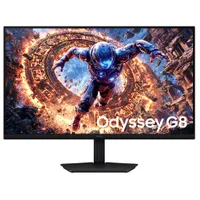
Want a high-resolution gaming display, but can’t afford a high-spec gaming PC to pair it with? This dual-mode IPS display lets you switch between two resolution/refresh-rate configurations so you can have the best of both worlds — a 5K resolution (5120 x 2880 pixels) at a still respectable 180Hz, or 2560 x 1440 resolution at a blazingly fast 360Hz. While in 5K, the 27-inch panel’s 218 PPI provides ultrasharp images, and HDR10+ support delivers outstanding colour detail. This also has the same DP 2.1 and 98W USB-C power delivery connectivity and ergonomic stand as the G80SH above.
If the 5K monitor above isn’t quite pixel-dense enough for you, the G80HS goes even further with a 6K (6144 x 3456) resolution in a 32-inch panel, which has an even greater PPI of 224. The refresh rate is 165Hz at 6K, but similar to the above, you can get 330Hz if you switch down to 3K resolution (3072 x 1728). You will also get the same connectivity options and ergonomic stand from the two monitors above.
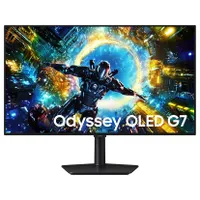
If the G80SH QD-OLED option above is a bit beyond your budget (or you’re not too fussed about higher pixel density and ultra-high refresh rates), the G73SH is a great alternative. Like the G80HF and G80HS above, you can drop down to a lower resolution (in this case, 1080p) and get a 330Hz refresh rate for ultra-smooth gaming performance. Like all the others here, the G73SH also comes with a highly flexible ergonomic stand, and supports HDR10+, Nvidia G-Sync and AMD FreeSync.
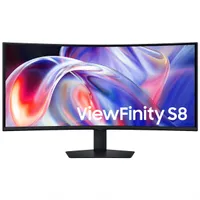
Despite not technically falling under the gaming-focused Odyssey line — it’s more designed with productivity in mind — the S85TH still has plenty of gaming-friendly features like a 144Hz refresh rate, AMD FreeSync support and a curved panel to provide a more immersive experience. On the other hand, the productivity features here include Thunderbolt 5 support to enable daisy-chaining of multiple monitors, a built-in KVM switch to let you swap between connected computing devices easily, and an easy-to-adjust stand to help you find the right viewing angle for better ergonomics.

Nico is an experienced writer and journalist, having previously written for business titles across Australia. He mainly focuses on phones, as well as finding deals and coupon codes at TechRadar Australia. Outside of work, Nico is a keen cyclist and occasional hiker, and also writes about related tech like smartwatches and bike computers.