



 Become a TechRadar Insider


TechRadar Verdict
It has its flaws as a phone but these are overshadowed by its excellent multimedia capabilities
Pros
- +
Cyber-shot photographic interface
Fine music player
Welcome active lens cover
Cons
- -
No 3G
Keys a little thin
Video quality
Why you can trust TechRadar We spend hours testing every product or service we review, so you can be sure you're buying the best. Find out more about how we test.
The Sony Ericsson K800i Cyber-shot branded mobile was Bond's phone of choice in Casino Royale, and it certainly played its part in putting Sony Ericsson's Cyber-shot brand on the mobile map.
Broadening its appeal to reach a more mass-market audience was therefore always on the cards, and the camera-toting manufacturer duly obliged with the recent launch of the Cyber-shot-branded K550i at the same time as the K800i upgrade, the K810i.
Of the two new Cyber-shot handsets, the quad-band K550i bears the lower-specs but still manages to pack an impressive feature-set into its altogether sleeker package. Sony Ericsson appears to have realised that shaving a few millimetres off the girth would secure any doubters, and as a result the K550i debuts at a highly pocketable 14mm.

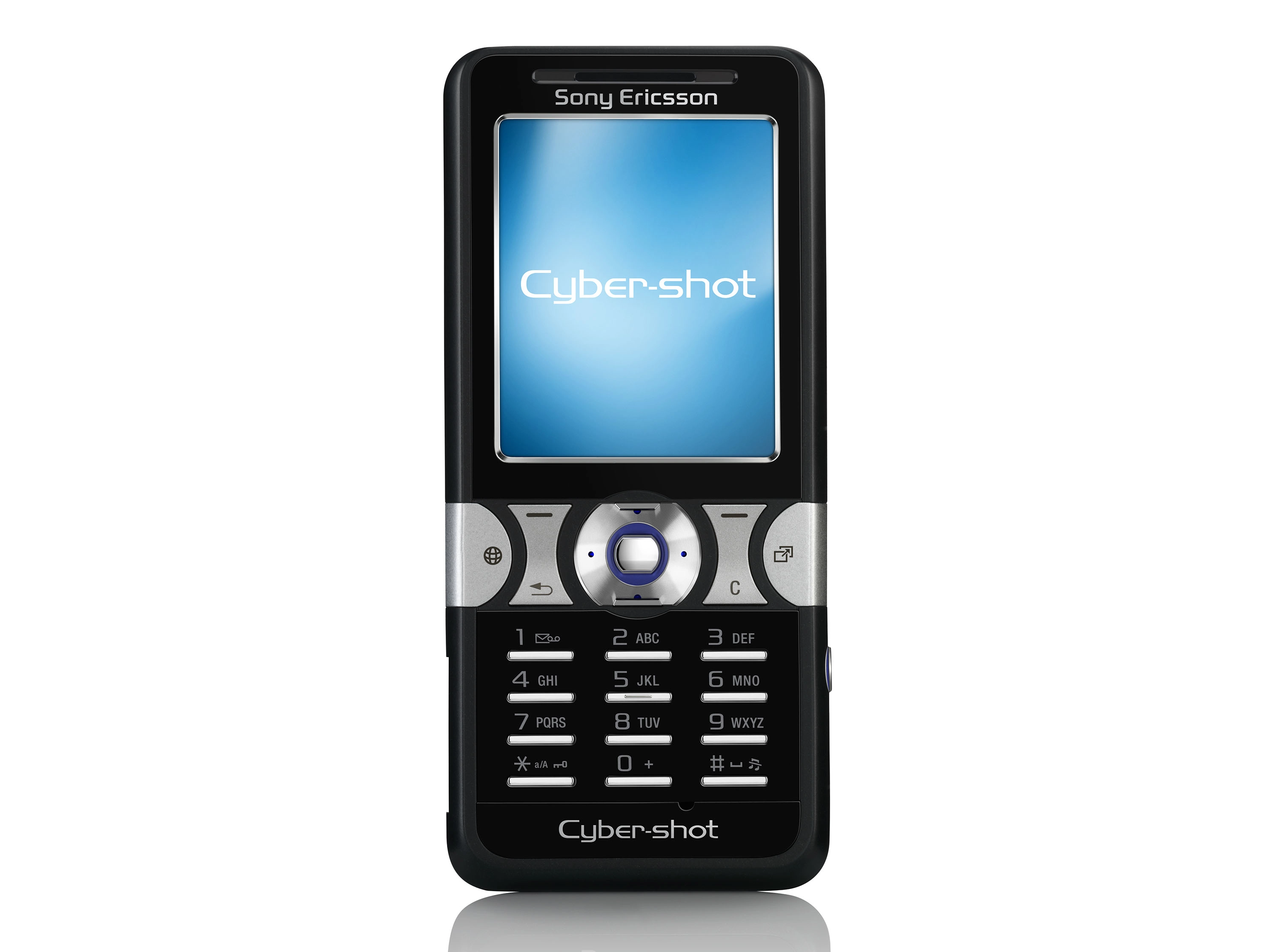
It exudes style, with the chrome buttons and screen edging standing out well against the jet-black casing of our review sample. If you prefer your gadgets to match your iPod it's also available in an equally attractive Pearl White.
Unsurprising, the camera dominates the external styling of the phone, with a chrome band highlighting the lens area on the back. Protecting the optics is an active lens cover that slides open with reassuring solidity to arm the 2-megapixel camera ready for use. To take a picture the handset is held in the traditional camera style, with the volume rocker doubling as a zoom control and the shutter release located to its right.
Along the opposite edge, a playback/pause button provides quick access to your tunes (like all mid-priced phones now, it has a music player onboard). A Fast Port connector allows you to charge the handset, hook it up to a computer, or plug in the supplied headset. Annoyingly, the bundled 512MB Memory Stick Micro (M2) memory card is not hot-swappable, and to get at it you have to unlock the hinge-action back casing and remove the battery.
The interface itself follows Sony Ericsson's usual format, with the Activity Menu key on the far right of the control strip offering speedy access to your frequently used options, coupled with a number of shortcut soft-keys. Ease-of-use is at it the heart of the menu navigation system, and handy prompts often appear onscreen to clear up any potential causes of confusion.
Without doubt, the central thrust of this handset is its imaging capabilities, and much of the revolutionary technology found on the K800i has trickled down to the K550i. In this instance the camera is 2- rather than 3.2-megapixels, but the inclusion of Cyber-shot processing sets the pictures produced apart from other similarly specced megapixel models.
There's also an auto focus function to help add clarity to photos, locking in on the central subject, while a double LED acts as a surprisingly good flash in low-light situations. Limiting the zoom power to 2.25x is probably a sensible move, too, as anything over this will cause pixilation.
Every stage of the imaging process has been catered for, and once you've taken your shots they can be edited in-camera with PhotoDJ. Levels and contrast can all be adjusted, and a range of effects can also be added. If you want more sophisticated editing, Adobe Photoshop Album Starter Edition is included on the PC Suite.
Sharing your photos is high on the agenda, and within a few button-presses you can publish them either to an existing blog or the software will automatically set one up for you. Pictbridge-compatibility means it's just as easy to print your shots, too.
Aside from its photo-taking credentials, the K550i backs up a standard music player app with the convenient PlayNow download service. The feature simplifies the process of finding and downloading music, ringtones and games down to just three clicks, and with a constantly updated list of tracks there's plenty to choose from.
Another nifty music-related feature is the inclusion of TrackID. Like Shazam, it allows you to record a snippet of a tune, either from the built-in FM radio or an external source, then get the track, artist and album information sent directly to your phone. By using a GPRS data connection to identify a tune rather than Shazam's mobile calling option, TrackID means you pay far less for getting the info you're after.
Rounding off the music features, A2DP stereo Bluetooth support increases your options when it comes to how you enjoy your tunes.
Standard features such as organiser facilities, an email client ad WAP are all present. There's a full web browser onboard too, with RSS support, although being a non-3G handset, surfing the web can be on the slow side. It's also possible to record video, but in contrast to the stills camera the less said about the QCIF resolution of footage the better.
The K550i has got all bases covered in terms of looks, and on the whole its performance matches this. Pictures taken show a good level of detail, and colour reproduction is refreshingly accurate. There is, however, a slight tendency to overexpose.
Music is the usual tinny affair when listened to over the built-in speakers, but the supplied headset provides an altogether better audio experience. The option to add Bluetooth stereo headphones thanks to A2DP support is also a boon.
In terms of call-quality things are slightly patchy, and while there was no interference or break-up the definition on voices and overall clarity could have been better. Despite this, reception holds up well - even in areas of known poor coverage - and battery life is simply outstanding, lasting at least five days with relatively heavy use.
If we were to level a criticism at the K550i, it would have to be the uncomfortable nature of the keypad. Those who manage to differentiate the close-set keys will find themselves with an indented thumb due to their angular style, and the fatter fingered amongst us will be in for a frustrating time texting.
Sony Ericsson has enhanced its reputation for producing quality phones at every point in the market with the K550i, and the handset will definitely hold universal appeal for those wanting a stylish cameraphone at a competitive price.