


Sponsored by

How to download and use the IPVanish VPN app on Fire TV Stick

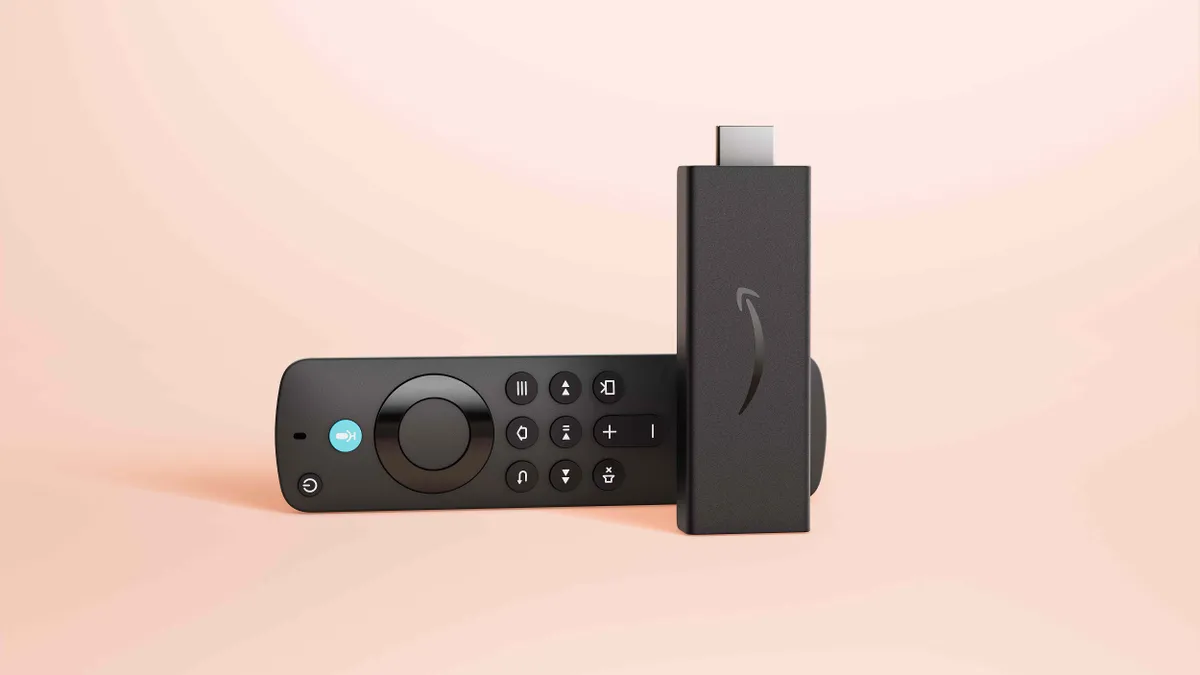
Since the Amazon Fire TV Stick arrived in 2014, it's been possible to cram an entire streaming hub into one device that's capable, portable and super simple to use.
Streaming on any TV this is connected to, as a result, can be done with ease – making for a great travel companion. The only limitation is geographical location and privacy, which is where the power of a VPN comes in.
By using a service like IPVanish on a Fire TV Stick, it becomes possible to stream privately when on a shared network – like in a hotel – and to get even more flexibility out of the hardware.
From streaming at home to overseas, a VPN on your Fire TV Stick means you can get access to the content you need, regardless of geo-restrictions in the place you find yourself.
And the best thing? Getting IPVanish on your Fire TV Stick is extremely straightforward to do.
Why do I need a VPN on my Fire TV Stick?
The primary reason that a VPN is used on a Fire TV Stick is to stream videos when overseas.
Since most streaming platforms – from Netflix and Amazon Prime Video to Disney Plus and Apple TV – use geo-restrictions, it means certain content is only available in specific locations.
So if you're away with work or travelling on holiday, you may find the access to that show you started before you left is not possible.
This is where a VPN can help to give you access to a server that's based back home, giving you access to the content that the streaming service offers there, even if you're not.
Since the Fire TV Stick is so small, you can slip it into a bag (or even pocket) to travel alongside you without taking up much space or weight allowance. Plus it uses a fairly universal connector meaning it should be usable in most TVs from hotels to Airbnbs – all you need to do is connect it to the Wi-Fi there.
You've then not only got access to more content, but also with that added layer of privacy that only a VPN can provide.
And while privacy is a helpful feature to have when away, especially if on a public Wi-Fi network, a VPN can also help with quality. That's because some ISPs throttle bandwidth, slowing down traffic at peak times on services like streaming, which can leave you with a limited top-speed which affects that video quality. By using a VPN, it can often mean avoiding that throttling for a faster and more stable connection – leaving you to enjoy your video in the best possible quality available.
How to get IPVanish VPN on your Fire TV Stick
Setting up a VPN on an Amazon Fire Stick is so simple. Just follow a few steps and you can get going right away.
Even if this is your first time using a VPN, simply carry out these actions:
- Turn on your Fire TV Stick and go to the Home screen
- Select the Find or Search icon
- Type IPVanish using the on-screen keyboard
- Select IPVanish VPN from the search results
- Choose Download or Get to install the app
- Once installed, open the app from your Apps list
- Sign in using your IPVanish account details
Not yet an IPVanish subscriber? You'll need to sign up for an account on the website first. We have details below on the features you'll get, together with advice on what IPVanish plan to choose.
Once logged in on the Fire TV Stick, you'll be guided through the basic permissions and setup process. Everything is then automated, so even beginners can start using the service right away.
How to use IPVanish VPN on your Fire TV Stick
Once you've installed IPVanish on your Fire TV Stick, you can then begin use. Open the app, from the Fire TV Stick's 'Apps & Channels' section, and you'll be met by a clear interface with your connection status shown.
Select the server location you want – perhaps your home country if you're away travelling – then select the Connect option to get going. The app will let you know when you're up and running with an active VPN.
This will run in the background so you can then open the streaming app on your Fire TV Stick and get viewing as usual.
To disconnect, it's a single icon selection and you're back offline.

Why choose IPVanish?
IPVanish has a few standout features that make it a suitable partner for your Fire TV Stick and has already rolled out support for the new Vega OS. The focus on user privacy is a bonus, but it's that wide server network which can be really helpful to keep you connected no matter where you find yourself travelling.
It also has unlimited simultaneous connections, meaning it can be used across your devices – phone, tablet, console, laptop and so on – all at once, even while streaming.
The app is intuitive, minimal and easy to use; all ideal for use without a touchscreen or keyboard as with the Fire TV Stick.
The VPN also supports the latest WireGuard protocol, meaning you get top speeds alongside enhanced privacy protection. So this just works and does it all with minimal effort needed.
When it comes to Fire TV Sticks specifically, it's reassuring to know that IPVanish features a kill switch that you can turn on in the settings to terminate all of your internet traffic if the VPN connection ever drops, thus limiting the risk of your identity being exposed.
Choosing your IPVanish plan
There are two tiers to pick from when signing up to IPVanish: Essential and Advanced.
The Essential plan, as the name suggests, gets you the basics like encrypted connections, unlimited device use, 24/7 support and access to all the servers.
Go for Advanced and you have extra security and privacy tools that can be used across other devices. For example, it throws in 1TB of cloud storage, access to a secure web browser and a generous 5GB eSIM to use whilst travelling.
Both options work well with the Fire TV Stick. You simply need to think about whether or not you want to use the VPN more beyond that.
