





The MP3 codec is 15 years old this year. Unlike its peers, it won't be studying for its GCSEs or sneaking off behind the bike sheds for a quick snog: it'll just be quietly celebrating yet another anniversary as the definitive format for music of our time.
Other technically superior formats have tried to displace it over the last decade and a half, but MP3 is as synonymous with digital music as a certain brand of vacuum cleaner is with cleaning the carpets.
The question this raises is simple: if MP3 and its later video equivalents have been around for all that time, why is it still so hard to stream digital media files from one PC or device to another?
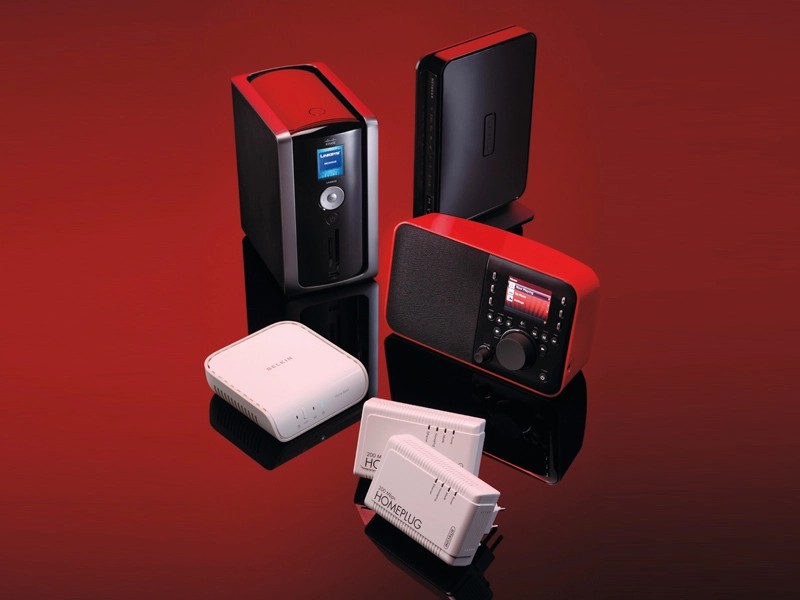
There are loads of clever devices and protocols designed for streaming a song or film off one hard drive, over an IP network and onto a different PC or player – but one manufacturer of both media servers and 2.1 speaker systems told us that it's still far more common for customers to simply unplug a laptop and carry it to another room if it's storing a tune they particularly want to hear. That's just anecdotal evidence, but it wouldn't be at all surprising if true.
There are lots of ways to share media files, but nearly all have pitfalls or compatibility issues that can make physically carrying around the storage seem like the most trouble-free option.
Simple sharing
The simplest and most reliable way is to put your media library into one folder on a hard drive, right-click on it and select 'Sharing Options'. You'll need Samba installed if you're using Linux, but other than that it's the work of seconds to open up access to all areas for anyone on your network, so that they can see the contents.
With that access granted, any media player software will let you browse to the appropriate shared folder and play back the media from there.
There are three drawbacks to this approach. The most obvious is that the host PC has to be switched on if you want to watch or listen to something on its hard drive. Many of us will baulk at the idea of leaving two machines running in order to listen to one song.
Even if you don't mind leaving a clown-shoe-sized carbon footprint, or you've built yourself a low-power media centre PC that you're happy to leave running 24/7, there are a couple of other problems that might crop up.
Firstly, getting one PC to see another on a home network isn't always easy. Many novice users accidentally set up two workgroups depending on whether their various PCs have defaulted to 'Home' or 'Workgroup' in the set-up process.
Recognition mission
This was one of the problems that Microsoft tried to address with the new Homegroup network setup in Windows 7. And it works perfectly – if every PC is running Windows 7. If you've got a mix of operating systems, it can complicate things a step further for the uninitiated.
Having both 'Homegroups' and 'Network' locations in Windows Explorer is confusing, for a start. More critically, it hides the traditional tree structure of workgroup and member computers, making troubleshooting a missing link that bit harder. (The solution is still to right-click 'Computer' and select 'Properties' followed by 'Change Settings | Change', before adding your Windows 7 machine to the existing workgroup.)
As long as two computers can see each other, it's a simple case of navigating to the folder in Windows Explorer or setting up your local media player to monitor it for contents. Windows Media Player, WinAmp, Rhythmbox et al can keep up to date with a remote library in that way, and it remains the most straightforward means of playing a file stored on one PC on another.
What happens, though, if the device you want to play your media back on doesn't have a file browser? Or if you're running iTunes on one machine, which won't monitor a remote library without duplicating every track locally?
In this age of network-aware TVs and iPods, you need something a bit smarter. Setting up a media server to centralise your music library so that it can be accessed by any device anywhere on your home LAN or beyond isn't, in theory, much harder than folder sharing. You just need a server app that has access to the physical location of your media and compatible client devices that can stream from it.
As far as PC software goes, most common media players – with the exception of Songbird – can act as both client and server, making their libraries accessible to other players and streaming files back from them. Another advantage of using a server rather than a folder share is that several machines will be able to access the same file at once.