





The best business laptops offer a blend of performance, portability, reliability, and security features to help you stay productive in the office, home, and working on the go. Because everyone's working day is different, in selecting this line-up, I've included a range of models. From machines well-specced for day-to-day business tasks to more powerful machines that can cut through complex data sheets, content creation, and local AI training.
For most professionals, the Dell 14 Premium is the best choice right now. A successor to Dell's excellent XPS line, this sleek laptop it delivered impressive performance in our tests, and offers a genuine Windows 11 alternative to the MacBook Pro. Check out the full review below, alongside some other top-performing laptop computers including the ever-reliable ThinkPad T14 workhorse and the AI-centered HP EliteBook X G1a.
Every laptop has been extensively tested by me and my team, using each one as our actual workplace machine throughout the review period, running the full range of office software, measuring video call and webcam quality, and conducting battery life tests for those who want a machine that will last for the full working day.
If you're a dedicated remote worker, also check out my guide to the best laptops for working from home.
Best business laptop overall


✅ You travel or commute to work: Weighing just 3.66 lbs (1.66kg), this is one of the most portable laptops with these specs that we’ve ever tested.
✅ You like to get creative: You can configure this laptop with an RTX 4050 GPU, making it a true MacBook rival for creative work.
❌ You like tactile buttons: The ‘touch’ function buttons, borderless trackpad, and lack of webcam privacy shutter make this a less tactile experience.
❌ You’re away from your desk a lot: We measured battery life at just 8 hours and 16 minutes, which is fair but not spectacular. Opt for the LED model and limit graphical processes if you want a slight boost here.
The Dell 14 Premium is the successor to the ever-excellent XPS 14 - so it’s reliable and beautifully specced for performance, all wrapped up in a durable metal chassis. Of all the laptops we’ve reviewed, this one comes as close as Dell ever has to a true MacBook Pro alternative.
Specs are good here - almost identical to the XPS 14, in fact, though it’s running a Intel Core Ultra 255H processor with an Nvidia RTX 4050 GPU. As you’d expect from Dell, there are multiple configurations to choose from to fit your workflow.
Connectivity ticks all the boxes for business professionals, featuring Wi-Fi 7, Bluetooth 5.4, and Thunderbolt 4 port (yes, we would’ve liked to see TB5, but it will likely prove a minor issue for most workers).
Performance proved to be excellent across the board, even beating the MacBook Pro 14-inch in a number of benchmarks we ran. When it comes to creative tasks, the Dell 14 Premium holds its own. So, it’s not going to struggle running office software or running a few datasets at work.
For those who need an all-day battery, we measured battery life at 8 hours, 16 minutes. That’s not spectacular, but also not bad considering the laptop has a discrete graphics and power-hungry OLED display sapping away at the battery. And it’ll see you through the work-day.
Overall, this is a well-built, well-specced, highly portable all-rounder for a range of business tasks. The only real design flaws we found are the touch-style function keys, borderless trackpad, and lack of webcam privacy shutter - all of which are divisive, but not deal-breakers.
Read our full Dell 14 Premium review
Best business laptop on a budget


✅ You’re looking for portability: Available in a range of sizes, the Acer Aspire 5 is perfect for commuters.
✅ You want well-designed machine at a budget-friendly price: A great choice for professionals seeking value.
❌ You need high-end performance: Better suited for lighter workloads, and at only 720p, the webcam does leave something to be desired.
❌ You require extensive connectivity: You may need dongles or hubs for peripherals as port selection isn't high.
We've long championed the Acer Aspire 5 for anyone looking for a cheap laptop that manages to balance a low price with good performance.
In terms of style, it's about as standard as a business laptop gets, and while not quite as slim-line as an ultrabook, it's relatively light (just 1.7kg), fairly robust, and ideal for on-the-go professionals.
During our review, we found the keyboard was firm and comfortable for typing - always a benefit for a business laptop - while the 1080p matte-finish display was perfectly acceptable for online browsing, emails, running office apps, and the like. We tested out the base model, experiencing no problems when doing exactly that.
As a budget device, we did clock some areas where corners had been cut. While Acer claims the battery lasts 10 hours, it couldn't quite match that during our battery life tests, which hit 6.5 hours during general use streaming movies and running apps. We were also disappointed by the 720p webcam, which may be a deal-breaker for some professionals.
However, for the price, we couldn't help but feel the Acer Aspire 5 gets the basics right.
Read our full Acer Aspire 5 review
Best business laptop for typing
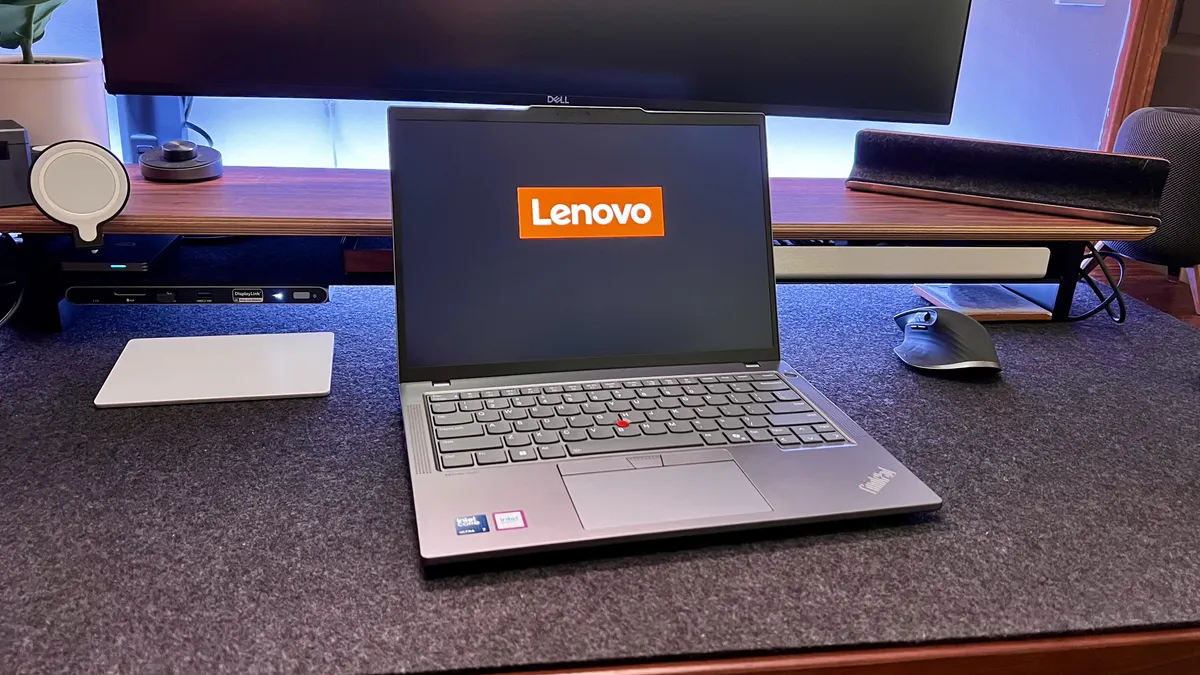


✅ You're looking for a laptop that will survive the commute: Like most modern ThinkPads, this one boasts MIL-STD-810H standards.
✅ You're doing a lot of typing: We love ThinkPad keyboards for their design and deeper key travel, which makes writing incredibly comfortable even for long hours.
❌ You want a bright, high-resolution display: We did find the screen is slightly dull compared to the likes of the MacBook Pro.
❌ You perform a lot of power-hungry, graphical tasks: While well-specced for running office software, browsing, and emails, this isn't a super-powerful mobile workstation or ideal for pro-grade content creation.
When it comes to choosing the best business laptop, you'll often find ThinkPads topping many lists. And the T-series line-up represents an excellent all-rounder for any professional who needs a reliable, durable laptop for work.
The T14 is a powerful machine for business users - and while it's hardly a mobile workstation in this regard, it'll blast through a whole range of tasks and projects, capably handling web browsing, light photo editing, and flawlessly running all the usual office apps upon which businesses rely.
In our own tests, we experienced no issues in terms of performance, using the laptop for a range of business tasks. We were pleased with the port selection here, and build quality is also good - a robust machine built to MIL-STD-810H standards, making it a good pick for those on the commute. It certainly feels like it can take a knock or two.
What really stands out here - and on most modern, traditionally designed ThinkPads - is the keyboard. Thanks to the ergonomic design and deep key travel compared to the likes of Dell and MacBook laptops, we found it perfectly built for long writing sessions (or short ones), and is about as close to using a separate, full-sized keyboard as you can get.
For a slightly slimmer but similarly built laptop, check out our Lenovo ThinkPad T14s review. And if the 14-inch screen isn't quite big enough, our ThinkPad T16 review offers an excellent alternative.
Read our full Lenovo ThinkPad T14 review
Best laptop for business travel


✅ You need business-grade performance: Dell's lightweight laptop is an absolute powerhouse for its size.
✅ You want an excellent screen: The XPS 13 features a gorgeous 3K OLED display that's bright and easy on the eyes.
❌ You need high-end graphics: Suitable for business tasks, but the XPS 13 isn't built for intensive graphical tasks.
❌ You need plenty of ports: As if often the way with slim and modern laptops, port selection is lacking.
With its slim-line design and light weight, the XPS 13 excels at delivering portability without sacrificing performance.
The design of the laptop is lightweight, but always felt very sturdy and robust during our tests, making it good for anyone regularly commuting or traveling. There's always some concern that ultrabooks like this mean the typing experience is hobbled. That's certainly not the case here. We found the backlit keyboard felt great during writing sessions, with a fair amount of key travel considering how thin the chassis is.
Our main problem was with the business laptop's "invisible" trackpad - yes, it's responsive and features palm rejection, but we still found our fingers sliding beyond those unseen borders, resulting in the tapping of buttons that weren't there. We had the same complaints about the button-less touchbar resting above the keyboard.
However, we liked the quad-array speakers, and 1080p webcam will be welcomed by business users taking regular online meetings. But where this laptop really shines, beyond its size and weight, is performance.
During review, it delivered strong performance across the board, lapsing only in our gaming benchmarks. Even opening twenty tabs in Chrome and multi-tasking between them, the laptop suffered zero slowdown (and the way the browser eats memory, that's frankly a modern miracle). Overall, it's a powerful, quiet, and efficient powerhouse.
Read our full Dell XPS 13 review
Best business laptop for creative professionals


✅ You demand the best visuals: The XDR display is perfect for creatives and media professionals who need color accuracy for work.
✅ You prefer the Apple ecosystem: Seamless integration with iPhones, iPads, and macOS make this a top choice for professionals working within the Apple space.
❌ You need budget-friendly options: It’s a premium investment, and for day-to-day tasks like using the Microsoft Office suite, it's going to feel over-priced and over the top.
❌ You use a lot of accessories at your desk: Limited to USB-C without adapters, the port selection is frankly poor here and you will need a USB hub to hook up a lot of essential peripherals.
The Apple MacBook Pro 14-inch (M4) is perfect for creatives and professionals needing high performance. It offers seamless macOS integration for productivity and collaboration alongside best-in-class Liquid Retina XDR display, a compact yet powerful machine formfactor, and so much more.
We found the M4 processor really drove this machine alongside the upgraded 16GB RAM, delivering pitch-perfect performance with no slowdowns or lag. Editing photos and 4K video was flawless, and the only limit we found here was when we tried editing 4K 120FPS footage from an iPhone 16 Pro Max. We could even game on this device without noticeable screen-tear (although it did give those fans a workout). In other words, it'll capably handle any office software, emails, and web browsing., alongside content creation.
One of the main reasons we rank this as one of the best business laptops is the absolutely incredible battery life. In our tests, it lasted over 18 hours of web browsing on a single charge. For anyone who needs to stay on while on-the-go, that's impressive.
So, what are the downsides? Well, it's not as powerful as the M4 Pro and M4 Max models - for full-time creators, these are the processors to choose. And we wouldn't recommend upgrading if you have an M3 model, the numbers don't really justify it.
Read our full Apple MacBook Pro 14-inch (M4) review
Best business laptop for executives


✅ You want an ultra-portable executive-level laptop: Despite packing some impressive specs, this machine is ultra-lightweight and beautifully designed, ideal for business owners traveling to multiple sites.
✅ You prefer high-resolution screens: One of the biggest draws for the X1 Carbon Gen 13 is the crystal clear 2.8K OLED display.
❌ You just need a basic laptop for work: This is overkill for general business tasks - and costs more than professionals will need to spend if just running office software and emails.
❌ You prefer a laptop you can upgrade: A lot of modern ThinkPads have low or limited upgradeability these days, and this is one of them - a nightmare for IT professionals and a disappointment for us.
We’d consider the Lenovo ThinkPad X1 Carbon Gen 13 an executive-grade laptop - it’s got a higher price-tag than other T-series ThinkPads, and frankly, it’s more powerful than most professionals will for day-to-day work. With its 14-inch screen size (the Goldilocks spot for modern business laptops in our experience) and an outer shell built from carbon fiber and magnesium alloy, it’s incredibly durable yet lightweight for multi-location operations
Performance proved excellent throughout our three-month testing period. It easily tackled multi-tasking and a range of productivity tasks. Even while running project management and coding tools, large documents, photo editing apps, and a criminal number of Chrome tabs, it never missed a beat.
Interestingly, it also boasts a range of additional security features for professionals, with the laptop capable of blurring the screen, suggesting VPN use where appropriate, and even prompting users when someone is looking over their shoulder.
ThinkPads are almost always a good pick for business use. They’re durable and performance-driven. They also feature the best keyboards we’ve used on any laptop around, with a 1.5mm key depth travel. So, if you’re doing a lot of typing, you’ll find the experience more comfortable than on most devices. And for those who want maximum performance with a lightweight design, the Lenovo ThinkPad X1 Carbon Gen 13 is a stand-out.
Read our full Lenovo ThinkPad X1 Carbon Gen 13 review
Best 2-in-1 business laptop


✅ You work in different ways with different teams: The main selling point of this laptop is that it operates as a laptop and tablet, as well as tent and presentation modes for collaboration.
✅ You make a lot of handwritten notes: This ThinkPad comes with a stylus, so when working in tablet mode, it’s incredibly easy to write up digital notes or annotate documents on the go.
❌ You just want a laptop: If you don’t need a 2-in-1, it’s an added expense that isn’t worth the outlay - performance is on-par with any similarly specced ThinkPad.
❌ You work outdoors a lot: The only real issue we experienced using this ThinkPad was how reflective the screen was, especially in direct sunlight. It’s similar to a MacBook in that way, and a necessity for the touchscreen, but it does mean you need to crank up the brightness levels.
As with any ThinkPad, business use is at the heart of the Lenovo ThinkPad X1 2-in-1 - this one easily ran all the standard business apps and software you’d expect, and the overall experience felt smooth and responsive.
It features Windows Hello and fingerprint sign-in, and as you expect from a ThinkPad, the typing experience is very comfortable. But the real selling-point is the 2-in-1 design (4-in-1, if you want to get technical about it).
In use, the four convertible configurations - laptop, tablet, tent, and presentation modes - all work seamlessly, and switching from one to the other had no discernible impact on performance.
The display is a touchscreen and supports using a stylus. However, the display felt a little too reflective at times. We found it particularly noticeable when working in direct sunlight. It’s hardly a deal-breaker by any means, but worth pointing out for those intending to use it in tablet mode on-site.
Other than this, we had no issues using the ThinkPad X1 2-in-1 for day-to-day productivity tasks. Performance remained excellent throughout testing.
Read our full Lenovo ThinkPad X1 2-in-1 Gen 10 Aura Edition review
Best business laptop for AI


✅ You’re running or training AI models: It’s ideal for those using AI for business, as it’s powered by the AMD Ryzen AI 9 HX PRO 375, and combining the CPU and NPU it can reach 85 TOPS.
✅ You work on everything from office software to graphics-intensive tasks: We found this mobile workstation to be ideally specced for a full range of business tasks.
❌ You want even more AI power: For increased AI performance, check out the HP ZBook Ultra G1a 14 - it’s a mobile workstation capable of reaching up to 126 TOPS of neural processing.
❌ You simply don’t need this level of power: This expensive workstation is overkill for general productivity tasks.
The HP EliteBook X G1a proved to be a very powerful and surprisingly portable mobile workstation during our tests.
General performance - that is, running office software and graphically intensive tasks like video editing, alongside browsing and emails - is as excellent as you’d think for a mobile workstation.
But the headline feature here is the AI capability. Sure, plenty of business laptops can run AI apps like ChatGPT, Google Gemini, and Microsoft Copiliot. However, the EliteBook X G1a has the power to run and train your AI models.
The NPU alone is rated at 55 TOPS. Combine that with the AI power of the AMD Ryzen AI 9 HX PRO 375 CPU, and you get a rating of 85 TOPS - an impressive feat for a laptop. True, that's less than the HP ZBook Ultra G1a 14 (see our review here), which maxes out at 126 TOPS of neural processing. However, the EliteBook is a better all-rounder pick for both local AI and day-to-day business tasks.
Read our full HP EliteBook X G1a 14 review
Best rugged business laptop


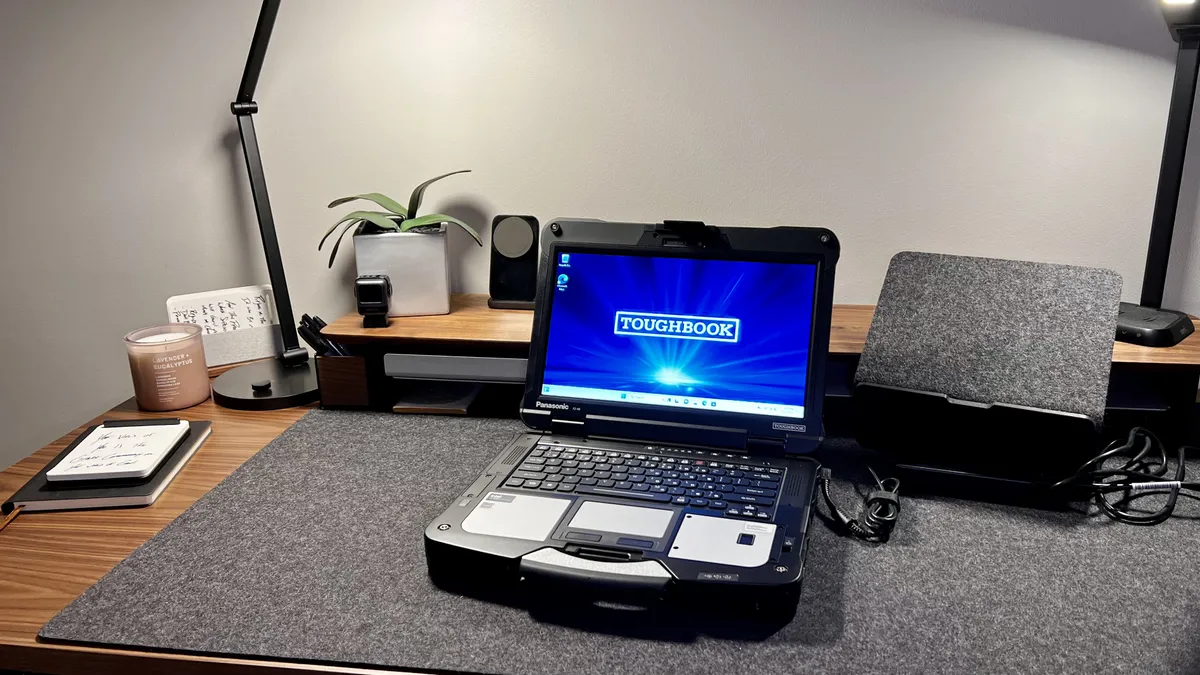


✅ You need a rugged laptop: Designed to endure harsh environments, drops, and extreme temperatures.
✅ You work in the field: Swappable parts and long battery life are perfect for mobile professionals.
❌ You prioritize portability: The 7.4 lbs weight makes it challenging for everyday travel.
❌ You need a sleek design: This is built for utility, not aesthetics.
The Panasonic Toughbook 40 is ideal for field professionals who require a durable and rugged laptop. This isn't just for cops or firefighters, but this can be for construction crews, those doing 3D rendering and modeling on a job site, utility workers, railway engineers, heavy equipment operators, geologists, engineers, and even journalists - though not the kind that sits in a comfy ergonomic chair at a home office setup, more the kind that risks their life to get the story whatever the risk.
On the rugged side, we were pleased to see MIL-STD-810H and IP66 ratings, offering good protection when out in the field. In terms of performance, we were strongly impressed with this admittedly bulky business laptop. We ran all the usual office software, as well as try out 3D modeling software, and it never skipped a beat. The device also boasts a Neural Processing Unit (NPU), enhancing the laptop's AI capabilities.
The bright, glove-compatible touchscreen is great for outdoor use, even when it's a bit chilly, and the swappable components, such as the dual-battery setup, help ensure that you're good to go in the field even for extended periods of time.
The price reflects the durability aspect and the modularity. However, if you are looking for a laptop that feels like it could be thrown out of a plane and survive the drop (do not try this at home), you shouldn't be shocked that it's going to cost more than a laptop that you would get nervous setting down on a counter the wrong way.
Read our full Panasonic Toughbook 40 review
Best business laptops: FAQs
What are the best laptops for business?
It will depend on what sort of business tasks you're undertaking, but generally, the best Dell laptops and the best ThinkPad laptops are ideal for Windows users, while we've also reviewed the best business MacBooks and best MacBook Pro laptops for those who prefer macOS. These laptops for business users are tailored for work and are, in our experience, fast, robust, and reliable. All critical for those looking to boost productivity.
We've also found some - but not all - the best HP laptops are great if you're working to a budget, and many at the lower end of the range are absolutely perfect for running Microsoft Office, Google Docs, and general web browsing. Lenovo has been making an impressive push recently too.
What features should I look for in a business laptop?
We asked Zach Noskey, Director of Portfolio Vision & Strategy at Dell Technologies, what he thought
There are many important features that differentiate a business laptop from a traditional consumer laptop. Specific capabilities to consider when purchasing a fleet of PCs will depend on the type of business and the role and responsibilities of employees, but below are a few broad areas to prioritize:
Collaboration: With the growth of hybrid work, employees need the capabilities to collaborate and connect from anywhere. Business workers rely on best-in-class video and audio features for frequent conference calls. Look for a minimum FHD camera for quality picture, top firing speakers for improved sound, and Wi-Fi 6E and 5G for a variety of connectivity options.
Design: Workers need mobile and flexible form factors for working on-the-go. Business laptops should ideally be lightweight and small, but also include a 16:10 aspect ratio display for an optimal front of screen experience. Plus, they should be made with durable and premium materials built to last.
Performance: Performance is a given for maximum productivity. Choose business laptops equipped with the latest generation of processors available to run applications smoothly when multi-tasking and preserve battery life. CPU and GPU specifics, such as discrete graphics, will depend on the demands of a worker’s role. Finally, look for systems with a minimum of 16GB of dual-channel memory and at least 512GB of SSD drive space.
Security and support: It’s not only about the end user experience. IT departments need enterprise-level hardware/firmware and software security features to prevent, detect and respond to threats wherever they occur. Plus, IT needs reliable service and support options for their fleet of PCs. Depending on the size of the business, companies might consider an all-in-one IT support option that handles all elements of hardware management, or choose a flexible offering that helps simplify deploying the latest PCs.
What are the key differences between the best business laptops and laptops for home?
We asked Eric Ackerson, Senior Product Marketing & Brand Manager, Acer America
There are significant design and hardware differences between consumer and business laptops. In most cases, business models are made with more durable materials and construction to withstand the rigors of travel and toting the laptop to and from the office. This means they’re typically built with more metal in the chassis as compared to plastic that’s often used in consumer models. Many are MIL-STD 810H-certified with spill-resistant keyboards and touchpads to protect internal components from liquids. Shock-resistant features and semi-ruggedized designs help protect them from short drops. Business laptops focus on durability, reliability, performance and life span, which often means a long battery life and the ability to upgrade the laptop over time. Consumer laptops have more focus on style and value for today’s computing needs.
Another key difference is in the software installed on the systems. Business laptops will come with Windows 11 Pro vs. Windows 11 Home. Windows 11 Pro has many features supporting business management and deployment, which aren’t necessary for consumer computers. These laptops will typically have other manageability features built-in to aid IT departments in diagnosing, updating systems remotely and deploying to their workforce. In contrast, consumer laptops are often loaded with entertainment-focused applications for social media, gaming and digital hobbies that business workers do not need and IT departments may see as security risks. Simplifying the software pre-load for large quantities of business laptops purchased in bulk eases setup, deployment and management of these laptops.
In addition, Windows 11 Pro provides extra security features through hardware-based security, such as TPM 2.0, virtualization-based security (VBM) and hypervisor protected code integrity (HVCI). Software-based security adds advanced encryption, robust network and system security and intelligent safeguards, which improve over time against ever-evolving threats. Laptops designed for business may also come with sensors that detect people based on range and movement. These laptops can lock the screen when the user steps away and also blur the screen to off-angle viewing to prevent someone seeing the screen’s content over a user’s shoulder.
Another factor differentiating business models is the warranty. Consumer laptops typically have a one-year warranty, while commercial warranties may last up to three years and cover on-site service from a technician and the provision of spare parts.
Finally, business laptops are more conservative in style and color in comparison to consumer versions, to keep a low profile and blend in commercial settings. Consumer models, particularly those designed for gaming, may come in bright colors and with multi-colored RGB keyboards.
In conclusion, there are significant differences between consumer and business laptops. While each type of laptop serves its purpose, it is important to consider needs and priorities before making a purchase. Whether you are looking for advanced security features or budget-friendly options, there is a laptop on the market to meet your needs.
How to choose the best business laptops
Finding the best laptop for you is all about deciding what you consider most important and focusing on those needs before considering other requirements. If you work in an office, battery life might not be critical, but it might be vital for those working away from a desk.
Laptop makers offer many devices, each aimed at a specific user and usage profile. Therefore it's essential to consider the role this system will play in the office and what it needs to support that. You should also check if your company has a preferred operating system. Both Windows and macOS are ideal for most work settings.
Here are some of the aspects that we consider the most important.
Specs & performance
The performance available from a modern laptop can be awe-inspiring. Many more expensive models have potent processors, NVMe storage, and discrete GPUs - and if you're a creative professional, you'll want to see our guides to the best laptops for photo editing and the best laptops for video editing.
Typically, cheap machines come with an Intel Celeron or Core i3 class processor, and they're only suitable for relatively light office tasks. Above them are devices that use the Intel Core i5 or AMD Ryzen 5, and these are the workhorses that can cope with most tasks by having lots of processing cores and multi-threaded processors. And on the top rung are the Intel Core-7 and Core-i9 mobile processors and the AMD Ryzen 7 class CPUs. These powerhouse systems can be used for very intensive tasks often allocated to desktop computers, and they can come with discrete GPU technology.
For integrated GPUs, the lesser machines have the old Intel UHD Graphics module, and in newer Intel chips, this has been supplanted by the Iris Xe GPU. Conversely, AMD systems have either the older Radeon Graphics or, the better Radeon 680M.
The discrete GPU options are usually based around either Nvidia RTX or AMD RX technology, with various performance tiers available. What's important to understand is that mobile GPUs aren't comparable to desktop equivalents. Therefore, don't expect an Nvidia RTX 3060 mobile GPU to perform like that same designation in a PCIe card for a desktop system.
Because of power limitations and heat generation, mobile GPUs tend to be cut down from the desktop regarding shaders, memory buses, and clock speeds.
Battery Life
The extent of battery life depends on several factors, not least the battery capacity and how efficiently the system uses the stored power.
While having a bigger battery is suitable for how long it will last without mains power, it tends to increase the machine's weight, and depending on the charger, it can take longer to recharge.
One of the downsides of more powerful processors is that they will consume more power, and the same is true for discrete GPUs over integrated, high-performance NVMe drives and exceptionally bright displays.
How this translates into the working life of batteries isn't easy to calculate. Still, the difference between a machine using power-saving mode with reduced screen brightness and another using performance settings with an intensive task can be substantial.
The better machines running standard office tasks or playing YouTube videos can last longer than ten hours, and the worst under four.
It is worth pointing out that the newest technology, i.e., Intel 13th Gen and AMD Ryzen 7000 processors, are much more power efficient than previous technologies. Older tech might be cheaper, but it won't last as long on battery, doing the same jobs as something with more modern silicon, as a rule.
Connectivity
Having plenty of port selection is critical if you're hooking up a lot of different devices, from the best business monitors to the best office keyboards. However, This aspect is essential for those considering any of the best Ultrabooks and 2-in-1 designs especially often have limited external ports.
The solution to the limited port selection is to use a docking station. The very best laptop docking stations provide both port extensions and simultaneously charge a business laptop - ideal when working on-the-go.
In our experience, Thunderbolt is best, but the laptop must have at least one of these versatile ports to connect both power and data over a single connection. Achieving similar functionality over USB 3.2 Gen 2 USB-C is possible, but the bandwidth is less. That reduction impacts the flexibility, as the number of peripherals it can handle and the number of downstream ports is less.
If you can afford a machine with a Thunderbolt port(s) and a Thunderbolt docking station, then whatever other ports are on that laptop are largely unimportant.
One point about docking stations: they are usually rated for the watts they can deliver to an attached laptop, i.e., 65W or 83W. Some of the larger mobile workstation designs can draw up to 100W or more, and while these will charge on a docking station that can deliver 65W, it will take longer to charge fully.
Network connections are often Wi-Fi, but some machines have an Ethernet adapter. However, if you have USB 3.2, a USB-to-Ethernet adapter is an inexpensive but valuable accessory.
As for Wi-Fi, some cheaper machines have Wi-Fi 5, but the better ones have Wi-Fi 6 or 6E. If you intend to connect over Wi-Fi, it might be helpful to know the Wi-Fi routers' technology and a specific system design to work best with them.
Survivability
It might seem an obvious thing to mention, but laptops get broken every day. They fail due to a manufacturing mistake, the owner being clumsy, unexpected vehicle accidents, and flood damage. The number of ways they can cease to be useful is a remarkably long list.
Cheaper machines tend to use an aluminum frame with plastic panels attached that aren't best suited to survive a drop or being doused with hot coffee, not least being outside in the rain. Higher-end machines tend to use more metal, making them intrinsically more likely to handle some abuse.
But, if you intend to work outdoors, in a wet or dusty environment, or have the skill of a lucky dip machine, then the best rugged laptops offer a robust and sturdy alternative. No machine is beyond being damaged by the creative things people do with them, but some are better suited to brush off accidents that would kill cheaper systems instantly.
How we test the best business laptops
✅ More than 1,800 laptops, Chromebooks, and MacBooks reviewed
✅ Over 15 years of product testing
✅ Over 16,000 products reviewed in total
✅ Nearly 200,000 hours testing tech
We've tested over 18000 laptops, MacBooks, and Chromebooks suitable for work, including the best laptops for working from home, the best laptops for work and gaming, and the best laptops for teachers working in education.
Before we get to benchmarks and real-world testing, when reviewing the best business laptops we go through a familiarisation protocol. This is where we’ll use the machine for a few days for general tasks to establish if it is all working as intended and highlight any potential issues that the designers overlooked.
During this phase, we’ve seen many problems, like hinges that cover up ports or trackpads unsuitable for adult-sized hands. Those issues are less common since many designs are derivatives of previous models with new motherboards rather than entirely new hardware.
After testing the trackpad and keyboard, we usually remove the back of the machine to see inside the case unless we know a sticker is denying us access to the inside. In that scenario, it is usually possible to get a manual that reveals what we’d see, and that is crucial for us to determine if the laptop can be user upgraded, stickers or not.
Many of the thinner Ultrabook and 2-in-1 models are now surface mounting memory, stopping that from being upgraded by the owner. But even those tend to have an M.2 slot for the NVMe drive that allows larger enterprises to be used. For those that have run the same system for many years, it might also be helpful to see what the spec of the battery pack is for that to be potentially replaced when it becomes worn out.
After we’ve done that investigation and put the machine back in one piece, we begin our testing protocol, where we go through a selection of benchmarks that test different aspects of the hardware. These benchmarks include many synthetic tests like 3DMark, PCMark10, GeekBench, CineBench23, CPU-Z, CrystalDiskMark 8.04, and other real-world tools.
These give a good oversight on single and multi-core processing, GPU performance, NVMe speed, and battery life.
The battery test is part of PCMark10 that requires the screen to be dimmed to 120 nits and the performance setting of the machine put into a power-saving mode (but with the screen always active). The screen brightness is confirmed with the DataColor calibrator, and the test runs until the battery from total hits 20% of its capacity. From this test, it is possible to provide a ballpark time for how long a laptop will last without mains power.
Exactly how it performs will depend on how it is used and how demanding those tasks are. Still, the calculated time should reveal if a fully working day on battery power is possible.
All this data is then cross-checked with that collected from other testing sessions to establish where the machine fits into our bigger picture, specifically against other hardware that uses the same processor platform or against a previous model in the same series.
You can learn more about our testing process in How we test laptops and desktops: our reviewing process explained.
For more productivity-boosting devices, we've reviewed the best business computers and best business tablets.
