





A great website builder is the foundation of any successful business, online store, or digital portfolio. These platforms streamline web creation, allowing anyone to build a compelling online presence without writing a single line of code. To help you make an informed choice, our team hands-on tested more than 80 website builders.
Explore our full recommendations below to find the best fit for your specific needs, budget, and skill level. Beyond standard site building, we’ve also rated integrated features such as the best web hosting, domain registration, best email hosting, and marketing suites to ensure you get a complete, all-in-one web-building platform.
Top three website builders of 2026



How we test the best website builders
We are hands-on when it comes to testing website builders. Our experts have built and managed over 80 platforms in real-world scenarios that test the usability of not just the drag-and-drop page builders but the marketing, e-commerce, AI, and SEO tools. We look beyond the price and evaluate the value and overall suitability for various use cases.

Owain has spent years helping people and brands build the best websites. Before specializing in website builders, Owain achieved a BA(hons) in Business and Marketing, and had several marketing and sales role, before launching and running his own marketing agency. During this time he worked on everything from website projects to content marketing for brands including RedBull, Dr Jackson, Cisco, Nestle, Website Builder Expert, MarketingProfs, Digital Doughnut, and NealSchaffer.com.
Owain has hands-on experience with all of the biggest website builders, interviewed top executives from Wix, Squarespace, Hostinger, GoDaddy, and Webflow. He has also spoken and live blogged from some of the biggest industry events including WordCamp and Dudacon.
On a daily basis, Owain uses Hostinger, Wix, and Squarespace, to build and run websites for his hobbies and side projects.
The best website builders of 2026 in full
Why you can trust TechRadar We spend hours testing every product or service we review, so you can be sure you're buying the best. Find out more about how we test.
Best website builder overall
If you're looking to get your business online quickly without a steep learning curve, Wix makes it simple to launch a professional-looking site in under an hour. In our hands-on tests, we built a polished homepage using Wix’s AI-powered site builder with minimal input, no web design experience needed.
Wix’s strength is its design flexibility. The pixel-perfect editor lets you tweak nearly every aspect of your site. The template library is one of the largest available, with hundreds of options spanning every industry. Compared to Squarespace, Wix offers a broader range of starting designs and more advanced controls for users who want to fine-tune the look and feel of their site.
Wix stands out for the breadth of its features. The built-in app marketplace includes over 500 integrations, from Mailchimp and PayPal to WhatsApp Chat, so you can expand your website’s capabilities as your business grows. You also get a full suite of ecommerce tools out of the box, so you can start selling products or services without extra add-ons or complicated setup.

Wix’s popularity isn’t just hype. According to BuiltWith, it powers over 8.7 million live websites, making it the most widely-used website builder globally. That reach reflects its reliability for businesses of all sizes, and the platform includes upgrade paths and advanced features if your needs become more complex over time.
When weighing Wix against Hostinger, Wix delivers a richer feature set and more customization for users who want an all-in-one platform. However, if your top priority is keeping costs as low as possible, Hostinger’s builder is a better bet, even if you give up some advanced options.
One thing to keep in mind: Wix doesn’t let you switch templates mid-way through building a site, a limitation that can frustrate design-focused users. If aesthetics are your absolute priority, Squarespace still holds the edge on template cohesion and design-first workflow.
Wix is a strong fit for most people who want to create a robust, good-looking website without the hassle. If you have unique requirements like deep CRM integration, agency-specific features, or enterprise ecommerce, check the other options we review in this guide.
Best value

If squeezing the most features out of every dollar is your top priority, Hostinger Website Builder stands out by bundling an exceptionally low starting price with a surprisingly strong slate of AI tools. You get access to features like AI Writer, AI Heatmap, background removal, and bulk product uploads. These capabilities are rarely seen at this price point.
In practical use, Hostinger's interface is genuinely approachable. Our lead tester set up a basic site in under 30 minutes with no prior experience, mostly by relying on the AI tools to jumpstart content, layouts, and even some product listings. The learning curve is gentle, making it a strong option if you need to get online fast and don't want to wrangle code or complex settings.
The value extends beyond ease of use. Hostinger unlocks a library of over 140 responsive templates and supports more than 20 payment methods on the Business plan. Essential ecommerce, SEO, and analytics features are included for the low fee, so you aren't forced to pay extra for basic capabilities that most site owners need.

Small business owners will appreciate the round-the-clock support options: 24/7 live chat and email/ticket channels. While phone support isn't offered, we found the live chat responsive and knowledgeable, which goes a long way in mitigating launch-day stress or troubleshooting hiccups.
Hostinger's main competition at this price tier comes from Wix and GoDaddy. Both rivals offer strong template libraries and more advanced design flexibility, but Hostinger consistently undercuts them on monthly price and includes AI-powered tools at no extra cost. If you value sheer affordability and a streamlined setup, Hostinger delivers more for less, even if it doesn't match the breadth of customization that Wix brings.
There are two trade-offs to consider. Hostinger does not offer a forever free plan, unlike Weebly, and in our testing, automatic site generation often needed manual tweaks to reach a polished final result. If you're hoping for a single-click, perfect website, you'll need to set expectations, but the editing tools are simple enough for most users after a little practice.
The 30-day money-back guarantee helps offset the lack of a free plan, so you can try it risk-free. If you want more details on template quality or advanced ecommerce features, check out our full review for a side-by-side comparison with other top builders.
Best for ecommerce websites

If you need to manage a busy online store and want to get up and running quickly, Shopify stands out for its rapid setup and robust inventory management, even at the entry-level Basic plan. In our tests, we set up a functioning storefront in minutes and added hundreds of products without running into limits. This makes it a practical choice for sellers with large or complex catalogs.
Getting started with Shopify is straightforward. We found the onboarding checklist intuitive, and our reviewer was able to generate page content and layouts using Shopify's built-in AI tools within the first hour. As one editor put it, "I had a branded storefront with demo products live before my coffee cooled." The learning curve is gentle enough for first-timers, and the workflow remains efficient as your store grows.
Day-to-day operations are just as seamless. We routinely managed products, tracked inventory, and processed orders without technical hiccups. Real-time inventory syncing worked as expected, and our team never encountered data mismatches or fulfillment delays. This is crucial if you're running high-volume sales.
Shopify processes payments through its own system with a transparent fee structure. You’ll pay a fixed percentage on each sale, with rates clearly displayed upfront. This predictability makes it easy to estimate ongoing costs, which is important for budgeting.
Where Shopify distances itself from broader website builders like Wix is in its depth of ecommerce features and scalability. We found the suite of sales tools, analytics, and integrations to be far more comprehensive, supporting everything from international selling to advanced fulfillment and POS options.

Compared to platforms like Hostinger or Duda, Shopify offers superior ecommerce flexibility and is better equipped for serious store growth. While Hostinger and Duda can handle simple stores or content-driven sites, they don’t match Shopify’s inventory tools or transaction capacity. Shopify also scales more smoothly than BigCommerce, especially when adding new sales channels or apps.
Shopify’s marketing tools, while strong, are not the platform’s main draw. For businesses heavily focused on built-in marketing automation or CRM, GoDaddy and HubSpot might appeal more. If your focus is selling products and scaling operations, Shopify remains the better fit.
The main trade-off is price. Shopify costs more than free or budget-friendly platforms like Weebly, but those rivals can’t match its ecommerce muscle. We also appreciated the AI-generated content tools, though we usually needed to refine the copy for a truly polished look. If you’re weighing long-term growth and operational reliability over bare-bones cost, Shopify delivers the kind of platform you can build a business on. Read our full review for more hands-on insights and details.
Best for small businesses
If you’re looking to get a small business website online quickly and without hassle, GoDaddy stands out for its easy-to-use editor and the speed with which you can launch a site. You can have a functional, professional-looking website set up in minutes, which is ideal if you’re short on time and want a straightforward setup process.
GoDaddy isn’t just about speed. It also packs in built-in business tools that make a difference for small business owners. In our hands-on tests, we set up a fully functional online store in about 15 minutes, including appointment booking and product listings. That level of day-to-day usability, with everything from ecommerce to scheduling available out of the box, means less time spent configuring and more time running your business.

Compared to Hostinger, GoDaddy’s pricing is easier to understand, and you can see exactly what you’ll pay as you scale up. It’s also simpler to get started with than Wix, which offers more advanced features but can be overwhelming for new users. If you value clear pricing and a gentle learning curve over having every possible customization, GoDaddy is a practical pick.
There are trade-offs. GoDaddy’s free plan doesn’t allow for ecommerce, so you’ll need to upgrade to sell products. And while it covers the basics well, its ecommerce features don’t match the depth of Shopify’s offering. Template design options aren’t as flexible as Squarespace, so if you want advanced visual control, you may feel restricted.
On the practical side, GoDaddy’s user-friendly marketing and SEO tools help you reach customers without the learning curve of more complex platforms. For most small businesses seeking a quick, low-fuss start with integrated business tools, it’s a solid choice. If you need advanced customization or robust ecommerce, explore the alternatives or check out our full review.
Best for marketing tools

It's for you if you want your website, marketing, and CRM to work as one streamlined system. HubSpot's connected approach means your site, email campaigns, and customer data are all in sync for seamless automation. It's not for you if you prefer platforms that are immediately intuitive; HubSpot’s extensive features introduce a learning curve, especially for newcomers.
HubSpot stands out as a marketing powerhouse, offering robust tools for SEO, blogging, and lead generation. In our testing, its free plan prioritizes these marketing features, rather than focusing on ecommerce. That makes it a top pick if your main goal is to attract, capture, and nurture leads.
Flexibility is another strong suit. HubSpot integrates with over 1,400 apps, including big names like Shopify, WooCommerce, and Stripe. This broad compatibility lets you expand as your needs grow, making it a smart choice for marketers who want to connect multiple systems without heavy technical work.
In hands-on use, HubSpot’s free plan covers key marketing and CRM essentials. If you need more advanced automations or deeper analytics, paid plans start at $18 per month (billed annually). This tiered structure helps match your investment to your business stage, though the core focus remains on marketing workflows rather than storefront management.

Stacked against Wix, HubSpot is the clear winner for CRM integration and marketing automation, while Wix takes the lead with broader business tools and more advanced AI content features. That distinction matters if you're weighing all-in-one simplicity versus marketing-centric depth.
Compared to Hostinger and Shopify, HubSpot’s campaign automation and CRM features are far more advanced, ideal for teams running multi-channel marketing or needing detailed lead tracking. Shopify is the right choice if your top priority is ecommerce functionality.
HubSpot also goes deeper on marketing automation and CRM-driven lead capture than GoDaddy or Duda. GoDaddy is easier to learn, and Duda excels at white-label solutions for agencies, but neither matches HubSpot’s integrated approach for marketing-focused teams.
If your priority is integrated marketing and CRM tools over design-first templates or pure ecommerce, HubSpot holds its place as the best website builder for marketers who want everything connected. While it’s not the easiest or most design-driven option, its strengths are unmatched for those who want to turn site traffic into leads and customers.
Best of the rest
Best for agencies and freelancers

Who is Duda best for?
✔️ It's for you if managing multiple client sites drains your time.
Duda’s strong white-label and client management tools make it easy to handle multiple clients and projects efficiently, streamlining workflows for agencies and freelancers.
❌ It's not for you if you expect premium support on every plan.
Duda’s advanced customer support is not available on entry-level plans, so agencies needing rapid assistance for every site may find this limiting.
Duda features and tools
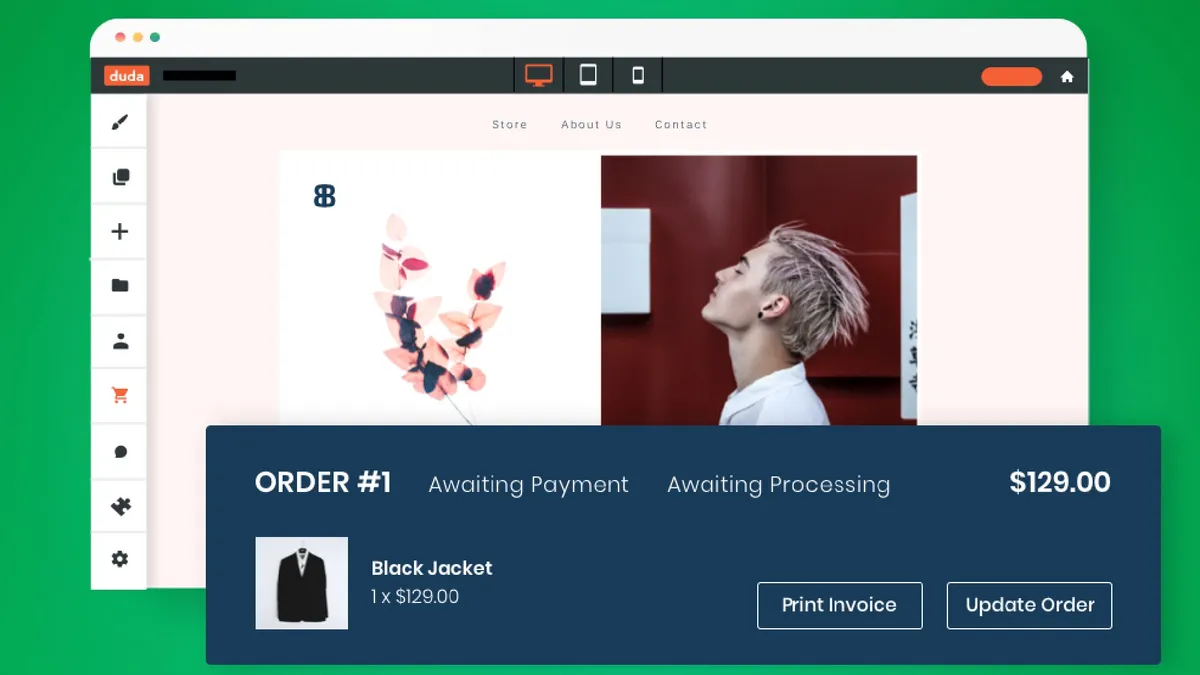
Duda’s core strength lies in its focus on client management tools.
With this, users can easily create new websites from Duda’s pre-saved templates, set permissions for clients, and even offer a streamlined feedback and revision process. All this saves significant time and resources in the workflow.
It also offers robust ecommerce tools, including various payment gateways, coupons, and gift cards. However, these features come as a paid add-on service.
What makes Duda even better for design is its customization capabilities, featuring ultra-precise edits through Flex Mode, global styles for sitewide consistency, and continuous support for RTL languages.
Plus, you even get a bunch of marketing and SEO tools, like native email marketing, blogging functionality, and comprehensive SEO features, specially optimized for Google Page Speed.
You can check out our Duda review for more insight into what the platform has to offer.
Best for large online stores
Who is BigCommerce best for?
✔️ It's for you if you're managing multiple client storefronts.
BigCommerce lets you manage multiple storefronts from a single dashboard, with each storefront fully customizable—ideal for agencies handling diverse client portfolios.
❌ It's not for you if low startup costs are a must for you.
BigCommerce has a higher starting price compared to freelancer-friendly rivals, which can be a hurdle for smaller agencies or solo consultants.
BigCommerce features and tools

Offering great scalability, a host of built-in features, fantastic SEO tools, and the ability to sell across multiple channels, BigCommerce is geared towards big brands that have plenty of customers to satisfy.
In terms of drawbacks, BigCommerce's occasional use of complex terminology might confuse inexperienced users, and its design interface can take some getting used to. Having said that, it’s still not a bad choice for smaller retailers, as it has a staggered pricing plan dependent on how many sales your site generates.
There also isn't a full AI website builder available, which is unusual for a big player in the market, although it offers plenty of great templates.
Read our detailed BigCommerce review for more details on pricing, features, and ease of use.
Best templates
Who is Squarespace best for?
✔️ It's for you if you prioritize standout visual design.
Squarespace delivers more than 180 professionally designed templates, all visually refined and polished, making it the top pick for those who prioritize standout design.
❌ It's not for you if you manage a massive product inventory. While Squarespace handles most storefronts well, Shopify is a better fit for advanced ecommerce features and large-scale selling.
Squarespace features and tools

I found Squarespace’s feature list impressive. I found everything I would expect from a top website builder, including SEO tools, ecommerce features, and one of the best blogging sites. I even used the Squarespace Blog app to publish and edit blog content on the go - a much better use of my commuting time than doomscrolling social media.
Business tools like invoice creation and scheduling can streamline processes, saving time and money for small businesses. So too does Squarespace's Acuity which can be used for everything from restaurant bookings to scheduling client meetings.
Personally, I really like Squarespace's additional platforms, such as Squarespace Unfold, a dedicated social media creation and management platform, and a link in bio creator to help drive social traffic to your site.
Our Squarespace review takes a deep dive into everything you need to know about the platform.
Best free plan
Who is Weebly best for?
✔️ It's for you if you're selling online on a zero budget.
Weebly is currently the only major website builder that lets you sell unlimited products on a truly free plan, so you can launch your store without any subscription fees or payment required.
❌ It's not for you if sophisticated business tools are a must for you. Platforms like Wix deliver stronger business tools and AI, though you’ll need a paid plan; Weebly’s free plan is simpler and more basic by comparison.
Weebly features and tools

In 2025, Weebly's free plan is a genuine surprise thanks to its ecommerce capabilities. You can sell unlimited products without transaction fees — a feature that typically costs way more on competing platforms. Unbelievably enough, it even includes inventory management, automatic tax calculation, item options, and even gift card functionality.
I found that the drag-and-drop editor handles basic website building tasks well. I could add text, images, videos, and forms without touching code. The platform automatically optimizes sites for mobile devices, ensuring content looks decent across screen sizes. However, customization options felt restrictive compared to modern no-code alternatives, and the lack of a full AI website builder is noticeable.
SEO tools come built-in, including automatic sitemap generation and basic optimization features. The platform handles technical aspects like SSL certificates, removing common headaches for beginners. Integration with Square's payment processing creates seamless checkout experiences for customers.
If you want to learn more about what the Weebly platform has to offer, check out our full Weebly website builder review.
How to choose the best website builder
🚀 Define your goals
When deciding on a website builder, it’s important that you have a clear plan of what you want to achieve. Think carefully about what sort of website you are looking to create - whether text or images will be the main focus, what sort of design you have in mind, and what features you may need.
📈 Consider value for money
Price plays an undeniable role in picking the best website builder, after all, if you don’t have the budget for an expensive website builder, then it isn’t a viable option. However, once you know which options are viable, assessing value for money is crucial.
Value isn’t just a case of how many tools you get and how much a website builder costs. Take time to consider how well each tool will help you achieve your goals and drive profit. A more expensive subscription may unlock features that let you automate key processes and grow your business quickly, or it may just be bloated with features that you will never use.
👤 Test usability
When we test website builders we consider how easy they are to use. However, ultimately, how easy you find a platform will depend on your own experience and preference. A platform that is easy and intuitive to one person may be a nightmare for another to use.
Take some time to familiarize yourself with the website builder's tools and features. Can you easily find what you are looking for? How quick and easy is each tool to use?
Take advantage of a platform's free trial or plans to test its usability.
🛠️ Identify the features and tools you need
Website builders vary widely in the range and quality of features and tools they offer. When picking the best website builder for you, it is important to consider which tools you may need when building, managing, and growing your website.
If you are building a business website, you may also want to look at website builders that come with helpful business tools. For example, Wix offers a booking tool, restaurant reservations feature, dropshipping integrations, and helpful financial tools.
🔮 Think about your future needs
Finally, it is important to consider scalability. Although you may not need advanced business tools when you first build your website, as your business inevitably grows, so too will the demands on your website.
Of course, you can always switch website builder platforms as your business gets bigger, but this can be a costly and time consuming task. So, it’s best to plan ahead and consider your future needs where possible.
🤔 Get expert insight
If you are interested in learning more about what to look for in a website builder, I asked experts from all of the top website builders to give us their thought and insights on the subject.
Best website builder: FAQs
What is a website builder?
A website builder is a platform that provides tools for the construction and management of a website (or multiple websites) and business management.
When you use a website builder you are locked in to that platform. The upside is that vendor lock-in leads to a very fast and streamlined experience. The downside is that you never really own your site. If vendor lock in concerns you, try web hosting. There are open-source page builders that allow you to build and manage yourself with zero experience (they're just not as easy as a website builder).
Typically, a website builder includes a number of templates (pre-built website designs.) The user chooses the template they like best, then uses a drag-and-drop editor to rearrange the site and add new content of their own (image galleries, videos, maps, forms, social media feeds - whatever else is available). It also comes with, or supports paid add-ons that seamlessly integrate into your site - like email marketing, and payment methods.
With a good website builder, you can create anything from a few simple personal web pages, to a complex business site and even busy and full-featured web stores.
You can read our detailed what is a website builder guide to find out more.
What's better: WordPress or website builders?
It depends on your needs. A website builder is an all-in-one package (hosting, design, and support are all included), making it incredibly easy to use. WordPress.org is a self-hosted Content Management System (CMS). WordPress gives you 100% ownership and unlimited flexibility through plugins, but it has a much steeper learning curve, requires you to buy your own web hosting, and leaves you responsible for security and updates.
How flexible are website builders?
Many website builders will let you change everything from page layouts to tiny details like the shape and style of buttons. Some even let you edit code, to help you get the exact look you are looking for but you're still restricted to what they allow you to do.
For full flexibility you'll need to host your own site.
Which website builders are free?
Some of the best website builders offer a free plan. For example, Wix, Weebly, and GoDaddy from our list all allow you to build a website for free.
However, free plans do have limitations. For example, most free plans will force you to host your website on a platform branded domain, such as yoursite.wixsite.com. You may also find ads on your website and limited access to tools and features on a free plan.
Free website builders aren’t for everyone, but they do offer a great way to test a builder with no financial investment.
Can I fully customize the design of my website?
The level of customization available depends heavily on the website building platform you pick, as each offers a different level of access to code and design tools than the other.
Some website builders, such as Weebly, keep things very simple, only allowing you to drag and drop blocks to create the website you want. This can help you build your site quickly and easily, but it limits customization. Other, more advanced, platforms such as Wix Studio, allow you a greater level of design flexibility with advanced design tools.
If you want total ownership and control over your website’s design, coding from scratch is your best option.
Are there any hidden costs I should watch out for?
Yes. Although website builders offer an all-in-one solution, there are some additional costs that you should be aware of.
Many website builders offer a free domain for the first year of your subscription, once a year has passed, this becomes an additional cost. It is important to keep an eye on your upcoming domain renewal, as this can add an often small, but not insignificant amount to your total website costs. You can renew within your builder but they add a few dollars onto the price. You can renew it at a registrar but it requires some admin.
Add-ons can also add costs to your website. For example, Wix offers many free website add-ons, but also offers premium add-ons that incur a one off or monthly cost. These add-ons are a great way to extend the functionality of your website, but their use should be carefully monitored, as they can add up over time.
Is a premium plan really worth it?
Yes.
Free website builder plans are a great way to test a website building platform or business idea, but come with limitations ranging from the inability to connect a custom domain to onsite branding that you cannot remove.
Opting for a premium plan is a great way to create a professional site and unlock more powerful website building features and tools.
Can I switch website builders later?
Website builders make it notoriously difficult to switch to a different platform at a later date. This is arguably one of the biggest downsides to creating a website using a website building platform.
Although there is nothing stopping you from closing your account and opening another account with a different website builder or host, you may find it difficult (or impossible) to transfer key aspects of your website, such as your template, functionality, and customer data.
If you believe you may want to transfer to a different website builder in the future, it is worth taking the time to understand how easy this will be given your website builder of choice.
Do website builders use Artificial Intelligence (AI)?
Many website builders are now leveraging artificial intelligence to help customers build better sites, faster than ever before. AI can be applied to many parts of the website creation process including image creation and edits, written content generation, and applying Search Engine Optimization (SEO) best practices.
Some of the best AI website builders, including Wix, Hostinger, and GoDaddy allow users to generate fully customized websites by providing a handful of prompts to an AI assistant. This can be a great way for business owners to get a head start on building their websites.
How much does a website builder cost?
There is no straightforward answer to the question: “How much does a website builder cost?” For businesses that are satisfied with simple templates and are happy to put up with ads and a generic URL, website builders can be found that don’t cost anything at all. Of course, most brands would not be content with a free solution, which can deliver sites that look unprofessional. The good news is that there are some very effective website builders out there that are reasonably priced. Most work through a monthly billing system, with costs for entry-level plans sometimes as little as $6 a month.
One thing that all website administrators should be aware of, however, is how much website builders charge for additional features. Even if your basic web builder package is cheap, costs can quickly escalate if you have to buy add-ons for security, e-commerce functionality, and marketing tools. It is important that businesses have transparency when it comes to the expenses related to their website, so it’s probably a good idea to research prospective platforms thoroughly before making your choice. It’s also important to factor in whether your website builder is scalable: will it remain suitable as your business expands and how will costs increase?
Do I need to know how to code to build a website?
No website builders require any coding knowledge. These platforms offer a combination of drag and drop and AI builders, making it simple for anyone to build a website.
However, some website builders now allow you to edit certain aspects of your website's code, helping offer greater flexibility for more advanced users.
How hard is it to build a website?
It may sound like a daunting prospect, but building a website is not necessarily difficult – although of course that all depends on how hands-on you want to be, the type of website you want, and your level of experience. Fortunately, many website builders are designed to appeal to the absolute beginner, coming with drag-and-drop editors that mean no coding experience is required at all. In fact, most web builders will have you up and running with a fully functioning site in under an hour. Alternatively, individuals with greater financial resources could hire a professional web designer to build their website for them.
For those that are willing to take on the website building process themselves, the level of difficulty involved will depend on the website builder they choose. Although all of them are relatively intuitive, some come with extra features that may require some knowledge of the website-building process to implement. Fortunately, most platforms come with decent levels of support, including how-to guides and video tutorials. It is worth mentioning, however, that many of the simplest website builders come with limited customization. For anyone that truly wants complete control over their site, some coding experience, as well as prior knowledge of HTML, will come in helpful.
What is the best website builder for beginners?
The best website builder for beginners is Wix. This is simply down to the fact that Wix's website builder is extremely straight forward and easy to use. Wix also has regular offers and discounts for beginners. Building a web store with Wix is very simple. as you won't need any coding experience. Wix is also the best small business website builder for these very same reasons.
If it's your first time building a website, you will want to commit to a website builder that's effortless to use. Wix fits the bill, letting you build and publish a website in minutes. Wix also has an AI website builder that will ask you some broad questions about the type of website you want to create. Wix will then give you a website shell tailored to the type of website you want to create, based on the answers you give to the questions.
Beginners may also opt for Weebly for its super simple interface, or Squarespace if looking for better design tools.
Can my site scale when it grows?
Yes. The vast majority of website builders allow for seamless scaling as your online presence expands. Upgrading your subscription typically grants access to higher storage limits, advanced performance tools, and increased bandwidth to manage heavier web traffic seamlessly.
For rapidly growing brands, many platforms also provide bespoke enterprise-level solutions. However, before committing to a platform, you should evaluate its top-tier plans to ensure it can accommodate your future growth trajectory.
Are website builders good for SEO?
Yes. In the past, website builders struggled with Search Engine Optimization, but modern platforms are highly capable. Most builders include essential SEO tools out of the box, such as the ability to edit meta titles and descriptions, customize URLs, and automatically generate sitemaps. However, if you are running an aggressive, enterprise-level SEO strategy, you may eventually find the technical SEO limitations of a builder restrictive compared to a self-hosted platform.
How can I save on my website builder subscription?
Most of the best website builders accept discount codes for the initial sign up period. We have a team dedicated to finding the best promo codes for the top website builders, including Squarespace promo codes, Hostinger promo codes, Wix promo codes, GoDaddy promo codes, and Bluehost promo codes.
Are website builders secure?
Yes, the majority of website builders will come with at least a level of security built in such as HTTPS and SSL protocols. These types of protocols ensure that communications between your website and its visitors are secure by using encryption.
High levels of security help your visitors feel safe when using your website. This is especially important when dealing with sensitive information such as personal and credit card data.
Check with your website builder of choice what level of security they offer as part of their packages.
