





These days, adverts and sponsored segments about VPNs are everywhere, but you might not be clear on what they are, why you would want one, or how they work.
A Virtual Private Network (VPN) is a privacy tool that boosts your digital security. It does this by encrypting your internet connection so that nobody can snoop on it. Not the government, your ISP, or anyone trying to steal your data.
A VPN also secures you on public Wi-Fi hotspots, unblocks international streaming content, and helps you snag the best deals when shopping. The big question is: how?
The technologies VPNs use, like encryption and protocols, can seem complicated for beginners. In this guide, we'll look at the key things you need to understand, explain some of the more technical details of how VPNs work, and recommend a few of the best VPN services.
The top 3 VPNs in 2026
What do VPNs do?
When you visit a website without connecting to a VPN, your traffic is routed through your internet service provider (ISP) without any additional security.
This means it’s accessible to third parties like your ISP, advertisers, or even government agencies can access your traffic to learn what they need to about your online activities.
A VPN prevents this by ensuring any data you send from your device goes through a secure, end-to-end encrypted tunnel to the VPN server, where it is secured with the VPN's encryption protocols, before connecting to the site or service you’re trying to access.
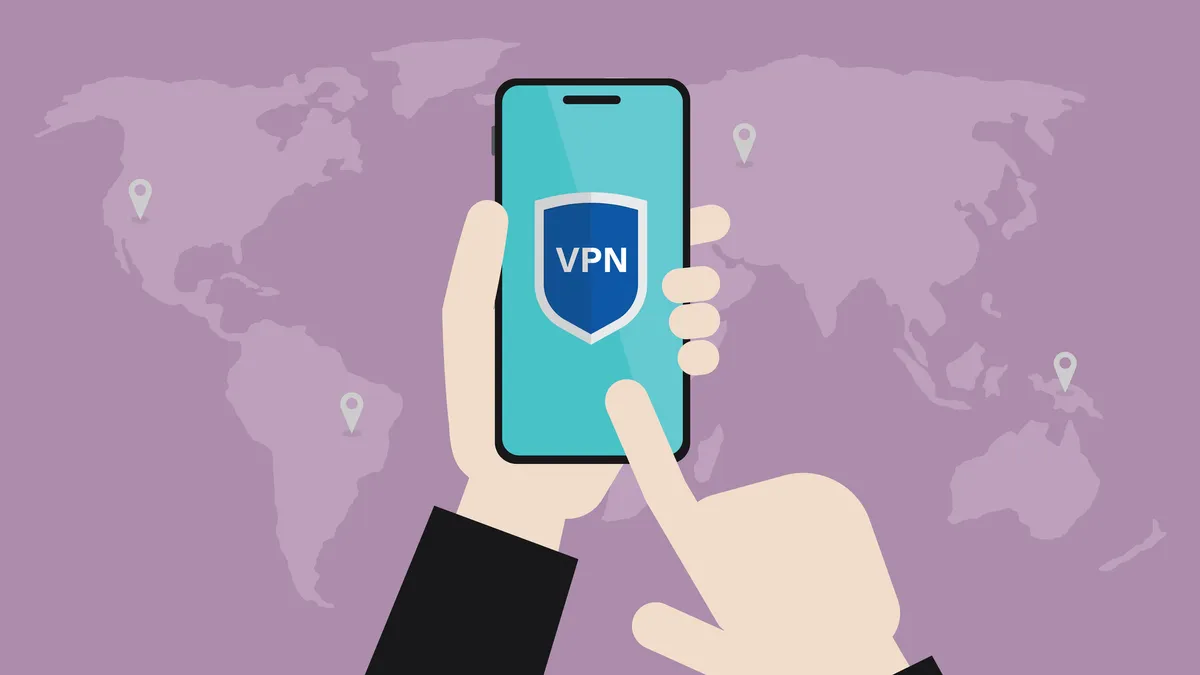
A VPN server is a computer located in another country that's running the VPN company's software. When you run the VPN provider’s app on your device it lets you pick one of these servers to connect to, usually through an interactive map or a list of countries.
While you're connected to a VPN, it hides your home IP address and replaces it with one of its own. This means your ISP, your government, and any opportunistic cybercriminals cannot intercept your data, follow your activity across the web, or even establish which country you're really in.
You also get improved security and anonymity with a VPN, along with other location-based perks that we'll look at later on.
What is VPN encryption?
A VPN's most important job is encrypting your personal data and web traffic. Connect to a VPN, and your financial details, logins, messages, browsing history, and other data are sent through an encrypted tunnel rather than an open connection.
The most secure type of encryption is AES-256-bit encryption, and the best ISPs will make sure they are using this.
For a practical demonstration, let’s say you're connected to your VPN, and you want to log in to Facebook, so you load up the Facebook app, enter your username and password, and hit the Log In button.
In the background, the VPN client automatically routes this request to the VPN server through an encrypted tunnel. The VPN server receives the request and sends it on to Facebook's servers, still encrypted. Facebook’s server grants the login and sends the data back to the VPN server.
This is where the VPN server re-encrypts and dispatches the request to your VPN client, where it's deciphered and finally displayed on your device.
Your data is encrypted and decrypted multiple times during this process and while this might all seem complex, all you would see is the Facebook login screen, and then your Facebook feed after you enter your details. Everything else seamlessly in a matter of moments.

What are VPN protocols?
In addition to encryption, protocols are another fundamental aspect of VPNs. VPN protocols determine how your traffic travels from server to server via the encrypted tunnel. The most common protocols today include:
- Secure Sockets Layer (SSL)
- Transport Layer Security (TLS)
- Point-to-Point Tunneling Protocol (PPTP)
- IP Security (IPSec)
- Internet Key Exchange (IKEv1 or IKEv2)
- Layer 2 Tunneling Protocol (L2TP)
- OpenVPN
- WireGuard
OpenVPN and WireGuard are the two protocols you’ll find most of today's top VPNs using, thanks to their speed and security.
But most providers allow you to change protocols in your VPN app settings – which is handy if you run into an issue where a particular protocol isn't working for you, but for most folks, picking the default options will be the best bet.
Making sure you're using up-to-date protocols is important since they play a huge part in the overall speed, security, and privacy of your VPN, and you'll want to avoid using outdated protocols that put your data at risk.
OpenVPN, WireGuard, and proprietary protocols (including ExpressVPN's LightWay and Hotspot Shield's Catapult Hydra) are the safest options. IKEv2 is a solid alternative used by some mobile VPNs.
This isn’t to say that the other protocols are totally obsolete (with the exception of PPTP which is hopelessly insecure), and most of them do have a use, even today, but outside of those specific circumstances you're safer and more secure sticking with OpenVPN or WireGuard.
How do VPNs unblock streaming sites?
While VPNs are mostly intended to boost your digital privacy, they can also be used to access streaming content from around the world.
When you connect to a VPN server you have a new IP address allocated to you by the VPN that is in the country you've connected to. If that server is in a different country to you, the IP address will be too, and you'll fool the sites you visit into thinking you’re in that location.
In other words, if you connect to a server in Germany, your IP address will show you are in Germany, regardless of where you actually are. As a result, you'll be able to check out content that might otherwise be locked behind geo-restrictions.

We've unveiled the most reliable streaming companions in our guide to best Netflix VPNs.
An example would be the BBC iPlayer. This is inaccessible to anyone living outside the UK. If you’re working or on vacation in the US, you can use your VPN to connect to a server in the UK and, just like that, you have a UK-based IP address, and you should be able to access the iPlayer.
There's always a chance that content providers like the BBC or Netflix will detect VPN usage as they keep lists of the IP address ranges that VPN providers use.
This means you might be identified as a VPN user and still not be able to access the content you’re looking for, but the best streaming VPNs use pretty sophisticated software and methods of avoiding detection, including regularly updating their IP address ranges.
Content unblocking will always be a cat-and-mouse game between providers and VPNs, with tactics and results constantly changing.
How VPNs work - in a nutshell
VPNs route your traffic through a secure server and encrypt it. This means that third-party snoopers (like cybercriminals, your ISP, and your government) can't read your traffic even if they intercept it.
VPNs also use a variety of protocols to transfer your data. Currently, OpenVPN and WireGuard are today's fastest and most secure options.
In addition to securing your data (including financial information, logins, and browsing history), a VPN can unblock global streaming content thanks to its server network.
With servers placed around the world, travelling users can pick a location overseas, be assigned a new IP address based in that same place and bypass geo-restrictions that'd otherwise prevent them from accessing region-specific shows, movies, and sites they can otherwise access from home.
FAQs
How do VPNs keep me safer online?
A VPN improves your online security by encrypting your data – ensuring nobody can snoop on it.
While your ISP will (potentially) be able to see that you're using a VPN, or that you've connected to an encrypted server, they won’t be able to crack the encryption provided by the VPN, or make sense of your sensitive data.
This is good news, as it means your ISP won’t be able to sell this information on to advertisers or surrender it to authorities upon request.
A VPN comes in handy when relying on public Wi-Fi hotspots, too. These hotspots (usually offered by cafes, airports, and hotels) tend to lack adequate security measures, making them attractive to opportunistic hackers hungry for your data.
VPN encryption ensures that your information remains secure, however, and totally unreadable.
VPNs can also boost your overall anonymity. By changing your IP address, they prevent your online activities from being traced back to your device, protecting you against snoopers and more direct threats like targeted DDoS attacks.
Are VPNs illegal?
VPNs encrypt your data and hide your original IP address but there are some things that they can't hide.
One of these is your device type. Through browser fingerprinting, sites you visit can collect data that tells them what device you’re using, including what operating system and web browser you’re using.
Some VPN services can monitor your online activity, too, by keeping records of what you do and where you go when accessing the web. This is pretty invasive, and you’ll want to pick a secure VPN that adheres to its no-logs policy to ensure that your provider isn’t sitting on sensitive information about your browsing sessions.
What can't a VPN hide?
VPNs encrypt your data and cloak your original IP address – but there are a handful of things that they can't hide.
One of these is your device type. Through the use of browser fingerprinting, the sites you visit can collect data (like operating system and browser type) that'll inform them about what device you’re using.
Some VPN services can monitor your online activity, too, by keeping records of what you do and where you go when accessing the web.
This is pretty invasive, and you’ll want to pick a secure VPN that adheres to a no-logs policy to ensure that your provider isn’t sitting on sensitive information about your browsing sessions.
How do sites know I'm using a VPN?
A VPN assigns you a new IP address when you connect to one of its servers, but these servers are shared amongst all the other VPNs users, which means you might be given the same IP address as someone else.
Many sites and services maintain a list of IP addresses that VPNs use and actively block them, which is why it’s important to make sure you’re using a premium VPN provider who has a wide range of addresses to pick from.
A lot of sites don't mind the fact that you're using a VPN; after all, it'd be a ridiculously expensive and time-consuming endeavor to block, ban, or take action against everyone using a VPN, but as bad actors use VPNs, some sites will try to stop you from connecting.
We test and review VPN services in the context of legal recreational uses. For example: 1. Accessing a service from another country (subject to the terms and conditions of that service). 2. Protecting your online security and strengthening your online privacy when abroad. We do not support or condone the illegal or malicious use of VPN services. Consuming pirated content that is paid-for is neither endorsed nor approved by Future Publishing.
