


Presented by

AI isn’t just a focus for your CEO now – here’s why everyone from your CISO to your security guard should be getting involved

Since ChatGPT burst into the mainstream in late 2022, generative AI has shifted from a hype-y boardroom talking point to a vital tool employees reach for pretty much every working day.
Microsoft and LinkedIn’s 2024 Work Trend Index puts the scale of this change starkly: 75% of global knowledge workers say they use GenAI at work, and usage almost doubled in six months.
And from our vantage point in 2026, AI tools have only become more integrated and crucial to myriad workflows at all types of companies.
The sheer speed of this shift is exactly why AI can’t remain a CEO-only initiative.
When Copilots can draft, summarise, and search across documents and messages, they also inherit your permissions, your data hygiene, and your weakest habits around sharing.
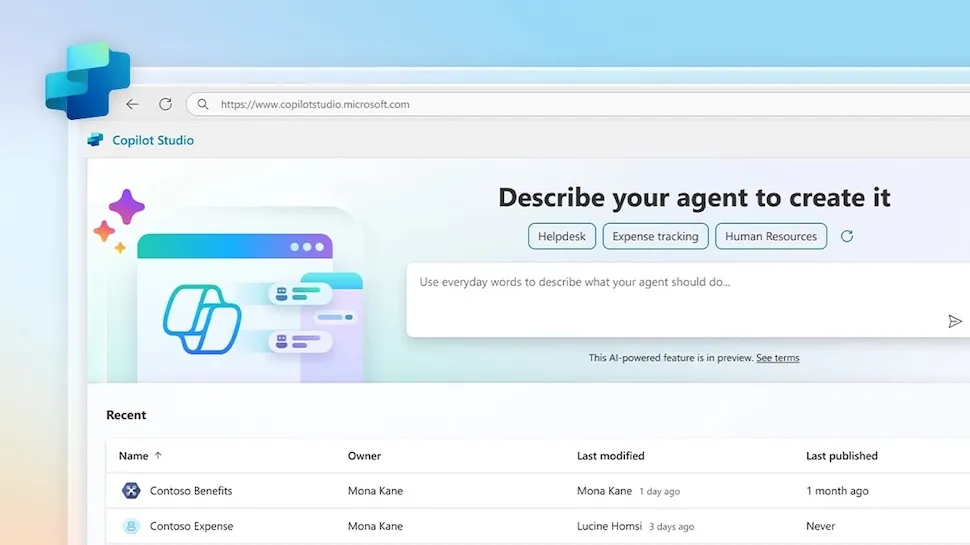
As GenAI shifts from answering questions to taking actions, through more agent-like capabilities in tools such as Copilot Studio, the case for top-to-bottom involvement only gets stronger.

The AI era so far: from ChatGPT to AI agents
In 2022 and 2023, enterprise generative AI usage mainly looked like experimentation in public: people tested prompts, copied text into chatbots, and discovered (sometimes the hard way) that convenience and confidentiality do not naturally coexist.
Then, almost overnight, everything seemed to change.
Rather than being yet another app, GenAI started turning up inside the software people already use to write, meet, and manage projects, which made it easier to adopt at scale, but also harder to contain.
Companies of all types and in all industries scrambled to adapt their permissions, policies, and tech stack to meet this new reality.
Microsoft 365 Copilot’s general availability for enterprise customers in late 2023 was arguably the marker of that second phase – the moment copilots moved from pilots and demos into a repeatable, licensable part of modern work.
From there, the direction of travel has been clear: tools can be given a task and expected to go off and do the legwork, often with minimal oversight.
Recent developments around Copilot Studio’s “computer use” feature, and new agent-style experiences in OneDrive, point to AI taking on more active roles across apps and document sets.
In general terms, as far as that is possible in enterprise, there have been productivity gains, but also governance pressure and security hurdles.
AI needs shared ownership across a company
It’s easy to think of GenAI as a leadership agenda item but the reality is often messier, because it isn’t behaving like a neat new tool that sits in one corner of the business.
One way to think about AI is as a kind of front door to your company's systems, which makes it powerful, but it also means it reflects whatever you already have, including over-shared folders, outdated docs, and so on.
Start with security, which has the most obvious stakes. Once assistants can browse, connect to sources, and generate convincing outputs in seconds, attackers will try to bend that to their advantage.
Security researchers warn AI assistants can be abused as hidden channels for malware, which is a good reminder that the threat model is evolving.
At the same time, CISOs are being asked to enable GenAI rather than block it, and that is where something like Copilot for Security fits, helping speed up triage and pull signals together.
Then there’s the question of who gets access, which usually lands with IT and corporate identity teams.
A drafting assistant for marketing is one thing; agents that can reach into document libraries, pull data from line-of-business apps, and take actions across workflows are another.
Finally, data governance. This is the bit workers often groan about, but it’s also where GenAI either becomes genuinely useful or quietly risky.
A report from 2025 suggested Copilot could access nearly three million sensitive records per organization, and not because it is snooping, but because many businesses have spent years letting data sprawl with minimal hygiene.
Fix that, and you get a double win: less chance of something sensitive surfacing in the wrong context, and better outputs because the assistant is drawing from cleaner, more trustworthy sources.

What "everyone gets involved" actually means
Once you accept GenAI is now becoming part of everyday work, the question becomes “who owns the bits of the organization AI now touches?”, and this is where the top-to-bottom idea matters.
Plenty of businesses do not have a literal security guard on the payroll, but every business has frontline roles, junior staff, contractors, and teams who sit outside the usual IT and security orbit.
In general terms, thinking about AI deployments like this might be helpful:
HR and L&D set the tone through training: what not to paste into tools, how to sense-check outputs, and so on; Legal needs to translate risk into clear guardrails; Finance and Procurement keep GenAI from turning into a sprawl of subscriptions and unvetted tools; and Comms and Brand can make life easier for everyone by defining where GenAI can help.
As usual, managers sit in the middle of all of this, deciding where GenAI is genuinely useful, which workflows can be improved without creating new risk, and how to measure whether it is working.
And at the “frontline” end of the business – whether that is reception, facilities, retail staff, or anyone fielding requests from strangers – GenAI raises the volume and plausibility of impersonation attempts, including via deepfakes.
All of these facets can work together, and businesses in 2026 are now finding out exactly how to implement generative AI to harness its power and minimise its weaknesses.
AI readiness is mostly about plumbing
If “everyone gets involved” is the cultural shift, the next step is the boring bit that makes GenAI work in practice: getting your foundations in order.
GenAI tools are only as helpful as the information they can reach, and most organisations are not short on information, but short on ways to utilise it and on clarity.
The same policy might exist in three places, with four owners, and five “final” versions, while permissions that were meant to be temporary become permanent by accident.
This situation, which is completely typical at most organizations, especially at scale, is why AI readiness work is less about buying yet another tool and more about tidying the estate.
Some helpful starting points: agree what counts as a 'source of truth', retire dead documents, tighten up who can access what, and give key folders and knowledge bases real ownership.

The AI agent era
Up to now, most workplace GenAI tools have been about helping an individual get from blank page to a first draft, or turning a meeting into something to actionable and shareable.
The next phase feels different. As agent-style AI capabilities roll out, the tool is not just helping you think but can start doing things on your behalf, across the apps and files you already use day-to-day.
Copilot Studio’s “computer use” feature is a good example of that shift, because it is designed to let an agent interact directly with websites and desktop apps, even when there is no tidy API to plug into.
Giving AI more autonomy is where the governance pressure jumps. If an agent can gather information, fill in fields, trigger workflows, or act across a bundle of documents, you need to be clear about what it is allowed to do.
The key is to assume that agents will behave like a new layer of workforce tooling, not a clever add-on.
If you give a team an AI agent that can draft emails, raise tickets, update records, or chase down information across shared drives, all extremely useful functions, you have effectively created a new pathway into systems that used to be reached only through actual people clicking buttons.
While that can be a huge win for speed and consistency, it also changes what “normal” looks like in your logs, your approvals, and your day-to-day controls, potentially causing stress for your IT department and management.
Put simply, the more you let GenAI act like an employee, the more you need to be deliberate about boundaries, and the less viable it becomes to rely on informal norms and good intentions to keep everything on the rails.