





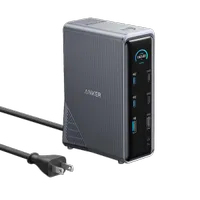
If you want one box that charges your laptop and phone while driving two monitors, the Anker Prime 14-in-1 docking station is $161.49 at Amazon.
● Best for: Laptop users who want a tidy desk with dual monitors and fast charging
● The deal: The Anker Prime Charging Docking Station (14-in-1, Dual Display, 160W) is $161.49 (was $269.99) at Amazon
● Why we like it: 160W of total charging output, three USB-C ports at up to 100W each, 10Gbps data ports, dual HDMI, Ethernet, and a smart display that shows charging status
Why we recommend it
We tested this exact dock in our Anker Prime Charging Docking Station (14-in-1, Dual Display, 160W) review and praised its super-fast charging, 10Gbps data transfers, and dual 4K display option. Our reviewer's main complaints were the non-removable power cable and the lack of an SD card reader.
Price Context & Historical Value
Anker sells this dock for $269.99 on its own site. It dropped to $169.99 at Amazon in August, so $161.49 is a bit lower than that and the best price we've seen.
Should you buy it?
✅ Buy the Anker Prime 14-in-1 dock if...
you use a Windows laptop with two monitors, you want to charge several devices from one box, or you want a single cable to connect everything at your desk.
❌ Skip the Anker Prime 14-in-1 dock if...
you use a Mac and want two different images on two monitors, you need an SD card reader, or you only need a few ports and a cheaper hub would do.
