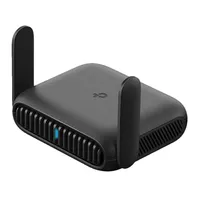
We've tested a number of travel routers over the last year, but one of the highlights was our recently reviewed TP-Link Roam 7. This ultra-portable Wi-Fi 7 router impressed us during real-world performance testing, where we created private networks on the go when connecting to public hotspots. And right now, the TP-Link Roam 7 is down to $90 (was $130) at Amazon.
On top of public Wi-Fi 7 on the go, you can also connect via Ethernet, mobile hotspotting, and use it as an access point or wireless range extender. It even features VPN support to keep you secure. Overall, we found it an impressive device, especially for business travel. In the UK, TP-Link's Wi-Fi 7 mobile router is now £100 (was £160) at Amazon.
Editor's note. I've checked since first finding this deal, and the TP-Link Roam 7 is still discounted right now with no change in price.
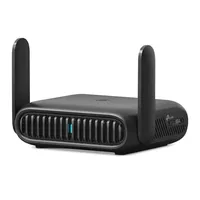
Why we recommend it
The Roam 7's biggest strength is its flexibility. Depending on what's available, it can get online through public Wi-Fi, Ethernet or USB phone tethering, rather than relying on one particular type of connection.
In his 4.5-star review, our expert Alastair said: "If you work in different locations with multiple devices, then an option like the TP-Link Roam 7 makes absolute sense. Connect the router to the internet, then connect all other devices to it; no need to reconnect each. It offers a balanced set of security features, including VPN support, making it a great solution at a lower price than most mobile routers."
He also called it a "very appealing as an option to use anywhere, be that traveling or in a location that you just want to set up a private network, such as in an office, studio or workshop where a separate network can be useful."
Price context & historical value
The Roam 7 usually sells for $129.99, and $89.98 is a reasonable $40 (31%) saving. We have seen it cheaper in the past though, but not massively. The price has dropped to a low of $80, but not for long. I'd saying paying around $10 more today still makes this a good deal, especially if you need a travel router now.
Should you buy it?
✅ Buy the TP-Link Roam 7 if...
You regularly travel with several connected devices or want an easier way to share hotel, Airbnb, airport or other public Wi-Fi. Once the router is connected, your devices can use the private network you've created rather than each having to connect to the public network individually.
Setup through TP-Link's Tether app is quick, and the full web interface provides extensive options for managing the network and connected devices.
❌ Skip the TP-Link Roam 7 if...
You want a completely self-contained mobile router. The Roam 7 doesn't have an internal battery or SIM slot, so you'll need to supply power over USB and provide an internet connection via Ethernet, public Wi-Fi, phone tethering or a USB modem.
I'd also skip it if you're specifically looking for tri-band Wi-Fi 7. Despite supporting Wi-Fi 7, the Roam 7 operates over the 2.4GHz and 5GHz bands and doesn't support 6GHz.
The Catch: What to know before you buy
Don't mistake the Roam 7 for a mobile hotspot that provides an internet connection by itself. There's no internal SIM or battery, so it needs both an external power source and an available internet connection.
OpenWrt isn't supported and while the router can make managing and sharing public Wi-Fi considerably easier, it can't improve a painfully slow hotel connection unless you have an alternative connection available for failover.
Also consider